
The most common reason for a ninja blender power light blinking is that the blender jar or the lid isn’t locked into the base correctly. It’s safe to keep using the appliance once you secure the connection, as this is a safety feature meant to prevent the blades from spinning while the container is open. You can confirm this cause by pressing down firmly on the lid or rotating the jar until you hear a distinct click, which should stop the blinking light immediately.
Understanding the blinking ninja blender power light
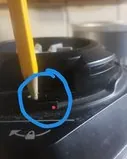
When you see that flashing light, the machine is telling you it can’t verify that the container is safe to operate. Most models have sensors at the base and the lid that must be fully engaged to complete the electrical circuit. If these sensors don’t touch, the motor won’t start to protect you from accidental injury.
| What you notice | What it usually means | What to do first |
|---|---|---|
| Light blinks steadily | Jar isn’t locked | Twist jar clockwise |
| Light blinks rapidly | Lid isn’t secure | Press lid down firmly |
| No light at all | No power reaching unit | Check wall outlet |
| Motor hums but stops | Food is too thick | Add 1/2 cup liquid |
| Light blinks after use | Unit is overheating | Unplug for 15 minutes |
| Light stays on solid | Ready to blend | Press your program |
Check the sensor pins located on the base for dried food residue. Even a thin film of smoothie or protein powder prevents the electrical contact required to trigger the motor. Wipe the pins with a damp cloth and dry them completely before reseating the jar.
If the light blinks rapidly despite a locked lid, check the rubber gasket. If the gasket is loose or pinched, the lid sits a fraction of an inch too high to engage the safety switch. Replace the gasket if it appears stretched or brittle.
Don’t force the jar into the base. If you feel significant resistance, debris is likely lodged in the locking tracks. Forcing it will snap the plastic tabs, which permanently disables the safety sensor and requires a full base replacement.
Misaligned container base
The most frequent culprit is a jar that hasn’t been twisted fully into the locked position on the motor base. Every Ninja blender requires the handle of the jar to be rotated until it aligns with the icon on the base. If the jar sits even slightly off-center, the internal safety switch remains open, and the power light will blink to signal an incomplete connection.
To fix this, remove the jar from the base and look for any debris like food crumbs or spilled liquid that might block the path. Wipe the base clean with a damp cloth, then place the jar back down and rotate it firmly until it clicks. If the light stops blinking, you have successfully engaged the safety sensor.
If it continues to blink, check the underside of the jar to ensure the plastic tabs aren’t cracked or worn down from heavy use. If you see visible damage to these plastic locking tabs, the jar may no longer be able to depress the switch correctly.
If you suspect the switch itself is the issue, press the internal button on the base with a blunt object like a wooden spoon handle. If the unit powers on, the switch is functional, and the jar is the source of the misalignment. If the unit remains dead, the base sensor has failed. Avoid forcing the jar into place if you feel resistance, as this often snaps the plastic locking tabs, turning a simple cleaning task into a costly replacement.
Unsecured lid locking mechanism
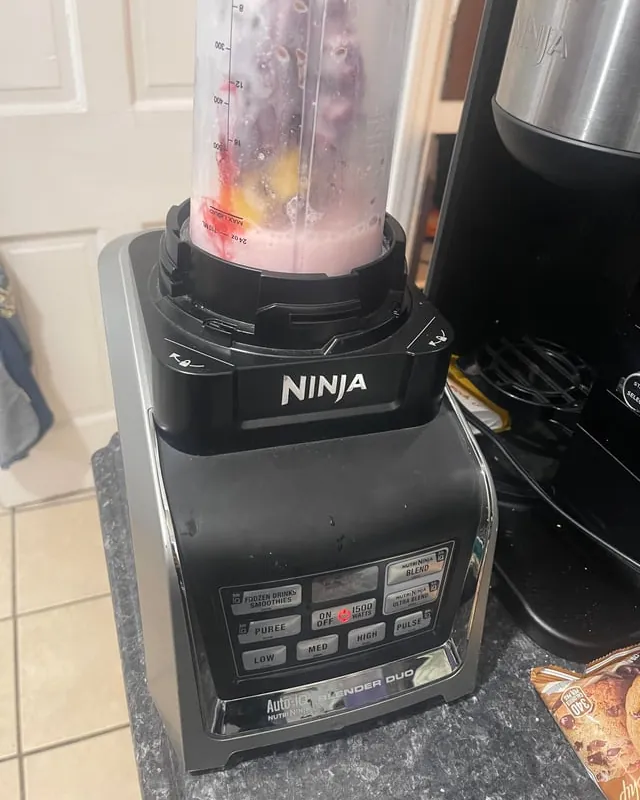
A blinking light often indicates that the lid isn’t snapped into its final locked position. Many Ninja models feature a secondary safety switch inside the handle that detects if the lid is latched. If the lid is resting on top but the handle lever isn’t pushed down, the motor will refuse to engage.
Push the lid handle down firmly until it snaps into the locked groove. If the light persists, ensure the rubber gasket inside the lid is clean and sitting flat; a misaligned gasket can prevent the lid from closing tightly enough to trigger the sensor. You should also check the lid for any large food chunks stuck in the locking arm. Clear away any buildup with a soft brush and try locking it again.
If the light continues to flash after you have cleared the debris, inspect the plastic locking tabs on the rim of the pitcher. If these tabs show signs of stress or hairline fractures, the lid can’t maintain the necessary pressure to depress the internal safety pin. In this case, no amount of force will engage the motor, and you must replace the lid assembly entirely.
Many users mistakenly assume the issue is electrical and attempt to reset the unit by unplugging it repeatedly. This wastes time and fails to address the mechanical obstruction. If the handle lever feels loose or fails to offer firm resistance when pushed, the internal spring mechanism has likely failed. If you feel a solid click but the light remains, the sensor itself is likely obstructed by dried residue.
Overheating protection mode
If your blender has been running for several minutes, the motor may have triggered its thermal protection system. This happens when the internal temperature of the motor exceeds the safety limit set by Ninja Kitchen product safety guidelines. The blinking light acts as a warning that the unit is too hot to continue blending safely.
To resolve this, unplug the power cord from the wall outlet immediately. Let the blender sit undisturbed for at least 15 minutes to allow the motor to cool down. If the unit was processing very thick ingredients, add more liquid to reduce the strain on the motor before you try again.
Most users make the mistake of leaving the pitcher attached to the base during this cooldown. Remove the pitcher entirely to allow heat to escape from the motor housing more efficiently. If the light starts blinking again as soon as you press a button, the motor is still too warm.
If you’re blending fibrous ingredients like kale or frozen fruit, use the pulse setting rather than continuous high-speed blending. This prevents the motor from reaching critical temperatures in the first place. You can tell the difference by the sound; a strained, slowing motor is a clear indicator that you should stop before the thermal switch trips. This protection is vital.
If you ignore these warnings, the motor windings could suffer permanent damage, rendering the unit useless. Always prioritize a longer cooling period if the base feels warm to the touch. It’s better to wait an extra ten minutes than to replace the entire appliance.
When to stop and get help
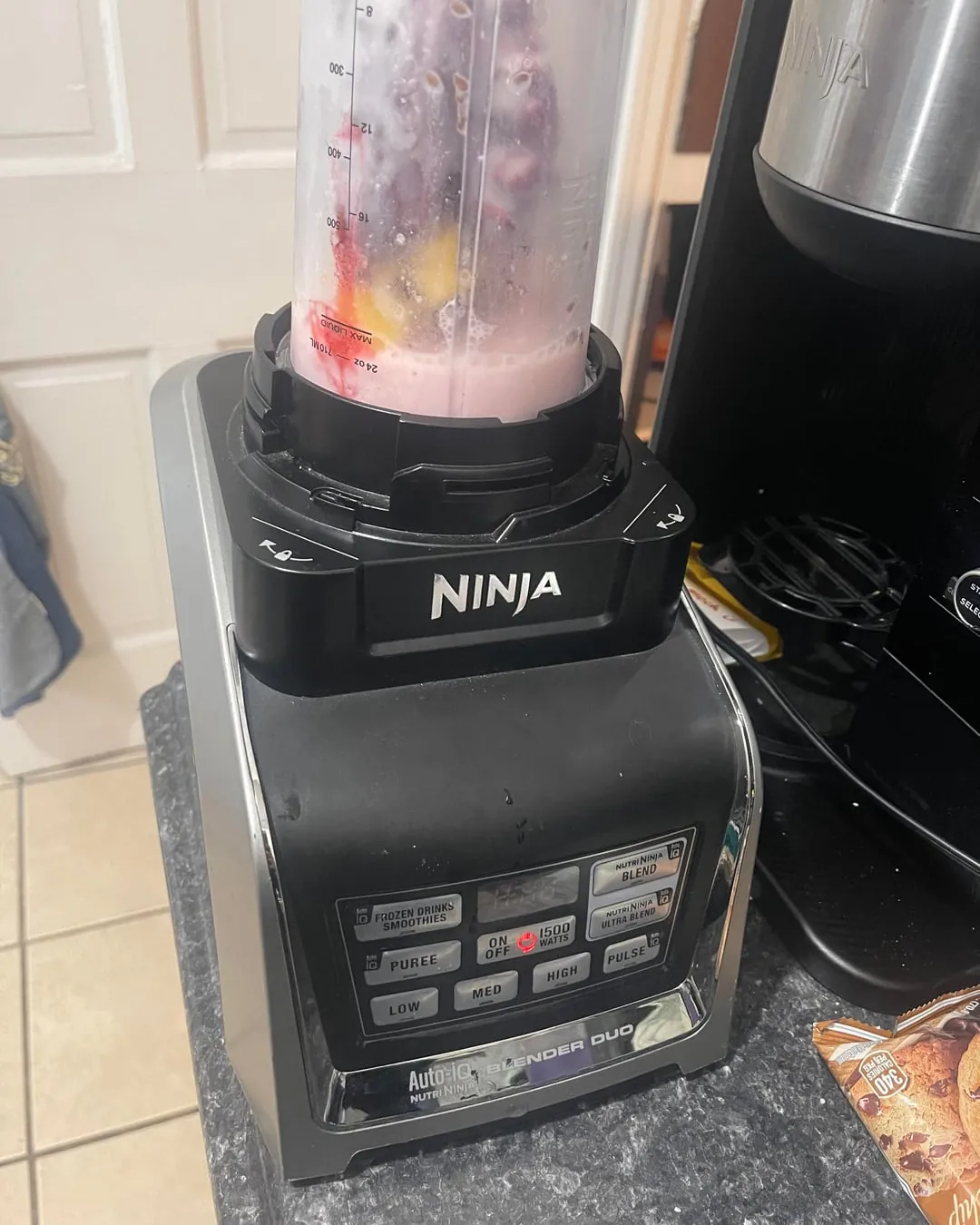
There are moments when a blinking light indicates a problem that you can’t fix at home. Don’t attempt to bypass the safety switches or open the motor housing yourself, as a capacitor can hold a lethal charge even when unplugged.
If you smell smoke or burning plastic, stop immediately; the motor windings may be failing. A faint, ozone-like scent is often the first warning sign of a short circuit. If you ignore this, the next stage is typically a popped internal fuse or a melted wiring harness, which turns a simple repair into a total loss.
If you see frayed wires or cracks in the power cord, stop use to avoid a shock hazard. Don’t attempt to patch these with electrical tape. Once the insulation is compromised, the copper strands inside are likely oxidized, meaning the cord will continue to overheat under load.
If you have confirmed the jar and lid are locked but the light still flashes, the internal sensor is broken. This often happens if liquid has seeped into the base. If you hear a sloshing sound when tilting the unit, stop immediately.
When these signs appear, contact the manufacturer’s customer service department for repair options or a warranty claim. Attempting to fix internal electrical issues without professional training can void your warranty and create a significant fire risk in your kitchen.
Related guides
Frequently asked questions
Can I bypass the safety switch?
You can’t bypass the safety switch because it’s a critical feature designed to prevent the sharp blades from spinning while the container is open. Attempting to trick the sensor by using tools or tape is dangerous and can lead to severe injury. If your blender won’t start, it’s because the device has detected that it isn’t in a safe state for operation.
How long should I wait for the blender to cool down?
You should wait at least 15 minutes for the motor to cool down if the power light is blinking due to overheating. This gives the thermal sensor enough time to reset itself after the motor has reached its limit. If you try to run the blender again before this time is up, the internal protection will simply trigger again to prevent damage to the motor.
Is it safe to use if the light is still blinking?
It isn’t safe to use the blender while the light is blinking because the motor is locked by the safety system. This blinking signal is your confirmation that the machine hasn’t met the requirements for safe operation. Never attempt to force the motor to run while the warning light is active, as this can cause unnecessary strain on the internal components and may lead to a total failure.
What happens if I keep trying to start it?
If you keep pressing the start button while the light is blinking, you risk overheating the motor and potentially damaging the control electronics. The blender is designed to stop you from using it when it isn’t secure, and ignoring this warning forces the motor to work against a locked state. This behavior can cause the motor to burn out or cause the plastic locking tabs to break under pressure.
Does it matter if I use a different jar?
It matters because every Ninja blender is designed to work only with the specific jar and lid combination provided for that model. Using a jar from a different model may prevent the safety pins from aligning with the sensors in the motor base. If the sensors don’t align perfectly, the power light will continue to blink, and the blender won’t start no matter how hard you push.
Conclusion
If the light persists after double-checking those connections, don’t worry. It’s a good idea to unplug the unit for a few minutes to let the internal sensors reset. If it still won’t start, you should reach out to customer support. They’ll help you figure out if there’s a deeper issue with your machine.