
Is your Kenmore Elite front load dryer acting up when you need it most? You’re not alone.
When your dryer stops working properly, it can throw off your entire routine and cause unnecessary stress. But don’t worry—you don’t have to call for expensive repairs right away. This guide will help you troubleshoot common Kenmore Elite front load dryer problems quickly and easily.
By understanding what’s going wrong and how to fix it, you’ll get your dryer back to running smoothly in no time. Keep reading to take control of your dryer issues and save time and money.
Common Dryer Issues
Kenmore Elite front load dryers are reliable, but issues can occur. Knowing common problems helps you fix them fast. Troubleshooting saves time and avoids costly repairs. This guide covers frequent dryer problems and simple checks.
Dryer Not Starting
The dryer may not start due to power issues. Check if the dryer is plugged in properly. Make sure the circuit breaker has not tripped. Door switches can fail and stop the dryer from running. Faulty start buttons also cause this problem.
Clothes Not Drying
Clothes stay wet if the dryer does not heat correctly. A clogged lint filter reduces airflow and drying power. Blocked vents cause poor air circulation. Heating elements can break and stop heat production. Thermostats or thermal fuses may also fail.
Dryer Overheating
Overheating happens when airflow is blocked. Lint buildup in vents or filters causes heat to trap inside. Faulty thermostats or sensors may not control temperature properly. Overheating can damage clothes and the dryer itself. Immediate action is necessary for safety.
Unusual Noises
Strange sounds often mean worn drum rollers or bearings. Objects stuck in the drum or blower fan cause noise. Loose belts or pulleys also create unusual sounds. Identifying noise sources helps prevent bigger problems. Regular cleaning reduces noise issues.
Drum Not Spinning
The drum may stop spinning if the belt breaks or slips. Motor problems prevent the drum from turning. Drum rollers or idler pulleys may be worn out. Check for blockages inside the drum or vent system. Fixing these parts restores normal operation.
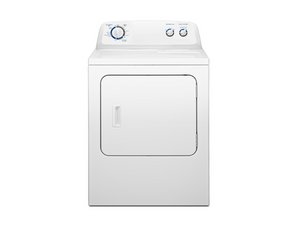
Credit: www.ifixit.com
Basic Checks Before Repair
Before fixing your Kenmore Elite front load dryer, check some basic things first. These checks save time and avoid extra repairs. Simple problems often cause the dryer to stop working properly. Follow these easy steps to find the issue quickly.
Power Supply And Outlet
Check if the dryer is plugged in properly. Make sure the outlet has power by testing it with another device. Look for any loose or damaged cords. A dryer’s power supply issue is common and easy to fix.
Door Switch Functionality
Dryers will not run if the door switch does not work. Press the door switch to hear a click. No sound means the switch might be faulty. Replace the switch to restore dryer function and safety.
Lint Filter And Vent Cleaning
Remove lint from the filter after every use. Clogged lint traps block air and cause drying problems. Clean the vent hose to improve airflow. Proper cleaning helps the dryer work efficiently and prevents fires.
Control Panel Settings
Check the control panel for correct settings. Make sure the cycle and temperature are set right. Reset the dryer by turning it off and on. Incorrect settings can stop the dryer from starting or drying clothes properly.
Fixing Dryer Not Starting
The Kenmore Elite front load dryer not starting can be frustrating. This issue stops your laundry routine. Simple checks often fix the problem. Focus on key parts that control power and start functions. Here are easy steps to troubleshoot and fix the dryer not starting.
Resetting The Dryer
Resetting can clear minor errors and glitches. Unplug the dryer from the power outlet. Wait for about 5 minutes to let it reset fully. Plug it back in and try starting the dryer again. This simple step often restores normal function.
Checking Thermal Fuse
The thermal fuse protects the dryer from overheating. A blown fuse stops the dryer from starting. Find the fuse near the blower housing or heating element. Use a multimeter to test for continuity. Replace the fuse if it shows no continuity. This fix restores power to the dryer motor.
Inspecting Start Switch
The start switch signals the dryer to run. A faulty switch prevents the dryer from turning on. Remove the control panel to access the switch. Test the switch with a multimeter for continuity. Replace the switch if it is defective. This step ensures the dryer receives the start command.

Credit: www.youtube.com
Resolving Drying Problems
Drying problems with your Kenmore Elite front load dryer can be frustrating. Clothes may come out damp or take too long to dry. Many issues cause these problems. Most are easy to fix with some basic checks. Follow simple steps to get your dryer working well again.
Cleaning The Vent Hose
A blocked vent hose stops hot air from leaving the dryer. This causes clothes to stay wet. Unplug the dryer and pull it away from the wall. Detach the vent hose from the back. Use a vacuum or brush to clear lint inside the hose. Make sure the vent outside your home is open and not blocked. Reattach the hose securely before using the dryer again.
Testing Heating Element
The heating element warms the air inside your dryer. If it breaks, the dryer won’t get hot. Unplug the dryer and open the back panel. Locate the heating element and check for any visible damage. Use a multimeter to test for continuity. No continuity means the element needs replacing. Replace the faulty heating element to restore heat.
Examining Thermostat
The thermostat controls the dryer’s temperature. A broken thermostat can stop the dryer from heating or cause overheating. Unplug the dryer and find the thermostat near the heating element. Test it with a multimeter for continuity. If the test fails, replace the thermostat. This helps keep drying temperatures correct and safe.
Addressing Overheating Issues
Overheating is a common problem with Kenmore Elite front load dryers. It can cause clothes to burn or the dryer to stop working. Fixing overheating quickly is important for safety and dryer performance.
Several parts can cause the dryer to get too hot. Checking each part carefully helps find the problem fast. This section explains how to replace the thermal cutoff, check airflow, and inspect the temperature sensor.
Replacing Thermal Cutoff
The thermal cutoff stops the dryer from overheating. It cuts power if the dryer gets too hot. If this part breaks, the dryer may still overheat.
Unplug the dryer first. Then locate the thermal cutoff inside the dryer’s back panel. Remove it and test it with a multimeter. If it has no continuity, replace it with a new one.
Verifying Airflow
Poor airflow causes heat to build up inside the dryer. Check the vent hose for blockages or kinks. Clear any lint or debris found in the vent or lint filter.
Make sure the vent outside your house is open and clean. Good airflow helps the dryer cool properly and stops overheating.
Inspecting Temperature Sensor
The temperature sensor controls the dryer’s heat level. If it fails, the dryer may get too hot. Find the sensor near the heating element.
Use a multimeter to test the sensor’s resistance. Replace it if the reading is outside the normal range. A working sensor keeps the dryer at a safe temperature.
Handling Noises And Drum Problems
Kenmore Elite front load dryers can sometimes make strange noises or have drum problems. These issues may stop your dryer from working well. Fixing these problems early can save you money and time. Understanding common causes helps you troubleshoot easily. Let’s look at simple steps to handle noises and drum issues in your dryer.
Lubricating Drum Rollers
Drum rollers help the drum spin smoothly. Over time, they can dry out and cause noise. To fix this, you need to lubricate the rollers. Use a high-quality lubricant safe for dryer parts. Apply a small amount on each roller shaft. Spin the drum by hand to spread the lubricant. This reduces friction and stops squeaking sounds.
Replacing Drum Belt
The drum belt moves the drum during drying. A worn or broken belt causes loud thumping or no spinning. Check the belt for cracks or wear. If damaged, remove the old belt carefully. Fit a new belt around the drum and motor pulley. Make sure it is tight and aligned. Test the dryer to confirm the drum turns properly.
Checking Idler Pulley
The idler pulley keeps the drum belt tight. A faulty pulley can cause noise and poor drum movement. Inspect the pulley for wear or damage. Spin it by hand to check for smooth motion. Replace the pulley if it feels rough or stuck. This repair keeps the belt tight and the drum turning quietly.
When To Call A Professional
Knowing when to call a professional for your Kenmore Elite front load dryer saves time and prevents damage. Some issues look simple but need expert help. Others involve risks that only trained technicians can handle safely. Recognizing these moments helps you avoid bigger problems and costly repairs.
Complex Electrical Repairs
Electrical problems in your dryer can be dangerous. Faulty wiring or damaged components require special tools and skills. Attempting these repairs alone could cause shocks or fires. A professional has the training to fix electrical issues safely and correctly.
Parts Replacement Guidance
Replacing parts on your dryer needs careful attention. Choosing the wrong part or installing it incorrectly may cause more damage. A technician knows the exact parts needed and how to install them properly. This ensures your dryer runs smoothly after repair.
Safety Precautions
Dryers use heat and electricity, which can be hazardous. Professionals follow strict safety rules to protect themselves and your home. They wear protective gear and use tested methods during repairs. Calling a technician reduces the risk of injury and accidents.

Credit: www.youtube.com
Maintenance Tips For Longevity
Keeping your Kenmore Elite front load dryer in good shape helps it last longer. Regular care stops small problems from growing. Simple maintenance saves money and time. It also keeps your clothes safe and dry.
Follow these easy tips to maintain your dryer. They improve its performance and extend its life.
Regular Cleaning Schedule
Clean the lint filter after every load. This stops lint buildup and improves airflow. Clear the vent hose every few months. Dust and lint can block it. Wipe the drum with a damp cloth to remove dirt. Check for any signs of wear or damage regularly.
Proper Loading Techniques
Do not overload the dryer. Clothes need space to tumble and dry evenly. Spread items loosely inside. Avoid drying heavy items with light ones. Sort clothes by fabric type and weight. This helps the dryer work better and prevents damage.
Using Correct Drying Cycles
Choose the right drying cycle for each load. Use gentle cycles for delicate fabrics. Heavy cycles work best for towels and jeans. Avoid using high heat for all clothes. High heat can shrink or damage fabrics. Follow the care labels on your clothes for best results.
Frequently Asked Questions
Why Is My Kenmore Elite Dryer Not Heating?
The dryer may have a faulty heating element or a blown thermal fuse. Check these parts and replace if needed. Also, ensure the dryer is plugged in properly.
How Do I Reset My Kenmore Elite Front Load Dryer?
Unplug the dryer from the power source for about one minute. Plug it back in to reset the system. This often clears minor errors.
What Causes A Kenmore Elite Dryer To Stop Mid-cycle?
A clogged vent or overheating can cause the dryer to stop. Clean the lint filter and vent hose. Check for any airflow blockages.
Why Is My Kenmore Elite Dryer Drum Not Spinning?
The belt might be broken or the motor could be faulty. Inspect the belt and motor for damage. Replace parts as necessary.
How Do I Clean The Lint Filter On A Kenmore Elite Dryer?
Remove the lint filter from the dryer’s door or top panel. Use your hand or a soft brush to clear lint. Clean after every load for safety.
What Does Error Code F01 Mean On My Kenmore Elite Dryer?
Error code F01 signals a motor problem or a stuck motor relay. It may need a motor reset or replacement. Consult the manual or a technician.
Conclusion
Troubleshooting your Kenmore Elite front load dryer can save time and money. Start with simple checks like power and lint buildup. Small fixes often solve common problems quickly. Regular care helps your dryer last longer and work better. Keep this guide handy for easy reference.
A well-maintained dryer means fewer worries and more clean clothes. Don’t let issues stop your laundry day. Stay calm and follow these steps to get your dryer running smoothly again.