
Have you ever taken a photo you thought was perfect, only to find it too bright and washed out? Overexposed photos can ruin your memories and make your shots look less professional.
But don’t worry—fixing overexposed photos is easier than you think. You’ll learn simple, effective ways to bring back the details and colors your pictures deserve. Keep reading, and you’ll never have to throw away a photo because of too much light again.
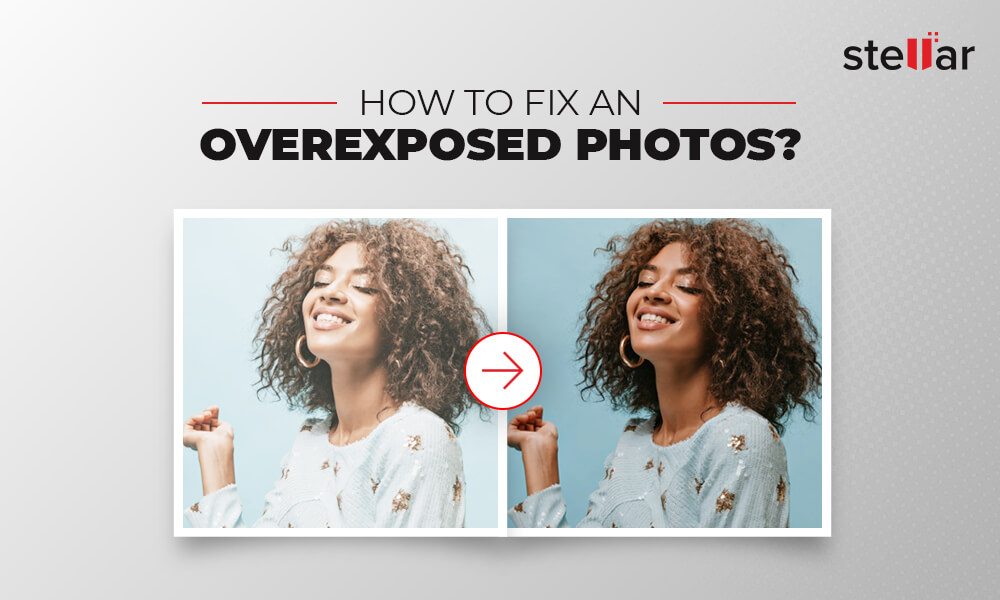
Credit: www.stellarinfo.com
Causes Of Overexposure
Overexposure happens when too much light hits the camera sensor. This makes photos look too bright or washed out. Understanding what causes overexposure helps you avoid it. You can then take clearer, balanced pictures.
Bright Lighting Conditions
Bright sunlight or strong indoor lights can cause overexposure. Cameras struggle to balance intense light. The result is overly bright images with lost details. Shooting at noon or under direct light often leads to this issue.
Incorrect Camera Settings
Wrong settings like high ISO, wide aperture, or slow shutter speed cause overexposure. These settings let in too much light. Many beginners use automatic mode, which can misread the scene’s brightness. Manual adjustments help control light better.
Reflective Surfaces
Reflective surfaces like water, glass, or snow bounce light back into the camera. This extra light can confuse the sensor and cause overexposure. Taking photos near mirrors or shiny objects often results in too bright spots.
Camera Settings To Adjust
Adjusting your camera settings is key to fixing overexposed photos. Overexposure happens when too much light hits the camera sensor. Changing the right settings helps control light and improves your photo quality.
Three main settings affect exposure: ISO, shutter speed, and aperture. Each controls how much light enters the camera in different ways. Learning to adjust them correctly can save your images from being too bright.
Lowering Iso
ISO controls the camera’s sensitivity to light. Higher ISO makes the sensor more sensitive, which can cause overexposure. Lower the ISO number to reduce this sensitivity. For bright conditions, use ISO 100 or 200. This setting helps prevent washed-out photos and keeps details sharp.
Adjusting Shutter Speed
Shutter speed controls how long the camera sensor is exposed to light. A slow shutter speed lets in more light, risking overexposure. Speed up the shutter to reduce light exposure. Try faster speeds like 1/500 or 1/1000 of a second. This change captures clearer images with balanced brightness.
Changing Aperture
Aperture is the size of the lens opening that allows light in. A wide aperture (small f-number) lets in more light, which can overexpose photos. Use a smaller aperture (larger f-number) to limit light entry. Settings like f/8 or f/11 help create well-exposed pictures with good depth of field.
Using Exposure Compensation
Using exposure compensation is a simple way to fix overexposed photos. It lets you adjust the camera’s exposure settings quickly. This tool helps reduce the brightness and save details in your images. You can use it while shooting to prevent overexposure before editing later.
When To Use It
Use exposure compensation when your photos look too bright. Bright sunlight or reflective surfaces can cause overexposure. If your camera’s auto mode makes images too light, try this setting. It works well for scenes with snow, sand, or white objects. Adjusting exposure compensation helps keep details in bright areas.
How To Apply It
Find the exposure compensation button or dial on your camera. It often shows as “+/-” or a scale with numbers. Press or turn it to lower the exposure value. Start with small steps, like -0.3 or -0.7, to avoid underexposure. Check the preview screen to see changes. Take a test shot and adjust if needed. This method saves your photos from being washed out.

Credit: www.reddit.com
Post-processing Techniques
Post-processing techniques help fix overexposed photos after shooting. These methods adjust brightness and details to improve the image. Editing software offers tools to make these changes easily.
Understanding key editing steps can save your photos from being too bright. These techniques also enhance the overall look without losing important details.
Editing Exposure In Software
Start by opening your photo in editing software like Adobe Lightroom or Photoshop. Locate the exposure slider. Moving it left lowers brightness, which can reduce overexposure. Adjust slowly to avoid making the photo too dark. Check the image closely to keep natural colors and tones.
Recovering Highlights
Highlights are the brightest parts of a photo. Use the highlights slider in your software to bring back lost details. Pull the slider down to darken these areas. This reveals textures and colors hidden by brightness. Be careful not to overdo it, or the photo may look dull.
Using Masks And Layers
Masks and layers help edit specific parts of a photo. Create a layer to work on overexposed areas only. Use a mask to select these bright spots precisely. Adjust exposure or highlights just on that layer. This keeps the rest of the photo untouched. It gives more control and better results.
Preventing Overexposure In Future Shots
Overexposure ruins many photos before they even get edited. Preventing it starts with smart shooting habits. Small changes make a big difference in capturing the right light.
Using the right tools and settings helps protect your shots from too much brightness. These tips guide you to keep your photos clear and detailed every time.
Shooting In Raw Format
Shooting in RAW keeps all the image data your camera captures. It lets you fix brightness and shadows better in editing. JPEG files lose detail when overexposed. RAW files give you more control to recover highlights. This reduces the damage caused by bright light.
Using Nd Filters
ND filters reduce the light entering your camera lens. They act like sunglasses for your camera. This helps in bright outdoor conditions. ND filters let you use slower shutter speeds or wider apertures. This keeps the image from being too bright. They are especially useful for landscapes and portraits in sunlight.
Bracketing Exposures
Bracketing means taking several shots at different exposures. One photo is normal, one is darker, and one is brighter. This gives you options to choose the best exposure. You can also blend the photos later for balanced light. Bracketing protects against mistakes and improves photo quality.

Credit: www.youtube.com
Creative Uses Of Overexposure
Overexposure does not always ruin a photo. It can create unique and creative images. Photographers use overexposure to add style and emotion to their shots. Understanding how to use overexposure creatively can turn a mistake into art.
Artistic Effects
Overexposure can soften details and brighten colors. This effect gives photos a dreamy, ethereal look. Bright whites and light tones dominate the image. Shadows disappear, making the scene look smooth and light. This style works well for portraits and nature photos. It adds mood and emotion, not just brightness.
High-key Photography
High-key photography uses overexposure to create bright, clean images. The background is usually white or very light. Subjects appear soft and glowing. This style reduces contrast and shadows. It creates a fresh, airy feeling. High-key photos often show happiness and purity. This technique suits fashion, product, and portrait photography.
Frequently Asked Questions
How Can I Fix Overexposed Photos In Editing Software?
Use the exposure and highlights sliders to reduce brightness. Lower the white levels carefully to restore details. Adjust contrast to bring back depth in the image.
What Camera Settings Help Prevent Overexposure?
Lower your ISO to reduce sensor sensitivity. Use a faster shutter speed to limit light intake. Adjust aperture to control how much light reaches the sensor.
Can Overexposed Photos Be Fully Recovered?
Complete recovery is rare but partial fixes are possible. Editing can restore some details in bright areas. Avoid overexposure during shooting for best results.
Which Tools Work Best To Fix Overexposed Photos?
Photo editors like Adobe Lightroom and Photoshop offer strong tools. Use exposure, highlights, and shadows adjustments. Histogram views help monitor brightness levels precisely.
Why Do Overexposed Photos Lose Detail?
Too much light washes out colors and textures. Bright areas become “blown out” with no visible information. Reducing exposure during shooting avoids losing important details.
Conclusion
Fixing overexposed photos is easier than you think. Small changes in settings can save your pictures. Editing tools help recover lost details and balance light. Practice helps you spot and fix problems quickly. Keep experimenting with your camera and software.
Soon, your photos will look clear and bright. Don’t let overexposure ruin your memories. Take control and enjoy better images every time.