
To fix a control panel error or a frozen screen, you can perform a power cycle by unplugging the unit for 60 seconds or holding the Energy Saver and Power Freeze buttons for 8 to 10 seconds. This is how to reset samsung fridge models that have become unresponsive. This method works best for digital display issues and sensor glitches that don’t require a technician. If the unit doesn’t respond after these steps, the hardware may need a professional inspection.
Getting your Samsung fridge ready to reset
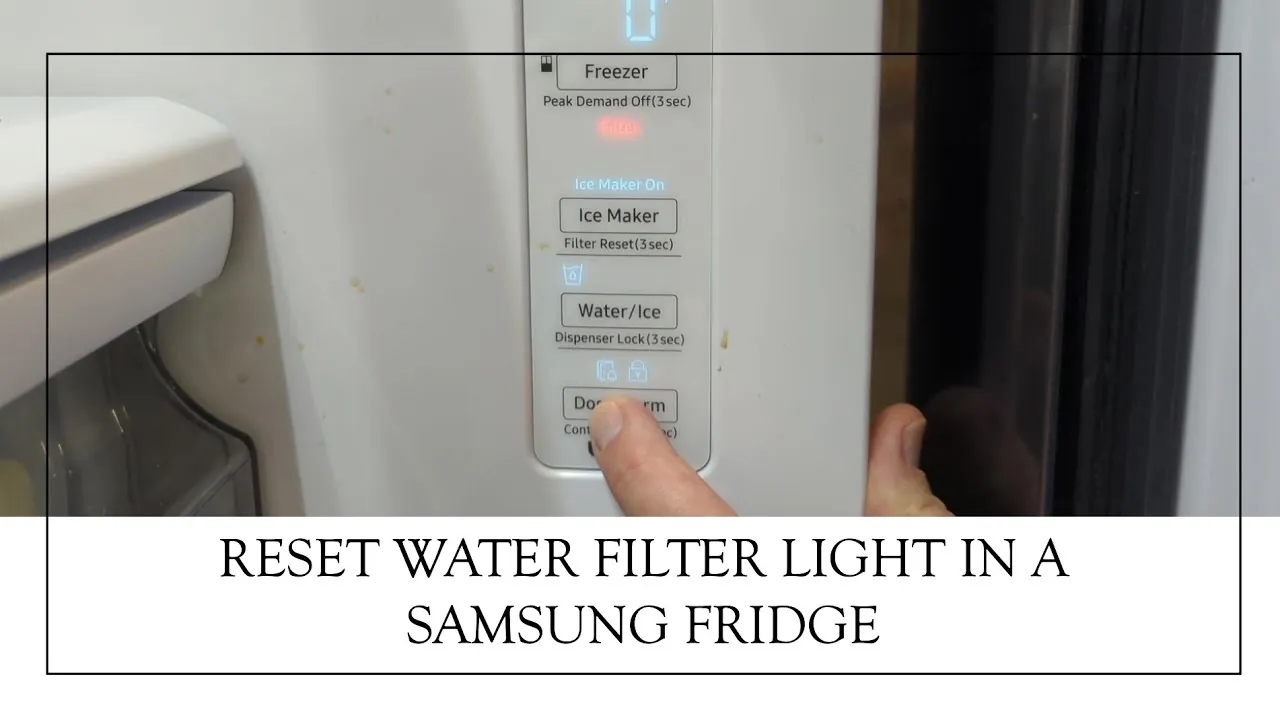
Before you start, clear a workspace that allows you to move the appliance at least six inches away from the wall. You don’t need professional tools, but having the correct sequence is vital for success.
Keep your specific model number ready, as button combinations vary by series. If you aren’t the original owner, find the model number on the sticker inside the door frame or on the back panel. If the sticker is faded, check the digital display settings menu for the serial information.
You must be able to reach the power plug behind the unit safely. If the cord is taut or hidden behind heavy cabinetry, don’t force the unit outward. Stop if you feel resistance, as pulling too hard can snap the water line connected to the ice maker.
Use a stopwatch or your phone timer rather than guessing.
Use a flashlight to check for loose connections or debris near the power cord. Dust buildup on the plug prongs can cause arcing, which creates a fire hazard. If you see black charring on the metal pins, don’t proceed; call an electrician to inspect the outlet instead.
Use a dry, lint-free cloth to wipe the control panel before pressing buttons. Moisture or grease from your fingers can cause the touch-sensitive surface to misread your inputs. If the panel is unresponsive even after cleaning, the ribbon cable inside the door may be disconnected.
If you’re unsure whether your model requires a hard reset or a software update, check the manufacturer’s support portal. You can distinguish between the two by looking at the display: if the screen is blank, you need a hard reset. If the screen shows an error code, you likely need a software update or a technician.
Attempting to open the internal housing of a refrigerator can void your warranty or cause electrical injury. If you hear a grinding noise from the compressor area, stop immediately. That sound indicates a mechanical failure that no amount of resetting will fix. In that case, contact a certified professional to prevent permanent damage to the cooling system.
Step-by-Step Reset Actions
Follow these steps to clear the system memory and restore factory settings for the control panel.
- Locate the power plug at the back of the refrigerator and pull it out of the wall outlet.
- Wait a few moments to ensure the power is fully disconnected.
- Plug the refrigerator back into the wall outlet and listen for the compressor to start.
- Press and hold the “Energy Saver” and “Power Freeze” buttons simultaneously for 8 to 10 seconds if the display remains frozen.
- Watch the display panel for a flashing light or a “ding” sound, which indicates the system has rebooted.
- Release the buttons once the screen turns off and then restarts.
- Wait 24 hours for the internal sensors to recalibrate the temperature settings.
Careful: Don’t attempt to force the buttons if they feel stuck, as this can break the plastic housing. Tip: If the display shows a specific error code like “88 88,” write it down before resetting, as this code identifies the specific component that failed.
Adjustments for Different Fridge Models
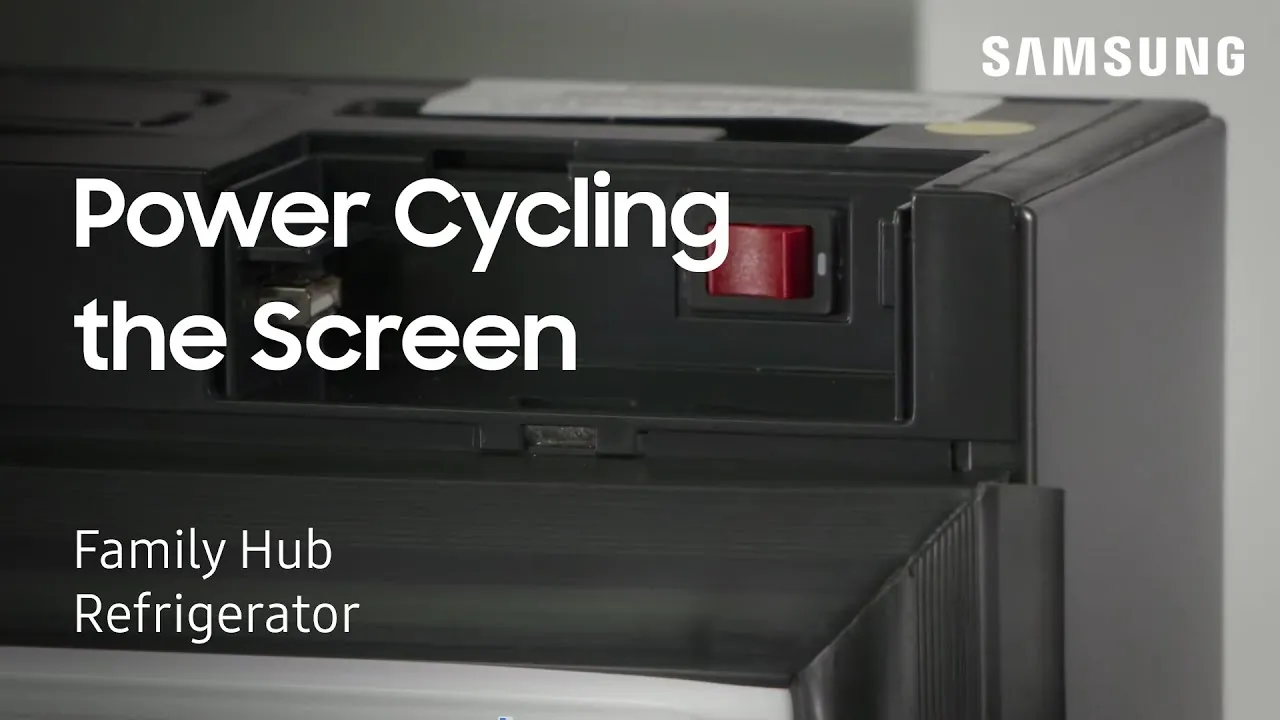
Reset procedures change depending on whether your unit has a physical button array or a touchscreen interface.
| Situation | Time Required | Difference in Method | Watch For |
|---|---|---|---|
| Basic Digital Panel | 60 Seconds | Unplugging only | Screen light-up |
Always start with the simple unplugging method before moving to button combinations, as it’s safer to trigger a full power cycle first.
If your model features a physical pinhole, use a straightened paperclip rather than a needle. A needle can puncture the internal membrane, causing permanent damage to the reset switch. You should feel a distinct, tactile click when the internal button engages. If you don’t feel that click, the switch is likely jammed with debris.
For smart models, check your router’s signal strength before initiating a reset. If the fridge shows a weak Wi-Fi icon, the reset will fail to pull the latest firmware updates from the server. You’re better off moving your router closer to the kitchen if the sync status remains stuck for more than ten minutes.
If your manual model requires a button combination, you must press both buttons simultaneously within a half-second window. Pressing one even slightly before the other will simply trigger the standard alarm mute function instead of the system reboot. If the display doesn’t flash after five seconds, release both buttons and wait thirty seconds before trying the sequence again.
Avoid holding the buttons for longer than twenty seconds. Excessive pressure can cause the control board to enter a diagnostic test mode, which displays cryptic error codes that require a professional technician to clear. If you accidentally trigger this mode, unplug the unit briefly and plug it back in to exit the diagnostic state.
Verifying a Successful Reset
A successful reset restores the interface to its factory state, meaning the display should respond to touch inputs within two seconds. You should see the temperature digits stabilize immediately without any lingering flickering or ghosting effects. If the screen remains blank or the original error code persists, the main control board likely sustained a permanent hardware fault.
You can verify this by checking the diagnostic light located on the back of the appliance near the compressor. If that light is flashing in a specific pattern, the board is attempting to communicate a failure that a power cycle can’t fix. In this case, the internal software can’t load because the memory chips have failed.
Most owners mistakenly assume that a second, longer power cycle will resolve these persistent codes. This error often costs you an additional hour of downtime and risks further damaging the compressor by forcing it to cycle on and off rapidly.
If the screen is responsive but the temperature doesn’t drop after four hours, the issue is mechanical rather than electronic. Follow this rule: if the display works but the cooling fails, check the evaporator fan. If the display is dead, focus your budget on replacing the control board. Keep the rear condenser coils free of dust to prevent the heat buildup that causes these boards to fail prematurely.
Rules and Aftercare
Follow the manufacturer’s guidelines regarding power stability and maintenance. Samsung recommends keeping your appliance on a dedicated circuit to prevent voltage drops that cause control panel errors. If your lights flicker when the unit kicks into a heavy cycle, you’re likely sharing the circuit with another high-draw appliance. Move the unit to a standalone outlet immediately to prevent permanent damage to the control board.
After a reset, check the door seals for any gaps that might have caused the unit to overwork. Run a thin piece of paper along the gasket; if it slides out without resistance, the seal is compromised and needs replacement. A worn seal forces the motor to run longer, leading to the very error codes you’re trying to clear.
If the error code returns within 24 hours, contact a licensed technician to inspect the main board. Never attempt to replace internal wiring or circuit boards yourself. These components often store a residual charge in the capacitors, carrying lethal high-voltage risks even when the unit is unplugged.
A common mistake is assuming the unit is safe once the power cord is pulled. Don’t attempt to access or probe internal electrical components; contact a professional technician. If you lack the proper testing equipment, the cost of a professional service call is significantly lower than the risk of a high-voltage shock or a fried motherboard.
Alternative Reset Methods
Using the Mobile App
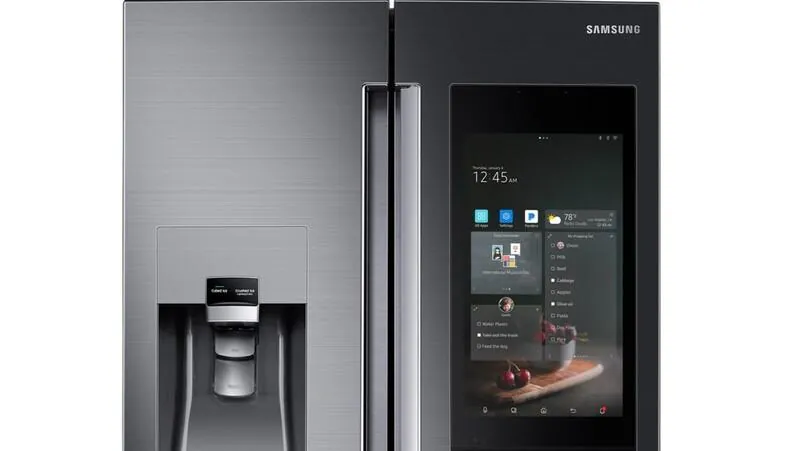
If you have a connected smart model, open your fridge settings inside the SmartThings app. Select the “Device Reset” option to clear the cache remotely. This saves time but only works if the Wi-Fi module is still active.
Checking the Circuit Breaker
If the panel is totally dead, check your home’s electrical breaker box. Flip the switch assigned to the kitchen off, wait 30 seconds, and flip it back on. This resets the power supply to the entire unit.
Clearing the Door Switch
Sometimes the fridge thinks the door is open. Manually press the door switch button near the frame to see if the panel wakes up. This helps if the display is simply in “demo mode.”
Frequently asked questions
Can I reset my fridge by turning off the power?
Yes, unplugging the unit for 60 seconds performs a hard reset that clears temporary software errors from the memory.
Why does my screen show a flashing 88?
The 88 code indicates the control panel is receiving power but can’t communicate with the main board.
How long does a reset take to complete?
A standard power cycle takes 60 seconds, while a button-based software reset takes about 10 seconds.
Is it safe to reset my fridge while it’s running?
Yes, but you should avoid doing this during a power surge or a storm to protect the electronics.
What happens if the reset doesn’t work?
If the screen remains unresponsive, you likely have a faulty control board that requires a professional repair service.
How often should I reset my samsung fridge?
You should only reset the unit when you see a persistent error code or an unresponsive touch display.
Conclusion
Regular maintenance, such as cleaning the condenser coils based on usage as recommended by the owner’s manual, will prevent the overheating that often leads to these control panel errors in the first place.