
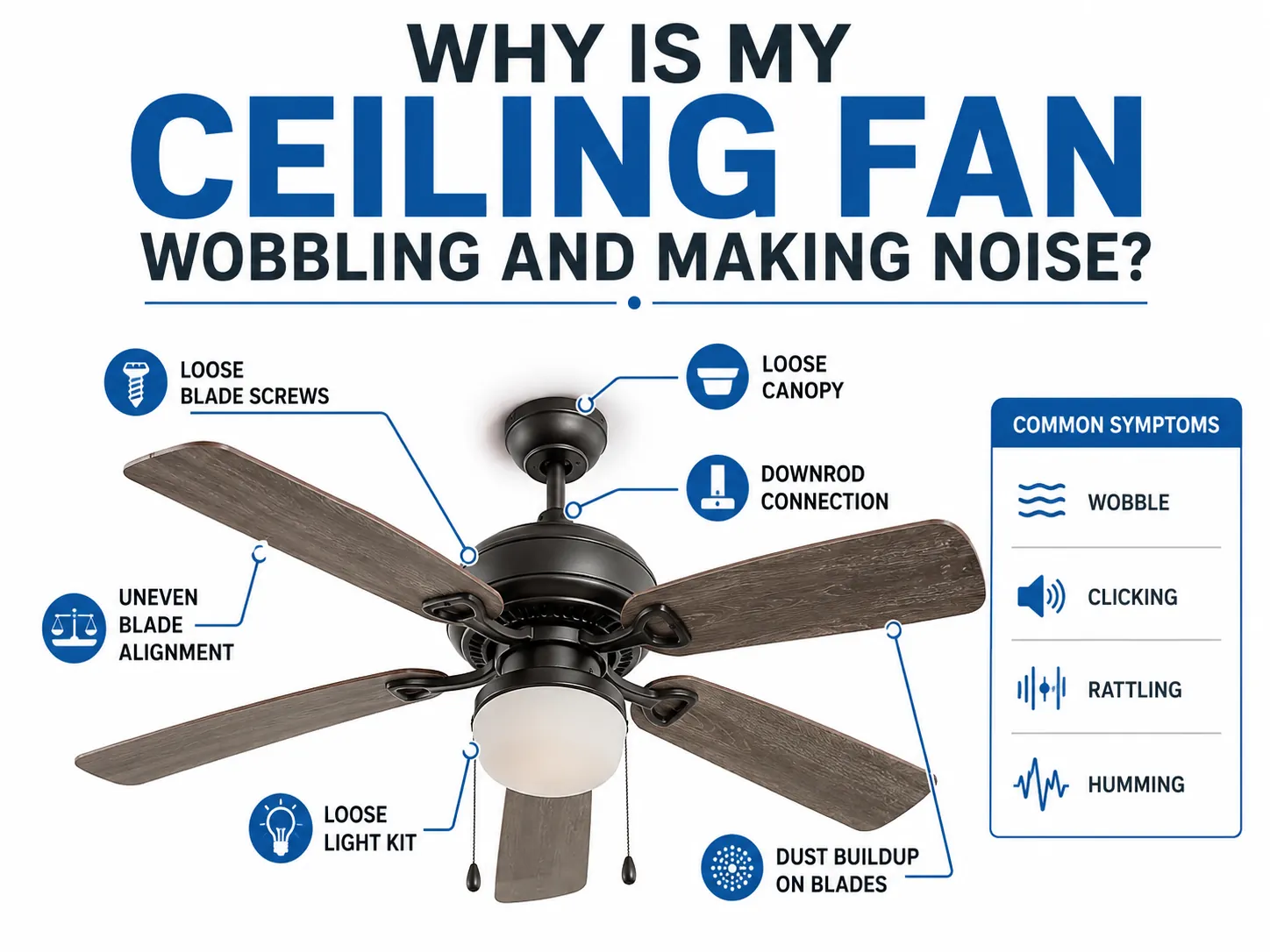
A loose screw or a misaligned blade is the most common reason you have a ceiling fan making noise while it runs. You can often fix this by tightening the mounting hardware or checking that the blades are balanced and secure. If the sound persists after you verify these parts, you should turn off the power at the wall switch before inspecting any further. Never attempt to open the electrical housing if you lack experience with home wiring, as this can lead to injury or damage.
Stop your ceiling fan from making noise
Turn the fan off and wait for the blades to stop moving completely. Never attempt to adjust components while the motor is engaged, as even a slow rotation can cause a screwdriver to slip and damage the finish.
Check that every screw on the blade brackets is tight using a standard screwdriver. In this case, replace the screw with one size larger or use a wall anchor or wood filler to repair the hole before re-securing the screw.
Gently push up on the fan canopy near the ceiling to see if it rattles against the bracket. If the canopy shifts, tighten the mounting screws that hold it to the ceiling box.
Inspect the pull chains to ensure they aren’t hitting the glass shades. If the noise persists, shorten the chains so they hang clear of all surfaces.
Why your fan creates unwanted sounds
The mechanism behind fan noise is usually mechanical vibration or loose connections rather than an internal electrical failure. Fans are balanced at the factory to rotate smoothly, but over time, the constant motion can cause screws to back out slightly. This creates a small gap where metal parts vibrate against each other, leading to the clicking or humming you hear.
If the noise is a rhythmic clicking, it often means a blade is slightly bent or the weight of the blades is uneven, causing the entire assembly to wobble as it spins. Check the blade brackets first. If one bracket is bent even a quarter-inch lower than the others, the aerodynamic imbalance will create a persistent tick. You can fix this by gently bending the bracket back into alignment using a pair of pliers.
A humming sound is sometimes caused by the electrical current interacting with the motor coils, especially if you’re using a dimmer switch not rated for fans. Standard light dimmers interrupt the power flow in a way that causes the motor to “chatter” at a high frequency. If you hear this buzz, replace the switch with a dedicated fan speed control.
If the noise is a grinding or scraping sound, this points to internal wear within the motor bearings. Motor bearings are sealed at the factory. If they fail, they can’t be serviced by a homeowner. Continued operation in this state will eventually seize the motor, turning a simple bearing repair into a full unit replacement.
Simple checks to diagnose the issue
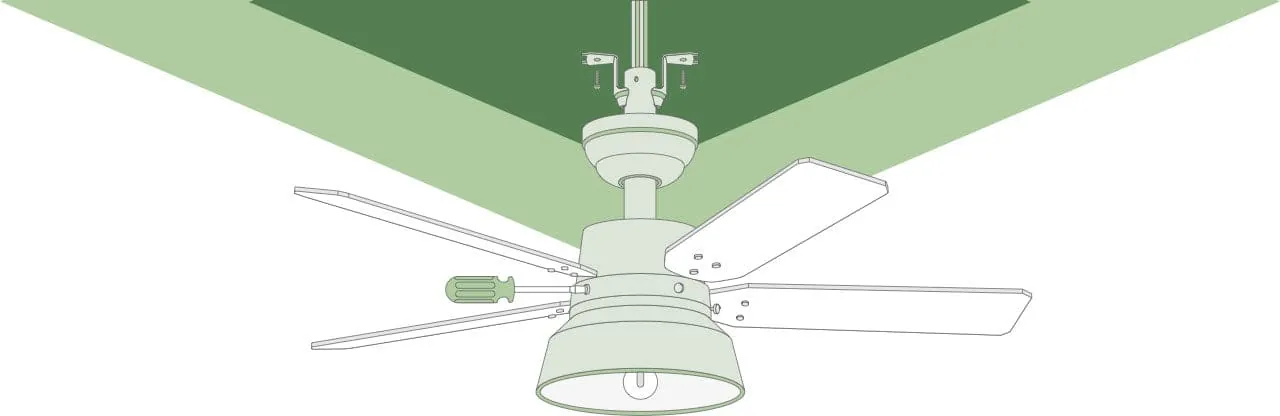
Check the blade screws
Examine the screws where the wooden or plastic blades attach to the metal brackets. If any screw turns more than a quarter-turn, it was likely causing the vibration. Tighten all of them until they’re snug but don’t over-tighten, as this can strip the threads in the wood or soft metal.
Inspect the canopy fit
Look at the decorative cover, or canopy, that sits against your ceiling. If there’s a gap or the cover moves when you push it, the mounting bracket underneath may be loose. Tighten the screws that secure the bracket to the electrical box in the ceiling to stop the canopy from vibrating against the drywall.
Test for blade balance
Hold a ruler against a fixed point on the ceiling and measure the distance to the tip of each blade. Every blade should be within 1/4 inch of the same distance from the ceiling. If one blade is significantly lower, it’s bent or loose, which creates an uneven rotation that causes the fan to shake.
Look for loose light kits
If your fan has a light, check the glass shades and the decorative screws holding them in place. These shades often loosen due to the fan’s vibration and tap against the metal light kit. Tighten the thumb screws holding the glass to ensure a firm fit against the rubber gaskets.
Listen for electrical hum
Turn the speed setting to the lowest, then the highest, to see if the noise changes. If the hum only happens at lower speeds, it’s likely caused by the electrical flow through the speed controller. If the hum is present at all speeds, it’s more likely a mechanical issue with the motor itself.
Repairing the noise source
The most effective way to resolve a noisy fan is to eliminate the source of the vibration. If you have tightened all external screws and the fan still wobbles, you may need a balancing kit. These kits use small adhesive weights that you place on the top of the blades to correct the center of gravity. Follow the kit’s instructions to place the weight on the blade that’s furthest from the ceiling during rotation.
If you find a screw that’s stripped, replace it with a new one of the same size and thread pitch from your local hardware store. Don’t force an oversized screw into the housing, as this often cracks the mounting bracket and creates a permanent, unfixable rattle.
If the sound is a loud grinding noise coming from deep inside the motor housing, this is usually a sign of internal bearing failure. There’s no user-serviceable part inside a sealed ceiling fan motor. If the noise disappears after you tighten the exterior hardware, the fix has held.
If the noise returns within a week, the vibration is likely caused by internal wear that you can’t reach. At this point, you should avoid using the fan to prevent the motor from overheating or causing an electrical short.
If the fan blades feel loose when pushed gently by hand while the power is off, the motor shaft is likely bent. In this specific case, no amount of balancing will stop the noise, and the entire unit must be replaced to ensure safety.
When to call a professional
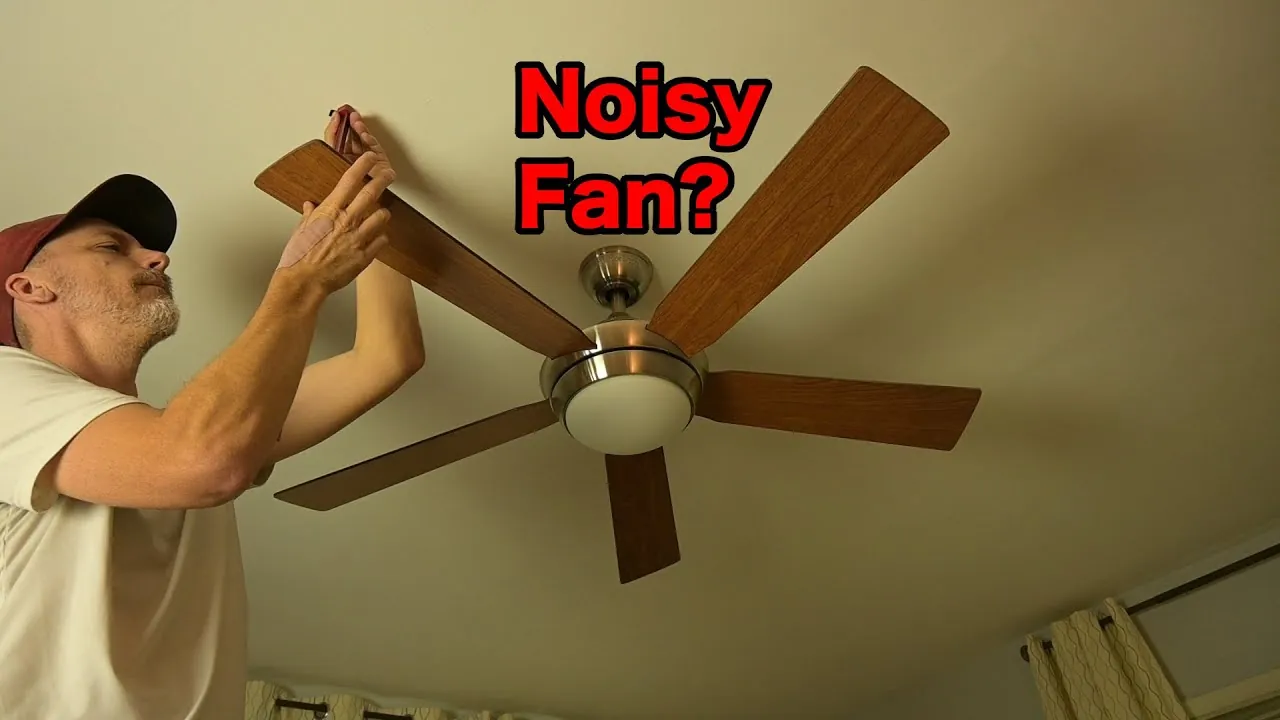
If you have tightened all reachable screws and the fan still makes a loud grinding or humming noise, you should contact a licensed electrician. You should also stop using the device if you smell burning plastic or see sparks near the ceiling canopy. An electrician can safely test the motor and wall control to determine if the issue is a faulty capacitor or a complete motor failure.
Don’t attempt to take the motor housing apart yourself, as this can void your warranty and expose you to live electrical wires. If the fan wobbles even after you have balanced the blades with a kit, the issue is likely a bent mounting bracket or a warped motor shaft. These structural defects require professional tools to realign or replace safely.
When you speak to the professional, tell them exactly what you have already checked, such as the blade screws and the mounting canopy. This helps them narrow down the problem quickly so they can decide if the unit needs a simple part replacement or a full removal. If you hear a rhythmic clicking, check for debris before calling, as a loose wire hitting the blade housing often mimics mechanical failure.
Related guides
- Daikin Air Conditioner Troubleshooting: Fix Common Errors
- Monte Carlo Fan Remote Troubleshooting: Fix Pairing Issues
- Maytag Washer Bravos XL Troubleshooting: Fix Common Errors
Frequently asked questions
Can a ceiling fan be too old to fix?
A ceiling fan is likely at the end of its life if the motor grinds or parts are unavailable. Most modern fans are sealed units that don’t allow for internal repairs. If your fan is over 10 years old, replacing the entire unit is often more cost-effective than paying for professional labor.
Why does my fan click only when it spins?
A clicking sound matching the blade rotation is usually caused by a loose bracket or a blade hitting an object. Check the screws on the blade arms first, as they often loosen from motor torque. If the blades are secure, check if they’re grazing the ceiling trim or light kit.
Is it safe to leave a noisy fan running?
It isn’t safe to use a fan that makes a grinding or scraping noise, as these sounds indicate mechanical resistance that can lead to motor overheating. While a light rattle from a loose screw is usually harmless, an internal grinding noise means the motor is struggling against friction. Turn the fan off and keep it off until you have identified and resolved the specific cause of the sound.
How do I know if the motor is broken?
The motor is likely broken if the fan hums but doesn’t spin, or if it makes a loud grinding noise even when the blades are removed. If you have verified that the blades are balanced and all external hardware is tight, the internal bearings have likely failed. Since these bearings are permanently sealed inside the motor housing, they can’t be repaired or lubricated by a homeowner.
How much does it cost to fix a noisy fan?
Repair costs range from zero dollars for a simple screw adjustment to the price of a new fan if the motor fails. If you hire an electrician, expect to pay their standard hourly service rate. Always request a quote to determine if a repair is cheaper than a full replacement.
Does the fan speed affect the noise?
The fan speed changes the noise level because higher speeds put more force on loose parts and increase the volume of air turbulence. If the noise is a vibration, it will often get louder as you increase the speed. If the noise is a constant hum regardless of speed, it’s more likely an electrical issue or a problem with the motor’s internal components.
Can a loose ceiling box cause noise?
A loose ceiling box is a serious safety issue that causes the entire fan to vibrate and make a loud rattling sound. If the box moves when you gently pull on the fan, you must stop using it immediately and contact an electrician to secure it. A fan that isn’t mounted to a properly rated electrical box can fall from the ceiling, posing a significant risk of injury.
Conclusion
If you find that the fan is securely mounted and the blades are balanced, yet the noise remains, you have likely reached the limit of what can be done without professional intervention. Always prioritize your safety by keeping the power off while working near the ceiling. If the sound is deep within the motor, don’t force the fan to operate, as this can cause further damage to the electrical system.