
The Ninja Foodi 10 Qt 6-in-1 DualZone Air Fryer (DZ401) is a versatile kitchen appliance designed to simplify cooking with its dual baskets and multiple functions. However, like any complex electronic device, it can encounter issues that prevent it from working as expected. When your Ninja DZ401 Foodi DualZone Air Fryer is not working, it can be a frustrating experience, especially when you’re relying on it for a quick meal. This guide aims to provide a comprehensive troubleshooting roadmap, from simple checks to more involved solutions, ensuring you can get your appliance back up and running.
Understanding why your Ninja Foodi might not be functioning correctly is the first step towards a resolution. Common culprits range from simple power supply issues and incorrect settings to more complex internal component failures. This article will meticulously explore each potential problem, offering practical, step-by-step guidance for diagnosing and fixing a non-operational Ninja DZ401.
We’ll cover everything from checking the power cord and ensuring proper assembly to understanding error codes and when to seek professional help.
Key Takeaways
- Power and Connection Checks: Always begin troubleshooting by verifying the power source, outlet, and the appliance’s power cord for any damage or loose connections.
- Proper Assembly is Crucial: Ensure both baskets and any accessories are correctly seated and locked into place, as many safety features prevent operation if improperly assembled.
- Understanding Error Codes: Familiarize yourself with the specific error codes displayed on the DZ401, as they often pinpoint the exact nature of the problem.
- Resetting the Appliance: A simple power cycle or hard reset can often resolve temporary glitches and software-related issues.
- Cleanliness Matters: Regularly cleaning the appliance, especially the heating elements and baskets, can prevent malfunctions caused by food debris or grease buildup.
- Consult the Manual: The user manual is an invaluable resource for specific troubleshooting steps and error code explanations tailored to the DZ401 model.
- When to Seek Support: If basic troubleshooting fails, contacting Ninja customer support or a qualified repair technician is the next logical step.
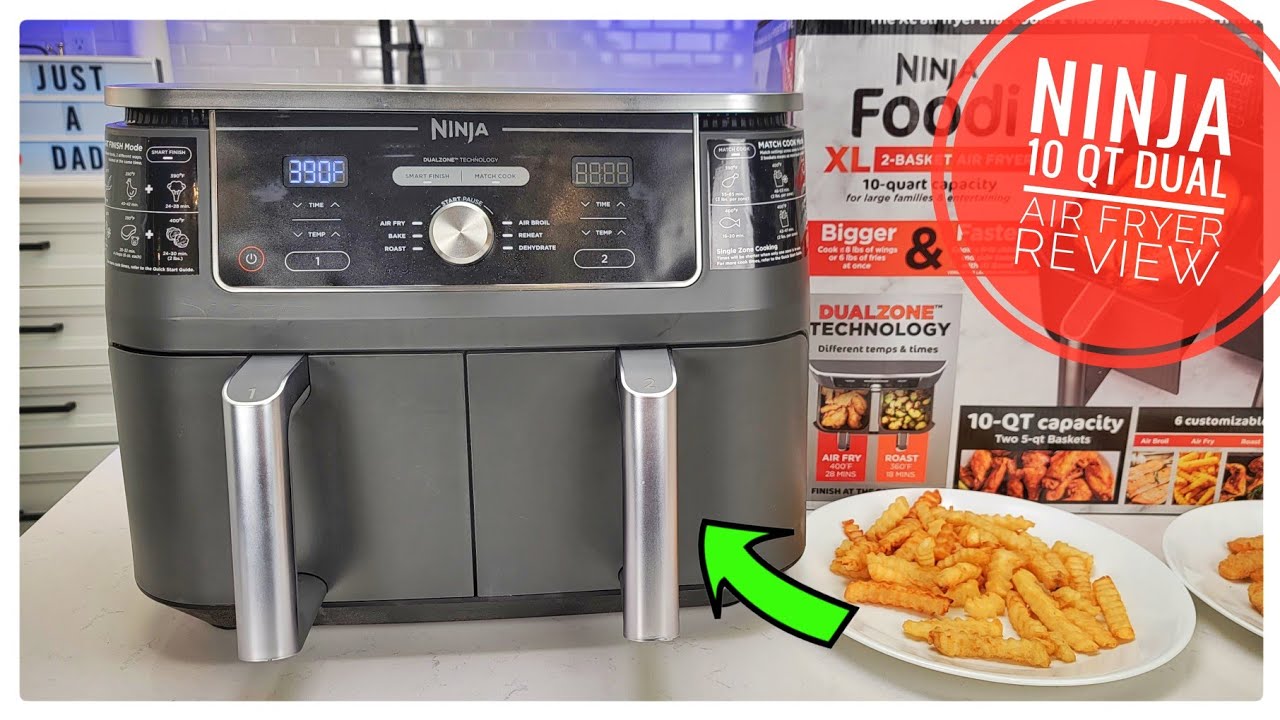
Credit: www.youtube.com
Power Supply And Basic Checks
When your Ninja DZ401 Foodi DualZone Air Fryer is not working, the most fundamental place to start is with the power supply. Many issues can be traced back to simple electrical connectivity problems that are easy to fix. This section will guide you through a series of checks to ensure your appliance is receiving power correctly and that no external factors are hindering its operation.
Verifying The Power Outlet
The first and most obvious step is to ensure the electrical outlet you are using is functional.
- Test the Outlet: Plug in another small appliance, like a lamp or a phone charger, into the same outlet. If that appliance does not work, the issue lies with the outlet itself. You may need to check your home’s circuit breaker or fuse box.
- Check for Tripped Breakers: Locate your home’s electrical panel and look for any tripped circuit breakers. If a breaker is in the middle position or flipped to the “off” position, flip it completely to “off” and then back to “on” to reset it.
- Avoid Extension Cords (If Possible): While convenient, extension cords can sometimes impede power flow, especially if they are not rated for the appliance’s wattage. If you must use one, ensure it is a heavy-duty cord designed for high-wattage appliances and is as short as possible. Ideally, plug the Ninja Foodi directly into a wall outlet.
Inspecting The Power Cord
The power cord is the direct link between your appliance and the power source. Any damage or compromise to this cord can prevent the unit from functioning.
- Visual Inspection: Carefully examine the entire length of the power cord, from the plug to where it connects to the back of the air fryer. Look for any signs of fraying, cuts, nicks, or exposed wires.
- Check the Plug: Ensure the prongs on the plug are straight and not bent or damaged. Also, check that the plug is firmly seated in the outlet.
- Connection to the Unit: Inspect where the power cord enters the air fryer. Sometimes, this connection can become loose, especially if the appliance has been moved frequently.
- If Damaged: If you discover any damage to the power cord, do not use the appliance. A damaged cord poses a significant electrical hazard. Contact Ninja customer support for a replacement cord or professional repair.
Ensuring Proper Seating Of Baskets And Accessories
The Ninja DZ401 DualZone Air Fryer is equipped with safety mechanisms that prevent it from operating if the baskets or other components are not correctly installed. This is a common reason why the unit might seem completely dead.
- Basket Placement: Remove both the left and right crisper baskets and then firmly reinsert them. You should hear or feel a slight click as they seat properly into their designated slots. Ensure they are pushed in all the way.
- Drawer Closure: The air fryer will not operate if the drawers are not fully closed. Make sure there are no obstructions preventing the drawers from closing flush with the unit’s front.
- Divider (If Applicable): If your model includes a divider for the DualZone feature, ensure it is correctly placed and secured within the baskets if you are using it.
- Lid/Lid Components: While the DZ401 doesn’t have a traditional lid like some other Foodi models, ensure no external components have been dislodged or are obstructing the basket mechanisms.
Understanding And Troubleshooting Error Codes
Modern kitchen appliances often communicate issues through error codes displayed on their digital interfaces. The Ninja DZ401 Foodi DualZone Air Fryer is no exception. Recognizing and understanding these codes is crucial for efficient troubleshooting. This section will detail common error codes and how to address them.
Common Error Codes For The Dz401
While the specific error codes can vary slightly, some are more prevalent. Always refer to your user manual for the most accurate and complete list for your specific model.
- E1 / E2 / E3 / E4: These codes often relate to temperature sensor issues. This could mean a sensor is faulty, disconnected, or experiencing interference.
- E5 / E6: These typically indicate problems with the heating element or fan. The appliance may not be heating up or circulating air correctly.
- E7 / E8: These codes usually point to issues with the control panel or communication between different parts of the appliance’s electronics.
- “Add Food” or “Shake” Prompts Not Appearing: Sometimes, the appliance may not recognize when food is present or when it’s time to shake. This can be a sensor issue or a software glitch.
- No Power / Blank Screen (Despite Power): If the unit is plugged in and the outlet is confirmed working, but the screen remains blank, it could be a power supply board issue or a complete control panel failure.
Troubleshooting Steps For Error Codes
Once you identify an error code, follow these general troubleshooting steps:
- Power Cycle: The simplest solution for many electronic glitches is a power cycle.
- Unplug the Ninja Foodi from the wall outlet.
- Wait for at least 60 seconds. This allows any residual power to dissipate and the internal components to reset.
- Plug the appliance back in and try to turn it on again.
- Check Connections: For sensor or heating element codes (E1-E6), ensure the baskets are properly seated. Sometimes, a poorly seated basket can disrupt sensor readings.
- Clean the Appliance: Food debris or grease buildup can sometimes interfere with sensors or heating elements.
- Ensure the appliance is unplugged and completely cool.
- Remove the baskets and any dividers. Wash them thoroughly.
- Wipe down the interior cavity with a damp cloth, paying attention to the area around the heating element (top) and the fan vent. Ensure the interior is completely dry before plugging it back in.
- Refer to the User Manual: Your manual will provide specific instructions for each error code. It might suggest particular checks or confirm if the issue requires professional attention. For instance, a manual might state for an E3 code: “E3: Left basket temperature sensor fault. Ensure the left basket is properly inserted. If the error persists, contact customer support.”
- Factory Reset (If Available): Some advanced appliances have a hidden factory reset procedure. Check your manual or the Ninja support website to see if this is an option for the DZ401. This typically involves holding down a combination of buttons for a set period while the unit is plugged in.
When An Error Code Persists
If you’ve performed the relevant troubleshooting steps for an error code and the issue continues, it’s likely an internal hardware problem.
- Internal Sensor/Element Failure: Codes related to temperature sensors or heating elements often indicate a component failure that requires replacement.
- Control Board Malfunction: E7/E8 codes or persistent blank screens usually point to a problem with the main control board, which is a complex and expensive part to replace.
In such cases, continuing to attempt repairs yourself might void any remaining warranty and could even be dangerous. The next step is typically to contact Ninja customer support or a certified repair technician.
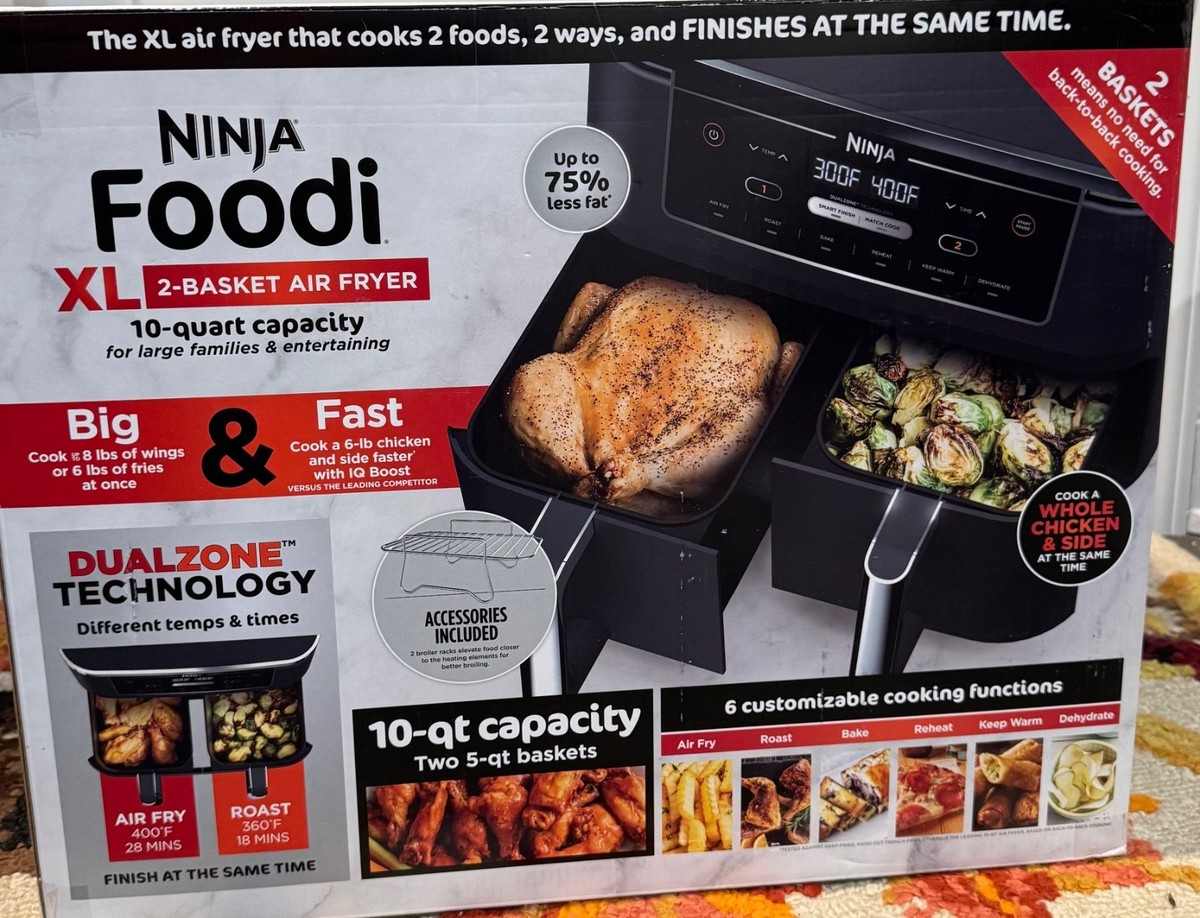
Credit: www.ebay.com
Addressing Specific Malfunctions Beyond Error Codes
Sometimes, your Ninja DZ401 Foodi DualZone Air Fryer might exhibit problems without displaying a specific error code. These can be subtle or outright failures to perform basic functions. This section explores common issues and their potential solutions, focusing on scenarios where no error message appears.
The Unit Powers On But Doesn’t Start Cooking
You plug it in, the display lights up, you select a function, set the temperature and time, but pressing “Start” does nothing.
- Check for “Start/Pause” Confirmation: Ensure you have pressed the “Start/Pause” button after setting your desired cooking parameters. Some users miss this final step, leading them to believe the unit isn’t working.
- Basket Detection: As mentioned previously, the DZ401 has safety features. Ensure both baskets are fully inserted and seated correctly. The unit needs to detect both baskets are in place before it will initiate the cooking cycle. Try removing and reinserting each basket firmly.
- Function Selection: Double-check that you have selected a valid cooking function. Some combinations might not be permitted, or a specific button press sequence might be required.
- Overheating Protection: If the unit was recently used, it might have an overheating protection mechanism engaged. Allow it to cool down completely for at least 30 minutes before attempting to use it again.
- Software Glitch: Even without an error code, a temporary software glitch could be preventing operation. Perform a power cycle: unplug the unit, wait 60 seconds, and plug it back in.
Uneven Cooking Or Lack Of Crisping
This is less about the unit “not working” and more about it “not working well. ” If your food isn’t cooking evenly or achieving the desired crispiness, several factors could be at play.
- Overcrowding the Baskets: This is perhaps the most common cause of poor results. Air fryers rely on circulating hot air. If the baskets are too full, air cannot reach all surfaces of the food, leading to uneven cooking and soggy results. Recommendation: Cook in smaller batches, ensuring food is in a single layer as much as possible.
- Incorrect Temperature/Time Settings: Ensure you are using appropriate settings for the type and quantity of food. Refer to recipes or the Ninja Foodi cooking charts for guidance. Some foods benefit from higher temperatures for crisping, while others require lower temperatures to cook through without burning.
- Lack of Air Circulation: Periodically shaking the baskets (or using the “Shake” reminder feature) is crucial for even cooking, especially for smaller items like fries or vegetables. For the DualZone, remember to sync the cooking times if using different settings.
- Basket Placement: Ensure the baskets are not obstructed within the cavity. Sometimes, a small item can get lodged, preventing proper airflow.
- Heating Element/Fan Issue: If you suspect a more serious problem, and cooking results are consistently poor across all functions, there might be an issue with the heating element or the fan not operating at full capacity. This would likely require professional diagnosis.
The Unit Makes Unusual Noises
While air fryers naturally make some noise due to the fan, persistent or unusual sounds can indicate a problem.
- Rattling: This could be a loose component inside the appliance, a foreign object in the fan, or a basket not seated correctly. Check that baskets are secure and listen closely to pinpoint the source. If the noise seems to come from within the unit’s housing, stop using it and contact support.
- Grinding: A grinding noise often indicates a problem with the fan motor. This is a serious issue that requires professional attention.
- Loud Humming/Buzzing: This could be normal operation, but if it’s significantly louder than usual or accompanied by a burning smell, it might indicate an electrical issue.
Burning Smell
A slight smell of cooking food is normal, but a strong, acrid, or chemical burning smell is a cause for concern.
- Initial Use: A new appliance might have a slight manufacturing smell on the first few uses. Running it empty for 10-15 minutes can help dissipate this.
- Grease Buildup: Excessive grease accumulation inside the unit, especially on the heating element or fan, can burn and cause a foul odor. Thoroughly clean the interior cavity, heating element, and fan area (if accessible).
- Overheated Food/Settings: Cooking food at excessively high temperatures for too long can cause it to burn intensely, creating a strong smell. Ensure your settings are appropriate.
- Electrical Issue: A burning smell coupled with other malfunctions (like the unit not heating properly or shutting off unexpectedly) could indicate an electrical short or overheating component. Immediately unplug the appliance and do not use it until inspected by a professional.

Credit: www.amazon.com
Deep Dive Into Dualzone Functionality Issues
The defining feature of the Ninja DZ401 is its DualZone capability, allowing you to cook two different foods simultaneously in separate baskets, potentially with different times and temperatures. When this specific functionality isn’t working correctly, it can be particularly perplexing.
Mismatched Cooking Times Not Syncing Or Ending
The “Sync Finish” and “Match Cook” features are designed to simplify cooking two items. Issues here can arise from incorrect usage or software glitches.
- Understanding “Match Cook”: This function sets both zones to the same temperature and time. If you select “Match Cook” and then adjust the time/temp for one zone, it should automatically apply to the other. If it doesn’t, try re-selecting “Match Cook” after setting your desired parameters.
- Understanding “Sync Finish”: This function allows different temperatures and times, but ensures both zones finish cooking simultaneously. The appliance intelligently adjusts the start time of the zone that requires less cooking.
- Common Pitfall: Users often set the time and temp for *both* zones manually *after* pressing “Sync Finish.” Instead, set the time and temp for Zone 1, press “Sync Finish,” then set the time and temp for Zone 2. The appliance will then calculate the staggered start.
- Troubleshooting Sync Finish: If it’s not syncing correctly, try unplugging the unit for 60 seconds and trying again. Ensure you are pressing the correct sequence of buttons: select Zone 1, set time/temp, press “Sync Finish,” select Zone 2, set time/temp, press “Start/Pause.”
- One Zone Not Starting: If you’ve set up a “Sync Finish” or “Match Cook” and one zone doesn’t start, it could be a sensor issue preventing that specific basket from being recognized. Ensure both baskets are firmly seated.
- Zones Finishing at Different Times: This is the most direct failure of the “Sync Finish” feature. It usually points to a software glitch or a potential issue with the internal timer or processor. Power cycling the unit is the first step. If the problem persists across multiple uses, it may indicate a deeper electronic issue.
Temperature Discrepancies Between Zones
You set both zones to the same temperature, but one consistently cooks hotter or cooler than the other.
- Calibration: While less common in consumer air fryers, slight factory calibration differences can exist. However, significant discrepancies usually point to a problem.
- Heating Element/Fan Performance: Each zone has its own heating element and fan (or shares a central one with baffles). If one zone’s element is failing or its fan isn’t circulating air effectively, it will result in uneven temperatures. You might notice one zone cooks much faster or slower, or food in one zone is crispier/browner.
- Sensor Accuracy: The temperature sensors in one of the zones might be faulty or obstructed, giving inaccurate readings to the control board.
- Basket Placement: Ensure nothing is blocking the airflow within either basket. Even a slightly misaligned basket could impede the fan’s ability to distribute heat evenly.
- External Factors: Is the unit placed near a draft or a heat source? While unlikely to cause major issues, extreme external temperatures could theoretically have a minor impact.
The “dual Cook” Or “smart Cook” Button Not Responding
If the dedicated button for initiating DualZone cooking functions is unresponsive, it suggests a problem with the control panel interface.
- Check Other Functions: Does the button work for other functions (like “Air Crisp” for a single zone)? If it’s only the Dual Cook/Sync/Match buttons that are unresponsive, it points to a software issue related to those specific modes.
- Control Panel Lock: Ensure the control panel isn’t accidentally locked. Some appliances have a child lock feature. Check your manual for how to disable it.
- Physical Damage: Inspect the button itself for any signs of physical damage or debris lodged around it.
- Internal Connection: If the button press doesn’t register at all, it could be a loose internal connection to the control board.
Maintenance And Cleaning For Preventative Care
Regular maintenance and proper cleaning are not just about aesthetics; they are crucial for the longevity and optimal performance of your Ninja DZ401 Foodi DualZone Air Fryer. Neglecting these aspects can lead to malfunctions, reduced efficiency, and even safety hazards.
Importance Of Regular Cleaning
Food debris, grease, and moisture can accumulate inside the air fryer over time. This buildup can:
- Cause Odors: Burned-on food particles produce unpleasant smells that can transfer to your food.
- Affect Performance: Grease can drip onto the heating element, causing smoke and potentially damaging the element. Buildup around the fan can impede airflow, leading to uneven cooking.
- Lead to Malfunctions: In severe cases, excessive buildup can interfere with sensors or even short out electrical components.
- Create Fire Hazards: Highly accumulated grease is flammable.
Cleaning The Crisper Baskets And Dividers
These are the parts that come into direct contact with food and require the most frequent cleaning.
- Daily Cleaning: After each use (once the appliance has cooled), wash the baskets and any dividers by hand with warm, soapy water. Use a soft sponge or cloth. Avoid abrasive scrubbers or steel wool, which can damage the non-stick coating.
- Dishwasher Safe: The DZ401 crisper baskets and dishwasher-safe divider are typically safe to clean in the dishwasher. Place them on the top rack for best results. However, frequent high-heat dishwasher cycles can sometimes degrade non-stick coatings faster than hand washing.
- Stubborn Residue: For baked-on food, soak the baskets in hot, soapy water for 10-20 minutes before scrubbing. A paste of baking soda and water can also be effective for tough spots.
Cleaning The Interior Cavity
The inside of the air fryer needs regular attention to prevent buildup.
- Unplug and Cool: Always ensure the appliance is unplugged and completely cool before cleaning the interior.
- Wipe Down: Use a damp, non-abrasive cloth or sponge to wipe down the interior walls, bottom, and the area around the heating element.
- Heating Element: The heating element at the top can accumulate grease splatters. Gently wipe it with a damp cloth. Never immerse the heating element in water or use harsh detergents on it. Ensure it is completely dry afterward.
- Fan Area: If accessible, gently wipe around the fan blades to remove any debris. Be careful not to bend or damage the blades.
- Drying: After cleaning, wipe the interior dry with a clean cloth.
Cleaning The Exterior
The outside of the appliance can be cleaned with a damp cloth.
- Control Panel: Be gentle around the control panel and display. Use a slightly damp cloth and dry immediately to prevent moisture from seeping into the electronics. Avoid spraying cleaners directly onto the panel.
- Vents: Ensure the air intake and exhaust vents on the back and sides are free of dust and debris. Use a soft brush or the vacuum cleaner brush attachment.
Storage Recommendations
- Cool and Dry Place: Store the air fryer in a cool, dry place.
- Baskets Inside: It’s often convenient to store the baskets inside the unit, but ensure they are clean and dry first.
- Avoid Covering While Hot: Never cover the appliance immediately after use; allow it to cool completely to prevent moisture buildup and potential mold growth.
When To Contact Support Or Seek Professional Repair
Despite your best efforts at troubleshooting and maintenance, some issues with the Ninja DZ401 Foodi DualZone Air Fryer may be beyond the scope of DIY fixes. Knowing when to escalate the problem