
Finding that your dyson brush bar not spinning is a common point of frustration for homeowners. When the agitator head stops rotating, your vacuum loses its ability to agitate carpet fibers, effectively turning a high-performance machine into a simple suction-only tool. Fortunately, most blockages, motor protection triggers, or debris-related jams can be resolved at home without needing a professional technician or expensive replacement parts.
Key Takeaways
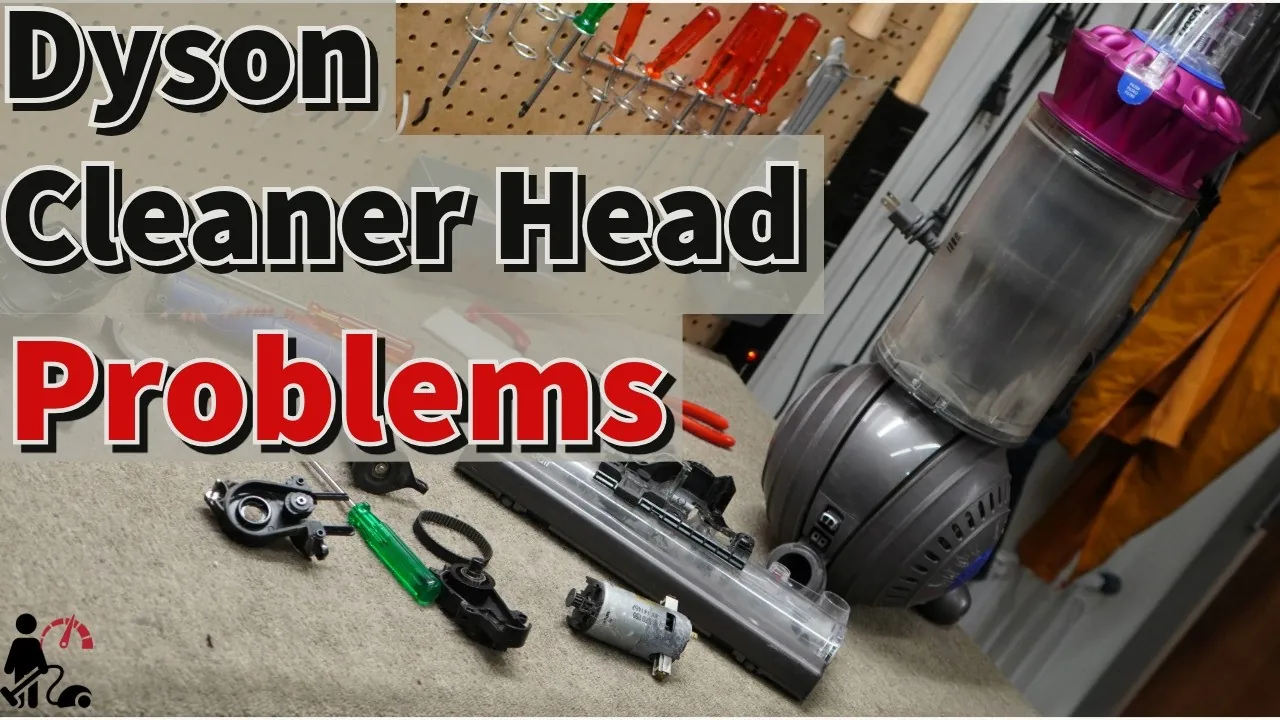
- Check for tangled hair or carpet fibers wrapped around the agitator brush.
- Clear all blockages from the wand, hose, and cleaner head intake areas.
- Verify the electrical connections between the head and the main vacuum body.
- Allow the unit to cool down for at least 60 minutes to reset the motor.
- Inspect the belt for signs of stretching, snapping, or physical damage.
Why Is My Brush Bar Stopped?
The primary reason for a stationary brush bar is an automatic safety shutoff mechanism. Dyson vacuums are engineered with an overload protection sensor that detects resistance. If the brush bar encounters a significant obstruction—like a thick rug, a stray sock, or a dense tangle of human hair—the motor will cut power to the head to prevent the belt from melting or the motor from burning out.
Other common causes include:
- Accumulated debris in the end caps of the brush bar.
- Dislodged or broken internal drive belts.
- Corroded or loose electrical contact pins in the cleaner head connection.
- A clogged cyclone or pre-motor filter that limits total airflow.
Clearing Physical Debris and Tangles
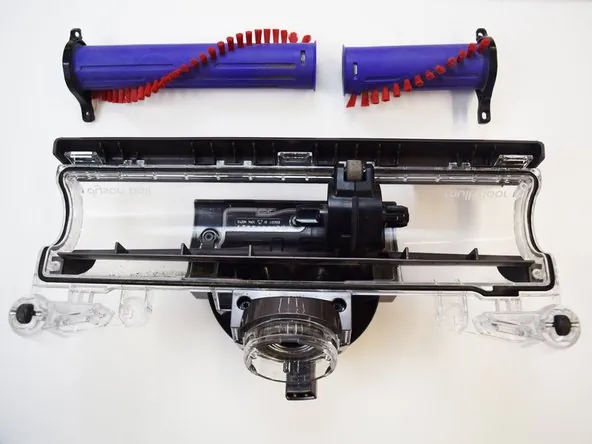
Before troubleshooting electrical components, you must perform a manual inspection of the agitator. Turn off your vacuum and disconnect the cleaner head from the wand. Use a coin or a flat-head screwdriver to unlock the end cap of the brush bar. Slide the brush bar out of the housing to reveal the full extent of any tangled debris.
Warning: Always ensure the vacuum is completely disconnected from the power source or battery before attempting to remove the brush bar to prevent accidental activation during maintenance.
Tools for Cleaning the Brush
| Tool Type | Purpose | How to Use |
|---|---|---|
| Scissors | Cutting hair | Carefully snip along the brush bar grooves. |
| Tweezers | Removing small items | Pull out pins, staples, or plastic shards. |
| Microfiber Cloth | Wiping housings | Remove fine dust from internal crevices. |
| Compressed Air | Clearing vents | Blow out dust from the motor intake. |
Inspecting the Drive Belt System
If the brush bar spins freely by hand but doesn’t rotate when the vacuum is powered on, the issue is likely the drive belt. On many models, the belt connects the small motor pulley to the large brush bar pulley. If this belt has snapped, the motor will run, but the brush will remain stationary.
Check for the following signs of belt failure:
- The belt appears loose or hangs off the pulley.
- There’s a distinct smell of burning rubber near the cleaner head.
- The belt has become brittle or cracked due to age.
If the belt is intact but the brush still won’t turn, check the internal pulley teeth for wear. If the teeth are stripped, the belt will slip constantly, causing a screeching noise or complete lack of movement.
Checking Electrical Contact Points
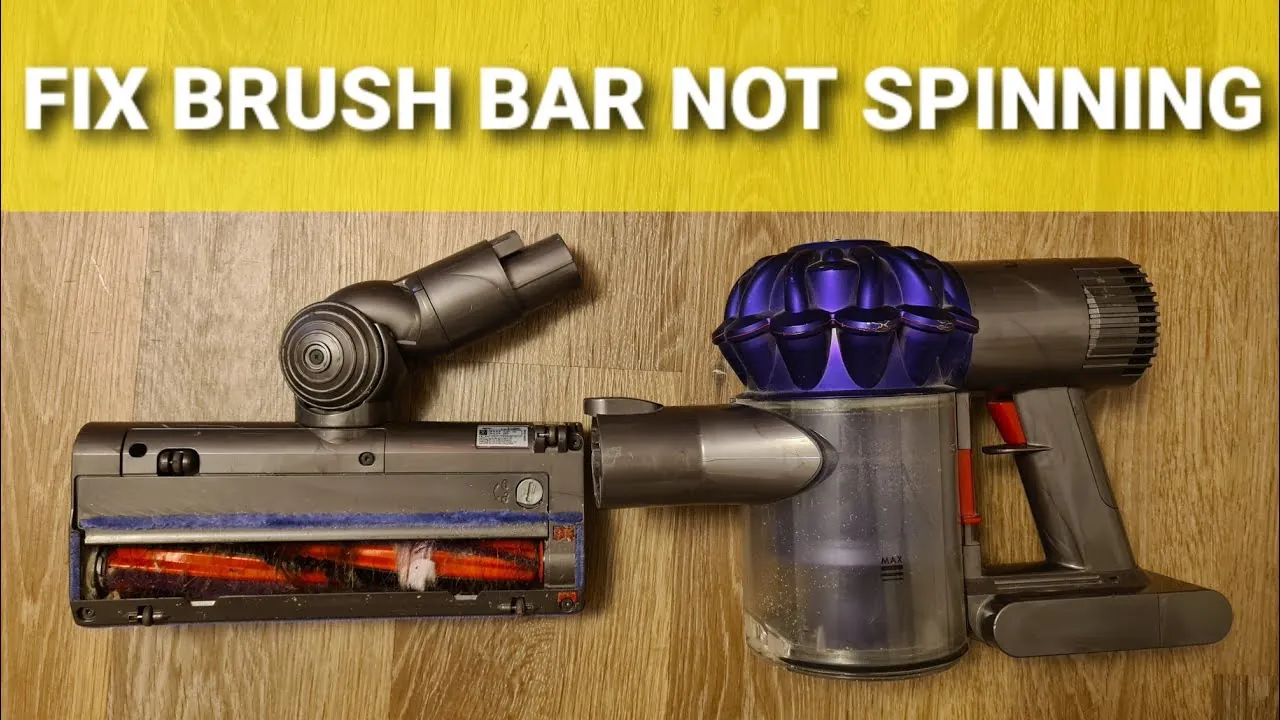
Modern Dyson vacuums rely on electronic signals transmitted through the wand to the cleaner head. If the electrical pins are dirty or bent, the motor in the head won’t receive the “start” command. Inspect the metal pins located at the point where the cleaner head connects to the wand and where the wand connects to the main body.
Pro Tip: Use a pencil eraser to gently clean the gold-plated electrical contacts on the wand and the cleaner head. This removes oxidation without damaging the delicate metal surface.
Ensure that the connection is tight. If the wand feels loose or wobbles significantly, the electrical circuit may be intermittent. Cleaning these points often resolves issues where the brush bar works sporadically or stops only when the vacuum is pushed at a specific angle.
Is It a Clogged Airway?
Airflow is essential not just for suction, but for cooling the motor. If your machine is suffering from a severe blockage, the vacuum may trigger a thermal cutoff. You can verify this by checking the Dyson support documentation for your specific machine model, which provides visual guides on locating every airway in the device.
Common blockage points:
- The neck of the cleaner head (the swivel joint).
- The wand (look through it to see if light passes).
- The cyclone bin inlet (where the wand connects to the main unit).
- The pre-motor filter (if clogged, suction and airflow drop drastically).
Resetting the Motor Protection
If you have cleared all debris and verified the electrical connections, the vacuum may still be in “protection mode.” Dyson vacuums are designed to protect the internal circuitry by locking out the motor after an obstruction is detected. To reset this:
- Turn the vacuum off.
- Remove the battery or unplug the unit.
- Let the vacuum sit for 60 to 90 minutes.
- Reassemble and attempt to turn it on in “Boost” or “Max” mode to see if the brush bar kicks in.
Troubleshooting the Brush Bar Motor
Some newer Dyson models feature a dedicated motor inside the cleaner head. If the motor itself has failed, you’ll typically hear no sound coming from the head when the vacuum is on. Unfortunately, these motors are usually sealed units. If the motor has burned out, the standard solution is to replace the entire cleaner head assembly.
Before assuming a motor failure, ensure the brush bar bearings aren’t seized. If the bearings are filled with grit or hair, the motor may lack the torque required to overcome the friction, causing it to shut down immediately upon startup.
Comparison of Potential Issues
| Symptom | Most Likely Cause | Typical Fix |
|---|---|---|
| Brush bar makes noise | Obstruction | Remove hair/debris |
| No sound from head | Dead motor/No power | Check electrical pins |
| Belt slips/screeches | Worn belt | Replace drive belt |
| Intermittent spinning | Loose connection | Clean contacts/tighten |
When to Contact Professional Support
If you have performed the cleaning, checked the belt, and ensured the airflow is clear, yet the brush bar remains stationary, you may be facing an internal circuit board failure. Because Dyson vacuums contain complex sensors, DIY repairs beyond basic maintenance can sometimes void your warranty. If your machine is still within the two-year manufacturer warranty period, contact the official support line rather than opening the motor housing.
Related guides
Frequently Asked Questions
Why does my brush bar stop on carpet?
High-pile or plush carpets create significant resistance against the brush bar. If the carpet is too thick, the sensor detects the friction and cuts power to protect the motor. Try switching your vacuum to a lower suction setting or using a different cleaner head designed for delicate surfaces to reduce the resistance and allow the motor to maintain consistent speed.
How do I know if the belt is broken?
If the vacuum is running but the brush bar remains completely still, manually rotate the brush. If it spins with zero resistance or feels like it’s disconnected from the internal gears, the belt has likely snapped. You may also notice a burning rubber smell or hear a high-pitched whining sound when the vacuum is powered on, indicating the motor is spinning but the belt is slipping.
Can I fix a broken cleaner head motor?
Generally, the motors inside Dyson cleaner heads aren’t user-serviceable. They’re housed in sealed plastic casings designed to prevent dust ingress. Attempting to open the motor housing often results in damage to the plastic clips or the internal wiring. If the motor is confirmed to be dead, the most reliable and efficient solution is to purchase a replacement cleaner head assembly.
Will a dirty filter stop the brush bar?
Yes, a heavily clogged filter restricts airflow throughout the entire machine. Because the motor relies on this airflow for cooling, a blocked filter can cause the vacuum to overheat. When the internal sensors detect excessive heat, they will shut down the brush bar motor to prevent permanent damage to the machine’s electrical components. Regularly washing your filter every month is essential for proper function.
How often should I check the brush bar?
For households with pets or long-haired individuals, you should inspect the brush bar every two to four weeks. Even if the brush is still spinning, removing hair tangles prevents them from working their way into the bearings and end caps. Proactive maintenance prevents the debris from causing enough resistance to trigger the motor protection sensor, which saves you from dealing with sudden shutdowns.
Conclusion
Maintaining your vacuum properly ensures that the suction and agitation systems work in harmony to keep your floors clean. If you have followed all the steps above and the brush bar still refuses to turn, check your machine’s serial number on the manufacturer’s website to confirm if you’re still eligible for a warranty replacement or a repair service.