
Is your Skytech fireplace remote acting up? Don’t let a stubborn remote keep you from enjoying the cozy warmth of your fireplace.
You’ve probably tried a few things already, but if you’re still stuck in the cold, this guide is for you. We’ll walk through the most common Skytech fireplace remote problems and give you simple, step-by-step solutions. Get ready to get your remote working again so you can relax by the fire.
Credit: fireplacesdirect.com
Common Skytech Remote Issues
Skytech fireplace remotes offer convenience. Sometimes, they stop working. This is frustrating. Let’s explore common problems. We will find solutions. Your fireplace will work again.
Remote Not Responding
Your remote is silent. It does not turn on the fire. This is a common issue. First, check the batteries. Are they inserted correctly? Is the battery cover secure? Try new batteries. Old batteries often fail. Ensure the remote is close. Obstructions can block signals. Clear any objects. Test the remote again. It might work now.
Fireplace Not Igniting
The remote seems fine. The fireplace still won’t light. This is a different problem. Check the pilot light. Is it on? If not, relight it. Follow your fireplace manual. Ensure the gas supply is open. The valve must be on. Sometimes, the receiver needs a reset. Consult your manual for this. A qualified technician may be needed.
Intermittent Signal
The remote works sometimes. Other times, it fails. This suggests a weak signal. Batteries might be low. Replace them with fresh ones. Interference is a possibility. Other devices can cause this. Turn off nearby electronics. See if the signal improves. The remote might be too far. Move closer to the fireplace. Is there anything blocking the way? Clear the path. The signal should be stronger.
Battery Problems
Batteries are the usual culprit. They power your remote. Old batteries lose charge. They might leak corrosive fluid. Remove old batteries carefully. Clean any corrosion inside. Use a soft, dry cloth. Insert new, high-quality batteries. Make sure they are the correct type. Check the polarity. Positive and negative ends matter. Secure the battery cover tightly. This ensures good contact. New batteries often fix issues.

Credit: www.youtube.com
Basic Troubleshooting Steps
Experiencing trouble with your Skytech fireplace remote? Start with simple fixes. Check batteries and ensure a clear line of sight. Restarting the remote often resolves issues.
Your Skytech fireplace remote is acting up. Don’t worry. Simple steps often fix the problem. We will guide you. Follow these checks. Get your fireplace working again.Check Batteries
Your remote needs power. Old batteries cause issues. Remove the old batteries. Insert fresh, new batteries. Make sure they are the right type. Many remotes use AA or AAA. Check your manual. Proper battery installation is key. Try the remote again.
Resync Remote
Sometimes the remote loses connection. It needs to resync. Look for a sync button. This button is usually on the remote. It might be inside the battery compartment. Press and hold the sync button. Do this for about 10 seconds. Check your fireplace receiver. It might have a sync button too. Follow your fireplace manual instructions. This process reconnects the devices.
Inspect Receiver
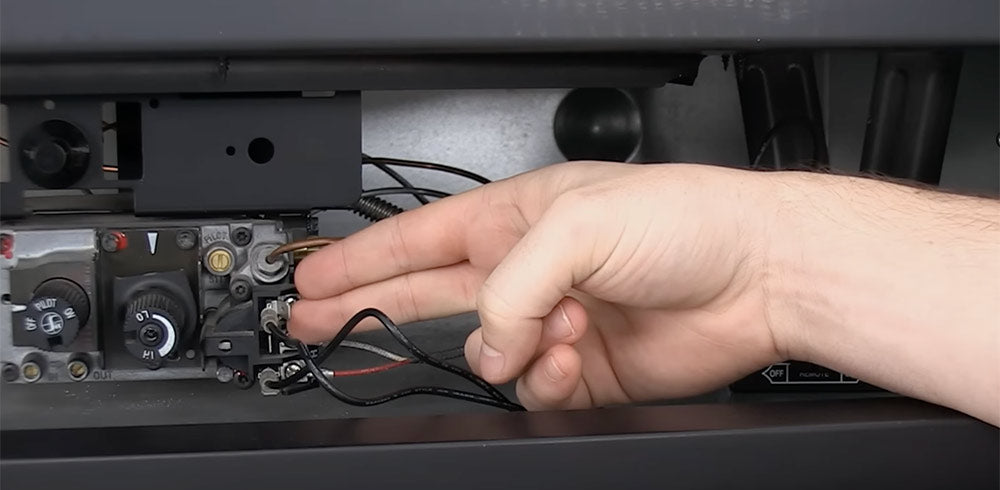
The receiver is on your fireplace. It gets signals from the remote. Check its wires. Are they loose? Are they damaged? Ensure the receiver is properly connected. Sometimes a power cycle helps. Turn off the fireplace power. Wait a minute. Turn it back on. This can reset the receiver.
Clear Obstructions
Is something blocking the signal? The remote needs a clear path. Remove anything between the remote and receiver. Furniture can cause problems. Other objects can too. Ensure a direct line of sight. This is very important. A clear path helps signals travel.
Advanced Troubleshooting
Experiencing fireplace issues? Skytech remote problems can be frustrating. This guide offers simple steps to fix common Skytech remote troubles. Get your fireplace working again quickly.
When basic fixes fail, advanced troubleshooting is key. You can solve stubborn Skytech fireplace remote issues. This section dives deeper. It helps you find elusive problems. Let’s get your fireplace working again.Battery Compartment Issues
Check the battery compartment carefully. Ensure batteries are correctly oriented. Clean any corrosion present. Loose connections cause many problems. Tighten battery contacts gently. Try fresh, high-quality batteries.Receiver Wiring
Inspect the receiver wiring. Loose wires cause signal loss. Ensure all connections are secure. Refer to your fireplace manual. Correct wiring is crucial for function. Damaged wires need replacement.Interference Sources
Other devices can interfere. Check for nearby electronic items. Microwaves and cordless phones are common culprits. Move potential sources away. A clear signal path is vital. Reduce environmental noise.Remote Control Board
The remote control board may fail. This is a more complex issue. Sometimes, the board needs resetting. Consult your manual for reset steps. A faulty board often requires replacement. Contact a professional for this.When To Call A Professional
Sometimes, DIY fixes are not enough. Your Skytech fireplace remote may need expert help. This guide helps you know when to call a professional. Don’t guess. Know your limits.
Persistent Problems
You tried all the simple fixes. The remote still acts up. Batteries are new. The receiver is clear. Still no luck? This points to a deeper issue. A professional can diagnose complex faults. They have specialized tools. They understand intricate systems. Trust their experience.
Electrical Concerns
Fireplace systems involve electricity. This can be dangerous. Do not risk electrical shock. Sparks or strange smells are bad signs. Flickering lights are concerning. A professional handles electrical work safely. They check wiring and connections. They ensure system integrity. Your safety is paramount.
Component Failure
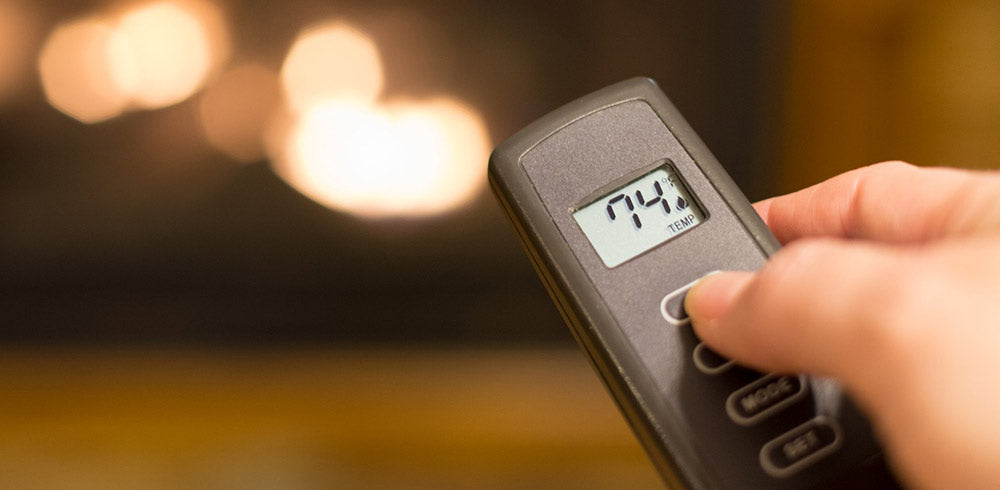
Parts can wear out over time. The remote transmitter might fail. The receiver unit could be faulty. These are internal components. Replacing them needs specific knowledge. A technician can identify failed parts. They can source correct replacements. They will install them properly. This restores your fireplace function.
Credit: fireplaceremotecontrols.com
Frequently Asked Questions
Remote Not Working? What To Do First.
Check the batteries in your remote. Fresh batteries often fix connection issues. Ensure they are inserted correctly.
Why Is My Skytech Remote Unresponsive?
The remote might be too far away. Try moving closer to the fireplace. Obstructions can also block the signal.
How Do I Reset My Skytech Fireplace Remote?
Locate the reset button on the remote. It’s usually a small, recessed button. Press and hold it for a few seconds.
Skytech Remote Not Connecting? Check This.
Confirm the fireplace receiver is powered. Make sure it’s not blocked by anything. A power cycle might help both.
Can I Replace My Skytech Fireplace Remote?
Yes, replacement remotes are available. Check your fireplace model number. Order a compatible remote for your unit.
Fireplace Remote Lights Up, But No Fire.
The pilot light might be out. Ensure the gas supply valve is open. The remote may need re-pairing.
Skytech Remote Signal Issues? Try This.
Minimize electronic interference nearby. Other devices can disrupt the signal. Try moving the fireplace or remote.
Conclusion
Your Skytech fireplace remote works again. You fixed the common problems. Check the batteries first. Ensure a clear line of sight. Resetting the system often helps. Simple steps bring back comfort. Enjoy your warm home. Troubleshooting is manageable. You have the knowledge now.