
Is your GE Café dishwasher acting up, leaving you frustrated with a stubborn control panel? You’re not alone.
When the buttons don’t respond or the display goes dark, it can feel like your dishwasher has suddenly stopped working altogether. But don’t worry—most control panel issues can be fixed without calling a repair technician. You’ll discover simple, step-by-step troubleshooting tips that anyone can follow.
By the end, you’ll know exactly how to get your dishwasher back to running smoothly, saving you time, money, and stress. Keep reading to take control of your dishwasher’s performance today!

Credit: www.cafeappliances.com
Common Control Panel Issues
The control panel of your GE Cafe dishwasher plays a key role in its operation. Problems with the control panel can disrupt your washing cycle. Common issues often involve buttons and display functions. Understanding these problems helps you fix them quickly and avoid costly repairs.
Unresponsive Buttons
Buttons on the control panel may stop responding. Dirt or moisture can block the sensors. Sometimes, the control board needs a reset. Press and hold the start button for a few seconds. This action can reboot the panel and restore button function.
Error Codes Displayed
The dishwasher may show error codes on the screen. These codes indicate specific problems. Check your user manual for code meanings. Common codes point to water flow or heating issues. Clearing the error often requires a reset or professional help.
Control Panel Not Lighting Up
The control panel might not light up at all. This issue usually means a power problem. Check the power supply and circuit breaker first. Loose wiring inside the panel can also cause this. A technician may need to inspect and fix the wiring.
Buttons Stuck Or Jammed
Buttons can get stuck or jammed over time. Food particles or grease may cause this. Clean the panel gently with a soft cloth and mild soap. Avoid pressing hard to prevent damage. If the buttons remain stuck, the panel may need replacement.
Basic Troubleshooting Steps
Troubleshooting the control panel of your GE Cafe dishwasher can solve many common problems. Start with simple steps. These often fix issues without needing help from a technician.
Follow these basic steps to check and fix your dishwasher control panel. Each step is easy and quick to do.
Power Cycle The Dishwasher
Turn off the dishwasher by pressing the power button. Wait for about one minute. This lets the system reset. Turn the dishwasher back on. Check if the control panel works correctly now.
Check The Circuit Breaker
Find the circuit breaker box in your home. See if the switch for the dishwasher is off or tripped. Flip the breaker off and then back on. This restores power to the dishwasher. Test the control panel again.
Inspect The Control Lock Feature
The control lock stops accidental changes on the panel. Look for a lock symbol or a button with a lock icon. Press and hold this button for three seconds to turn off the lock. Check if the panel buttons respond now.
Clean The Control Panel Surface
Dirt and grime can block the buttons. Use a soft, damp cloth to wipe the control panel gently. Avoid sprays or harsh cleaners. Dry the panel with a clean cloth. Try using the buttons after cleaning.
Resetting The Control Panel
Resetting the control panel of your GE Cafe dishwasher can fix many common problems. It helps clear errors and restores normal function. The process is simple and can often be done without tools or expert help.
There are two main ways to reset the control panel. One is a soft reset, which is quick and easy. The other is a factory reset, which returns all settings to the original state.
Soft Reset Method
To perform a soft reset, start by opening the dishwasher door. Press and hold the “Start/Reset” button for about 3 seconds. Release the button when the display turns off or the lights blink. Close the door and wait a few minutes. This resets the control panel without affecting your settings.
The soft reset can fix issues like unresponsive buttons or error codes. It clears temporary glitches and restarts the dishwasher’s system. This method is safe and does not erase saved cycles or preferences.
Factory Reset Procedure
The factory reset erases all custom settings and restores the dishwasher to its original state. Begin by turning off the dishwasher at the power source or unplugging it. Wait for at least 5 minutes. This allows the control board to fully power down.
After the wait, restore power to the dishwasher. Open and close the door to wake the control panel. Press and hold the “Heated Dry” and “Normal Wash” buttons simultaneously for 3 seconds. Release the buttons when the display shows a reset confirmation.
The factory reset clears all error codes and resets all options. Use it only if the soft reset does not solve the problem. Remember, you will lose any saved wash cycles or personalized settings.

Credit: www.amazon.com
Addressing Specific Error Codes
GE Cafe dishwashers show error codes on the control panel. These codes help find the problem fast. Knowing what each code means saves time and effort. This guide explains how to fix common error codes.
Error Code E1: Water Supply Issues
E1 means the dishwasher is not getting enough water. Check if the water supply valve is open. Look for kinks or blockages in the hose. Clean the inlet filter if it is dirty. Ensure water pressure is strong enough. Fix these problems to restore water flow.
Error Code E2: Drain Problems
E2 shows the dishwasher cannot drain water properly. Check the drain hose for clogs or bends. Clean the drain filter inside the dishwasher. Make sure the sink drain is not blocked. Clear any debris to help water flow out. This will stop the error from showing.
Error Code E3: Heating Errors
E3 means the dishwasher’s heater is not working right. The water may not reach the right temperature. Check the heating element for damage or dirt. Test the thermostat for proper function. Replace faulty parts to fix heating issues. Proper heat ensures dishes get clean.
When To Replace The Control Panel
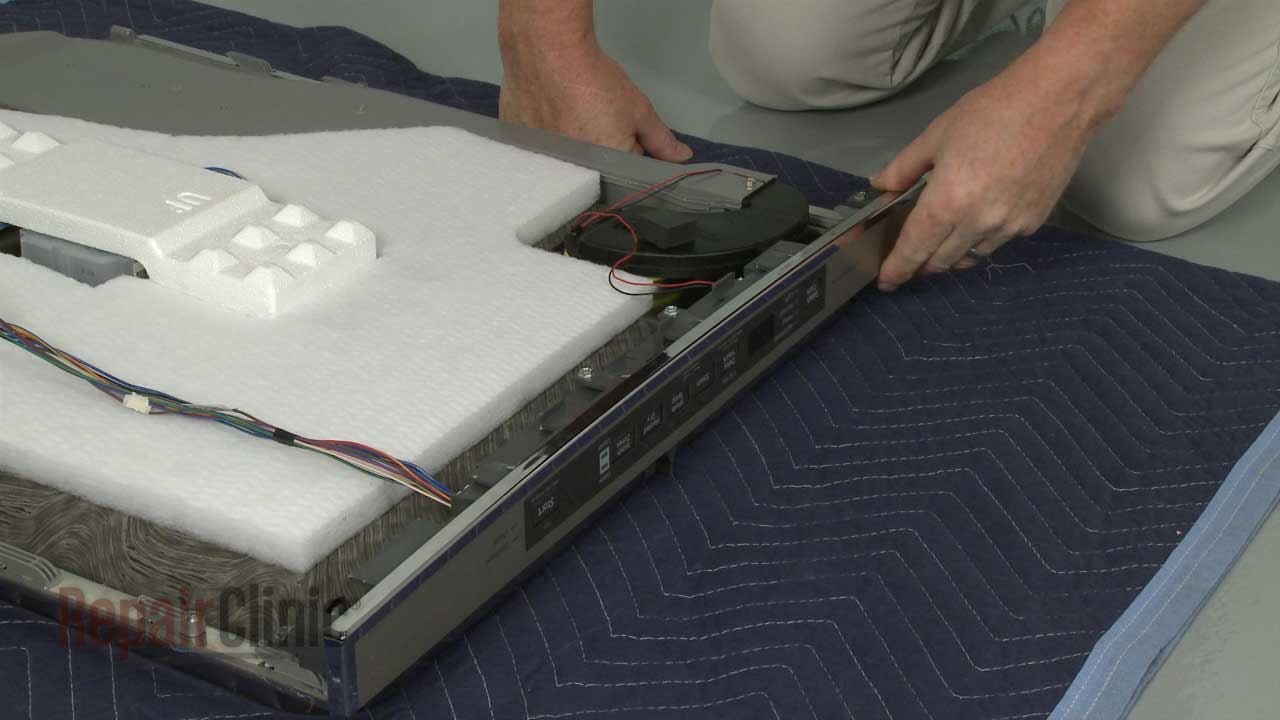
The control panel is the brain of your GE Cafe dishwasher. It manages all settings and functions. Knowing when to replace it saves time and frustration. Sometimes simple fixes won’t solve the problems. Other times, physical damage makes repair impossible. Understanding these signs helps you decide when to change the control panel.
Signs Of Physical Damage
Cracks, broken buttons, or water inside the control panel show damage. Burn marks or melted areas also indicate serious issues. Such damage can stop the panel from working properly. Physical harm often means the control panel must be replaced. Small cracks might get worse over time. It is safer to replace the panel than risk more damage.
Persistent Malfunctions After Resets
Resetting the dishwasher can fix some control panel glitches. If problems continue after multiple resets, the panel may be faulty. Errors like unresponsive buttons, flashing lights, or wrong cycle displays are common signs. Persistent malfunctions suggest internal circuit problems. Repairing these issues often costs more than replacing the panel. A new control panel ensures your dishwasher runs smoothly again.
Sourcing Replacement Parts
Finding the right control panel replacement is key. Use your dishwasher’s model number to locate compatible parts. Authorized dealers and trusted online stores offer genuine GE parts. Avoid cheap, generic panels that may not fit well or last long. Check warranty coverage before buying. Installing the correct control panel maintains your dishwasher’s performance and safety.
Preventive Maintenance Tips
Preventive maintenance helps keep your GE Cafe dishwasher control panel working well. Simple habits prevent common issues and save repair costs. Regular care extends the life of your appliance.
Regular Cleaning Routines
Clean the control panel gently with a soft cloth. Avoid harsh cleaners that might damage buttons or screen. Remove dust and grime often to keep buttons responsive. Wipe spills immediately to stop dirt build-up. This simple step stops sticky buttons and false signals.
Avoiding Moisture Damage
Keep water away from the control panel. Avoid spraying water directly on buttons during cleaning. Moisture can cause electrical problems or corrosion inside the panel. Use a dry cloth to clean after washing dishes. Dry hands before touching the controls to prevent damage.
Using The Control Lock Properly
Use the control lock to prevent accidental button presses. Activate it when cleaning or if children are nearby. This protects settings and avoids unwanted cycle changes. Remember to unlock before starting a new wash. Proper use helps the panel last longer without issues.
Credit: www.youtube.com
Frequently Asked Questions
Why Is My Ge Cafe Dishwasher Control Panel Not Responding?
The control panel may be locked or unresponsive due to a child lock feature. Try unlocking it by holding the lock button for three seconds.
How Do I Reset The Ge Cafe Dishwasher Control Panel?
Turn off the dishwasher power by unplugging or switching off the circuit breaker. Wait for one minute, then restore power to reset the control panel.
What Causes Error Codes On The Dishwasher Control Panel?
Error codes appear due to issues like water supply problems, door latch faults, or sensor errors. Check the user manual for specific code meanings and fixes.
How Can I Fix A Stuck Button On The Dishwasher Control Panel?
A stuck button may result from dirt or moisture. Clean the panel gently with a soft cloth and ensure it is dry before use.
Why Does The Control Panel Light Keep Flashing On My Dishwasher?
Flashing lights often signal a problem with the cycle or door latch. Make sure the door is closed properly and try restarting the cycle.
Can A Power Surge Damage The Ge Cafe Dishwasher Control Panel?
Yes, power surges can harm the control panel’s electronics. Use a surge protector to help prevent damage during electrical spikes.
Conclusion
Troubleshooting your GE Cafe dishwasher control panel can save time and money. Small issues often have simple fixes. Check buttons, connections, and power first. Resetting the control panel may solve many problems. Remember to follow safety steps during any repair.
Regular maintenance helps keep your dishwasher working well. Understanding common errors makes repairs easier. Stay patient and take one step at a time. Your dishwasher will be back to normal soon.