
If your Black and Decker steam mop isn’t working the way it should, it can be really frustrating. You rely on it to keep your floors spotless, but when it stops steaming or won’t turn on, you’re left wondering what went wrong.
Don’t worry—this guide is here to help you fix those common problems quickly and easily. By the time you finish reading, you’ll have simple solutions that save you time and money. Let’s dive into troubleshooting your Black and Decker steam mop so you can get back to sparkling clean floors in no time.
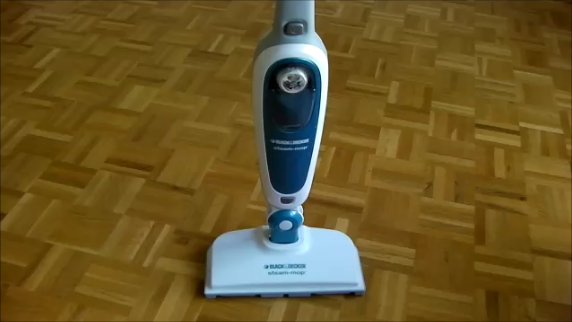
Credit: www.techydiy.org
Common Steam Mop Issues
Black and Decker steam mops are popular for quick and easy floor cleaning. Still, they can face some common issues. Knowing these problems helps you fix them fast. Keep your mop working well with simple tips.
Steam Not Producing
Steam mops must heat water to create steam. No steam means the mop is not heating properly. Check if the water tank has enough water. Clean any blocked steam holes. Sometimes mineral build-up stops steam flow.
Water Leakage
Water leaks from the mop can cause damage. Tighten the water tank properly. Look for cracks or broken seals. Replace damaged parts if needed. Use only clean water to avoid clogging and leaks.
Mop Not Heating
The mop needs power to heat up. Check the power cord and outlet. Make sure the mop is switched on. A faulty heating element may cause no heat. Contact support if heating does not start after checks.
Strange Noises
Unusual sounds can mean a problem inside. Loose parts or dirt can cause noise. Turn off the mop and inspect it. Clean or tighten any loose parts. Loud sounds should be checked by a professional.
Basic Maintenance Tips
Basic maintenance keeps your Black and Decker steam mop working well. It stops problems before they start. Regular care saves you time and money. Follow these simple steps to maintain your mop.
Cleaning The Water Tank
Empty the water tank after each use. Rinse it with clean water to remove dirt and residue. Do not use soap or harsh chemicals. Let the tank dry completely before refilling. This prevents mold and bad smells.
Descaling The Mop
Mineral deposits build up inside the mop over time. Use white vinegar and water to clean it. Mix one part vinegar to two parts water. Fill the tank with this mix and run the mop until half the solution is used. Let it sit for 30 minutes. Rinse with clean water afterward.
Checking The Power Cord
Inspect the power cord regularly for cuts or damage. Do not use the mop if the cord is frayed. Keep the cord away from sharp edges or heat. Proper cord care prevents electrical hazards and keeps the mop safe to use.
Replacing Mop Pads
Replace mop pads when they become dirty or worn out. Remove the old pad carefully. Attach a new, clean pad before each use. Using fresh pads improves cleaning and protects your floors from scratches.
Fixing Steam Production Problems
Steam production issues can stop your Black and Decker steam mop from working well. Fixing these problems helps your mop clean floors effectively. Simple steps can solve common steam problems fast.
Refilling Water Properly
Use clean, cold water only. Do not overfill the tank. Open the water tank cap carefully. Pour water slowly to avoid spills. Close the cap tightly after filling. Check for leaks before starting the mop.
Clearing Blocked Nozzles
Turn off and unplug the mop first. Use a soft brush or a pin to clear nozzle holes. Gently remove any dirt or mineral build-up. Do not push hard to avoid damage. Rinse the mop head with water to remove debris. Let it dry before use.
Resetting The Mop
Unplug the mop from the power outlet. Wait for 10 minutes to cool down. Press and hold the power button for 5 seconds. Release the button and plug the mop back in. Turn it on to check steam production again.

Credit: www.youtube.com
Handling Electrical Issues
Electrical problems can stop your Black and Decker steam mop from working. Fixing these issues is important for safe use. You can solve many common problems yourself. This section explains simple steps to check and fix electrical troubles.
Inspecting Power Supply
First, check if the mop is plugged into a working outlet. Try another device in the same outlet to confirm power is on. Look for damage on the power cord or plug. If the cord is frayed or cut, do not use the mop. Replace or repair the cord before plugging in again.
Testing The On/off Switch
The on/off switch controls the mop’s power flow. Press the switch and listen for a click. If no sound or response occurs, the switch may be faulty. Use a multimeter to test for electrical continuity. Replace the switch if it does not pass the test. This step helps restore power control safely.
Addressing Overheating
Overheating can cause the mop to shut off suddenly. Check if the mop feels too hot to touch. Clean any blockages in the steam vents or water tank. Make sure you use clean water only. Overheating may happen if the mop runs too long without breaks. Allow it to cool down before restarting.
Dealing With Water Leakage
Water leakage from a Black and Decker steam mop can be frustrating. It stops the mop from working well and makes cleaning harder. Finding the leak’s cause helps fix the problem fast. This section shows simple ways to handle water leakage and keep your mop running smoothly.
Checking Seals And Gaskets
Seals and gaskets stop water from leaking out. Check these parts for cracks or breaks. Look closely at the water tank and connection points. Clean any dirt or buildup that may block the seal. Replace seals if they look worn or damaged. Good seals keep water inside where it belongs.
Ensuring Proper Assembly
Putting the steam mop together the right way stops leaks. Make sure the water tank fits tightly in place. Check that all parts click or lock securely. A loose tank or part can cause water to drip. Follow the instructions step by step for correct assembly. Tight connections prevent water from escaping.
Replacing Damaged Parts
Damaged parts often cause water to leak. Look for cracks in the water tank or hose. Broken pieces around the nozzle or steam outlet also cause leaks. Get replacement parts from the official Black and Decker store or trusted sellers. Swap out broken parts carefully to avoid leaks. Using new parts keeps the mop safe and dry.
When To Contact Support
Knowing when to contact support for your Black and Decker steam mop saves time and stress. Some issues need expert help beyond basic troubleshooting. Acting early can prevent further damage and keep your mop working well.
Warranty Information
Check your steam mop’s warranty before calling support. Most Black and Decker products have a one-year limited warranty. This covers parts and repairs from defects. Have your purchase date and model number ready. Warranty details help determine if repair costs are covered.
Authorized Service Centers
Use authorized service centers for repairs. These centers have trained technicians and genuine parts. Repairs done outside authorized centers may void your warranty. Visit the Black and Decker website to find the nearest center. Choose a center that offers quick and reliable service.
Tips For Effective Communication
Prepare information before calling support. Describe the problem clearly and calmly. Mention any troubleshooting steps you tried. Have your model number and purchase details ready. Keep notes of your conversation for future reference. Clear communication helps solve issues faster.

Credit: www.reddit.com
Frequently Asked Questions
Why Is My Black And Decker Steam Mop Not Heating Up?
The steam mop may not heat if the water tank is empty or not attached properly. Check the water level and ensure the tank clicks into place. Also, verify the power supply and let the mop heat for a few minutes.
How Do I Fix Water Leaking From My Steam Mop?
Water leaks often happen if the tank is cracked or not sealed tightly. Remove the tank and inspect for damage or dirt on the seal. Clean or replace the tank if needed to stop leaks.
What Causes Low Steam Output In Black And Decker Mops?
Low steam can result from mineral buildup inside the mop or using cold water. Clean the mop regularly with a descaling solution. Use warm water to improve steam production.
Why Does My Steam Mop Shut Off Suddenly?
The mop may shut off due to overheating or a safety feature activating. Check for blockages in the steam nozzle and let the mop cool down. Avoid running it continuously for too long.
How Do I Clean The Steam Mop Pads Effectively?
Remove the pads and wash them in warm water with mild detergent. Avoid using bleach or fabric softeners, which can damage the pads. Let them air dry completely before reuse.
Can I Use Tap Water In My Black And Decker Steam Mop?
Using tap water is usually fine but hard water can cause mineral buildup. If your water is hard, use distilled or filtered water to prolong the mop’s life. This keeps the steam flow steady and parts clean.
Conclusion
Black and Decker steam mops can face common problems. Fixing them saves time and money. Cleaning the mop regularly helps it work well. Check the water tank and power supply first. Small repairs often solve most issues. Keep the mop parts clean and dry.
Follow simple steps to keep steam flow steady. A working steam mop makes cleaning easier. Troubleshooting helps you use the mop longer. Stay patient and try these tips before seeking help. Your floors will thank you.