
Are you frustrated because your Onn USB-C to HDMI isn’t working with your Android device? You’re not alone.
Many people run into this problem and don’t know why their connection won’t show up on the big screen. But don’t worry—there’s a solution. You’ll discover simple, effective fixes to get your setup running smoothly again. Keep reading, and you’ll soon enjoy your favorite videos and games on your TV without any hassle.
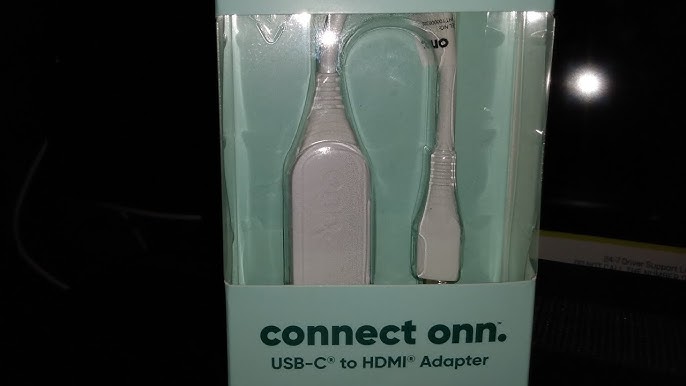
Credit: www.youtube.com
Common Causes
Many users face issues with the Onn USB C to HDMI adapter not working on Android devices. Several common causes can stop the connection from working properly. Understanding these causes helps to find quick solutions.
Problems can come from hardware, software, or compatibility. Checking each factor can save time and frustration.
Compatibility Issues
Not all Android devices support video output through USB C ports. Some phones only support charging or data transfer. The Onn adapter requires a device with DisplayPort Alternate Mode. Without this feature, the HDMI connection will fail.
Also, some Android versions may not fully support external display features. This limits the adapter’s function despite correct hardware.
Cable Or Adapter Faults
Faulty cables or adapters are common reasons for connection failures. A damaged or low-quality USB C to HDMI adapter may not work. Sometimes, the cable inside the adapter breaks without visible signs.
Trying a different adapter or cable can help identify if the problem is hardware-related.
Software Limitations
Software settings or bugs can block HDMI output. Certain apps or system updates might restrict external displays. Android may require permission to send video signals to HDMI.
Checking software updates and settings often resolves this issue.
Port Damage
Physical damage to the USB C port on the phone can cause failures. Dirt, dust, or bent pins inside the port stop proper connection. Repeated plugging and unplugging increase wear and tear.
Inspecting and cleaning the port can improve connection quality. Severe damage may need professional repair.
Basic Troubleshooting
Basic troubleshooting helps fix the Onn USB C to HDMI not working on Android. It checks simple issues first. This saves time and avoids complex fixes.
Start with easy steps. This often solves the problem quickly. Follow each step carefully to find the issue.
Check Physical Connections
Look at the USB C and HDMI cables. Make sure they are plugged in tightly. Loose connections cause signal loss. Check for dirt or damage on ports and cables. Clean gently if needed. Replace cables if broken or worn out.
Restart Devices
Turn off your Android phone and TV or monitor. Wait 30 seconds. Turn them back on. Restarting refreshes the system and clears minor bugs. This step often restores the HDMI connection.
Update Software
Check for software updates on your Android device. Go to settings and look for system updates. Install any available updates. Updated software fixes bugs that block HDMI output. Also, update the TV or monitor firmware if possible.
Try Different Hdmi Port
Switch to another HDMI port on your TV or monitor. Sometimes ports stop working properly. Using a different port can solve the problem. Make sure the port supports your device’s resolution and refresh rate.
Advanced Fixes
Advanced fixes can solve the Onn USB C to HDMI not working on Android issue. These steps go beyond basic checks and help restore the connection. Follow each method carefully to improve your device’s HDMI output.
Reset Usb Settings
Resetting USB settings can clear errors blocking the HDMI signal. Go to your Android settings, find the USB or connection options. Tap reset or clear defaults. This action refreshes the USB system and may fix the problem.
Enable Hdmi Output
Some Android devices need manual activation of HDMI output. Check your display settings for HDMI or screen mirroring options. Turn on HDMI output if it is off. This step ensures your phone sends video to the HDMI port.
Use Third-party Apps
Third-party apps can help manage HDMI connections. Apps like “Screen Cast” or “Cast to TV” support HDMI output on some phones. Download a trusted app from Google Play. Use it to test if the HDMI signal works better.
Test With Another Device
Testing with another device isolates the problem. Connect a different phone or laptop to the same Onn USB C to HDMI adapter. If the other device works, your Android may have a software issue. If not, the adapter or cable might be faulty.
Credit: affiliates.bloodstock.uk.com
Preventive Tips
Preventing issues with your Onn USB C to HDMI adapter can save time and frustration. Simple care and smart habits keep your connection stable. Follow these easy tips to avoid common problems and keep your devices working well.
Use Certified Accessories
Choose USB C to HDMI cables certified by trusted brands. Certified accessories meet quality standards. They reduce the risk of connection errors. Avoid cheap, unbranded cables that may cause damage or fail to work properly. Certified products offer better compatibility with Android devices.
Keep Software Updated
Update your Android device regularly. Software updates fix bugs and improve hardware support. Check for updates in settings often. Updated drivers help the USB C port work correctly with HDMI adapters. This simple step can prevent many connection problems.
Handle Ports Carefully
Plug and unplug cables gently. Rough handling can damage the USB C or HDMI ports. Avoid forcing the cable into the port. Keep devices on stable surfaces while connecting cables. Careful handling extends the life of your ports and keeps connections strong.
Regularly Clean Connectors
Dust and dirt can block signals between devices. Clean the USB C and HDMI connectors with a soft, dry cloth. Avoid liquids or harsh cleaners. Regular cleaning ensures a clear connection and prevents signal loss. Clean connectors improve overall device performance.

Credit: uniaccessories.com
Frequently Asked Questions
Why Is My Onn Usb C To Hdmi Not Working On Android?
Check if your Android supports video output through USB C. Not all devices do.
How To Fix No Signal From Onn Usb C To Hdmi Adapter?
Try reconnecting the adapter and use a different HDMI cable to rule out cable issues.
Can Software Updates Affect Onn Usb C To Hdmi Performance?
Yes, outdated Android software can cause compatibility problems with USB C to HDMI adapters.
Does My Android Need Special Settings For Hdmi Output?
Enable “HDMI output” or “Display” settings if your phone has these options.
What Devices Are Compatible With Onn Usb C To Hdmi On Android?
Most newer Android phones with USB C and video output support this adapter. Check your model.
Conclusion
Troubles with Onn USB C to HDMI on Android can be fixed with simple steps. Check your cable and phone compatibility first. Restart your device and try again. Adjust the display settings if needed. Keep your software updated for better performance.
Small changes often solve the problem quickly. Stay patient and test different solutions. This helps you enjoy your screen on a bigger display. Don’t give up; most issues have easy fixes.