
A samsung refrigerator blinking temperature usually signals that the appliance is struggling to reach or maintain its set cooling point because of a power surge or an internal sensor error. It’s safe to keep using the unit as long as the food inside remains cold and the interior lights work correctly. To confirm the cause, look at the display panel to see if it shows an error code or if the digits simply flash after a recent power outage.
Why your Samsung refrigerator temperature is blinking
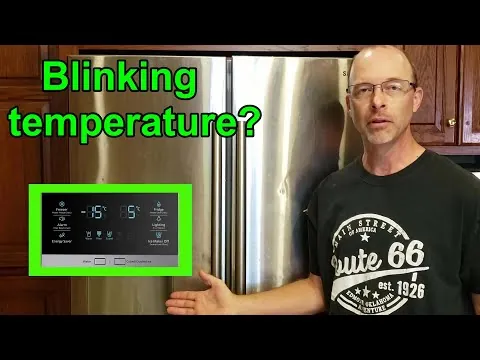
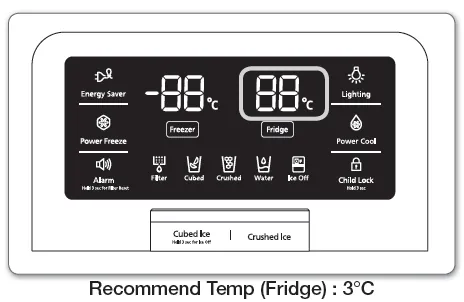
When your display flashes, it’s a diagnostic indicator that the cooling system is outside its normal operating range. This often happens after a brief power cut, but it can also point to airflow issues or a failing control board.
If the unit flashes immediately after a power surge, the internal logic board is likely stuck in a boot loop. Unplug the device for several minutes to allow the control board to fully power down and reset. Most users fail to wait the full minute, which leaves the error state cached in the memory.
If the flashing persists, check the door gasket. A tiny tear or a buildup of debris prevents a tight seal, causing the compressor to run constantly while the sensor detects rising temperatures. You can test this by closing the door on a crisp dollar bill; if you can pull it out without resistance, the seal is compromised and must be replaced.
| What you notice | What it usually means | What to do first |
|---|---|---|
| All digits flash after power cut | Unit needs a reset | Unplug for 60 seconds |
| Only one zone flashes | Sensor is reading warm | Check door seal integrity |
| Display shows “PC ER” code | Communication error | Call professional support |
| Interior feels warm to touch | Compressor isn’t running | Clear coils of dust |
| Flashing with loud humming | Fan is hitting ice | Defrost the freezer manually |
| Flashing with no cold air | Sealed system failure | Check warranty status online |
If the unit hums but doesn’t cool, check the condenser coils behind the kickplate. A layer of dust thicker than a nickel forces the motor to overheat, triggering the flashing safety light.
Resolving power-related display errors
A power surge or a brief interruption in your home electricity is the most frequent reason for a blinking display. When power returns, the control board may enter a diagnostic mode to ensure the temperature has returned to safe levels. If your power went out for more than two hours, the Samsung support center recommends checking that all perishable food has stayed below 40°F before you consume it.
To fix this, you must perform a hard power reset. Unplug the refrigerator from the wall outlet or flip the circuit breaker to the “off” position for several minutes. This allows the control board to fully power down and reset its internal logic. After the wait, plug the unit back in or turn the breaker on. The display should stop flashing within five minutes as the system recalibrates its sensors.
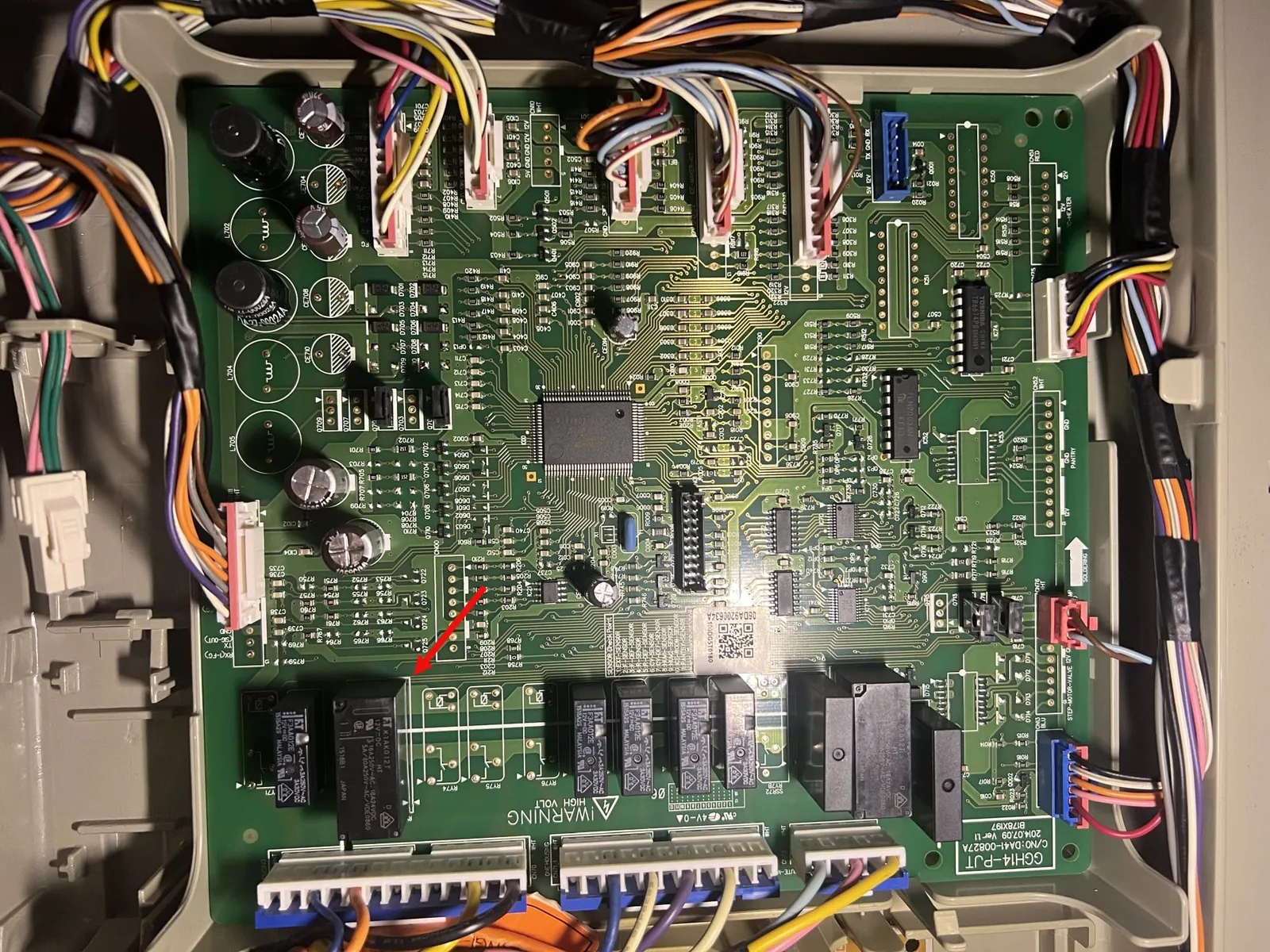
If the display continues to flash after the reset, check the internal temperature reading. If the display shows an error code like “PC ER” or “88 88,” the control board has suffered a permanent hardware failure rather than a temporary glitch. In these cases, a reset won’t clear the fault. You must disconnect the unit and contact a technician to replace the main PCB.
Many users mistakenly assume that turning the unit off via the front panel buttons is sufficient. This does nothing to clear the control board’s volatile memory. Only a full physical disconnection forces the system to reboot its logic entirely.
Clearing airflow and sensor obstructions
If the temperature isn’t rising due to a power issue, a blocked air vent or a dirty condenser coil is likely preventing the unit from cooling. Your refrigerator relies on steady airflow to move cold air from the evaporator coils into the main compartments. If you pack the shelves too tightly against the rear wall, the sensors will detect a warm temperature and trigger the flashing warning light.
Check the interior vents to ensure they aren’t blocked by food containers or ice buildup. You should maintain at least a two-inch gap between your groceries and the back wall of the fridge to allow air to circulate freely. If you notice frost forming directly over a vent, you have a defrost drain clog rather than a simple airflow issue. In this case, clear the drain line with a thin wire before checking the sensors.
If the interior looks clear, inspect the condenser coils located behind or beneath the unit. Use a soft brush or a vacuum attachment to remove any thick dust or pet hair that has collected there.
If you have a large family and open the doors often, allow 24 hours for the temperature to stabilize before deciding that the sensor is faulty. If the light persists after a full day, verify the door seal by closing the door on a dollar bill; if it slides out with no resistance, replace the gasket.
Troubleshooting ice buildup on the evaporator
A blinking display sometimes indicates that the automatic defrost system has failed, causing ice to build up around the evaporator fan. When ice blocks the fan blades, the cooling efficiency drops, and the internal temperature rises above the set point. You can usually hear this if the refrigerator makes a louder-than-normal grinding or clicking noise when the door is open.
To test this, place your hand near the air vents inside the freezer. If you feel very little or no airflow, the fan is likely frozen over. You can perform a manual defrost by unplugging the unit and leaving the doors open for 24 hours with towels placed on the floor to catch the melting water.
If the flashing stops and the unit cools properly after you turn it back on, the issue was localized ice. If the flashing returns within a few days, the defrost heater or the temperature sensor is likely defective and requires a technician.
Many owners mistakenly wait for the ice to melt on its own, which risks permanent damage to the fan motor. If you hear a high-pitched whine before the grinding starts, the motor bearings are already struggling against the ice load. Don’t force the freezer door open if it feels stuck, as the seal may be frozen shut. Apply a warm, damp cloth to the gasket to loosen the bond without tearing the rubber.
When to stop and call for service
There are specific situations where you must stop attempting DIY fixes and contact a professional technician to avoid further damage. Attempting to repair the sealed cooling system or internal electrical components without the proper training often leads to voided warranties and expensive secondary failures.
The display shows an error code that persists after a full power cycle, as this indicates a failed internal component. If the code is accompanied by a flashing light, don’t attempt to clear it manually.
You smell burning plastic or hear a loud, sharp popping sound, which suggests an electrical short on the main board. If you detect this, pull the plug immediately and keep the doors closed to retain the remaining cold air.
The refrigerator interior temperature stays above 45°F for more than four hours, posing a significant food safety risk. At this threshold, bacteria growth accelerates rapidly, rendering most perishable goods unsafe for consumption.
The compressor doesn’t turn on at all, even after you have cleaned the coils and reset the power. This failure often points to a faulty start relay or a seized motor.
If you encounter these signs, contact a certified appliance repair service or the manufacturer’s official support line. Never attempt to open the rear panel of the refrigerator to touch the sealed system or electrical housing. A capacitor can hold a lethal charge even after you have unplugged the appliance from the wall. If you’re unsure about the source of a noise, err on the side of caution; a service call is cheaper than a replacement unit.
Related guides
- Samsung Smart Tv Troubleshooting Guide: Fix Glitches Fast
- How Long Should a Refrigerator Last: Lifespan and Maintenance
- 10 Best Car Refrigerator Picks for Your Next Road Trip in 2026
Frequently asked questions
Can I stop the blinking by changing the temperature setting?
Changing the temperature setting won’t stop the blinking if the unit is failing to reach the target. The flashing is a warning signal from the software that the current internal temperature is higher than the setting you selected. If you adjust the target temperature, the light may stop for a moment, but it will start flashing again as soon as the sensor detects the ambient heat is still too high.
How long should it take for the display to stop flashing?
The display should stop flashing within 30 to 60 minutes after you resolve the cooling issue or reset the power. If you have cleared the vents and the coils, the refrigerator needs time to pull the internal temperature down to the safe range. If the light is still blinking after one hour of continuous operation, the system is likely still struggling to reach the target temperature.
Is it safe to eat food stored in a blinking refrigerator?
It’s safe to eat your food only if the temperature inside the unit has remained at or below 40°F during the period the light was blinking. Use a standalone appliance thermometer to verify the actual temperature of the air inside the fridge. If the temperature has risen above 40°F for more than two hours, you should discard any perishable items like meat, dairy, or leftovers to avoid foodborne illness.
Does a blinking temperature mean the fridge is broken?
A blinking temperature doesn’t always mean the fridge is broken, as it’s often just a notification of a temporary power fluctuation. Many modern units are programmed to alert the owner whenever the internal climate deviates from the safety standard. You should only consider the appliance broken if you have performed a hard reset and verified that the airflow is clear, yet the unit still fails to cool.
What happens if I ignore the blinking light?
Ignoring the blinking light can lead to spoiled food and potential damage to the compressor if it runs constantly without reaching the target temperature. The compressor is designed to cycle on and off; if it runs continuously because of a sensor error or ice blockage, it will eventually overheat and fail. Addressing the cause early helps you avoid a much larger repair bill later.
How often should I clean the coils to prevent this?
You should clean the condenser coils regularly to keep the cooling system working efficiently, though the frequency depends on your specific usage and the guidelines provided in your owner’s manual. If you have pets that shed or live in a dusty environment, you should perform this check more often. Keeping the coils free of debris allows the refrigerator to release heat effectively, which prevents the internal temperature from rising and keeps the display from triggering a warning.
Conclusion
If the flashing doesn’t stop after you’ve checked the power connection, don’t ignore it for too long. It’s a good idea to reach out to a local technician if the cooling feels inconsistent. They’ll help you determine if a part needs replacing so your food stays fresh and safe.