
Is your Hunter fan remote playing tricks on you? You flip the switch, expecting a cool breeze, but… nothing.
Or maybe the light flickers erratically, or the fan speed jumps around without your input. It can be incredibly frustrating when your ceiling fan, a symbol of comfort, suddenly becomes a source of annoyance. Don’t worry, you’re not alone, and more importantly, you don’t have to live with a malfunctioning fan.
This guide is here to help you get your Hunter fan remote control back in working order, quickly and easily. We’ll walk you through common problems and their solutions, so you can get back to enjoying your perfectly controlled comfort.
Credit: www.homedepot.com
Check The Basics First
Before diving into complex fixes, always start with simple checks. This is the first step. It often solves your Hunter fan remote issues. You might be surprised by how often this helps.
Battery Power
Your remote needs power. Check the batteries. Are they new? Are they inserted correctly? Low battery power is a common problem. Replace old batteries. Ensure correct polarity. This is a quick fix. It often works.
Remote Signal Obstructions
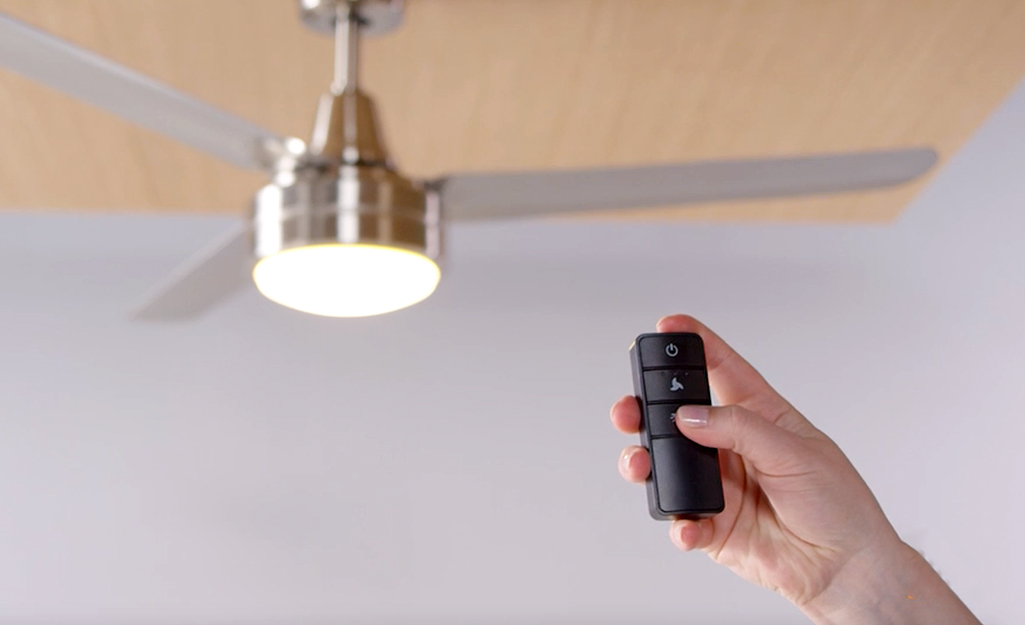
Is something blocking the signal? The remote sends a signal. The fan receiver needs this signal. Large objects can block it. Walls can block it. The distance can be too great. Try moving closer. Remove any obstructions. Clear the path between remote and fan. A clear path is essential.
Fan Power Supply
The fan itself needs power. Is it plugged in? Is the circuit breaker on? Check the wall switch. Ensure the fan has electricity. A power interruption stops the fan. It also stops the remote. Restore power to the fan. This might be the solution.
Credit: www.homedepot.com
Remote Not Responding
Is your Hunter fan remote acting up? A non-responsive remote is frustrating. Your fan won’t obey. Don’t worry. We can fix this problem. This guide helps you troubleshoot.
Syncing The Remote
Sometimes the remote loses its connection. It needs to sync again. First, turn off the fan’s power. Find the wall switch. Flip it off. Wait for 30 seconds. Turn the power back on. Immediately press and hold the fan speed button. Hold it for 10 seconds. Your fan might beep. This confirms the sync. Try operating the fan. If it works, great!
Resetting The Remote
A remote reset can help. It clears old settings. Look for a small reset button. It is often on the remote’s back. You might need a paperclip. Gently press the button. Hold it for a few seconds. Then, try using the remote again. This simple step often solves issues.
Receiver Issues
The remote talks to a receiver. This receiver is in the fan. It might have a problem. Check the receiver’s wiring. Ensure it is secure. Loose wires cause problems. You may need to access the fan canopy. Turn off power first. If wires look fine, the receiver might be faulty. Replacing it might be necessary. Consult your fan’s manual. It has specific instructions. A professional can help too.
Specific Function Problems
Sometimes your Hunter fan remote works. Other times, only certain features act up. These specific function problems can be frustrating. Let’s fix them.
Light Not Working
Is your fan light stubbornly dark? First, check the bulb. Ensure it is screwed in tight. Try a new bulb. The remote might not be sending the signal. Verify the remote’s battery. A weak battery causes many issues. Sometimes the receiver in the fan is faulty. This might need professional attention.
Fan Speed Control Glitches
Fan speeds not changing? The remote might be out of range. Move closer to the fan. Obstructions can block the signal. Clear the path between remote and fan. The remote might need re-pairing. Consult your fan’s manual. The receiver might be overheating. Give the fan a break. Let it cool down. This can reset the system.
Dimmer Issues
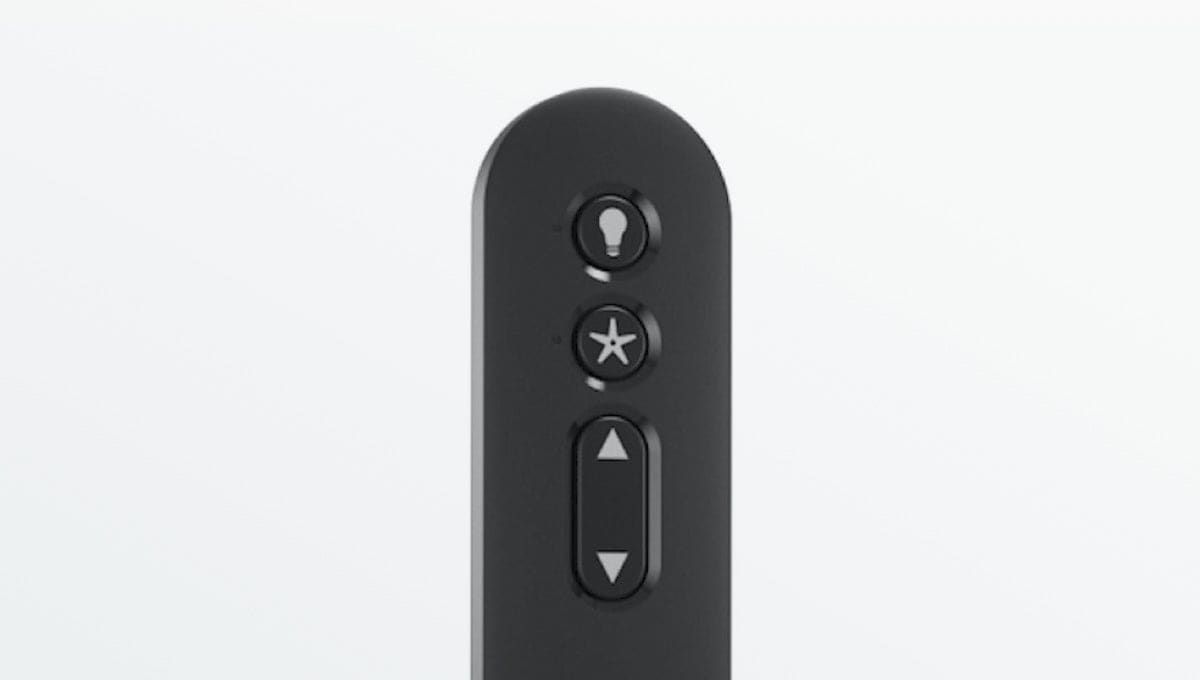
Light dimmer acting strange? Not all Hunter fans have dimmers. Confirm your fan has this feature. Check the bulb type. Incandescent bulbs work best. LED bulbs may not dim properly. Ensure you use compatible bulbs. The remote’s dimmer function might be stuck. Try resetting the remote. Remove and replace the battery. This often clears glitches.
Credit: www.hunterfan.com
Advanced Troubleshooting
Basic troubleshooting did not fix your fan? Sometimes, issues go deeper. Advanced steps can solve stubborn problems. Let’s explore these next.
Checking Receiver Wiring
The receiver connects the remote to the fan. Loose wires cause many issues. First, turn off the power. Locate the fan’s canopy. Remove it carefully. You will see wire connections. Check each wire is secure. Ensure no wires are frayed. Gently tug each wire. They should hold firmly. Reconnect any loose wires properly. Always use wire nuts. Make sure connections are tight. Then, reassemble the canopy. Turn the power back on. Test the remote again.
Interference Sources
Other devices can interfere. This causes remote control problems. Some electronics emit radio waves. These waves can block signals. Common culprits include routers. Cordless phones are another source. Some LED lights also interfere. Check for these devices nearby. Move them away from the fan. Try turning off suspect devices. Test the fan after each change. This helps isolate the problem.
When To Call A Pro
You have tried advanced steps. Still, the fan does not work. It is time to get help. Electrical work can be dangerous. A professional has the right tools. They understand complex wiring. They can diagnose tough issues. Do not risk injury. Do not damage your fan. Call a qualified electrician. They will get your fan working. Peace of mind is worth it.
Finding Replacement Parts
Troubleshooting your Hunter fan remote control? Finding the right replacement parts is key. Check your fan model number for correct compatibility. This ensures a smooth repair.
Finding a replacement part is crucial. Your Hunter fan remote might need a new home. Don’t worry. We can help you find it. This section guides you. It makes the process simple.Identifying Your Remote Model
First, find your remote’s model. Look for a label. It’s usually on the back. Sometimes it’s inside the battery compartment. The model number is important. It ensures you buy the correct part. Check your fan’s manual too. It often lists the remote model.Where To Buy New Remotes
Several places sell new remotes. The official Hunter Fan website is a good start. You can also check major online retailers. Amazon and eBay are popular choices. Some hardware stores might stock them. Always verify the model number. Match it carefully.Understanding Universal Remotes
A universal remote is an option. It controls multiple devices. Some work with Hunter fans. Check the remote’s compatibility list. Ensure it specifically mentions Hunter fans. Universal remotes offer flexibility. They can be a good backup. Read reviews before buying.Frequently Asked Questions
Why Is My Hunter Fan Remote Not Working?
Check the batteries first. Replace them with fresh ones. Ensure the battery cover is securely closed.
How Do I Reset My Hunter Fan Remote?
Locate the small reset button on the remote. Press and hold it for about ten seconds. This often resolves connection issues.
My Hunter Fan Won’t Connect To Its Remote. What Now?
Make sure the fan is powered on. Verify the remote is within range. Try re-syncing the remote to the fan.
Can I Use A Universal Remote With My Hunter Fan?
Some universal remotes may work. However, a Hunter-specific remote is best. It ensures full compatibility and features.
What If My Hunter Fan Remote Is Lost?
Contact Hunter Fan customer support. They can help you order a replacement. You might need your fan’s model number.
How Do I Pair A New Hunter Fan Remote?
Refer to your fan’s manual. Usually, you press a button on the receiver. Then, press a button on the remote.
My Hunter Fan Remote Buttons Are Unresponsive. Why?
The remote might be dirty. Gently clean the buttons and casing. If that fails, a battery issue is likely.
Conclusion
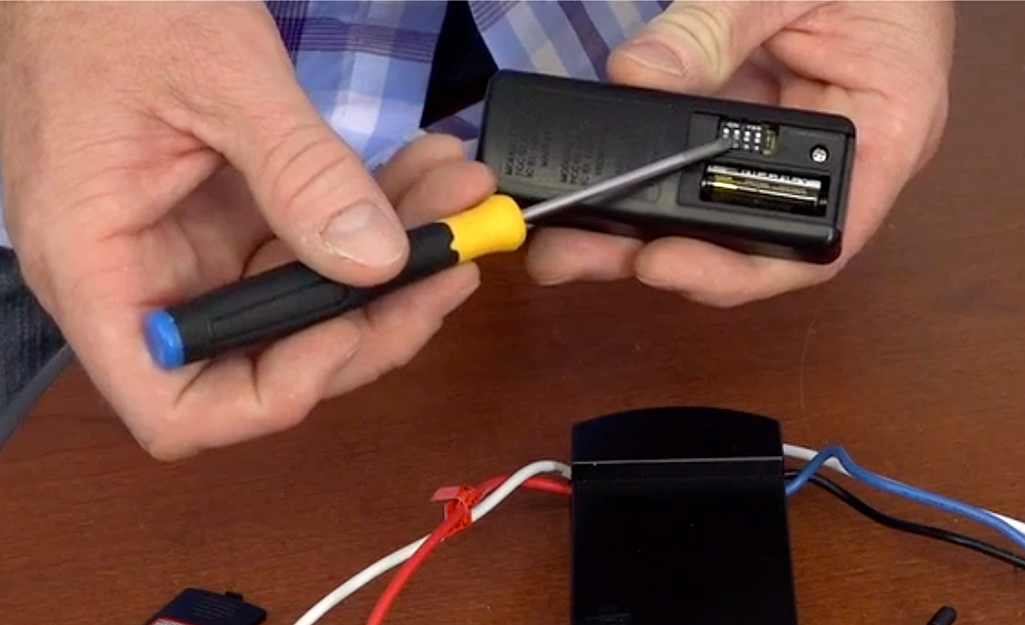
Troubleshooting your Hunter fan remote is simple. These steps often fix common problems. Check batteries first. Ensure they are fresh. Verify the dip switch settings. Match them on the receiver. Clear any obstructions. Test the remote again. Your fan should work now.
Enjoy your cool breeze.