
Is your LiftMaster garage door opener acting up? You’ve probably tried pressing buttons, maybe even giving it a gentle nudge.
Before you call for expensive help, there’s a powerful tool right at your fingertips: the LiftMaster MyQ manual. But finding the right PDF and navigating it can feel like a puzzle itself. This guide is here to cut through the confusion.
We’ll show you exactly where to find your LiftMaster MyQ manual PDF and how to use it to troubleshoot common issues, getting your garage door back in smooth working order.
Common Myq Issues
Troubleshooting your Liftmaster MyQ can be simple. Many common issues have easy fixes. This guide helps you solve them. Let’s dive into frequent MyQ problems. Understanding these helps you get back online fast.
Connectivity Problems
Your MyQ needs a good Wi-Fi signal. Check your home Wi-Fi network. Is it working properly? Restart your router and modem. Ensure your garage door opener is close. It needs a strong connection. Try moving the opener closer to the router. Sometimes, Wi-Fi interference is the culprit. Other devices can disrupt the signal. Consider repositioning your router. A stable connection is key.
Device Not Responding
Is your garage door opener offline? First, check power. Make sure the opener has electricity. Look at the power cord. Is it plugged in securely? Try unplugging and replugging it. This can reset the device. Check the MyQ app. Does it show the device as offline? If so, focus on the connection. Your opener may need a factory reset. Consult your manual for this step. A simple reboot often works wonders.
App Glitches
The MyQ app can sometimes act up. Is the app updated? Always use the latest version. Uninstall and reinstall the app. This clears temporary files. Restart your smartphone. This can also resolve app issues. Ensure your phone has internet. Check your phone’s Wi-Fi or cellular data. Sometimes, a simple app restart is enough. Close the app completely. Then, reopen it.
Alerts Not Working
Are you missing important notifications? Check your app’s notification settings. Make sure alerts are enabled. Verify your phone’s notification settings too. Your phone might be blocking alerts. Ensure your MyQ account is active. Sometimes, accounts can expire. Check for any error messages. These can point to the problem. A quick app update can help. This often fixes alert bugs.
Troubleshooting Steps
Experiencing issues with your Liftmaster MyQ system? Don’t worry. We have troubleshooting steps. These steps help fix common problems. They get your smart garage door working again. Let’s dive in. Find solutions quickly. Get your system back online. Enjoy peace of mind.
Check Wi-fi Signal
Your MyQ needs a strong Wi-Fi signal. Is your router working well? Is the signal reaching your garage? Try moving the MyQ hub closer. Test your Wi-Fi on another device. A weak signal causes many problems. Ensure good connectivity.
Reset Myq Hub/gateway
Sometimes a simple reset fixes things. Unplug your MyQ hub. Wait for 30 seconds. Plug it back in. Let it restart completely. This clears temporary glitches. It often restores connection.
Re-pair Devices
Devices might lose their connection. You may need to re-pair them. Follow the MyQ app instructions. This process connects your opener. It reconnects sensors too. Ensure all devices talk to the hub.
Update Myq App
An outdated app causes trouble. Always use the latest version. Go to your app store. Check for MyQ app updates. Install any available updates. New versions fix bugs. They improve performance.
Verify Account Settings
Check your MyQ account details. Ensure your email is correct. Confirm your password is right. Log out and log back in. Sometimes account issues arise. Proper settings are crucial.
Specific Error Codes
Liftmaster MyQ manual PDF troubleshooting gets easier. Specific error codes pinpoint problems. This helps you fix issues fast. You can get your garage door working again. Let’s dive into these codes.
Understanding Error Lights
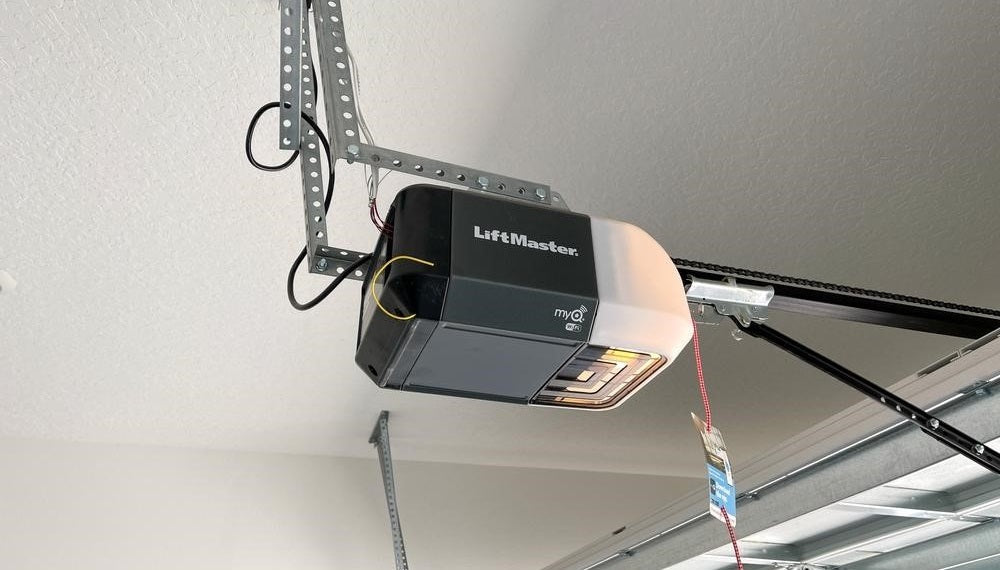
Your Liftmaster opener has indicator lights. These lights flash in patterns. Each pattern means something different. A steady red light often signals an issue. A blinking yellow light might show a different problem. Consult your manual for light meanings. The PDF manual is your best guide. It lists all light codes.
Decoding On-screen Messages
Some Liftmaster models show messages. These appear on a small screen. Messages give clear instructions. They might say “Check Sensor.” Or they could indicate “No Power.” Read these messages carefully. They guide your next steps. The MyQ app can also display alerts. Check the app for notifications. These messages help diagnose problems quickly.

Credit: manuals.plus
Advanced Fixes
Sometimes, simple steps are not enough. You need to dig deeper. Advanced fixes tackle complex issues. They require a bit more technical know-how. Don’t worry. We will guide you through them.
Firmware Updates
Outdated firmware causes problems. It can stop your MyQ from working. Check for new firmware. Visit the Liftmaster website. Download the latest version. Follow the update instructions carefully. This often solves many issues.
Router Settings
Your Wi-Fi router is key. It connects MyQ to the internet. Sometimes, router settings interfere. Check your router’s firewall. Ensure it allows MyQ connections. Try restarting your router. This can reset network issues. Some routers have specific settings for smart devices. Consult your router’s manual. Adjust settings as needed.
Security Protocols
Security protocols protect your MyQ. Older protocols might be incompatible. Ensure your router uses WPA2 security. Avoid older, less secure options. WEP is not recommended. Stronger security prevents connection errors. It also keeps your system safe. Check your router’s security settings. Select the most secure option available.
When To Seek Help
Sometimes, DIY fixes just do not work. Your garage door opener may need expert attention. Knowing when to ask for help saves time. It also prevents further damage. Let’s explore when to get support.
Contacting Liftmaster Support
Your Liftmaster manual is a great resource. It has troubleshooting tips. If the manual does not help, reach out. Liftmaster offers customer support. They have trained professionals ready. These experts can guide you through issues. They understand the MyQ system well. Prepare to share your opener’s model number. Note any error codes you see. This information helps them help you faster. Do not hesitate to call them.
Professional Installation Check
Was your opener professionally installed? A bad installation causes many problems. The opener might not work right. It could be a wiring issue. Perhaps a sensor is misaligned. Contact the installer directly. They know their installation work. They can check for common setup errors. A professional check ensures safety. It also confirms proper opener function. This step is important for long-term use.
Credit: allsecurityequipment.com
Frequently Asked Questions
Where Can I Find The Liftmaster Myq Manual Pdf?
You can download the Liftmaster MyQ manual PDF from the official Liftmaster website. Look for the support or downloads section.
My Liftmaster Myq Isn’t Connecting. What Now?
Check your Wi-Fi signal strength near the garage door opener. Ensure your Wi-Fi password is correct. Try restarting your router and the opener.
How Do I Reset My Liftmaster Myq?
Locate the learn button on your motor unit. Press and hold it for a few seconds. This usually resets the device.
Liftmaster Myq App Not Working? Try This.
Close and reopen the MyQ app. Make sure your phone’s software is updated. Sign out and then sign back into your account.
Garage Door Opens But Not Closing With Myq. Why?
Check for any obstructions in the door’s path. Ensure the safety sensors are aligned and clean. Test the opener with the wall button.
How To Update Liftmaster Myq Firmware?
Firmware updates often happen automatically. Ensure your opener is connected to Wi-Fi. You can check for updates within the MyQ app settings.
Liftmaster Myq Error Codes Explained?
Refer to the manual for specific error codes. Each code points to a particular issue. The manual will guide you through solutions.
Conclusion
Your Liftmaster MyQ manual is here. Troubleshooting problems is now simple. Refer to the PDF guide. It offers clear solutions. Fix your garage door opener. Get back to your routine. Easy steps await you. Your MyQ system will work. Enjoy peace of mind.