
Motion Detector Light Troubleshooting is often solved by checking the power supply, sensitivity settings, and surrounding heat sources. If your light doesn’t turn on, check for a tripped circuit breaker or a loose bulb. If the unit remains unresponsive after a power reset, the sensor may be faulty and require a full fixture replacement.
Motion Detector Light Troubleshooting
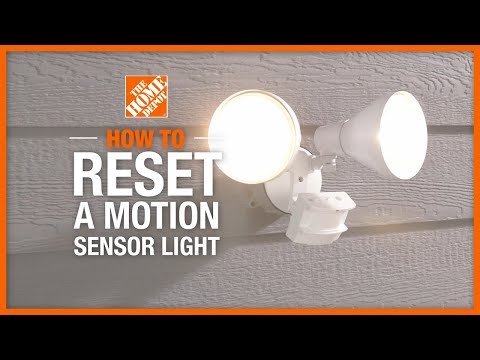
Motion lights trigger based on infrared energy shifts. When an object warmer than the background moves across the sensor’s field of view, the device detects the change in infrared radiation and triggers an internal switch to turn on the light. If your light is failing to operate, it’s usually because the sensor is blocked, the sensitivity is too low, or the ambient light level is too high.
Sensors often have a “photocell” that prevents the light from turning on during the day. If you have a porch light nearby, the sensor may think it’s still daylight and refuse to activate. This is a common design feature meant to save energy. Another issue is the “field of view.” These sensors are designed to detect movement across the beam, not directly toward it. If your light is mounted in a way that people walk straight toward the sensor, it may not trigger until they’re very close.
Environmental factors also matter. Sudden gusts of wind moving large objects, or even small pets running near the sensor, can trigger the light repeatedly. If the sensor is dirty or covered in spiderwebs, the infrared signal is blocked or scattered, leading to “phantom” triggers or no response at all. Finally, if the light is in a location with high humidity, moisture can build up inside the housing, which causes internal corrosion. This is a common issue for outdoor fixtures that aren’t rated for wet locations.
Safety: Inside a mains-powered machine, the parts behind the outer cover can hold a dangerous electrical charge even after it has been unplugged — that’s why they sit behind a cover. Opening the housing, or testing or replacing anything behind it, is a job for a qualified technician, never a home repair.
Adjust the sensitivity and range settings
This fix is for users whose lights are either triggering too often or not turning on at all. Most outdoor motion sensors have two or three dials on the bottom or side of the unit. These dials control the “Sensitivity” (how much movement is needed to trigger the light) and the “Time” (how long the light stays on after movement stops).
If the light isn’t turning on, turn the sensitivity dial toward the “Max” or “+” setting. If it’s turning on too often, turn it toward “Min” or “-“. You’ll need a small flathead screwdriver to turn these dials. Test this by walking across the zone after dark. If the light doesn’t turn on, move the dial a small amount and wait for the light to turn off before testing again.
This isn’t for you if the dials are stuck or if the housing shows signs of water damage. If you see brown spots or rust around the dials, the internal electronics are likely compromised. In that case, don’t try to fix the internal parts yourself. A faulty sensor that’s exposed to moisture can become a fire hazard. It’s safer to replace the entire fixture. If you’re comfortable using a ladder, you can replace the unit, but if you’re unsure about the wiring, hire a licensed electrician to avoid injury or electrical shorts.
Clean the sensor lens thoroughly
This fix is for users whose lights are working inconsistently or triggering when nothing is there. Over time, dust, pollen, and spiderwebs collect on the plastic lens of the sensor. This blocks the infrared waves from reaching the internal detector.
To clean the lens, wait until daytime when the power is off or the light is inactive. Use a soft, dry microfiber cloth to gently wipe the surface of the sensor lens. If there’s stubborn dirt, use a slightly damp cloth with plain water. Don’t use chemical cleaners, glass sprays, or abrasive scouring pads. These can scratch the plastic or leave a chemical film that interferes with the infrared signal. If you use a ladder to reach the light, make sure it’s on flat, stable ground.
This fix works if the light was working fine before and has gradually become less responsive over several months. If the lens is cracked or yellowed from sun exposure, cleaning it won’t help. Plastic lenses degrade under UV light, and once they become opaque, they can’t focus the infrared energy correctly. If you notice cracks or heavy fogging on the lens, the sensor has reached the end of its functional life. In this situation, the cost of a new sensor unit is often lower than the cost of a professional repair.
Reset the power cycle
This fix is for users whose lights are stuck in the “on” or “off” position regardless of movement. Sometimes the internal microchip in the sensor gets confused due to a power surge or a brief outage. A hard reset often clears this error.
Locate the light switch that controls the power to the motion detector. Turn the switch to the “Off” position and leave it off for at least 60 seconds. This allows the internal capacitor to discharge completely. After one minute, flip the switch back to the “On” position. Many modern sensors have a “test mode” that activates when you first turn them on. The light might flash or turn on for a few seconds to indicate it’s recalibrating.
If the light stays on indefinitely after this reset, it may be in “manual override” mode. Many motion lights turn to manual mode if you flip the wall switch off and on twice within a few seconds. To exit this, turn the switch off for one full minute and then turn it back on. If it still doesn’t work, the sensor is likely defective. This is the point where you must decide if you want to replace the light yourself or call a professional. Replacing the fixture is usually a simple task if you have basic tools, but if the wiring in your junction box looks old or damaged, don’t proceed. Always follow your local building codes regarding electrical work.
What not to do
- Don’t spray the sensor with a garden hose to clean it, as water can enter the housing and damage the electrical components.
- Don’t paint the sensor lens to match your home’s exterior, as paint blocks the infrared signal and permanently disables the motion detection.
- Don’t attempt to bypass the sensor wiring to turn the light into a standard “always-on” fixture, as this can void the product warranty and create a fire risk.
- Don’t use high-wattage bulbs that exceed the manufacturer’s maximum rating, as the extra heat can melt the sensor housing and cause the light to fail.
How to stop it happening again
To prevent future failures, ensure your sensor is placed away from heat sources and is protected from direct water spray.
| If you’re doing this | Do this instead | Why |
|---|---|---|
| Pointing sensor at a road | Point it toward a wall | Reduces false triggers from passing cars |
| Using high-heat bulbs | Use LED bulbs | LEDs run cooler and won’t melt the housing |
| Installing near a dryer vent | Move to a neutral wall | Heat from the vent causes the sensor to cycle |
| Ignoring spiderwebs | Webs block the infrared signal |
Frequently asked questions
Can I fix a motion light that stays on forever?
This is usually caused by a heat source or manual override mode. Perform a power reset by turning the wall switch off for 60 seconds. If the issue persists, the internal relay may be stuck, requiring a full fixture replacement.
Why does my light turn on during the day?
This happens if the ambient light sensor is covered or the sensitivity is set too high. Ensure the photocell sensor is free of dirt or shade. If the sensor remains in a dark area, you may need to adjust the sensitivity dial to a lower setting.
Is it safe to replace a motion sensor light myself?
Yes, it’s safe if you’re comfortable with electrical wiring and have turned off the power at the main breaker. Verify the power is off with a voltage tester before touching any wires. If you have any doubt, call a licensed electrician.
How long do motion sensor lights last?
The electronic sensor typically lasts between five to ten years, though this varies by model — check the label for the manufacturer’s expected lifespan. Factors like extreme heat, high humidity, and direct UV sunlight exposure will shorten this time significantly. If your fixture is older than seven years and begins to act erratically, it’s often more cost-effective to replace the entire unit rather than trying to repair the individual sensor components.
What happens if I use the wrong bulb in my motion light?
Using a bulb that exceeds the maximum wattage stated on the fixture label risks melting the housing and damaging the sensor. LED bulbs are the best choice because they produce very little heat. Always check the fixture’s sticker for the maximum allowed wattage before installing a bulb.
Final Thoughts
If these simple adjustments don’t get your lights working, don’t hesitate to reach out to a local electrician. They’ll quickly identify any hidden wiring issues you can’t see. It’s better to be safe than sorry, so let a professional handle the complex repairs while you enjoy a bright, secure home.
Related guides
- Hart Lawn Mower Troubleshooting Manual: Fix Common Issues in 2026
- Panasonic Phone Troubleshooting Manual: Fix Common Issues in 2026
- Thermador Refrigerator Troubleshooting: Fix Common Issues in 2026