
Garage Door Liftmaster troubleshooting is straightforward when you focus on the safety sensors and the physical path of the door. If the door refuses to close, it’s usually due to a blocked or misaligned infrared safety sensor. If the door moves and stops, you likely have a force or travel limit issue.
Garage Door Liftmaster Troubleshooting
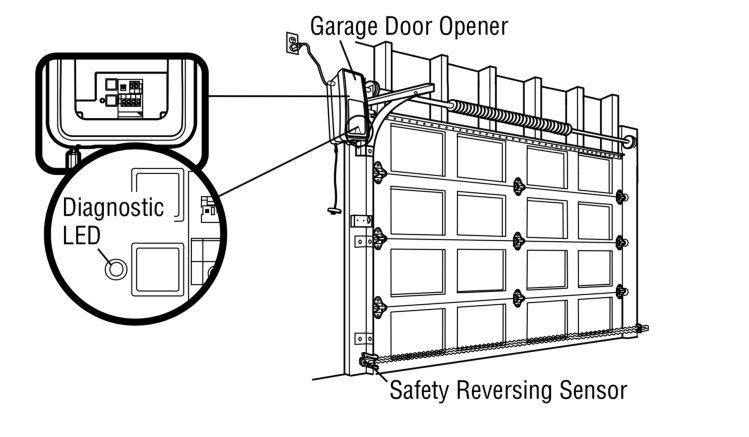
The primary reason for operational failure is a break in the invisible beam between the two safety sensors mounted at the bottom of the door tracks. These sensors must face each other perfectly. If they’re bumped by a broom, a bicycle, or a car, the beam is interrupted, and the system assumes an object is blocking the path. This is a safety requirement mandated by the Consumer Product Safety Commission to prevent entrapment.
Another common cause is the accumulation of dirt or hardened grease in the door tracks. Your garage door is a heavy, balanced system. If the rollers hit a patch of rust or a stray pebble, the resistance increases. The motor senses this extra load as a potential obstruction and reverses the door to protect the mechanism and anything in its path.
Finally, the travel limits can drift over time due to temperature changes or the natural settling of the house. If the motor thinks the floor is higher than it actually is, it will stop the door early. Conversely, if it thinks the floor is lower, it will hit the ground and assume it has encountered an obstacle, causing the door to bounce back up. These issues are rarely caused by the motor failing completely; they’re almost always external signals telling the brain of the opener to stop for safety reasons.
Check the safety sensors
This fix is for owners whose garage door lights flash when they try to close the door. First, walk to both sides of the door opening and look at the small lenses on the safety sensors. One sensor usually has a yellow light and the other a green light. If one light is off or flickering, the sensors aren’t aligned. Gently nudge the sensor brackets until both lights remain solid. Don’t tighten the wing nuts too much, as you may need to adjust them slightly again. If the alignment is perfect but the lights remain off, check the wire connections at the base of the sensors. Look for frayed wires or loose screws. If you find a broken wire, you can often repair the connection or replace only the damaged sensor. This fix isn’t for you if the motor unit itself has no power or if the wall button is unresponsive, as those indicate electrical issues rather than sensor alignment. Once the lights are solid, press the wall button to see if the door closes. If it works, you have solved the problem.
Adjust the travel limits
This fix is for when the door hits the floor and immediately reverses, or stops a few inches above the floor. Locate the adjustment dials or buttons on the side or back of the motor unit. These are usually labeled “Up” and “Down” or “Travel.” If your model has physical screws, turn the “Down” screw clockwise to increase the travel distance. If you have digital buttons, follow the manufacturer’s sequence to enter “Limit Setting” mode. Move the door down until it touches the floor, but don’t force it to compress against the concrete. If the door compresses too much, the system will detect too much pressure and reverse again. If you have a newer unit, you may need to hold a specific button until the lights blink to confirm the new setting. Test the door by closing it fully. If it stops at the floor without reversing, you have succeeded. If you’re unsure about the specific button sequence for your model, look at the manufacturer’s label on the motor housing, as this varies by model.
Clear the tracks and rollers
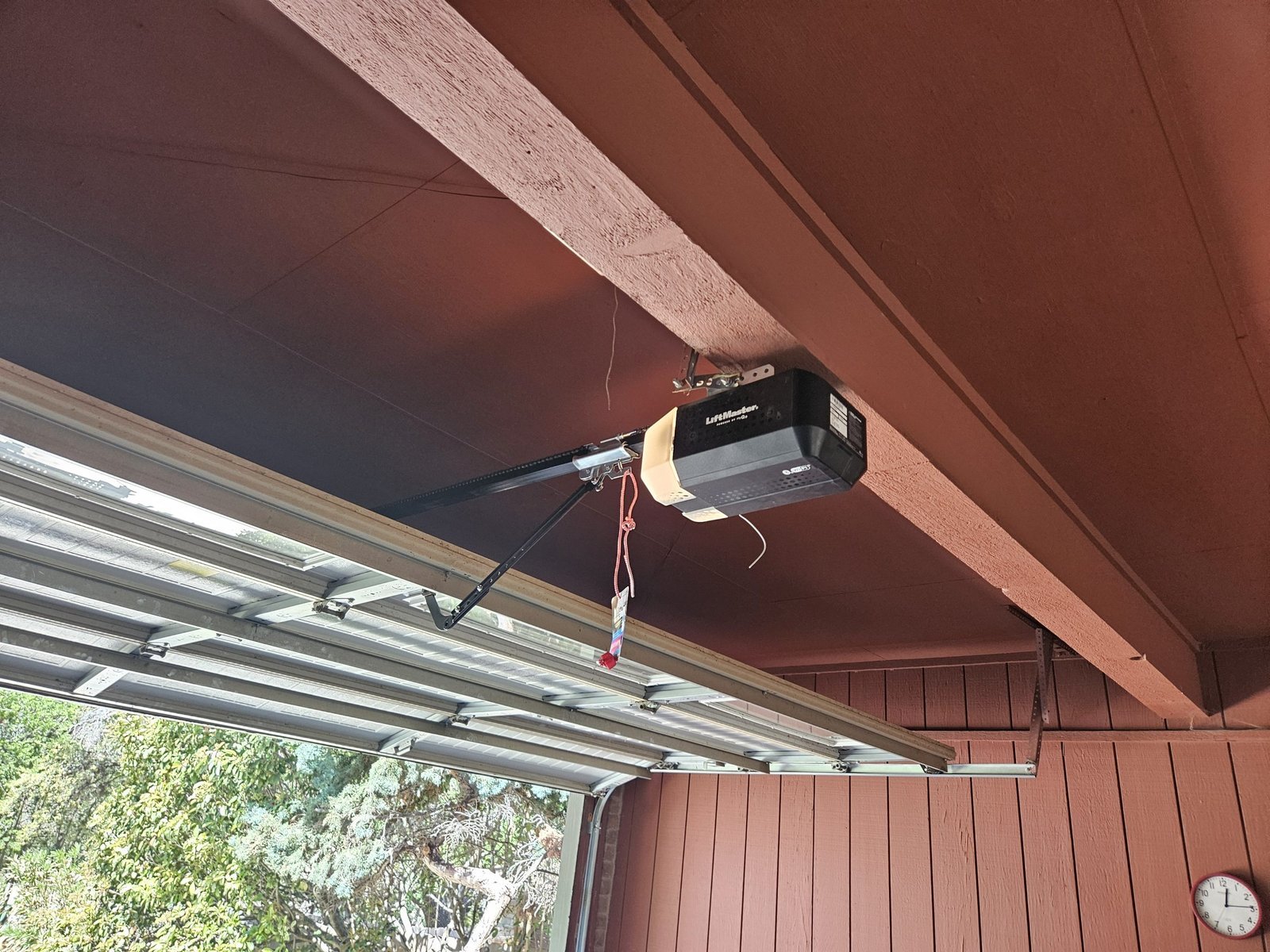
This fix is for doors that move slowly, make a grinding noise, or stop halfway through the cycle. Start by disconnecting the motor from the door using the red emergency release cord. You should be able to lift the door by hand with one hand. If the door feels heavy or sticks at a specific point, the problem is the door itself, not the motor. Clean the inside of the vertical and horizontal tracks with a dry rag to remove old, sticky grease and debris. Clean the tracks thoroughly; don’t apply grease to the tracks themselves, as it attracts debris. Inspect the rollers to ensure they spin freely. If a roller is seized, the motor will struggle to pull the door. If the door still feels heavy after cleaning, the springs may be failing. This is a high-tension component; never attempt to adjust or replace garage door springs yourself. If the springs are the source of the resistance, contact a professional garage door technician to handle the repair safely.
What not to do
- Don’t spray oil into the motor housing. The electronics inside are sensitive to residues, and oil will collect dust that eventually shorts out the circuit board.
- Don’t force the door to close by holding the wall button down. This overrides the safety reversal system and can cause the door to crush objects or people in its path.
- Don’t attempt to tighten the chain or belt yourself if you’re unfamiliar with the tensioning process. Over-tightening can burn out the motor or snap the drive component.
- Don’t use WD-40 on the tracks or rollers. It’s a solvent, not a lubricant, and it will strip away the necessary grease, causing the metal parts to wear out faster.
How to stop it happening again
Regular maintenance prevents most issues by ensuring the hardware remains in good condition.
| If you’re doing this | Do this instead | Why |
|---|---|---|
| Ignoring squeaks | Lubricate hinges twice yearly | Prevents metal fatigue |
| Leaving items near tracks | Keep the floor area clear | Avoids sensor blockage |
| Using the door when stuck | Check for manual resistance | Protects the motor gears |
| Waiting for a full failure | Inspect cables for fraying | Prevents sudden door drops |
Frequently asked questions
Can I fix a garage door that won’t close?
You can fix most closing issues by cleaning the safety sensors and checking for track obstructions. Most modern openers have a built-in safety system that stops the door if it detects an object or if the sensors are misaligned. Note that these are usually minor issues rather than motor failures.
Why does my garage door open by itself?
Unintended opening is often due to a stuck remote button or a short in the wall-mounted button wiring. Check all remotes to ensure no buttons are pressed accidentally, or disconnect the wall button wires to isolate the issue. This assumes the force limit isn’t set too low.
How long should a garage door opener last?
A high-quality opener usually lasts between ten and fifteen years with regular maintenance. The lifespan depends heavily on how often the door is used and whether the door itself is properly balanced. If your unit is over fifteen years old, parts may become difficult to find.
Is it safe to operate the door manually?
It’s safe to operate your door manually if you use the emergency release cord correctly. Pull the red handle to disconnect the trolley from the drive chain or belt, allowing you to lift the door by hand. Don’t use the door if it feels heavy, as the springs may be broken.
What happens if I lose my garage door remote?
You can clear the memory on your motor unit by pressing and holding the “Learn” button for six to ten seconds. This erases all previously programmed remotes, allowing you to pair new ones for better security. This process doesn’t require any special tools or technical training.
Final Thoughts
If these quick adjustments don’t get your door moving smoothly again, don’t hesitate to reach out to a local professional. Sometimes a worn-out spring or a faulty motor board needs an expert’s touch. You’ll be glad you called for help once everything is running safely and quietly in your home.
Related guides