
You can resolve most issues by checking the pump’s power supply, clearing the strainer basket, and verifying the controller settings, as Pentair Intelliflo Vsf Troubleshooting often reveals that the pump is simply struggling with debris or a lack of voltage. If the screen is blank, the issue may be a lack of electricity or a failure of the internal drive electronics. If the pump is running but not moving water, the strainer basket or the impeller is likely clogged.
Pentair Intelliflo Vsf Troubleshooting Guide
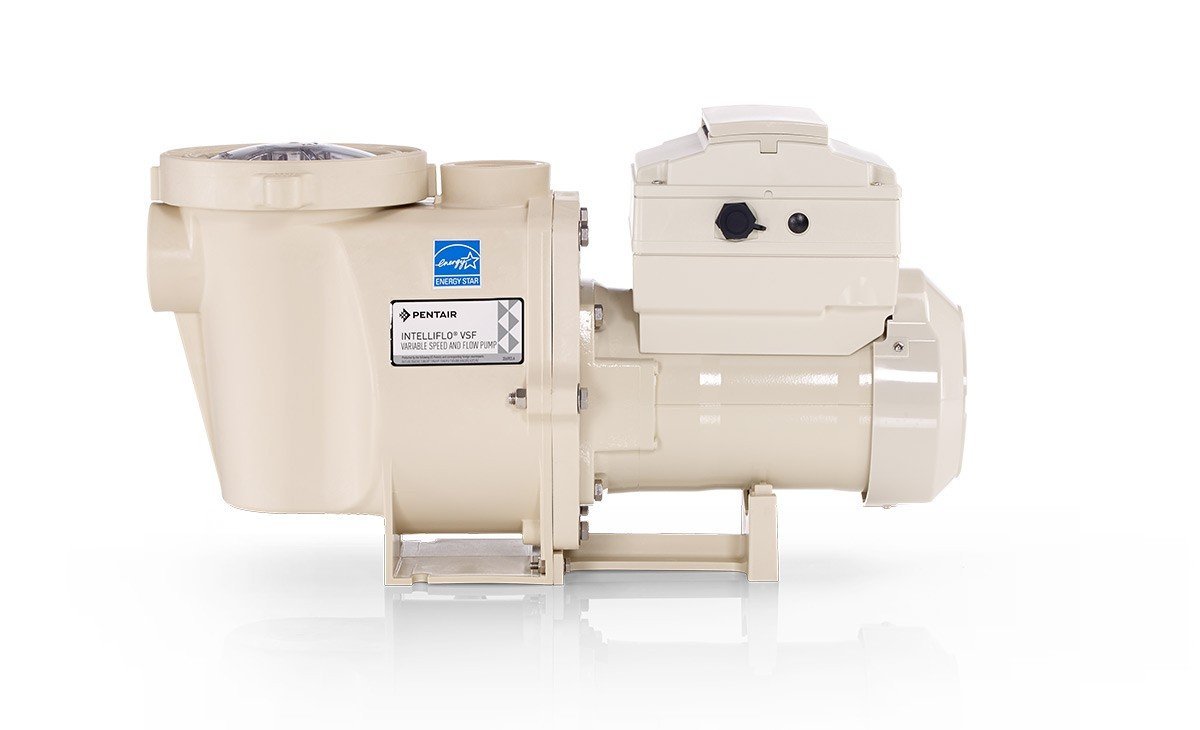
Pump failures usually stem from external factors rather than a defect in the drive itself. The most common cause is a restriction in the plumbing or the pump basket. If the pump can’t pull enough water, it enters a “prime loss” state to protect the motor from overheating. This varies by model — check the label on your specific pump to see its rated flow requirements.
Another common cause is power stability. These pumps are sensitive to voltage drops. If your home experiences a surge or a brownout, the onboard drive may lock up to prevent damage to the internal electronics. If the pump isn’t receiving a steady current, it won’t initialize.
Finally, environmental factors like extreme heat can force the drive to throttle its speed or shut down entirely. The drive has a built-in thermal sensor. If the ambient temperature around the pump housing is too high, it shuts off to prevent the drive from overheating.
Check the power supply
If your pump display is completely dark, you must first verify the power source. This is for users who are comfortable toggling a circuit breaker. Start at your electrical panel. Look for the dedicated breaker for the pool pump. If it has tripped, flip it to the “off” position, wait ten seconds, and then flip it back to “on.”
If the breaker is on but the pump remains dark, check the external disconnect box located near the pump. Sometimes, the physical switch here is bumped or bumped into the “off” position. If you see a digital display but the pump refuses to turn, check the Pentair Intelliflo Vsf manual for the specific error code displayed on the screen.
This fix isn’t for you if you see frayed wires, smell burning plastic, or notice water leaking into the electrical conduit. If you see these signs, stop immediately and contact a licensed electrician. You should never attempt to open the electrical housing yourself, as this can void your warranty and poses a serious shock hazard.
Clear the flow path
When the motor is loud or the water flow is weak, the problem is likely a physical blockage in the system. Start by turning off the power at the main controller. Close the intake valves to keep water from rushing out. Open the lid on the pump basket and remove the plastic basket. Clear out all leaves, hair, and debris.
If the basket is clear but flow is still low, check the pump impeller. You can reach into the housing, but you must be certain the power is disconnected at the breaker. If you feel debris, pull it out. If you can’t reach the blockage or the impeller doesn’t spin freely, you have reached the limit of a do-it-yourself repair. At this point, the pump requires disassembly by a professional pool technician.
This is a trade-off: clearing the basket is a standard maintenance task, but disassembling the wet end carries the risk of damaging the shaft seal. If you have never done this, it’s safer to call a pro.
Reset the controller
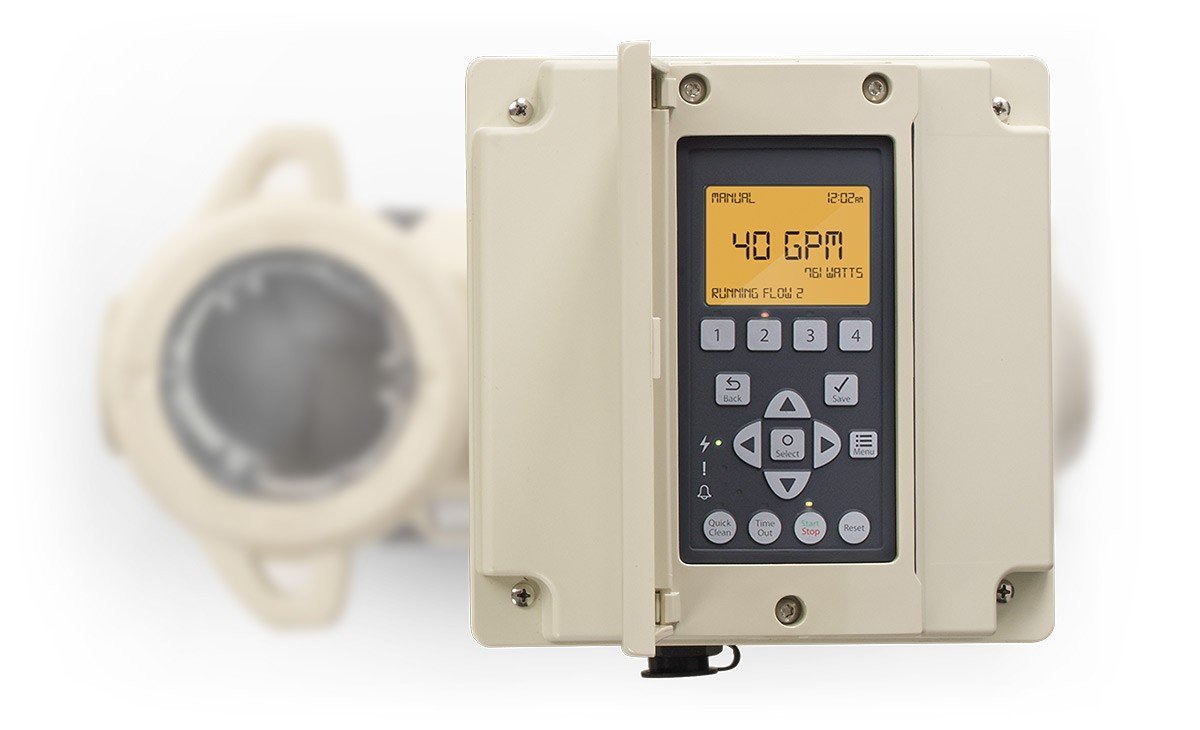
If the pump is running but not responding to your schedule or speed settings, you need to perform a factory reset. This clears out “ghost” commands that might be stuck in the memory. To do this, locate the “Menu” button on the keypad. Navigate to the “Settings” menu and look for the “Restore Factory Defaults” option.
This isn’t for you if you have a complex automation system installed. If your pump is controlled by an external Pentair automation panel, resetting the pump settings may break the communication between the two units. If you’re unsure, check your automation manual first. If the pump still fails to communicate after a reset, you may need a new communication cable.
What not to do
- Don’t use a garden hose to blast water into the intake. This can force debris deeper into the impeller housing and create a permanent blockage that’s much harder to remove.
- Don’t attempt to bypass the thermal sensor. This sensor exists to prevent fire, and bypassing it will almost certainly destroy the drive and void your warranty.
- Don’t use tools to force the pump lid open. If the lid is stuck, there’s likely a vacuum seal; turn the pump off and wait for the pressure to equalize, or you risk cracking the plastic housing.
- Don’t spray the pump with water while it’s running. Even though these pumps are weather-resistant, directing a high-pressure stream at the seals can eventually force moisture into the electronics.
How to stop it happening again
Regular maintenance is the most effective way to prevent future downtime. Most issues are caused by neglect of the filtration system.
| If you’re doing this | Do this instead | Why |
|---|---|---|
| Ignoring small leaks | Fix the seal immediately | Water ingress kills the internal electronics. |
| Running at max speed | Run at lower speeds | Reduces heat and wear on the motor bearings. |
| Ignoring error codes | Note the code and call | Early identification prevents total drive failure. |
Frequently asked questions

Can I replace the pump motor myself?
No, replacing the motor is a complex task that involves plumbing, electrical wiring, and seal installation. If you aren’t a licensed professional, you risk voiding the warranty and creating a dangerous electrical hazard in your pool area.
Why does my pump show a “Drive Communication” error?
This error means the keypad isn’t talking to the motor drive. Check the cable connecting the two units to ensure it’s plugged in tightly, but don’t open the drive housing itself.
How long should the pump run each day?
Most pools require the pump to run for eight to twelve hours to cycle the water through the filter. This varies by pool size and local climate, so check your pool chemical levels to see if your filtration time is enough.
Is it safe to run the pump without a basket?
No, never run the pump without the strainer basket in place. Without the basket, debris will go directly into the impeller, which can cause the pump to clog or break the impeller fins.
What happens if the pump runs dry?
Running the pump without water will overheat the shaft seal and eventually melt the plastic housing. If you notice the pump is loud or not moving water, turn it off immediately to prevent permanent damage.
Final Thoughts
If these common fixes don’t get your system flowing smoothly again, it’s best to contact a certified pool technician. They’ll have the specialized tools to diagnose deeper electrical faults or worn-out seals. Don’t hesitate to reach out for professional help, as it’s often the safest way to protect your investment.