
Ford Anti Theft System troubleshooting often involves checking your key and vehicle batteries. Low voltage can prevent the system from recognizing the key’s transponder chip, causing the immobilizer to disable the ignition. If the security light flashes rapidly, the computer has failed to complete the necessary digital handshake.
Ford Anti Theft System Troubleshooting
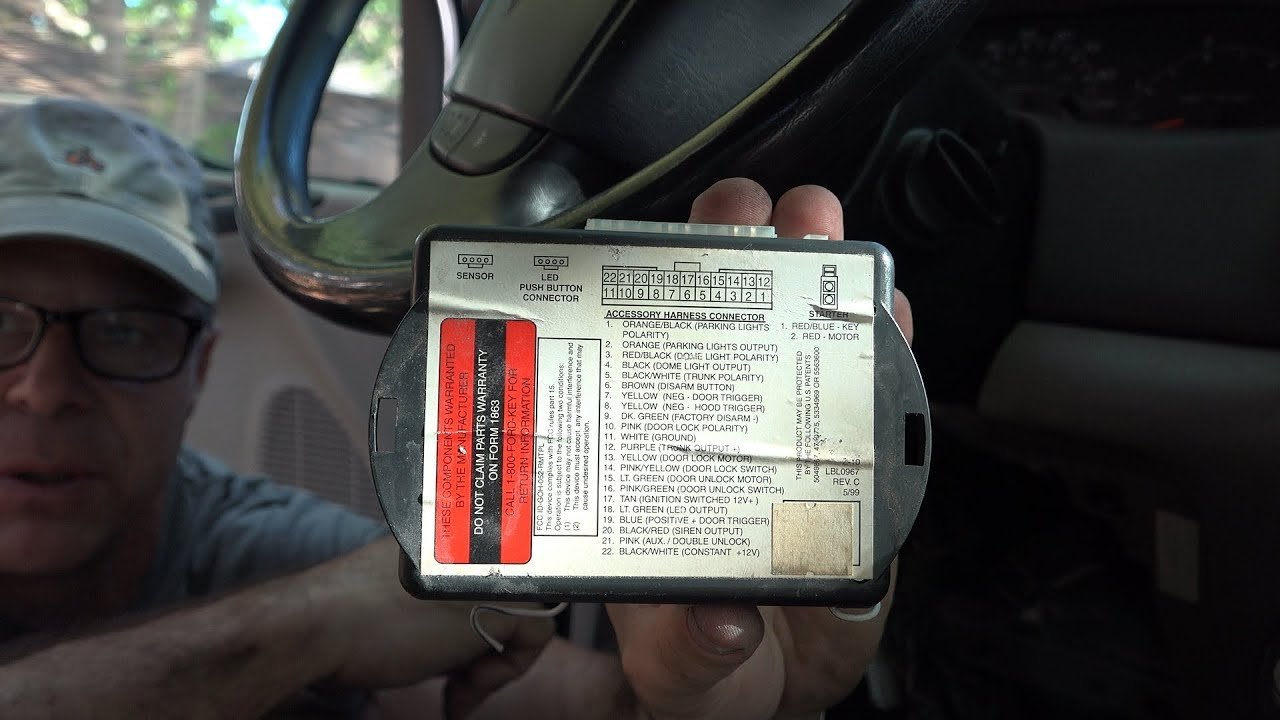
The system functions as a digital gatekeeper. When you insert your key or press the start button, the vehicle sends a radio signal to the chip in your fob. If the car doesn’t receive the correct response code within milliseconds, it cuts fuel or ignition to the engine.
The primary reason for this failure is low power. If your car battery drops below a specific voltage threshold, the electronic control units may act erratically. They might remain powered enough to light the dashboard but lack the energy to complete the complex security handshake. You can verify the health of your vehicle’s electrical system by reviewing the Ford vehicle owner manual for your specific model year, which lists the expected resting voltage for the battery.
Another cause is signal interference. Your keys contain a small RFID chip. If you carry your car key on a ring with other electronic devices, such as a work badge or another car’s key fob, the signals can clash.
Physical wear also plays a part. Over years of use, the transponder chip inside the key casing can become loose or damaged if the fob is dropped frequently. If the chip is cracked, it can’t transmit the security code at all. In these cases, the car acts as if you’re trying to start it with a standard metal key that lacks the required digital signature.
Check the key fob battery
This fix is for drivers who can unlock the doors but can’t turn over the engine. If your key uses a physical battery, replace it immediately. Most fobs use a standard coin-style lithium battery. If you’re unsure which type you need, check the markings on the old battery or the back of the fob cover.
When you replace the battery, ensure the metal contacts inside the fob are clean. If they look dull or have a white, powdery residue, gently wipe them with a dry cloth. If the contacts are bent, carefully push them back into place so they press firmly against the new battery.
After replacing the battery, sit inside the vehicle and try to start it. If the security light stops flashing and stays off, the system has recognized the key. If the light continues to flash, your fob may need to be re-synced. This varies by model — check the label on the back of your fob or the owner’s manual for the specific sequence, which often involves turning the ignition from off to run several times in a row. If this doesn’t work, the fob might have lost its programming, which requires a dealer or a locksmith with specialized diagnostic tools.
Reset the vehicle power
This fix is for cases where the dashboard lights are dim or the engine clicks but doesn’t crank. A total power reset can clear temporary errors in the security module. To do this, turn off all lights, the radio, and the climate control. Open the hood and use a wrench to disconnect the negative terminal of your car battery. Leave it disconnected for ten minutes.
Once the time is up, reconnect the negative terminal and tighten the nut securely. Don’t overtighten, as this can crack the battery post. Attempt to start the vehicle.
If the engine starts, the system was likely stuck in a “glitch” state caused by a power surge or a momentary dip in voltage. If the vehicle still won’t start, the issue is deeper than a simple reset. This method isn’t for those with severe electrical damage or corroded battery cables. If you see smoke or smell burning plastic while performing this step, stop immediately and call a professional mechanic.
Use a backup key
This fix is for drivers who have a second key available. If your primary key fails, always try the secondary key. This helps you determine if the problem is with the car’s receiver or the key itself. If the second key works, you know the car’s security system is functional and your first key is faulty.
If neither key works, the fault is likely in the vehicle’s receiver antenna, located near the ignition cylinder. This is a common failure point in older vehicles where the wiring harness may have become loose. If you have tried both keys and neither will start the car, you have reached the limit of what you can do at home.
At this point, you should contact a professional locksmith or a Ford service center. They have the equipment to test the signal strength of the antenna and reprogram your keys to the car’s computer. Attempting to force the ignition or using non-standard tools can damage the steering column lock, which is a very expensive repair. Professional help is worth the cost when the alternative is a vehicle that remains immobilized in your driveway.
What not to do
- Don’t use a metal screwdriver to jump the starter solenoid: This bypasses the security system and can cause a massive electrical arc, destroying your vehicle’s computer modules.
- Don’t repeatedly turn the key in the ignition for more than ten minutes: This can put the system into a “hard lock” mode, which sometimes requires a mandatory wait period of up to one hour before it will accept any key again.
- Don’t try to disassemble the key fob with a knife: You’ll likely scratch the circuit board or break the fragile plastic tabs, making the key impossible to reassemble.
- Don’t ignore a “Service Theft System” warning on the dash: Driving with an intermittent security fault is a mistake because the car can shut off the engine while you’re moving, which is dangerous.
How to stop it happening again
Keep your key fob in a dedicated pocket or pouch to prevent accidental button presses and physical impact.
| If you’re doing this | Do this instead | Why |
|---|---|---|
| Keeping many keys on one ring | Use a separate ring for your car key | Prevents signal interference with the chip |
| Leaving lights on when parked | Turn off all accessories manually | Prevents the battery voltage from dropping |
| Ignoring a weak fob signal | Keeps the signal strong for the receiver | |
| Storing keys near magnets | Keep keys away from speakers/magnets | Magnets don’t affect the RFID transponder chip. |
Frequently asked questions
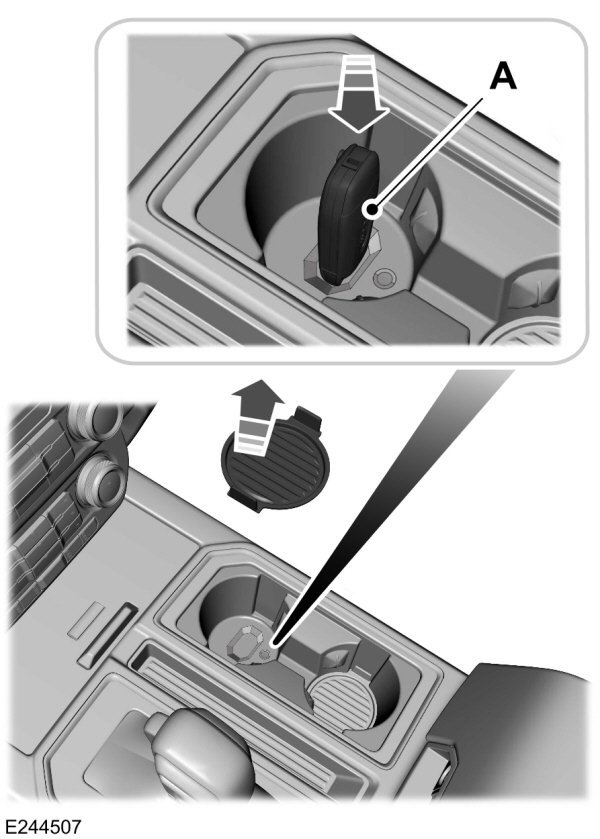
Can a dead car battery cause the anti-theft system to trigger?
A dead or weak car battery is the most common cause of a triggered anti-theft system. When voltage drops, the security module can’t perform the necessary digital handshake with your key. Always check your battery voltage before assuming the security system itself is broken.
Why is my security light flashing rapidly?
A rapidly flashing security light indicates the vehicle doesn’t recognize your key. This occurs if the transponder chip is damaged or the key has lost its programming. If the light flashes with a known working spare key, the vehicle’s internal security receiver is likely faulty.
How long does it take for the anti-theft system to reset?
During this time, the computer clears its lockout mode memory. If the car still refuses to start after thirty minutes, a physical fault in the security hardware requires professional diagnostic tools.
Is it safe to drive with the security light on?
It isn’t safe to drive if the security light is illuminated while the engine is running. This indicates a fault in communication between the engine computer and the immobilizer, which may cause the engine to shut off. Have the vehicle inspected by a technician immediately.
What happens if I lose my only programmed key?
You can’t start the vehicle without a programmed key because the security system won’t recognize a generic replacement. You must have the vehicle towed to a dealership or locksmith to program a new chip. You’ll need proof of ownership to complete this process.
Final Thoughts
If these simple checks don’t get your engine turning over, don’t stress. You’ll likely need to consult a local locksmith or your dealership to reprogram the security module. They’ve got the specialized scanners required to clear stubborn error codes, so you’ll be back on the road in no time.