
Is your Pentair Intellichlor IC40 not working the way it should? If you’re facing issues with your salt chlorine generator, you’re not alone.
These problems can be frustrating, especially when you just want to enjoy your pool. But don’t worry—this guide will help you quickly identify and fix common troubles with your Intellichlor IC40. By the end, you’ll know exactly what steps to take to get your system back on track.
Keep reading to save time, avoid costly repairs, and get your pool sparkling clean again.
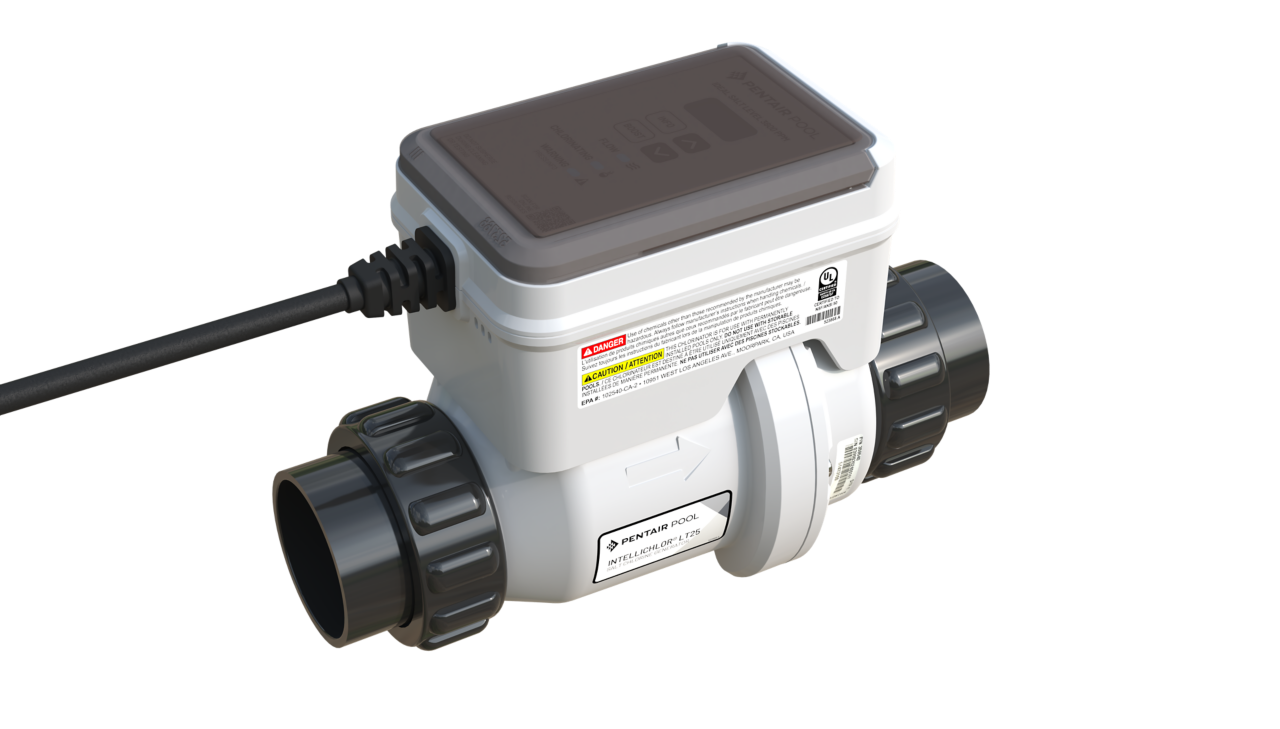
Credit: www.pentair.com
Common Intellichlor Ic40 Issues
The Pentair Intellichlor IC40 is a popular salt chlorine generator for pools. Like any device, it may face some common issues. Knowing these problems helps keep your pool clean and safe. This section covers common Intellichlor IC40 issues and how they appear.
Power And Display Problems
The unit might not turn on or show a blank screen. Check the power supply and circuit breakers first. Loose or damaged wires can stop power flow. Sometimes, the display may flicker or show wrong numbers. This often means the control board needs a reset or repair.
Chlorine Output Inconsistencies
The IC40 may produce too much or too little chlorine. Low output can cause cloudy water or algae growth. High output might irritate skin and eyes. Output problems often come from dirty cells or incorrect settings. Regular cleaning and calibration help maintain steady chlorine levels.
Water Flow And Pressure Errors
The system needs proper water flow to work right. Low flow triggers error messages and stops chlorine generation. Blocked filters or closed valves reduce flow. Check pump operation and clear any debris. Ensuring good water flow keeps the system running smoothly.
Salt Level And Sensor Alerts
Salt levels must stay within a specific range for proper function. Low salt triggers alerts and reduces chlorine production. Sensors can get dirty or fail, causing false warnings. Test salt concentration regularly and clean sensors gently. Correct salt balance avoids damage and keeps water safe.

Credit: www.youtube.com
Quick Fixes For Power And Display
Power and display issues with the Pentair Intellichlor IC40 can stop your pool system. Fixing these problems quickly helps keep your pool clean and safe. This section shows easy steps to solve power and display troubles fast. Each step uses simple actions to get your unit working again.
Resetting The Unit
Start by turning off the power to the Intellichlor IC40. Wait for about 30 seconds. Turn the power back on to reset the unit. This simple reset can clear minor errors in the system. Check the display for normal operation after the reset.
Checking Electrical Connections
Loose wires can cause power and display problems. Turn off the power before checking. Look at all wire connections at the control box. Tighten any loose wires carefully. Inspect for signs of corrosion or damage. Fix any damaged wires to ensure a good connection.
Replacing The Power Supply
If the unit still has no power, the power supply may be faulty. Unplug the Intellichlor IC40 and remove the cover. Find the power supply inside the control box. Replace it with a new power supply that matches the model. Secure the cover and turn the power back on. Check if the display lights up properly.
Resolving Chlorine Output Issues
Chlorine output problems with the Pentair Intellichlor IC40 can disrupt pool maintenance. Fixing these issues helps keep the pool water clean and safe. Understanding the common causes and solutions makes troubleshooting easier.
Cleaning The Cell
The cell can build up calcium and minerals over time. This buildup lowers chlorine output. Turn off the system before cleaning the cell. Use a mild acid solution or cell cleaner. Soak the cell for a few minutes. Rinse it well with fresh water. Regular cleaning restores proper chlorine production.
Adjusting Chlorine Production Settings
The Intellichlor IC40 allows you to change chlorine levels. Check the current setting on the control panel. Increase the percentage if chlorine is too low. Lower it if chlorine output is too high. Small adjustments help balance chlorine output. Make changes slowly and observe the results.
Testing Salt Concentration
Salt level affects chlorine generation in the Intellichlor IC40. Use a salt test kit to check the pool’s salt content. The ideal range is usually 2700 to 3400 ppm. Add salt if the level is below this range. High salt levels may also cause issues. Keep salt concentration within the recommended limits.
Credit: www.reddit.com
Addressing Water Flow And Pressure Errors
Water flow and pressure errors can stop your Pentair Intellichlor IC40 from working right. These errors often mean the salt cell is not getting enough water. Low water flow can cause poor chlorine production or system shutdowns. Fixing these issues helps keep your pool clean and safe.
Inspecting And Cleaning The Filter
Check the pool filter for dirt and debris. A clogged filter lowers water flow and pressure. Remove the filter and clean it thoroughly. Use a hose to rinse out trapped dirt. Clean filters allow water to flow freely through the system.
Checking Pump Operation
Make sure the pool pump is running properly. Listen for strange noises or vibrations. Inspect the pump basket for leaves and debris. Clear any blockages that could stop water movement. A well-working pump ensures steady water flow to the Intellichlor cell.
Ensuring Proper Valve Positions
Verify all valves in your pool system are in the correct position. Incorrect valve settings can reduce water flow to the salt cell. Adjust valves to allow full water passage. Proper valve positions help maintain good pressure and flow for the Intellichlor IC40.
Managing Salt Level And Sensor Alerts
Managing salt levels and sensor alerts in the Pentair Intellichlor IC40 is key to smooth pool operation. Salt level impacts chlorine production and sensor alerts warn you about issues. Keeping both in balance prevents damage and keeps water clean. This section shows how to test and adjust salt, clean sensor electrodes, and replace faulty sensors.
Testing And Adjusting Salt Levels
Use a salt test kit to check your pool’s salt level. The ideal range for the Intellichlor IC40 is usually between 3200 and 3400 ppm. If salt is low, add pool salt gradually. Stir water well and retest after a few hours. Avoid adding too much salt at once. High salt can harm the cell and reduce efficiency.
Cleaning Sensor Electrodes
Sensor electrodes can get dirty or coated with minerals. This can cause false alerts or poor chlorine output. Turn off the system before cleaning. Remove the sensor and soak it in a mild acid solution, like vinegar, for 10-15 minutes. Gently scrub with a soft brush to remove buildup. Rinse thoroughly and reinstall the sensor to keep it working well.
Replacing Faulty Sensors
Sometimes sensors fail and show constant alerts. If cleaning does not fix the problem, the sensor may need replacement. Purchase a sensor made for the Intellichlor IC40. Turn off power before removing the old sensor. Install the new sensor carefully, following the instructions. Check the system to ensure the alert stops and normal function returns.
Maintenance Tips For Intellichlor Ic40
Maintaining the Pentair Intellichlor IC40 helps keep your pool water clean and safe. Proper care extends the life of the chlorinator and improves its performance. Follow simple steps regularly to avoid common problems and costly repairs.
Regular Cell Cleaning Schedule
Clean the cell every three months to remove calcium buildup. Use a mild acid solution or manufacturer-recommended cleaner. Turn off the power before removing the cell. Rinse the cell thoroughly after cleaning. Regular cleaning keeps the cell working efficiently.
Monitoring Salt Levels
Check salt levels weekly to keep the balance right. The Intellichlor IC40 works best between 3000 and 3500 ppm salt. Use a reliable salt test kit to measure levels. Add salt gradually if levels drop below the recommended range. Proper salt levels prevent damage to the cell and system.
Seasonal Shutdown Procedures
Prepare the Intellichlor IC40 for winter or long breaks. Turn off the power and drain water from the cell. Store the cell in a dry, frost-free place if you remove it. Inspect and clean the unit before restarting it in spring. Following these steps protects the chlorinator during inactive periods.
When To Call A Professional
Knowing when to call a professional for Pentair Intellichlor IC40 issues saves time and prevents damage. Some problems need expert skills and tools beyond basic troubleshooting. Understanding these signs helps keep your pool system safe and working well.
Persistent Error Codes
Some error codes appear repeatedly despite your efforts to fix them. These persistent codes often point to deeper problems inside the system. Professionals have the right tools to diagnose and clear these errors properly.
Electrical Component Failures
Electrical parts can fail without obvious signs. If your Intellichlor unit does not power on or keeps shutting down, it may have electrical faults. Handling these issues requires training and safety precautions to avoid harm.
Complex Sensor Issues
Sensors inside the Intellichlor control chlorine production. If sensors give wrong readings or fail, the unit won’t work correctly. Fixing sensor problems often needs special knowledge and equipment that professionals provide.
Frequently Asked Questions
What Does The Error Code On Pentair Intellichlor Ic40 Mean?
Error codes indicate specific issues with the system. Check the user manual to find exact meanings and steps for each code.
How To Reset The Pentair Intellichlor Ic40 System?
Turn off the power to the system. Wait 30 seconds, then turn it back on to reset the unit.
Why Is My Pentair Intellichlor Ic40 Not Producing Chlorine?
Low salt levels or dirty cell plates often cause this issue. Test salt and clean the cell if needed.
How Often Should I Clean The Intellichlor Ic40 Cell?
Clean the cell every 3 to 6 months. This keeps chlorine production efficient and prevents buildup.
What Salt Level Is Required For Intellichlor Ic40 Operation?
Maintain salt levels between 3500 and 4500 ppm. Proper salt ensures the system works correctly.
Can A Power Surge Damage The Intellichlor Ic40?
Yes, power surges can harm the control board. Use a surge protector to prevent damage.
Conclusion
Troubleshooting the Pentair Intellichlor IC40 can seem tough at first. Start by checking the power and salt levels. Clean the cell regularly to keep it working well. Pay attention to error codes on the display. These codes help find specific problems fast.
Taking small steps can save time and money. Keep your pool water clean and balanced for best results. With patience and care, your Intellichlor will run smoothly again.