
Is your Air Innovations humidifier not working the way it should? You rely on it to keep your air comfortable and healthy, so when it stops running smoothly, it’s frustrating.
Don’t worry—you’re not alone, and fixing it might be easier than you think. In this guide, you’ll discover simple troubleshooting steps that can get your humidifier back to perfect working order quickly. Keep reading to learn how to solve common problems and enjoy the benefits of fresh, balanced air in your home again.
Common Air Innovations Humidifier Issues
Air Innovations humidifiers are popular for adding moisture to dry indoor air. They help with comfort and breathing during dry seasons. Despite their quality, these humidifiers can face common issues.
Knowing these problems helps to fix them quickly. It keeps the humidifier running smoothly and extends its life. Below are some usual issues users report with Air Innovations humidifiers.
No Power Or Unit Not Turning On
Sometimes, the humidifier does not turn on at all. Check if the power cord is plugged in tightly. Make sure the outlet works by testing another device. The power switch might be faulty or the fuse blown. Resetting the unit or replacing the fuse may help.
Insufficient Mist Output
The humidifier may run but produce little mist. This often happens if the water tank is low or dirty. Clean the tank and fill it with fresh water. The mist nozzle or filter could be clogged. Regular cleaning of these parts improves mist flow.
Water Leakage Problems
Leaks can appear around the base or water tank. Ensure the tank is seated properly and sealed well. Cracks in the tank or loose parts cause leaks. Tighten all connections and replace damaged components. Place the unit on a flat, stable surface to avoid spills.
Unusual Noises Or Vibrations
Strange sounds often mean something is loose inside. The fan or motor might need cleaning or lubrication. Check for debris blocking the moving parts. Tighten screws and make sure the humidifier is level. Quiet operation returns after these fixes.
Foul Odors From The Humidifier
Bad smells come from dirty water or mold build-up. Empty the tank daily and clean it thoroughly. Use mild soap and rinse well to remove bacteria. Avoid leaving water standing in the unit for long. This keeps the air fresh and healthy.
Basic Troubleshooting Steps
Basic troubleshooting steps help fix common Air Innovations humidifier problems. These simple checks save time and avoid unnecessary repairs. Start with easy tasks before calling support. Follow these steps carefully for a smooth experience.
Checking Power Supply And Connections
Make sure the humidifier is plugged into a working outlet. Check if the power cord is firmly connected. Look for any damage on the cord or plug. Try a different outlet if needed. Confirm the power switch is turned on. A loose connection can stop the unit from working.
Cleaning And Maintaining The Unit
Regular cleaning stops blockages and bacteria build-up. Remove the water tank and base. Clean all parts with mild soap and water. Use a soft brush for hard spots. Rinse well and dry before reassembling. Clean once a week for best results. Dirty parts cause poor mist and odors.
Refilling And Using The Correct Water
Use clean, cool water for the humidifier. Avoid hot or hard water to prevent damage. Fill the tank to the marked level only. Overfilling can cause leaks. Empty old water before refilling. Stale water harms the machine and air quality.
Resetting The Humidifier Settings
Unplug the humidifier and wait 5 minutes. Plug it back in to reset internal settings. This clears minor errors or glitches. Check the user manual for specific reset instructions. Resetting can fix unresponsive controls or display issues. Do this step after cleaning and refilling.
Fixing Mist Output Problems
Mist output problems can reduce the effectiveness of your Air Innovations humidifier. Low or no mist may cause dry air issues to persist. Fixing these problems helps improve comfort and air quality in your space.
Several common causes affect mist output. Simple adjustments and maintenance can often restore proper function. Troubleshooting involves checking settings, cleaning parts, and replacing worn components.
Adjusting Mist Level Settings
Check the mist level control on your humidifier. Make sure it is set to a higher level for more mist. Sometimes the setting changes by accident or after a power outage. Adjust the dial or button until you see more mist coming out. This step is the easiest and quickest fix for low mist output.
Clearing Clogged Nozzles And Filters
Mineral deposits and dust can block the mist nozzles and filters. Remove the nozzle carefully and soak it in white vinegar for 30 minutes. Use a soft brush to clear any buildup inside. Rinse the nozzle with clean water before reinstalling it. Also, check the filter for dirt or debris and clean or replace it as needed. Keeping these parts clean ensures steady mist flow.
Replacing Worn Or Damaged Parts
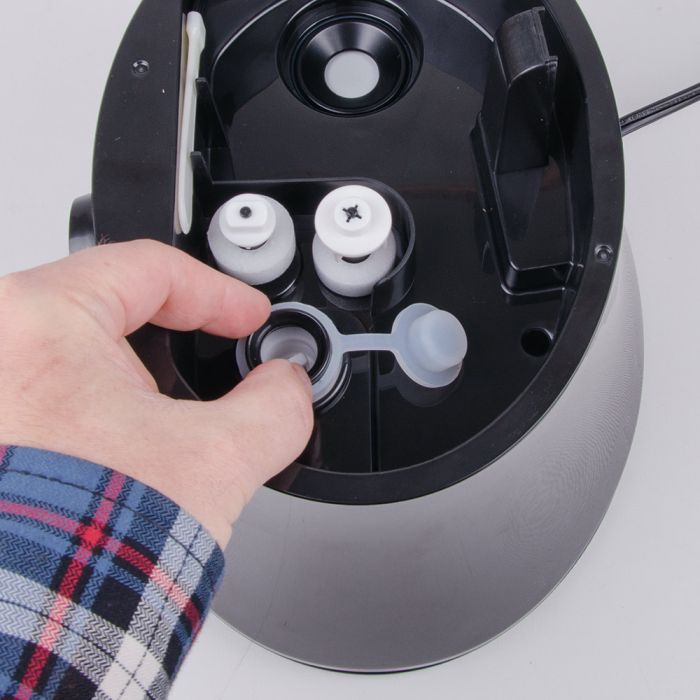
Over time, parts like the mist nozzle, filter, or water tank seal may wear out. Inspect these parts for cracks or damage. Replace any broken or worn components with genuine Air Innovations parts. New parts help the humidifier work correctly and prevent leaks. This step may require purchasing replacement parts online or from a local store.
Credit: air-innovations.com
Resolving Water Leakage
Water leakage is a common issue with Air Innovations humidifiers. It can cause damage to floors and furniture. Fixing leaks quickly keeps the humidifier working well. Simple checks and adjustments often solve the problem.
Properly Securing Water Tank
Check if the water tank is placed firmly on the base. A loose tank can cause water to drip. Remove the tank and set it down straight. Press it gently until it fits tightly. Make sure the tank does not wobble or tilt. This step prevents water from spilling during use.
Inspecting Seals And Gaskets
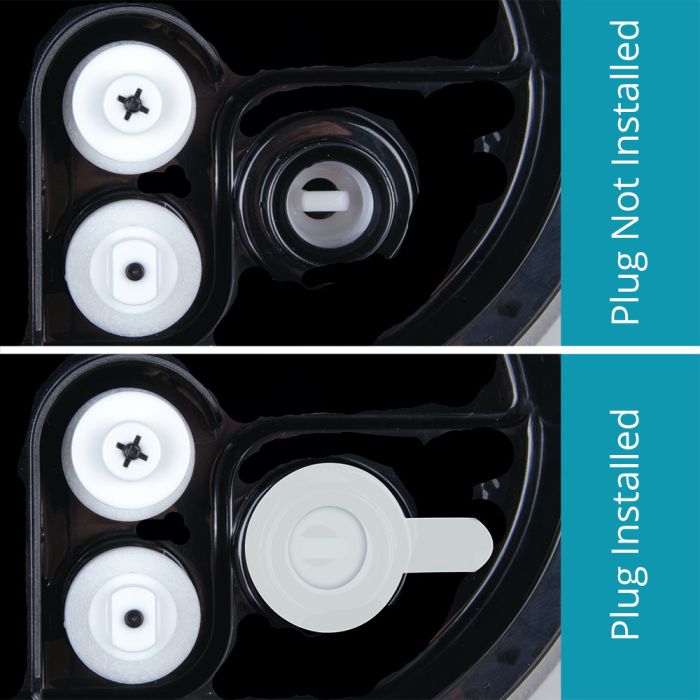
Look closely at the seals and gaskets on the tank and base. These parts stop water from leaking out. Clean any dirt or mineral build-up on them. If seals are cracked or worn, replace them. Old seals cannot hold water properly. Keeping seals in good shape avoids leaks.
Avoiding Overfilling The Tank
Do not fill the water tank above the maximum fill line. Too much water can cause overflow and leaks. Use a cup to pour water slowly. Check the level before placing the tank back. Keeping water at the right level helps the humidifier run smoothly.
Dealing With Noise And Odor Issues
Noise and odor problems often bother Air Innovations humidifier users. These issues reduce comfort and affect air quality. Knowing how to fix noise and smell problems helps keep your humidifier working well. Simple steps can stop strange sounds and bad odors fast.
Lubricating Moving Parts
Noise often comes from dry or stuck parts inside the humidifier. Lubricate small moving parts to reduce friction and noise. Use a light machine oil on the fan and motor bearings. Avoid over-oiling; a drop or two is enough. Regular lubrication keeps the machine running smoothly and quietly.
Regular Cleaning To Prevent Mold
Bad odors usually come from mold or bacteria inside the humidifier. Clean your humidifier weekly to remove buildup. Use mild soap and water, then rinse well. Pay attention to the water tank and base. Dry all parts before reassembling. Clean machines smell fresh and work better.
Using Distilled Water To Reduce Odors
Tap water can cause mineral buildup and bad smells. Use distilled water to avoid these problems. Distilled water has fewer minerals that cause odors and white dust. This water type extends the humidifier’s life and keeps the air clean. Switching to distilled water reduces bad smells significantly.
Credit: air-innovations.com
When To Contact Customer Support
Knowing when to contact customer support can save time and stress. Some problems need expert help beyond basic troubleshooting. Recognizing these moments helps you get the right assistance quickly. It also protects your device and ensures proper care.
Identifying Warranty Coverage
Check your humidifier’s warranty before calling support. The warranty shows what repairs or parts are free. It also states the period you can claim service. Knowing your coverage avoids unexpected costs. Find the warranty details in your product manual or receipt.
Preparing Information For Support
Have your humidifier’s model number and purchase date ready. Write down the problem you face clearly and simply. Note any error codes or unusual behavior. This information helps the support team understand your issue. It speeds up the process and leads to better solutions.
Authorized Repair And Replacement Options
Customer support guides you to authorized repair centers. Using these centers keeps your warranty valid. They offer genuine parts and trained technicians. Sometimes, replacement is the best option. Support will explain if your model qualifies for a replacement.
Maintenance Tips For Longevity
Keeping your Air Innovations humidifier in good condition helps it last longer. Regular maintenance prevents common problems and keeps the air fresh. Simple care steps keep the humidifier working well season after season.
Routine Cleaning Schedule
Clean the humidifier every three days to stop mold and bacteria. Use mild soap and water for the tank and base. Avoid harsh chemicals that can damage parts. Rinse thoroughly and dry before use. This keeps the mist pure and safe to breathe.
Proper Storage During Off-season
Empty and dry the humidifier before storing it. Store in a cool, dry place away from dust. Cover it with a cloth or plastic to keep it clean. Proper storage prevents damage and mold growth. This prepares the device for smooth use next season.
Using Compatible Accessories And Parts
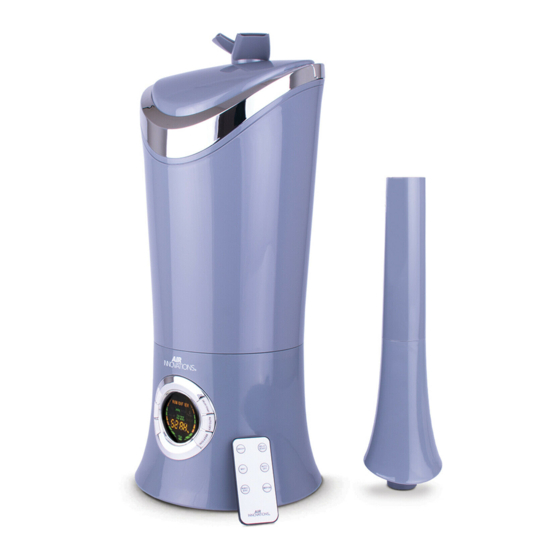
Use only parts made for Air Innovations humidifiers. Wrong parts can cause leaks or poor performance. Check the model number before buying filters or accessories. Compatible parts ensure the humidifier works properly. This protects your device and maintains air quality.
Credit: www.manualslib.com
Frequently Asked Questions
Why Is My Air Innovations Humidifier Not Producing Mist?
Check if the water tank is empty or not seated properly. Clean the nozzle and use distilled water to avoid buildup.
How Do I Fix A Leaking Air Innovations Humidifier?
Ensure the water tank is tightly closed and placed correctly. Inspect for cracks or damage in the tank and base.
What Causes The Air Innovations Humidifier To Shut Off Suddenly?
The humidifier may have overheated or the water level is too low. Let it cool and refill the tank to continue use.
How Often Should I Clean My Air Innovations Humidifier?
Clean the unit at least once a week to prevent mold and bacteria growth. Use mild soap and water for best results.
Why Does My Air Innovations Humidifier Make A Loud Noise?
Noise can come from mineral buildup or a loose part. Clean the base and check all components for tight fit.
Can I Use Tap Water In My Air Innovations Humidifier?
Using tap water may cause mineral deposits and reduce performance. Distilled or filtered water is recommended for longer device life.
Conclusion
Air Innovations humidifiers need regular care to work well. Clean the unit often and change filters when needed. Check water levels and settings to keep it running smoothly. Small fixes can stop many common problems fast. Don’t ignore unusual sounds or smells.
A working humidifier helps your home feel comfortable. Stay patient and follow simple steps to solve issues. Enjoy fresh, clean air all year long.