
Are you struggling with your Hisense dehumidifier not working like it should? You rely on it to keep your home dry and comfortable, but when problems pop up, it can be frustrating and confusing.
Whether your unit won’t turn on, makes strange noises, or stops removing moisture, these issues can disrupt your peace of mind. You’ll discover common Hisense dehumidifier problems and simple solutions to get your device back on track quickly. Keep reading to protect your home from dampness and enjoy a fresh, healthy environment again.
Common Hisense Dehumidifier Issues
Hisense dehumidifiers help reduce moisture and keep your home dry. Sometimes, these units face problems that stop them from working well. Knowing common issues helps fix them fast. This saves time and keeps your air healthy.
Below are some frequent problems with Hisense dehumidifiers. Understanding these helps you spot trouble early and take action.
Unit Not Powering On
The dehumidifier may not start if the power cord is loose or the outlet has no power. Check if the plug is fully in the socket. Try another outlet to rule out power problems. Sometimes, the internal fuse or circuit board could fail. This needs professional repair.
Water Tank Overflow
Water tank overflow happens when the sensor that detects the water level is dirty or broken. The unit may keep running and spill water. Empty the tank regularly. Clean the sensor gently with a soft cloth. Replace the sensor if it does not work.
Insufficient Moisture Removal
The unit might not remove enough moisture if the air filter is dirty. A blocked filter stops air flow. Clean or replace the filter often. Also, check if the room temperature is too low. Dehumidifiers work best in warm rooms.
Strange Noises During Operation
Rattling, buzzing, or clicking sounds can come from loose parts or a dirty fan. Turn off the unit and inspect for loose screws or debris. Clean the fan blades carefully. Persistent noise may mean a motor or compressor issue.
Continuous Running Without Shutting Off
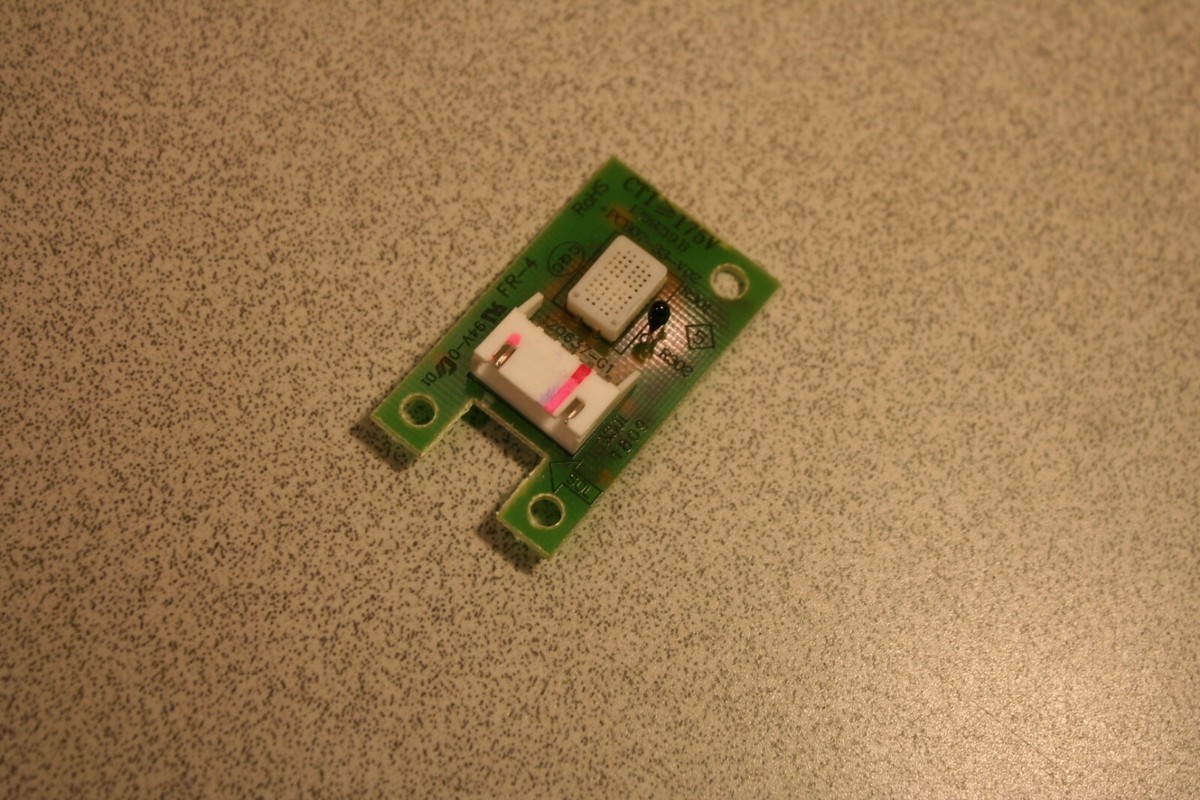
The dehumidifier may run nonstop if the humidity sensor is faulty. It might think the room is still damp. Reset the unit by unplugging it for a few minutes. If it keeps running, the sensor may need replacement.
Error Codes And What They Mean
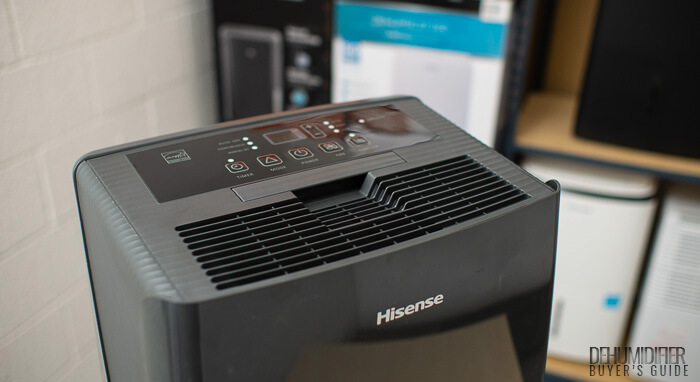
Hisense dehumidifiers show error codes on the display to signal issues. Common codes include “E1” for sensor errors and “E2” for water tank problems. Refer to the user manual for exact meanings. These codes help identify the exact problem quickly.
Credit: www.dehumidifierbuyersguide.com
Troubleshooting Power Problems
Power problems can stop your Hisense dehumidifier from working. You might see no signs of life or the device may turn off suddenly. These issues often come from simple power faults. Checking the basics can help you fix the problem fast. Follow these steps to get your dehumidifier running again.
Checking The Power Source
Start by making sure the power outlet works. Plug another device into the same outlet to test it. If the second device does not work, the outlet might be faulty. Try a different outlet in the room. Avoid using extension cords or power strips with the dehumidifier.
Inspecting The Power Cord And Plug
Look closely at the power cord and plug for damage. Cuts, bends, or frayed wires can stop power flow. Do not use the dehumidifier if the cord is damaged. This can cause electric shock or fire. Replace the cord or contact a professional for repairs.
Resetting The Dehumidifier
Sometimes the dehumidifier needs a reset to fix power issues. Unplug the device from the outlet. Wait for about five minutes before plugging it back in. Press the power button to turn it on. This simple reset can clear minor electrical faults and get the unit working again.
Fixing Water Tank And Drainage Issues
Water tank and drainage problems often cause Hisense dehumidifiers to stop working well. Fixing these issues keeps the unit running smoothly. Simple steps can clear blockages and prevent leaks.
Regular care helps avoid bad smells and water spills. Clean parts work better and last longer. The next sections explain how to handle water tank and drainage problems.
Emptying And Cleaning The Water Tank
Remove the water tank carefully from the dehumidifier. Empty all the water inside. Clean the tank with warm, soapy water. Rinse it well to remove soap. Dry the tank before putting it back. Do this often to stop mold and bacteria growth.
Ensuring Proper Tank Placement
Place the water tank correctly in the machine. Make sure it fits snugly and locks into place. A loose tank can cause leaks or stop the dehumidifier. Check for any cracks or damage on the tank. Replace the tank if it is broken to avoid water spills.
Clearing The Drain Hose Blockages
Check the drain hose for any kinks or bends. Straighten the hose to allow water flow. Look inside the hose for dirt or debris that blocks it. Use a thin brush or pipe cleaner to clear blockages. Flush the hose with water to remove buildup. Proper drainage stops water from backing up inside the unit.
Improving Moisture Removal Performance
Improving moisture removal performance in your Hisense dehumidifier helps keep your space dry and comfortable. Proper care and adjustments boost the unit’s efficiency. This section covers simple steps to enhance how well your dehumidifier works.
Cleaning Or Replacing Air Filters
Dirty filters block air flow. This lowers moisture removal. Clean filters regularly to keep air moving freely. Check the user manual for cleaning instructions. Replace filters if they look worn or damaged. Clean or new filters help the dehumidifier work better.
Optimizing Room Temperature And Humidity
Dehumidifiers work best in certain temperature ranges. Keep the room temperature between 65°F and 85°F. Higher or lower temperatures reduce performance. Also, keep humidity levels in check. Set the dehumidifier to maintain around 50% humidity. This balance improves moisture removal.
Checking For Refrigerant Leaks
Refrigerant leaks harm the cooling system. This lowers moisture extraction. Signs include less cooling and unusual noises. Contact a professional to inspect and fix leaks. Proper refrigerant levels help the dehumidifier run efficiently.
Reducing Noise And Vibration
Noise and vibration from a Hisense dehumidifier can disturb your peace. These issues often affect the unit’s performance and your comfort. Simple steps can reduce noise and vibration effectively. Small fixes may bring big improvements.
Leveling The Unit
Place the dehumidifier on a flat, stable surface. Uneven floors cause shaking and loud sounds. Use a spirit level to check balance. Adjust the feet or add shims under the unit. A level unit runs smoother and quieter.
Tightening Loose Components
Loose parts inside the dehumidifier can cause rattling noises. Turn off and unplug the device first. Open the case carefully to inspect screws and panels. Tighten any loose screws with a screwdriver. Secure components stop unnecessary vibrations and noise.
Lubricating Moving Parts
Moving parts may create friction and sound over time. Apply a small amount of lubricant to the fan and motor bearings. Use a lubricant made for appliances. Lubrication helps parts move quietly and last longer. Avoid over-lubricating to prevent dust buildup.
Credit: www.ebay.com
Handling Error Codes
Dehumidifiers sometimes show error codes to signal issues. These codes help identify problems quickly. Understanding these codes can save time and effort. It lets users fix minor issues without calling a technician. Handling error codes is key to keeping your Hisense dehumidifier running well.
Common Hisense Error Codes
Hisense dehumidifiers display several common error codes. E1 means a sensor problem, usually with temperature. E2 signals a humidity sensor fault. E3 shows the water tank is full or not placed properly. E4 points to a fan issue, like blockage or malfunction. Knowing these codes helps spot the exact problem fast.
Steps To Resolve Each Error
For E1, turn off the unit and unplug it. Clean sensors gently and check for damage. Restart the dehumidifier to see if the code clears.
For E2, empty the water tank. Make sure it sits correctly in place. Clean the humidity sensor carefully and try again.
E3 means the water tank is full. Remove and empty the tank. Check if the sensor at the tank base is clean and dry.
E4 requires inspecting the fan. Turn off the device and unplug it. Remove any dust or objects blocking the fan. Restart and monitor the unit.
Maintenance Tips To Avoid Problems
Proper maintenance helps your Hisense dehumidifier work well longer. It avoids common issues and keeps the air fresh. Simple steps can stop damage and save money on repairs. Follow easy tips to keep your device in top shape.
Regular Cleaning Schedule
Clean the water tank every week to stop mold growth. Wipe the outer surface with a damp cloth. Check and clean the air filter every two weeks. Dust and dirt block airflow and reduce efficiency. Clean filters improve air quality and machine performance.
Proper Storage When Not In Use
Empty the water tank before storing the unit. Store in a dry, cool place away from direct sunlight. Keep the device covered to prevent dust buildup. Avoid damp areas to stop mold and rust. Proper storage keeps your dehumidifier safe and ready.
Routine Inspection And Servicing
Look for unusual noises or leaks regularly. Check the power cord and plug for damage. Test the device monthly during use season. Schedule professional servicing once a year for deep cleaning. Early checks catch problems before they get worse.

Credit: www.youtube.com
Frequently Asked Questions
Why Is My Hisense Dehumidifier Not Collecting Water?
The water tank might be full, or the humidity level is already low in the room.
How Do I Fix A Hisense Dehumidifier That Won’t Turn On?
Check the power supply, plug, and fuse. Ensure the power button is pressed.
What Causes Strange Noises From A Hisense Dehumidifier?
Noises can come from a dirty fan or loose parts inside the unit.
How Often Should I Clean My Hisense Dehumidifier Filter?
Clean the filter every two weeks to keep the unit working well and air clean.
Why Does My Hisense Dehumidifier Stop Working Suddenly?
It may overheat or have a blocked air filter. Let it cool and clean the filter.
Conclusion
Hisense dehumidifiers may face some common issues over time. Regular cleaning and proper use help prevent many problems. Check filters and water tanks often for blockages or leaks. Simple fixes can keep your device working well longer. Knowing these problems helps you act quickly and save money.
Trust your observations and maintain the unit carefully. This way, you enjoy a dry and comfortable home environment. Keep your dehumidifier in good shape and avoid hassles.