
If your Samsung microwave is showing the E13 error code, you might be feeling frustrated or unsure about what to do next. You rely on your microwave every day, and this sudden problem can disrupt your routine.
But don’t worry—understanding what this error means and how to fix it is easier than you think. You’ll discover simple steps to identify the cause of the E13 error and get your microwave working smoothly again. Keep reading to regain control and avoid costly repairs.

Credit: appliancecareofatlanta.com
What E13 Error Means
The E13 error code on a Samsung microwave indicates a problem with the door switch. This switch tells the microwave if the door is closed properly. If the microwave shows this error, it cannot start cooking. The microwave uses this safety check to prevent operation when the door is open.
Seeing the E13 error means the microwave detects an issue with door safety. It is important to address this error quickly to avoid further problems.
Common Causes
The most common cause is a faulty door switch. It may be broken or stuck. Dirt or debris can block the switch from working correctly. Another cause can be loose wiring connected to the switch. Sometimes, the door latch does not close fully, triggering the error. Physical damage to the door or switch can also cause E13.
Impact On Microwave Performance
The E13 error stops the microwave from running. It prevents the magnetron from heating food. The microwave may not start at all. This protects users from radiation exposure. The error also causes frustration and delays in cooking. Ignoring it can lead to bigger repairs later. Fixing the error restores normal microwave function quickly.
Basic Troubleshooting Steps
Facing the Samsung Microwave E13 error code can be frustrating. This code usually signals a problem with the door or its sensors. You can fix many issues by doing simple checks. These basic steps help you save time and avoid calling a technician.
Start with easy fixes before moving to complex ones. These steps can clear the error and get your microwave working again quickly.
Resetting The Microwave
Unplug the microwave from the power source. Wait for about 5 minutes. This pause lets the microwave’s electronics reset. Plug it back in and try to use it. This reset can clear minor glitches that cause the E13 error.
If the error stays, try the next step. Resetting often solves small electrical problems.
Checking Door Latch And Switches
The microwave door must close properly to work. Check the latch for any damage or dirt. Clean the latch gently if it looks dirty. A stuck latch can trigger the E13 error.
Next, test the door switches. These switches tell the microwave if the door is closed. Use a multimeter to check switch continuity. Replace any broken switches. A faulty switch stops the microwave from running safely.
Advanced Fixes
Advanced fixes for the Samsung Microwave E13 error code involve deeper checks and repairs. These methods need some technical skills but can solve the problem faster. Start by understanding the core parts that might cause the error. Focus on the control board and door components. Both can trigger the E13 error and stop the microwave from working.
Inspecting The Control Board
The control board manages all microwave functions. A fault here can cause error codes. First, unplug the microwave to avoid shocks. Open the microwave’s back panel carefully. Look for burnt spots or loose wires on the control board. Use a multimeter to check for electrical continuity. If the board shows damage or no continuity, it needs replacement. Replace the board with the exact model for best results. After replacing, test the microwave to see if the error clears.
Replacing Faulty Door Components
The door components ensure the microwave runs safely. The E13 error often relates to door switches or latches. Open the microwave door and inspect the latch for damage. Check if the door switches click properly when pressed. Use a multimeter to test switch continuity. Broken or worn switches must be replaced promptly. New door parts restore the microwave’s safety features. After replacement, close the door firmly and test the microwave again.
Preventing Future Errors
Preventing future Samsung Microwave E13 error codes helps keep your microwave working well. Simple care steps can stop this problem from coming back. Avoiding damage and checking your microwave often makes a big difference. Follow these easy tips to protect your microwave and enjoy smooth cooking.
Proper Door Handling
Always close the microwave door gently. Do not slam it shut. Make sure nothing blocks the door seal. Keep the seal clean and dry. Avoid forcing the door open or closed. Proper door handling prevents the microwave from thinking the door is open. This stops the E13 error code from showing.
Regular Maintenance Tips
Clean the microwave inside and outside regularly. Remove food crumbs and spills quickly. Check the door latch and hinges for damage. Test the door to see if it closes tightly. Avoid using harsh chemicals on the microwave. Regular maintenance keeps parts working well. This reduces the chance of errors and extends microwave life.
When To Call A Technician
Knowing when to call a technician for your Samsung microwave E13 error code saves time and stress. Some problems need expert care to avoid more damage. Recognizing these signs helps you act quickly and safely.
Signs You Need Professional Help
The microwave keeps showing the E13 error after resetting. Strange noises or burning smells come from the microwave. The door does not close properly or the microwave won’t start. The display or buttons stop working correctly. These signs suggest a serious issue that needs a technician.
What To Expect During Repair
The technician first checks the microwave’s door switch and control board. They test sensors and wiring for faults causing the E13 error. Repairs may include replacing faulty parts or fixing electrical connections. The technician ensures the microwave works safely before finishing. You get advice on preventing future errors and proper use.
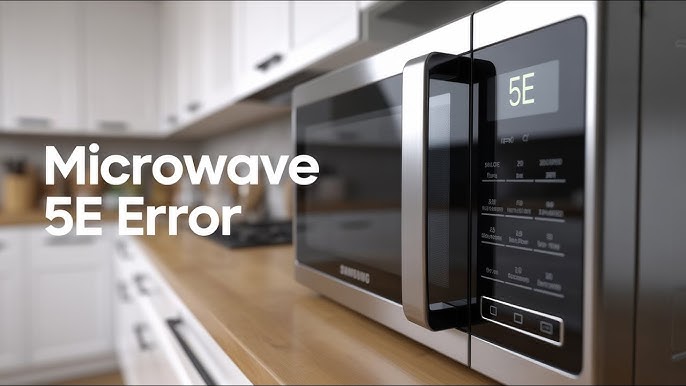
Credit: www.youtube.com

Credit: www.samsung.com
Frequently Asked Questions
What Does Samsung Microwave E13 Error Code Mean?
The E13 error means a problem with the door switch or latch sensor.
How Can I Fix The E13 Error On My Samsung Microwave?
Check the door latch and switches for damage or dirt, then clean or replace them.
Is It Safe To Use The Microwave With E13 Error?
No, the microwave should not be used until the door or sensor issue is fixed.
Can A Power Reset Clear The Samsung Microwave E13 Error?
Yes, unplugging the microwave for a few minutes may reset the error code.
When Should I Call A Technician For E13 Error Code?
Call a technician if cleaning or resetting does not fix the E13 error.
Conclusion
The Samsung microwave E13 error code means a problem with the door switch. Fixing it quickly keeps your microwave safe and working well. Check the door latch and clean any dirt around it. Sometimes, resetting the microwave helps clear the error.
If the code stays, call a technician to replace parts. Regular care prevents this error from coming back. Keep your microwave in good shape for easy cooking every day. Simple steps can save time and money. Don’t ignore the E13 code; act fast to avoid bigger problems.