
Struggling with your Unitron hearing aids? You’re not alone.
Many users face common issues. Unitron hearing aids are known for their quality and performance. But like any technology, they can have problems. This guide will help you troubleshoot your Unitron hearing aids. We will cover simple solutions to common issues.
From sound problems to connectivity issues, we have got you covered. Understanding these tips can save you time and frustration. Whether you are new to Unitron or a long-time user, this guide will help you get the most out of your hearing aids. Let’s dive in and solve those pesky problems together.
Common Issues
Unitron hearing aids are designed to improve your hearing experience. But sometimes, you might face some common issues. This section will help you understand and fix these issues easily. Let’s look at the common problems you may encounter with your Unitron hearing aids.
No Sound
If your hearing aid is not producing any sound, don’t worry. Here are a few steps to troubleshoot this issue:
- Check the battery: Make sure the battery is properly inserted and has enough charge.
- Volume control: Ensure that the volume is not set too low or muted.
- Microphone blockage: Inspect the microphone for any debris or blockage.
- Earwax: Clean the earpiece to remove any earwax build-up.
- Device reset: Try resetting your hearing aid by turning it off and on.
Feedback Noise
Feedback noise can be annoying. This high-pitched sound occurs for various reasons. Here are some tips to reduce or eliminate feedback noise:
- Proper fitting: Ensure the hearing aid fits snugly in your ear.
- Volume adjustment: Lower the volume to see if the feedback reduces.
- Microphone position: Make sure the microphone is not too close to a phone or other objects.
- Wax guard: Check and replace the wax guard if necessary.
- Regular cleaning: Clean your hearing aid regularly to prevent blockages.
By following these steps, you can resolve most issues with your Unitron hearing aids. Always refer to the user manual for detailed instructions and seek professional help if needed.

Credit: www.hearingshop.co.uk
Battery Problems
Battery problems are one of the most common issues with Unitron hearing aids. They can be frustrating and affect the performance of the device. Understanding the root cause of battery problems can help in troubleshooting and resolving them effectively. In this section, we will explore common battery problems and their solutions.
Draining Quickly
If your Unitron hearing aid battery is draining quickly, it can disrupt your day. Several factors can cause this. First, ensure you are using the correct type of battery. Some batteries may not be compatible with your device. Next, check if the battery compartment is clean and free of debris. Dirt can cause poor contact and quick drainage.
Another reason for fast battery drain could be high volume settings. Lower the volume to see if it extends battery life. Also, switch off the hearing aid when not in use. This simple habit can conserve battery life significantly. If the problem persists, consult your audiologist. There might be an underlying issue with the device.
Not Charging
Unitron rechargeable hearing aids offer convenience, but sometimes they may not charge properly. Start by checking the charger. Make sure it is plugged in and the connection is secure. If the charger appears fine, inspect the hearing aid’s charging contacts. They should be clean and free of moisture.
If the hearing aid still does not charge, try a different power outlet. Sometimes, the issue might be with the power source. Also, ensure that the hearing aid is correctly placed in the charger. Incorrect placement can prevent the device from charging.
If none of these steps work, it might be time to replace the battery. Rechargeable batteries have a limited lifespan. If the problem continues, contact your audiologist for further assistance. They can provide professional help and check if there is a technical fault with the device.
Connectivity Issues
Unitron hearing aids are known for their advanced features. But sometimes, users face connectivity issues. This section helps you troubleshoot common connectivity problems. Let’s dive into two main issues: Bluetooth pairing and app syncing.
Bluetooth Pairing
Bluetooth pairing is essential for a seamless experience. Follow these steps to troubleshoot:
- Check Bluetooth is On: Ensure Bluetooth is enabled on your device.
- Restart Devices: Restart both your hearing aids and the device.
- Forget and Re-Pair: Go to settings, forget the hearing aids, and pair again.
- Check Battery: Make sure the hearing aids have sufficient battery.
If the problem persists, consult the Unitron support team for further assistance.
App Syncing
Syncing your hearing aids with the app can enhance your experience. Here’s how to fix syncing issues:
- Update App: Ensure the app is up-to-date.
- Check Internet: Make sure you have a stable internet connection.
- Log Out and In: Log out of the app and log back in.
- Reinstall App: Delete the app and reinstall it from the store.
These steps should resolve most app syncing issues. For persistent problems, contact Unitron support.
Sound Quality
Sound quality is a critical aspect of using hearing aids. If the sound is not clear, it can affect your ability to communicate. Unitron hearing aids are designed to deliver high-quality audio. Sometimes, you may face issues with the sound. Here we will discuss common sound quality problems and how to troubleshoot them.
Distorted Audio
Distorted audio can be frustrating. It may make sounds unclear or noisy. First, check if your hearing aid is clean. Dust and earwax can block the microphone. Clean the hearing aid gently with a soft cloth. Make sure the battery is not low. A low battery can cause sound distortion.
If the problem continues, try adjusting the volume. Sometimes, high volume can cause distortion. Lower it a bit and see if the sound improves. If none of these steps work, consult your audiologist. They can help you fine-tune the settings.
Volume Fluctuations
Volume fluctuations can disrupt your hearing experience. They may cause sounds to be too loud or too soft. First, check if your hearing aid is set to automatic mode. Automatic mode adjusts the volume based on surrounding sounds.
If you notice fluctuations, switch to manual mode. Adjust the volume to a comfortable level. Ensure that the battery is fully charged. A weak battery can cause volume issues.
Another reason for fluctuations can be a loose fit. Make sure your hearing aid fits snugly. A loose fit can cause feedback and volume changes. If these steps do not help, seek professional assistance. Your audiologist can provide a thorough check-up.
Device Maintenance
Maintaining your Unitron hearing aids ensures they work effectively and last longer. Proper care can prevent many common issues. This section covers essential tips for cleaning and storing your device.
Cleaning Tips
Regular cleaning helps maintain the performance of your Unitron hearing aids. Follow these simple steps:
- Wipe daily: Use a dry, soft cloth to clean the exterior of your device every day.
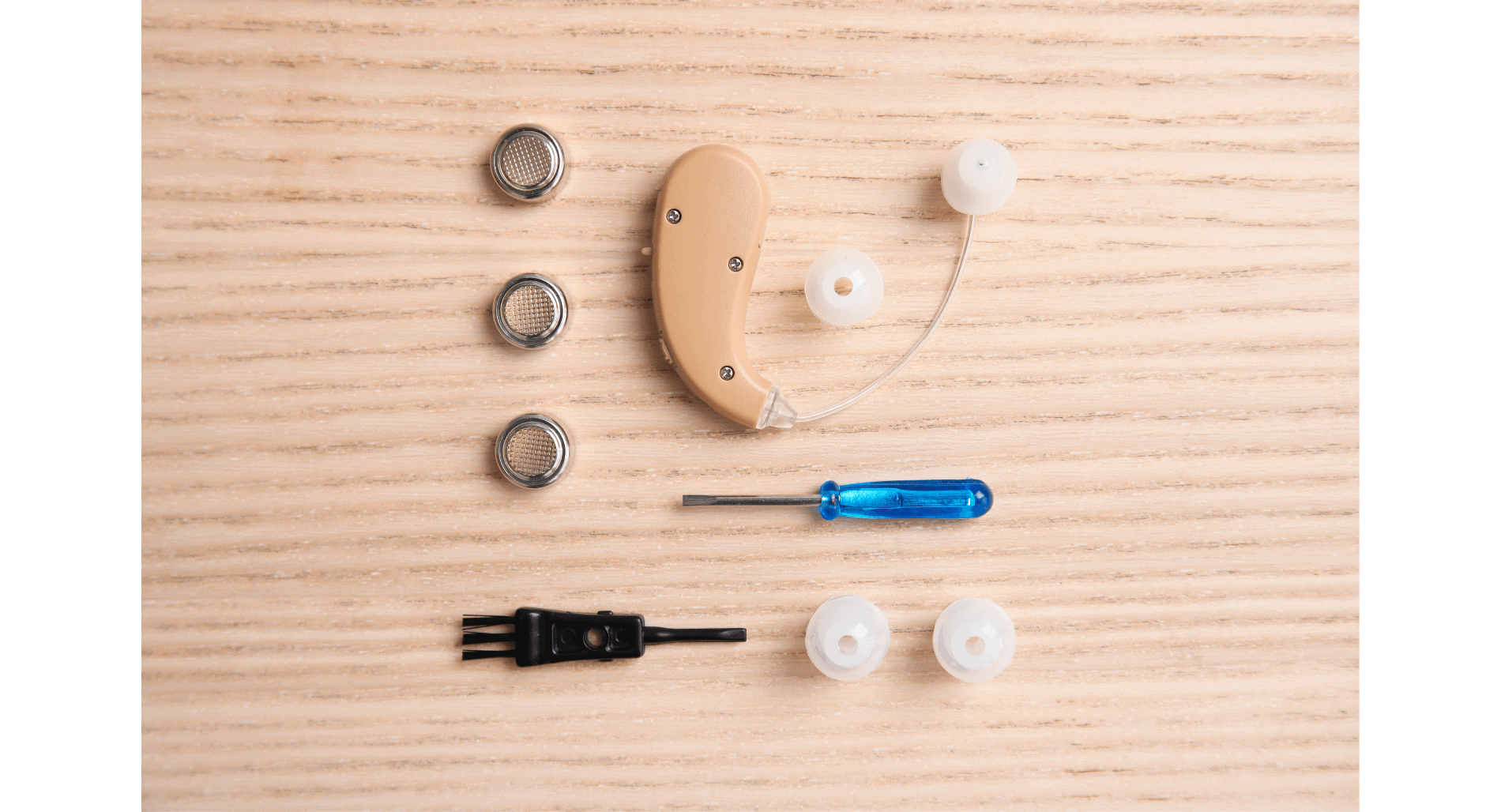
- Brush gently: Use a small, soft-bristle brush to remove earwax from the microphone and receiver.
- Check the earmold: Remove and clean the earmold with a mild soap solution weekly. Rinse and let it dry completely before reattaching.
- Replace filters: Change the wax filters regularly to keep sound clear.
Storage Advice
Proper storage can extend the life of your Unitron hearing aids. Consider these tips:
- Use a case: Store your hearing aids in their protective case when not in use.
- Keep dry: Keep your device in a dry place. Use a dehumidifier to remove moisture.
- Avoid heat: Do not store your hearing aids in direct sunlight or near heat sources.
- Battery care: Remove the batteries if you will not use the device for a long time.
| Tip | Description |
|---|---|
| Daily Cleaning | Wipe with a dry, soft cloth |
| Weekly Maintenance | Clean the earmold with mild soap |
| Storage | Use a protective case, keep dry |
Firmware Updates
Firmware updates are crucial for the optimal performance of Unitron hearing aids. They often fix bugs, improve functionalities, and introduce new features. Keeping your hearing aids updated ensures they work efficiently and provide the best hearing experience.
Checking For Updates
First, check if a firmware update is available for your Unitron hearing aids. Open the Unitron app on your smartphone. Navigate to the settings section. Look for the ‘Device Updates’ option. This will show if any updates are available.
Another way is to visit the Unitron website. Go to the support section. Enter the model number of your hearing aid. The website will inform you about available firmware updates.
Installing Updates
Before installing, ensure your hearing aids are fully charged. Connect them to a stable internet connection. Open the Unitron app. Navigate to ‘Device Updates.’ Follow the on-screen instructions to begin the update.
During the update process, do not turn off your hearing aids. Keep them close to your smartphone. The update might take a few minutes. Once completed, your hearing aids will restart automatically. Check if the update was successful by revisiting the ‘Device Updates’ section in the app.
If you face any issues, refer to the user manual or contact Unitron support. They can guide you through the troubleshooting process.
Professional Assistance
Dealing with Unitron hearing aids can be challenging at times. Professional assistance can make the process smoother. Knowing when to seek help is crucial. It ensures your device works properly.
When To Visit A Specialist
Not all issues can be fixed at home. If your hearing aid is not working after basic troubleshooting, it’s time to see a specialist. Persistent problems, like no sound or feedback noises, need expert attention. Battery issues that don’t resolve with a change also require professional help.
Unusual discomfort or pain while using the hearing aid is another red flag. A specialist can check if the device fits correctly. Regular check-ups with a hearing aid professional can prevent future problems.
Finding A Service Center
Finding a Unitron service center is essential for professional assistance. Start by checking the Unitron website. They have a list of authorized service centers. Your hearing aid provider can also recommend a nearby center.
Local audiologists often have ties with service centers. They can guide you to the best place for repairs. Online reviews and recommendations can help find reliable centers. Choose a service center with good feedback and experienced technicians.
Credit: myhearingcenters.com
User Tips
Unitron hearing aids are designed to help you hear better. But, like any device, they need proper care. Here are some user tips for troubleshooting your Unitron hearing aids. These tips will help you optimize performance and extend their lifespan.
Optimizing Performance
Keep your hearing aids clean. Wipe them with a dry cloth daily. Remove earwax and debris from the openings. This ensures clear sound. Avoid using water or cleaning agents. They can damage the electronics inside.
Check the battery regularly. Low battery can affect performance. Replace the battery if the sound becomes weak. Always carry spare batteries with you. This helps you stay prepared.
Make sure the hearing aids fit well. If they feel loose, adjust them. Proper fit ensures better sound quality. If needed, visit your audiologist for help. They can make adjustments for you.
Extending Lifespan
Store your hearing aids in a dry place. Moisture can damage them. Use a dehumidifier or a drying kit. These tools remove moisture. They help keep your hearing aids in good condition.
Avoid exposing your hearing aids to extreme temperatures. Heat and cold can harm the components. Keep them away from direct sunlight. Do not leave them in a hot car.
Handle your hearing aids with care. Dropping them can cause damage. Use both hands to put them on or take them off. This reduces the risk of accidents.
Regular check-ups are important. Visit your audiologist to get your hearing aids checked. They can clean and adjust them. Regular maintenance helps extend their life.
Frequently Asked Questions
How Do I Reset My Unitron Hearing Aids?
To reset, open the battery door for 5 seconds. Then close it.
Why Is My Unitron Hearing Aid Not Working?
Check the battery. Replace it if needed. Clean the device. Ensure it’s turned on.
How Can I Clean My Unitron Hearing Aids?
Use a soft, dry cloth. Remove any earwax buildup. Avoid water and harsh chemicals.
Why Is My Unitron Hearing Aid Whistling?
It might be feedback. Check the fit. Ensure ear molds are clean and properly inserted.
How Do I Pair Unitron Hearing Aids With My Phone?
Open the Bluetooth settings on your phone. Turn on your hearing aids. Select them from the device list.
Conclusion
Troubleshooting Unitron hearing aids can be simple and effective. Follow the steps outlined here. Regular maintenance helps keep your device working well. Clean your hearing aids regularly. Replace batteries as needed. Consult your audiologist for persistent issues. A little care goes a long way.
Your hearing aids can last longer with proper upkeep. Stay proactive and enjoy better hearing.