
To troubleshoot a Mighty Mule gate opener, check the power source and ensure the remote control works properly. Inspect the gate’s alignment and track for obstructions.
Mighty Mule gate openers offer convenient and reliable access control for residential and commercial properties. Sometimes, issues may arise that require troubleshooting to keep your gate functioning smoothly. Common problems include power supply interruptions, remote control malfunctions, and physical obstructions on the gate track.
Regular maintenance and quick identification of these issues can prolong the lifespan of your gate opener. Simple fixes, such as checking the power source or realigning the gate, often resolve minor problems. For more complex issues, consulting the user manual or seeking professional assistance ensures your gate operates efficiently and securely.

Credit: www.amazon.com
Common Issues
Troubleshooting a Mighty Mule gate opener can be daunting. However, understanding common issues helps resolve problems quickly. Here are some frequent issues you may encounter.
Gate Won’t Open
If your gate won’t open, start by checking the power source. Ensure the gate opener is properly plugged in. Verify the power outlet is working. Next, inspect the battery. A weak or dead battery can prevent the gate from operating.
Look at the control board for any blown fuses. Replace any faulty fuses immediately. Check the gate’s limit settings. Incorrect settings can stop the gate from opening fully.
| Possible Cause | Solution |
|---|---|
| Power Issue | Check power source and outlet |
| Weak Battery | Replace battery |
| Blown Fuse | Replace fuse |
| Incorrect Limit Settings | Adjust limit settings |
Remote Not Working
If your remote is not working, check the battery first. Replace it if necessary. Ensure the remote is properly programmed to the gate opener. Refer to the manual for programming instructions.
Inspect the remote’s buttons. Sometimes, dirt and debris can cause the buttons to stick. Clean the remote thoroughly. Finally, check for signal interference. Other electronic devices may disrupt the remote’s signal.
- Replace remote battery
- Program remote correctly
- Clean remote buttons
- Check for signal interference
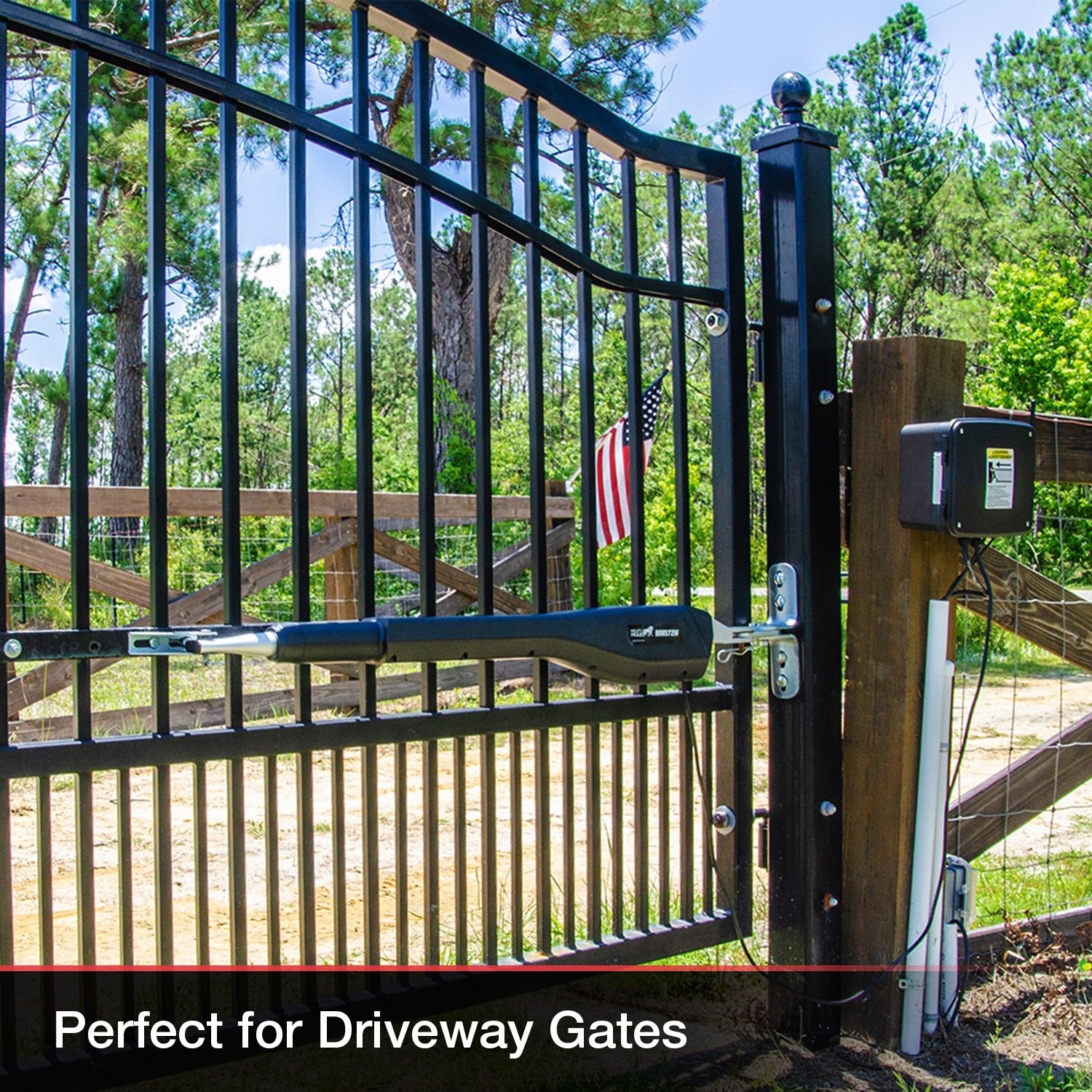
Credit: mightymule.com
Battery Problems
Battery problems are common with Mighty Mule gate openers. A weak or failing battery can cause the gate to malfunction. Knowing how to check and replace the battery can save you time and frustration.
Checking Battery Life
First, check the battery life to ensure it’s not the cause of your issues. Here’s a step-by-step guide:
- Turn off the gate opener.
- Locate the battery compartment.
- Use a multimeter to test the battery voltage.
If the voltage is below 12 volts, the battery may need replacement.
Replacing The Battery
If the battery is weak or dead, it’s time to replace it. Follow these steps:
- Turn off the gate opener.
- Open the battery compartment.
- Disconnect the old battery.
- Remove the old battery from the compartment.
- Insert the new battery.
- Reconnect the battery terminals.
- Close the battery compartment.
- Turn on the gate opener.
Make sure the new battery is fully charged before installation. This ensures optimal performance.
| Battery Type | Voltage | Expected Life |
|---|---|---|
| Lead-Acid | 12V | 3-5 years |
| Lithium-Ion | 12V | 5-7 years |
Regularly check the battery to avoid unexpected failures. A healthy battery ensures your gate opener runs smoothly.
Sensor Malfunctions
Mighty Mule gate openers are popular for their reliability and ease of use. Yet, like any device, they can face issues. One common problem is sensor malfunctions. Sensors play a crucial role in the operation of your Mighty Mule gate opener. They ensure the gate opens and closes safely and correctly. If sensors fail, it can disrupt the entire system. Let’s delve into how to troubleshoot sensor malfunctions effectively.
Testing Sensors
First, you need to test the sensors. This helps identify any issues. Follow these steps:
- Turn off the power to the gate opener.
- Inspect the sensor wires for any damage.
- Use a multimeter to check the sensor’s electrical connections.
- Ensure the sensors are properly aligned.
If the sensors are not aligned, the gate may not operate correctly. Testing is crucial for identifying the exact problem.
Cleaning And Adjusting Sensors
Sometimes, dirt or debris can affect sensor performance. Regular cleaning is essential. Follow these steps:
- Turn off the power to the gate opener.
- Use a clean, dry cloth to wipe the sensors.
- Ensure there is no obstruction in the sensor path.
- Adjust the sensors if they are misaligned.
Proper alignment ensures the gate operates smoothly. Clean sensors improve performance and longevity.
By following these steps, you can troubleshoot most sensor malfunctions. Keeping your sensors clean and well-aligned ensures your Mighty Mule gate opener works efficiently.
Motor Troubles
Experiencing issues with your Mighty Mule gate opener motor can be frustrating. This section will help you troubleshoot common motor problems. Learn how to identify and solve issues like motor overheating and motor not responding.
Motor Overheating
Motor overheating is a common issue. It can lead to motor failure. Here are some potential causes and solutions:
- Overuse: Constant use can cause the motor to overheat. Give it time to cool down.
- Poor Ventilation: Ensure the motor has proper airflow. Remove any obstructions around it.
- Electrical Issues: Check for faulty wiring or connections. Ensure your power source is stable.
Use the table below to quickly identify and resolve overheating issues:
| Possible Cause | Solution |
|---|---|
| Overuse | Allow motor to cool down |
| Poor Ventilation | Clear obstructions around motor |
| Electrical Issues | Check wiring and power source |
Motor Not Responding
If your motor is not responding, follow these steps:
- Check Power Supply: Ensure the motor is receiving power. Verify the power source and connections.
- Inspect Remote Control: Make sure the remote control has fresh batteries. Test the remote from different distances.
- Examine Motor: Look for visible damage. Listen for unusual noises when attempting to operate.
- Reset System: Try resetting the motor. This can resolve many minor issues.
By following these steps, you can often resolve motor response issues quickly and efficiently.
Control Board Errors
The control board is the brain of your Mighty Mule gate opener. Errors can disrupt its operation. Understanding and fixing these errors can save you time and effort. This section will guide you through the common control board issues and their solutions.
Resetting The Control Board
Resetting the control board can resolve many issues. Follow these steps:
- Disconnect the power supply.
- Wait for 10 seconds.
- Reconnect the power supply.
- Check if the error persists.
This simple reset can often clear minor glitches. Ensure your connections are secure.
Updating Firmware
Updating the firmware can improve performance. Here’s how to update the firmware:
- Download the latest firmware from the official website.
- Connect a USB drive to your computer.
- Transfer the firmware file to the USB drive.
- Insert the USB drive into the control board’s port.
- Follow the on-screen instructions to complete the update.
Regular updates keep your gate opener running smoothly. Always use official firmware files.
Here is a summary table of the steps:
| Action | Steps |
|---|---|
| Resetting the Control Board |
|
| Updating Firmware |
|
Following these steps can help resolve most control board errors. Regular maintenance ensures your Mighty Mule operates efficiently.
Remote Control Issues
Facing issues with your Mighty Mule remote control can be frustrating. These issues can range from simple fixes to more complex problems. This section will help you troubleshoot common remote control problems. Let’s dive into the solutions!
Reprogramming The Remote
Sometimes, the remote control may lose its programming. Reprogramming the remote can often fix this issue. Follow these steps to reprogram your Mighty Mule remote:
- Locate the control box on your gate opener.
- Open the control box using the provided key.
- Press and hold the “Learn” button until the LED light turns on.
- Press the button on your remote control. The LED should blink.
- Release the “Learn” button. Your remote is now reprogrammed.
If the remote still does not work, consider replacing the batteries.
Interference Problems
Remote control issues may also arise due to interference. Check for the following sources of interference:
- Nearby electronic devices.
- Metal objects between the remote and the gate opener.
- Strong radio signals in the area.
To reduce interference, try the following tips:
- Move closer to the gate opener when using the remote.
- Ensure there are no obstructions between the remote and the gate opener.
- Relocate any electronic devices that may cause interference.
By following these steps, you can improve the performance of your Mighty Mule remote control.
Wiring Problems
Wiring problems can disrupt the operation of your Mighty Mule gate opener. Faulty wiring often leads to a malfunctioning gate. Identifying and fixing these issues can restore your gate’s functionality. In this section, we will discuss common wiring problems and their solutions.
Inspecting Wiring Connections
Begin by inspecting wiring connections. Ensure all wires are securely connected. Loose connections can cause intermittent issues. Follow these steps to check your wiring connections:
- Turn off the power supply to the gate opener.
- Open the control box and examine the wiring.
- Look for loose or disconnected wires.
- Tighten any loose connections using a screwdriver.
- Ensure all wires are in their correct terminals.
Use a multimeter to check for continuity. This helps to identify broken connections. If any wire shows no continuity, it needs further inspection.
Repairing Damaged Wires
Damaged wires can prevent your gate from operating correctly. Here are steps to repair damaged wires:
- Identify the damaged section of the wire.
- Cut out the damaged portion using wire cutters.
- Strip about half an inch of insulation from both ends.
- Twist the exposed wire ends together.
- Use wire nuts or electrical tape to secure the connection.
For a more permanent fix, use solder and heat shrink tubing. Follow these steps:
- Twist the wire ends together as before.
- Apply solder to the twisted wires for a solid connection.
- Slide heat shrink tubing over the soldered joint.
- Use a heat gun to shrink the tubing around the joint.
After repairing, test the gate to ensure it operates smoothly.
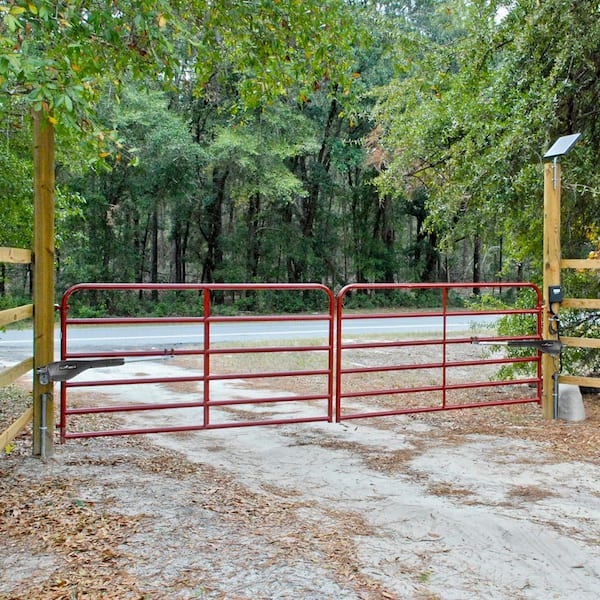
Credit: www.homedepot.com
Preventative Maintenance
Preventative maintenance is crucial for the longevity of your Mighty Mule gate opener. Regular checks and upkeep help avoid unexpected breakdowns. It ensures smooth operation and extends the life of your system. Below are some essential tips for keeping your gate opener in optimal condition.
Regular Inspection Tips
Performing regular inspections can prevent many common issues. Here’s a simple checklist:
- Visual Inspection: Check for any visible damage or wear.
- Test the Batteries: Ensure the batteries are fully charged and in good condition.
- Check the Wiring: Look for loose or damaged wires.
- Examine the Control Box: Make sure it is clean and free of insects.
Inspect the gate’s movement. Ensure it opens and closes without resistance. Listen for unusual noises during operation. Address any irregularities immediately.
Lubrication And Cleaning
Proper lubrication and cleaning are key to a smoothly operating gate opener. Follow these steps for best results:
- Lubricate Moving Parts: Apply a suitable lubricant to the hinges, chains, and gears.
- Clean the Gate Tracks: Remove any debris or dirt from the tracks to avoid obstruction.
- Wipe Down Sensors: Use a soft cloth to clean the sensors for better performance.
- Check for Rust: Address any rust spots promptly to prevent further damage.
Regular cleaning prevents buildup and ensures reliable operation. Keep your Mighty Mule gate opener in top shape with consistent maintenance.
Frequently Asked Questions
How Do I Reset My Mighty Mule Gate Opener?
To reset your Mighty Mule gate opener, turn off the power. Wait for a few seconds, then turn it back on. This can help resolve minor issues and refresh the system.
Why Is My Mighty Mule Gate Not Closing?
Your Mighty Mule gate may not close due to obstructed sensors, low battery, or mechanical issues. Check these components for problems and ensure everything is functioning properly.
How Do I Sync My Mighty Mule Remote?
To sync your Mighty Mule remote, press and hold the remote button until the gate opener responds. Ensure the remote is within range and the batteries are working.
What Do The Mighty Mule Error Codes Mean?
Mighty Mule error codes indicate specific issues like low battery, sensor problems, or mechanical faults. Refer to the manual for a detailed explanation of each code and troubleshooting steps.
Conclusion
Troubleshooting your Mighty Mule gate opener can be straightforward with the right guidance. Follow the tips provided to resolve common issues quickly. Regular maintenance ensures smooth operation and longevity. Remember, understanding your device is key to preventing future problems. Keep this guide handy for easy reference whenever needed.