
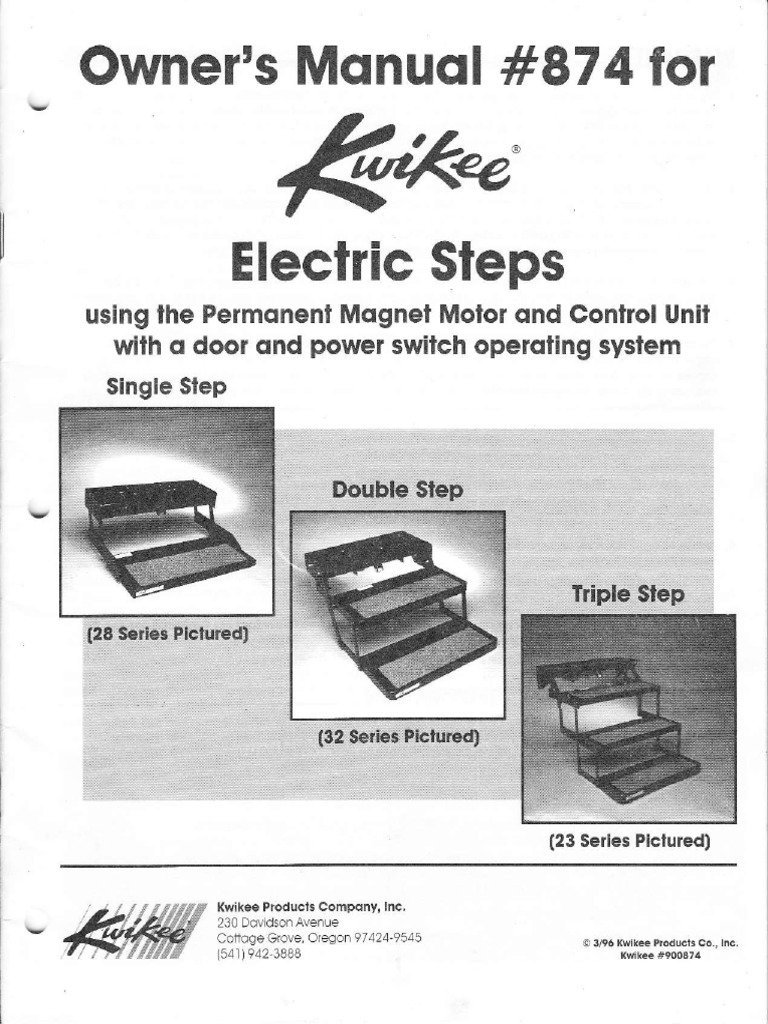
You can find the Kwikee Step Troubleshooting Guide Pdf on the Lippert Customer Support portal to identify why your motorized RV steps are failing to extend or retract. Most issues stem from a low battery, a loose ground connection, or a misaligned door switch. If your steps don’t move, check your main battery voltage first. If the battery is full but the steps stay still, the problem is likely a mechanical obstruction or a faulty sensor.
Kwikee Step Troubleshooting Guide PDF
Motorized RV steps rely on a clean, constant flow of electricity to operate their internal motor. The most common cause of failure is a voltage drop, which prevents the motor from overcoming gear friction. If you suspect a power issue, contact a qualified technician to test the electrical system.
A second cause is a bad ground connection. Because the step assembly is mounted to the metal frame of the RV, it relies on a solid metal-to-metal contact to complete the electrical circuit. Over time, road grime, salt, and moisture cause corrosion at the mounting points. If the connection isn’t clean, the electricity can’t return to the battery, and the step will remain frozen in place.
Finally, the door switch is a frequent failure point. This small magnetic or physical switch tells the step controller when the door is open or closed. If the magnet has moved, or if the switch has failed, the controller won’t receive the signal to move the step. This varies by model — check the label on your step housing to see if you have a magnetic or mechanical switch system. If the controller thinks the door is closed, it will keep the step retracted for safety while you drive.
Check the battery voltage first
This fix is for owners whose steps have stopped moving entirely. Before assuming the motor is broken, verify the power supply, as low voltage often causes a clicking sound. If the step still fails to move after connecting to shore power, contact a qualified technician to inspect the electrical components.
If the step moves when the engine is running but not when it’s off, your house battery is likely the culprit. If the step still doesn’t move, inspect the wiring harness under the step for any loose or frayed cables. If you find a loose wire, reconnect it using a weatherproof crimp connector. This is a simple task, but if you aren’t comfortable working with electrical components, contact a certified RV technician to avoid accidental shorts. If the wiring looks perfect and the battery is full, the controller board itself may have failed. Never attempt to open the sealed controller box, as this will void your warranty and may cause permanent damage to the circuit board.
Clean the ground connection points
This fix is for steps that move slowly, hesitate, or work only some of the time. Corrosion is the enemy of any outdoor electrical system. To fix this, locate the point where the step assembly bolts to the RV chassis. Use a wire brush to scrub away any rust, dirt, or paint from the metal surface until you see shiny, bare metal.
If you have a spray-on contact cleaner, use it on the wire harness plugs to ensure the pins inside aren’t covered in oxidation. If the bolt is loose, tighten it; if there’s heavy corrosion, remove the bolt entirely and sand the mating surfaces before reattaching. The trade-off here is time versus reliability; cleaning the grounds now prevents the motor from burning out due to high resistance later. A mistake many owners make is simply tightening the bolt without cleaning the connection; this costs them extra time because they have to repeat the process when the corrosion returns. If you aren’t confident in your ability to support the weight of the step while removing bolts, don’t attempt this alone.
Inspect the door switch alignment
This fix is for steps that don’t extend when the door opens. The door switch is usually a small plastic piece mounted in the door frame. If the magnet on the door isn’t perfectly aligned with the switch, the system won’t trigger. Check that the door shuts flush and the magnet is within one-quarter inch of the switch.
If the magnet has fallen off or is cracked, you’ll need a replacement part specific to your model. Who this isn’t for: if you have a complex integrated system that controls the step through the RV’s main computer, don’t attempt to bypass the door switch with jumper wires. This can trigger a fault code in your RV’s main control module, which is expensive to reset. If the switch and magnet are aligned and the step still doesn’t respond, the switch itself may have internal failure. You can test this by manually touching a different magnet to the switch; if the step moves, the old magnet was the issue. If it doesn’t move, the switch is likely dead and requires a direct replacement.
What not to do
- Don’t use heavy grease on the gear assembly, as this attracts dirt and creates a thick paste that slows the motor down.
- Don’t spray water directly into the motor housing when cleaning the RV, as this leads to internal corrosion that’s impossible to dry out.
- Don’t attempt to push or pull the step by hand while the motor is engaged, as you’ll strip the internal plastic gears.
- Don’t bypass the circuit breaker or fuse with a higher amperage rating, as this can lead to an electrical fire if the motor stalls.
How to stop it happening again
Regular maintenance ensures the motor stays strong and the sensors remain responsive.
| If you’re doing this | Do this instead | Why |
|---|---|---|
| Ignoring squeaks | Spray dry silicone on joints | Lubrication prevents gear strain |
| Forcing the step | Clear all debris from path | Prevents stripped gear teeth |
| Ignoring slow movement | Check battery charge | Low voltage ruins motors |
Frequently asked questions
Can I manually extend my Kwikee step?
Yes, you can manually extend the step by disconnecting the motor from the gear linkage. Remove the cotter pin holding the motor arm to the step frame to allow free movement. Always secure the step in the retracted position with a strap or pin before driving to prevent accidental deployment.
Why does my step click but not move?
It’s likely that the motor is receiving power but can’t overcome the resistance in the gears. This happens if the step is bent, clogged with mud, or if the lubrication has dried out into a solid mass. Check for physical obstructions first. If the area is clean and the step still clicks, the motor gears inside the housing have likely failed and the motor unit needs a full replacement.
How long does a Kwikee step motor last?
The lifespan depends on your specific motor model and regular maintenance. Cleaning and lubricating pivot points helps these motors last for years of full-time use. However, leaving the step extended in harsh weather or allowing rust to build up on ground connections will significantly shorten the motor’s life.
Is it safe to drive with the step extended?
No, it’s dangerous to drive with the step extended, as it can strike obstacles or become damaged by road debris. Most modern controllers have an automatic override that retracts the step when the engine ignition is turned to the “on” position. If your step remains extended while driving, it must be repaired before the vehicle is operated on public roads.
What happens if the step is stuck out?
You can’t safely drive the vehicle if the step is stuck in the extended position. Disconnect the motor linkage to manually push the step into the retracted position. Use a heavy-duty zip tie or locking pin to hold it firmly against the frame before you begin driving.
Final Thoughts
If you still can’t get your steps working after checking these common parts, don’t hesitate to reach out to a certified RV technician. They’ll have the right tools to diagnose deeper electrical faults. Getting an expert’s help ensures you won’t be stuck at the campsite with stairs that won’t budge.
Related guides