
The Ninja DZ550 Foodi 6-in-1 10-Quart 2-Basket Air Fryer is a versatile kitchen appliance designed to streamline cooking with its dual-basket system, allowing you to cook two different foods simultaneously. However, like any sophisticated electronic device, it can sometimes encounter issues.
Understanding common troubleshooting steps can save you time, prevent unnecessary service calls, and ensure you continue to enjoy the convenience and delicious results this appliance offers. This guide aims to equip you with the knowledge to diagnose and resolve a wide range of problems you might face with your Ninja DZ550.
Key Takeaways
- Power Issues: Most power problems stem from basic checks like ensuring the unit is properly plugged in, the outlet is functional, and the circuit breaker hasn’t tripped.
- Heating Malfunctions: If the air fryer isn’t heating, confirm that the correct cooking mode and temperature are selected, and check for any obstructions around the heating element.
- Basket and Drawer Problems: Sticking drawers or baskets can often be resolved by ensuring they are clean and properly seated.
- Control Panel Errors: Error codes on the display usually point to specific issues, and referencing the user manual for code definitions is crucial.
- Uneven Cooking: This can be due to overcrowding, incorrect temperature/time settings, or the need to shake or turn food.
- Cleaning and Maintenance: Regular cleaning is preventative maintenance that can avert many common issues.
- Advanced Troubleshooting: For persistent problems not covered by basic steps, contacting Ninja customer support is the recommended next course of action.
Power And Electrical Troubleshooting
When your Ninja DZ550 Foodi 2-Basket Air Fryer fails to power on or experiences intermittent power interruptions, it can be frustrating. However, most of these issues are usually straightforward to resolve with a few systematic checks. It’s crucial to approach these problems methodically to avoid unnecessary complications.
Unit Not Powering On
The most common reason for an appliance not powering on is a simple connection issue. Before assuming a malfunction, perform these initial checks:
- Secure Power Connection: Ensure the power cord is firmly plugged into both the back of the Ninja DZ550 and a functioning wall outlet. Sometimes, a slightly loose connection can prevent the unit from receiving power.
- Test the Outlet: Plug another small appliance (like a lamp or toaster) into the same outlet to verify that the outlet itself is working. If the other appliance also doesn’t work, the issue lies with the outlet or your home’s electrical circuit.
- Check Circuit Breaker: Locate your home’s electrical panel and check if the circuit breaker for the kitchen or the specific outlet has tripped. If it has, reset it by flipping it completely off and then back on. If the breaker trips again immediately after resetting, do not attempt to reset it further, as this indicates a potentially serious electrical problem that requires professional attention.
- Inspect the Power Cord: Examine the power cord for any visible damage, such as cuts, fraying, or exposed wires. If the cord is damaged, do not use the appliance and contact Ninja customer support for a replacement cord or unit.
Intermittent Power Or Shutdowns
If your Ninja DZ550 powers on but then shuts off unexpectedly during operation, or if the power flickers, consider these possibilities:
- Overheating Protection: Many appliances have built-in safety features to prevent overheating. If the air fryer is used for extended periods without adequate ventilation, or if the internal temperature sensors detect an anomaly, it might shut down. Allow the unit to cool completely for at least 30 minutes before attempting to use it again. Ensure the air vents on the back and sides of the unit are not blocked.
- Power Surges: Fluctuations in your home’s electrical supply can sometimes cause electronic devices to behave erratically. If you suspect power surges, consider using a surge protector designed for high-wattage appliances, although dedicated appliance surge protectors are less common than standard ones.
- Internal Component Issue: If the unit repeatedly shuts down despite proper ventilation and a stable power source, there might be an internal issue with the power supply board or other electronic components. This would require professional diagnosis.
Unit Powers On But No Functionality
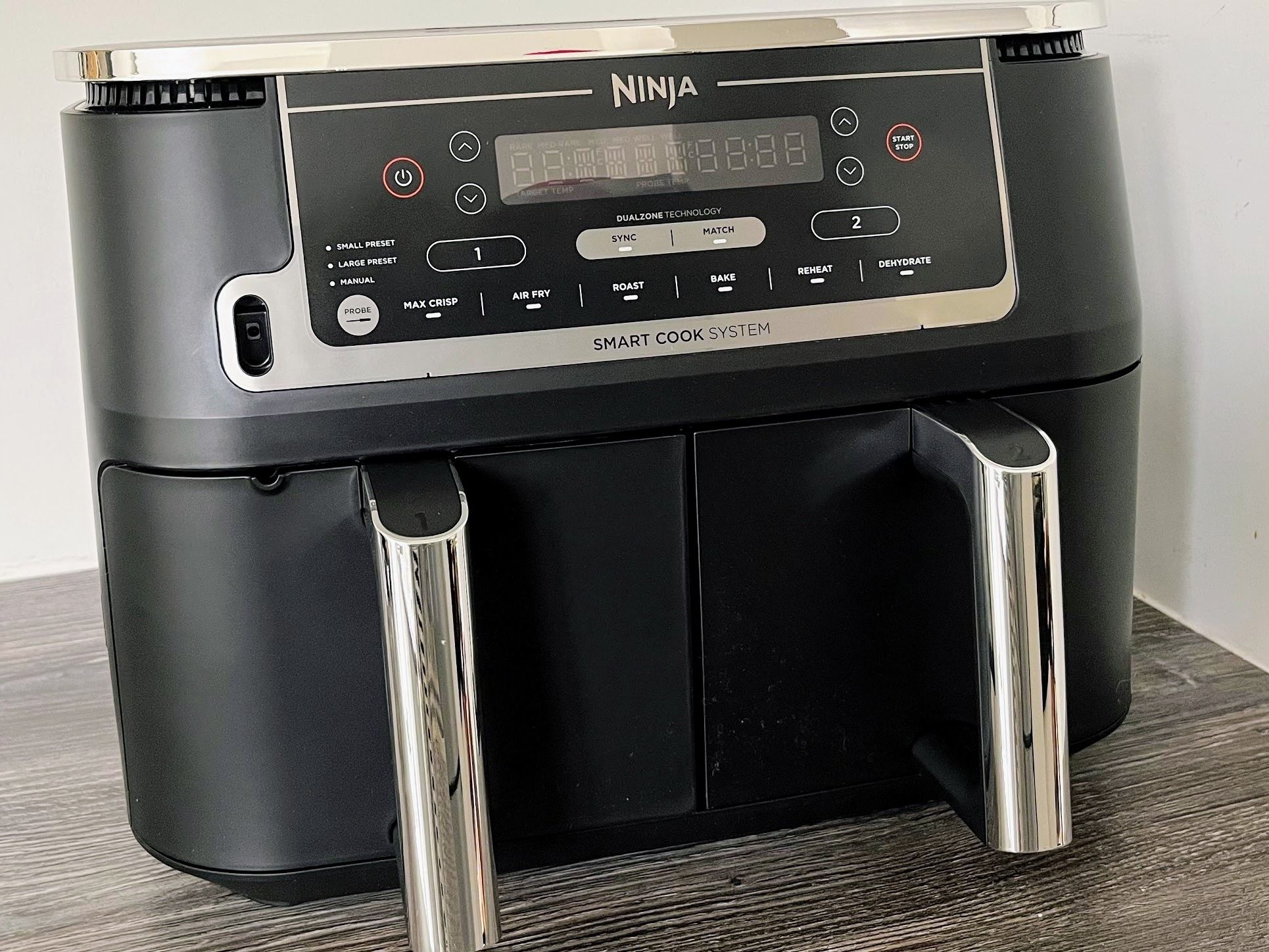
Sometimes, the display lights up, and the unit powers on, but none of the buttons or functions respond.
- Control Panel Lock: Ensure that the control panel lock feature, if available on your specific model, is not accidentally activated. Refer to your user manual for instructions on how to disable it.
- Software Glitch: Like any electronic device, the control panel’s software can occasionally glitch. Try unplugging the unit from the wall outlet, waiting for 60 seconds, and then plugging it back in. This “hard reset” can often clear temporary software errors.
- Control Panel Malfunction: If the reset doesn’t resolve the issue, the control panel itself may be faulty. This is a more serious problem that typically requires repair or replacement of the unit.
Credit: www.toptenreviews.com
Heating And Cooking Performance Issues
The primary function of your Ninja DZ550 is to cook food efficiently using its air frying technology. When it fails to heat properly or cooks unevenly, it significantly impacts your cooking experience. These issues often relate to settings, airflow, or the heating element itself.
Food Not Cooking Or Taking Too Long
If your food isn’t getting crispy or is taking much longer than expected to cook, consider the following:
- Incorrect Settings: Double-check that you have selected the correct cooking function (e.g., Air Crisp, Roast, Bake) and set the appropriate temperature and time. Refer to your recipe or the Ninja Foodi cooking charts for guidance.
- Overcrowding Baskets: The Ninja DZ550’s dual baskets rely on hot air circulation to cook food effectively. Overfilling the baskets prevents this air from circulating freely, leading to longer cooking times and unevenly cooked food. Cook in batches if necessary, ensuring there is enough space around each piece of food for air to flow.
- Frozen vs. Fresh Food: Frozen foods generally require longer cooking times and sometimes a higher temperature than their fresh counterparts. Ensure you’ve adjusted your settings accordingly.
- Blocked Air Vents: The unit has air vents to allow for proper heat distribution and exhaust. If these vents (often located on the back or sides) are blocked by walls, other appliances, or food debris, it can impede heating performance.
- Heating Element Malfunction: The heating element is located at the top of the cooking chamber. If you suspect it’s not working, you might notice a lack of radiant heat when looking into the basket (with the unit unplugged for safety) or hear unusual noises. If the heating element is faulty, the unit will likely need professional servicing.
Uneven Cooking
Unevenly cooked food is a common complaint with air fryers. This usually means some parts are overcooked while others are undercooked.
- Basket Shaking/Food Flipping: For optimal results with many foods (like fries, wings, or vegetables), it’s essential to shake the basket halfway through the cooking time or flip larger pieces of food. This ensures all sides are exposed to the hot air. The Ninja DZ550’s Smart Finish feature helps with dual-basket cooking, but individual basket contents still benefit from manipulation.
- Food Placement: Arrange food in a single layer in the baskets. If you stack food, the items on the bottom will not cook as effectively as those on top.
- Temperature and Time: Using the correct temperature is crucial. Too low a temperature may not crisp food properly, while too high can burn the outside before the inside is cooked. Ensure your time is also appropriate for the food type and quantity.
- Preheating: While many air fryers don’t strictly require preheating, some recipes and users find that preheating the unit for 3-5 minutes at the target temperature can lead to more consistent results, especially for delicate items.
- Dual Basket Sync Issues: If using the Sync Cook or Sync Finish features and one basket seems to be cooking differently, ensure both baskets are properly inserted and that the food within each basket is prepared similarly (e.g., similar size pieces, not overcrowded).
Error Codes Related To Heating
The Ninja DZ550 may display error codes if it detects a problem with the heating system. Common codes and their general meanings (always consult your specific manual for definitive information):
- E01/E02: Often related to temperature sensor issues or heating element problems.
- E03/E04: May indicate fan motor issues or problems with the main control board related to heating.
If you encounter an error code, the first step is always to unplug the unit, let it cool, and then plug it back in to see if the error clears. If the error persists, consult the user manual for the specific code’s meaning and recommended actions.
Credit: onwardfleet.com
Basket And Drawer Issues
The dual baskets and drawers are critical components of the Ninja DZ550. Problems with their operation, such as sticking or not closing properly, can prevent the unit from functioning or make it difficult to use.
Baskets Or Drawers Won’t Slide In Or Out
This is a common annoyance that can usually be resolved with simple cleaning and alignment checks.
- Check for Obstructions: Ensure no food particles, grease, or debris are lodged in the drawer runners or the cavity where the baskets sit. Small bits of food can easily prevent smooth operation.
- Clean the Baskets and Drawer Housing: Thoroughly wash the baskets and the interior of the drawer housing. Pay close attention to the edges and corners where food residue can accumulate. Use warm, soapy water and a non-abrasive sponge.
- Proper Seating: Make sure the baskets are correctly seated within their respective drawers. Sometimes, if a basket isn’t fully in place, it can cause the drawer to bind.
- Ensure Correct Drawer Insertion: Confirm you are inserting the correct drawer into the correct slot. While unlikely to be a frequent issue, in haste, one might attempt to insert the wrong drawer.
- Check for Warping: In rare cases, extreme heat or improper cleaning (e.g., using harsh detergents on non-stick coatings) might cause slight warping of the baskets or drawer components. Inspect them for any visible signs of deformation. If warping is present, it might affect performance and require replacement.
Baskets Not Locking Or Securing
The air fryer typically won’t operate if the baskets are not properly secured.
- Handle Engagement: Ensure the handles are fully pushed in or engaged according to the design of your DZ550 model. Some handles have a locking mechanism.
- Drawer Catch: There’s usually a small catch or mechanism that indicates the drawer is fully closed and locked. Listen for a click or feel a secure stop when closing. If it doesn’t feel secure, pull it out slightly and re-insert it firmly.
- Debris in Latch Mechanism: Similar to sliding issues, debris can interfere with the locking mechanism. Clean around the drawer edges and the unit’s frame where the drawer latches.
Damage To Baskets Or Drawers
Physical damage, such as cracks or bent metal, can prevent the baskets or drawers from functioning correctly and safely.
- Inspect for Damage: Visually inspect the baskets and drawers for any signs of damage. Bent edges, cracked handles, or damaged non-stick coatings are indicators that parts may need replacement.
- Contact Support: If you discover damage, do not attempt to use the appliance. Contact Ninja customer support to inquire about replacement parts.

Credit: www.amazon.com
Control Panel And Display Issues
The control panel is the brain of your Ninja DZ550, allowing you to select functions, set temperatures, and monitor cooking progress. When it malfunctions, it can render the appliance unusable or confusing.
Display Not Lighting Up
If the display remains blank even when the unit is plugged in and powered on:
- Power Cycle: As mentioned in the power section, unplug the unit for 60 seconds and plug it back in. This is the first troubleshooting step for most electronic glitches.
- Check Breaker: Ensure the circuit breaker hasn’t tripped, as this can sometimes affect the control panel’s power supply.
- Internal Connection: There might be a loose connection between the power supply and the control panel. This is an internal issue that requires professional diagnosis.
Buttons Not Responding
If the display is on, but pressing buttons has no effect:
- Surface Cleanliness: Ensure the control panel surface is clean and dry. Spills or sticky residue can interfere with touch-sensitive buttons or membrane keypads. Use a slightly damp cloth to clean, and ensure it’s completely dry before attempting to use it again.
- Software Glitch: Perform the power cycle (unplug for 60 seconds). This can often reset the control panel’s software.
- Control Panel Failure: If the buttons still don’t respond after a power cycle and cleaning, the control panel itself may have failed.
Incorrect Display Readings Or Symbols
If the display shows strange symbols, flickering numbers, or incorrect information:
- Temporary Glitch: A power cycle might resolve temporary display anomalies.
- Corrupted Display Data: This could indicate a more significant issue with the control board or the display module itself.
- Refer to Manual for Codes: If specific error codes are displayed, consult your Ninja DZ550 user manual. The manual will provide a comprehensive list of error codes and their meanings, along with recommended troubleshooting steps. For example, an `E` followed by a number often indicates an error.
Smart Finish Or Sync Cook Not Working
When using the dual baskets, features like Smart Finish (ensuring both baskets finish simultaneously) or Sync Cook (cooking two different items with different times/temps but starting together) are key selling points. If they aren’t functioning:
- Correct Mode Selection: Ensure you have correctly selected the “Smart Finish” or “Sync Cook” mode and followed the sequence of operations precisely as outlined in the user manual. This often involves setting the cooking parameters for one basket, then pressing a specific button to move to the second basket’s settings before confirming.
- Basket Insertion: Verify that both baskets are fully inserted and recognized by the unit.
- Temperature/Time Conflicts: In Sync Cook, ensure that the selected temperatures and times are compatible within the unit’s operational parameters. While designed to handle differences, extreme disparities might sometimes cause issues, although this is rare.
- Software Issue: A power cycle can often resolve glitches with these advanced features.
Cleaning And Maintenance Related Problems
A lack of regular cleaning and maintenance is a leading cause of many common air fryer problems, from poor performance to unpleasant odors and potential safety hazards. Proactive care ensures longevity and optimal function.
Persistent Odors
A lingering smell after cooking or a “new appliance” smell that won’t dissipate can be off-putting.
- Food Residue: The most common cause is burnt-on food particles or grease residue in the baskets, drawers, heating element area, or fan.
- Deep Clean Baskets and Drawers: Wash them thoroughly with hot, soapy water. For stubborn residue, soak them for 30 minutes before scrubbing.
- Clean the Heating Element: Ensure the unit is unplugged and completely cool. Gently wipe the heating element area with a damp cloth. Avoid using abrasive cleaners or excessive water, which could damage the element.
- Clean the Interior Cavity: Wipe down the inside walls of the air fryer with a damp cloth.
- Deodorizing Tip: After cleaning, place a small bowl of baking soda or white vinegar inside the cool, unplugged unit overnight. Alternatively, run the air fryer at a low temperature (around 200°F or 95°C) for 10-15 minutes with a slice of lemon or orange peel inside (ensure the peel is not touching the heating element directly).
- New Appliance Smell: This often dissipates after a few uses. Running the unit empty at a high temperature for 10-15 minutes can help speed up the process. Ensure good ventilation during this initial burn-off period.
Non-stick Coating Damage
The non-stick coating on the baskets and drawers is essential for easy food release and cleaning. If it’s damaged, food can stick, and the coating might flake off.
- Avoid Abrasive Scrubbers: Never use steel wool, abrasive sponges, or harsh scouring pads on the non-stick surfaces.
- Use Non-Metal Utensils: Always use silicone, wood, or plastic utensils when handling food inside the baskets. Metal utensils can scratch and damage the coating.
- Avoid Extreme Temperature Changes: Do not immerse a hot basket or drawer in cold water, as this thermal shock can damage the coating. Let them cool down first.
- Dishwasher Use: While many Ninja Foodi baskets and drawers are advertised as dishwasher-safe, handwashing is generally recommended to prolong the life of the non-stick coating. If you do use a dishwasher, place them on the top rack and use a mild detergent.
Filter Maintenance (if Applicable)
Some Ninja models have filters to reduce odors or smoke. If your DZ550 has one:
- Check Manual: Consult your user manual to see if your model includes a filter and how to access and clean it.
- Regular Cleaning: Filters often require regular cleaning (rinsing under water) or replacement after a certain period. A clogged filter can impede airflow and affect performance.
Advanced Troubleshooting And When To Seek Help
When basic troubleshooting steps don’t resolve the issue, or if you encounter a problem that seems beyond simple fixes, it’s time to consider more advanced steps or professional assistance.
Overheating And Auto Shut-off Issues (persistent)
If your unit consistently overheats and shuts off, even with proper ventilation and correct usage:
- Thermostat Malfunction: The internal thermostat or temperature sensors might be faulty, causing the unit to incorrectly register high temperatures and shut down prematurely.
- Fan Failure: If the internal cooling fan isn’t working, the unit can overheat rapidly. You might hear the fan normally during operation, but if it stops or sounds strained, it could be the cause.
- Internal Wiring: Loose or damaged internal wiring can sometimes lead to overheating or erratic behavior.
Unusual Noises
While air fryers do make some noise due to the fan, certain sounds can indicate a problem:
- Grinding or Scraping: This often suggests a foreign object interfering with the fan blades or a bearing issue in the fan motor.
- Loud Humming or Buzzing: Beyond the normal operational sound, excessive humming could indicate an electrical issue or a motor strain.
- Clicking Noises: Intermittent clicking might be normal as components heat and cool, but continuous or loud clicking could point to a faulty relay or timer.
When To Contact Ninja Customer Support
It’s important to know when to stop troubleshooting and seek professional help. Contacting Ninja customer support is recommended if:
- Error Codes Persist: After performing the recommended steps in the user manual for a specific error code, the problem remains.
- Visible Damage: The unit has sustained physical damage (e.g., cracked casing, damaged power cord, warped baskets).
- Electrical Smells: You detect a burning smell that is not related to food and seems to come from the internal electronics.
- No Power After Basic Checks: You’ve confirmed the outlet works and the breaker is fine, but the unit still shows no signs of power.
- Persistent Malfunctions: The unit continues to malfunction (e.g., not heating, buttons unresponsive, shutting off randomly) despite multiple troubleshooting attempts.
- Within Warranty Period: If your appliance is still under warranty, contacting support is crucial before attempting any repairs yourself, as unauthorized repairs can void the warranty.
Ninja Customer Support Contact Information:
You can typically find their contact details (phone number, email, or online chat) on the official Ninja Kitchen website. Ensure you have your appliance’s model number (DZ550 in this case) and serial number ready when you call.
Frequently Asked Questions
My Ninja Dz550’s Baskets Seem Difficult To Insert. What Should I Do?
First, ensure the baskets are clean and free from any food debris or grease buildup in the runners or the cavity. Check that the baskets are properly seated within their respective drawers and that you are inserting the correct drawer into the correct slot.
Sometimes, a slight wiggle or ensuring the drawer is perfectly aligned can help it slide in smoothly. If the issue persists after cleaning and alignment checks, inspect the baskets and drawer housing for any signs of warping or damage.
Why Is My Ninja Dz550 Smoking?
Smoking can occur for a few reasons. The most common is food debris or grease that has accumulated in the baskets, on the heating element, or at the bottom of the unit, and is now burning off. Ensure the appliance is clean, especially the heating element area. If it’s a new unit, a slight initial smell might be normal as manufacturing residues burn off; run it empty at a high temperature for a few minutes with good ventilation. However, if you see actual smoke (not just steam) during cooking, and the unit is clean, it might indicate a more serious issue, such as the heating element itself malfunctioning or a problem with the fan.
Can I Use Metal Utensils In The Ninja Dz550 Baskets?
No, it is strongly advised against using metal utensils in the Ninja DZ550 baskets. The baskets are coated with a non-stick material, and metal utensils can easily scratch and damage this coating. Damaged non-stick coating can lead to food sticking and potentially flake off, making the baskets less effective and potentially unsafe. Always opt