
Is your Dyson humidifier not working like it used to? It’s frustrating when a device designed to make your home comfortable suddenly stops doing its job.
You rely on your humidifier to add moisture to the air, especially during dry seasons, but when it fails, it can affect your health and comfort. You’ll discover the common reasons why your Dyson humidifier might not be working and simple steps you can take to fix it.
Keep reading to get your humidifier back to perfect working order—your home deserves it.
Credit: support.dyson.in
Common Reasons For Dyson Humidifier Issues
Dyson humidifiers can stop working for several common reasons. Understanding these issues helps you fix the problem quickly. Most problems relate to power, water, or sensors. Knowing what causes these faults can save time and effort.
Power And Connection Problems
One common issue is power failure. Check if the humidifier is plugged in properly. A loose connection or damaged cord can stop the device from turning on. Sometimes, a tripped circuit breaker or a faulty outlet causes power loss. Make sure the power source works well before troubleshooting further.
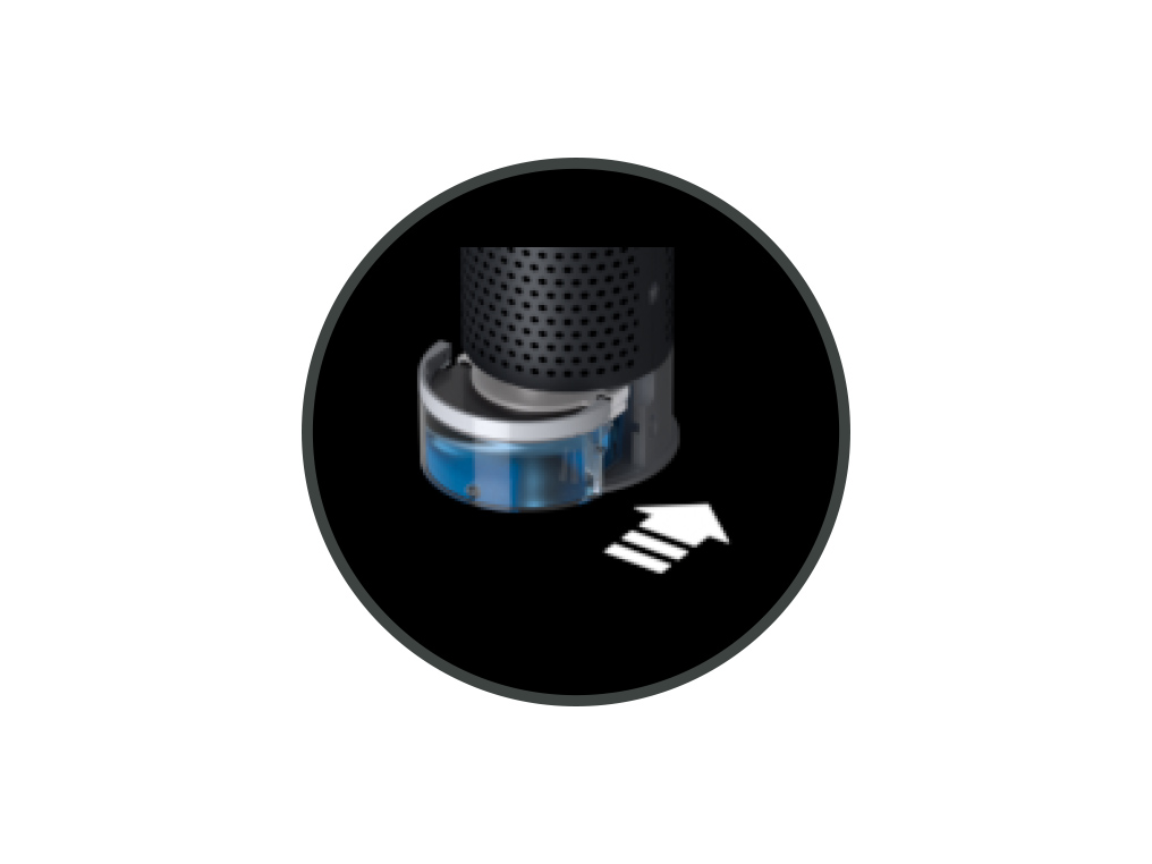
Water Tank And Filter Issues
The water tank must be filled correctly for the humidifier to work. An empty or improperly seated tank can cause the device to stop. Filters also affect performance. Dirty or clogged filters block water flow and reduce mist output. Regular cleaning or replacement of filters is essential for smooth operation.
Sensor Malfunctions
Sensors inside the humidifier help control moisture levels. Dust or dirt on sensors can cause false readings. This stops the machine from working properly. Sensor problems may also happen due to internal faults. Cleaning sensors gently or contacting support might be necessary to solve this issue.
Credit: www.reddit.com
Quick Troubleshooting Steps
When your Dyson humidifier stops working, quick checks can help. These simple steps often solve common issues fast. Save time before calling for repairs.
Resetting The Device
Turn off the humidifier and unplug it from the power source. Wait for 30 seconds. Plug it back in and turn it on. This can clear minor errors and restart the system.
Cleaning The Humidifier
Remove the water tank and empty any remaining water. Wipe the inside with a soft cloth. Use a mild solution to remove mineral buildup. Clean the base and filters gently. This helps maintain good airflow and performance.
Checking Water Levels
Ensure the water tank is filled to the required level. Low water can stop the humidifier from running. Use clean, fresh water for better results. Avoid using hard water to prevent damage.
Fixing Power And Electrical Problems
Power and electrical issues often stop a Dyson humidifier from working. These problems can be simple to fix at home. Start by checking the power supply and internal parts. This helps find the exact cause. Fixing these problems can get your humidifier running fast.
Inspecting The Power Cord And Outlet
Look closely at the power cord for any cuts or damage. A broken cord stops electricity flow. Try plugging the humidifier into a different outlet. Sometimes, the outlet itself has no power. Use a lamp or phone charger to test the outlet. If the new outlet works, the old one may be faulty.
Battery And Internal Fuse Checks
Some Dyson humidifiers have batteries or fuses inside. Check the user manual for exact locations. A blown fuse stops the machine from turning on. Replace the fuse with a similar type if needed. If the humidifier uses a battery, test it with a battery tester. Replace weak or dead batteries to restore power.
Dealing With Water And Filter Concerns
Dealing with water and filter issues is key to fixing a Dyson humidifier. Water quality and filter condition affect performance. Clean filters and good water help the humidifier work well. Neglecting these parts can cause problems like no mist or strange smells.
Understanding how to clean or replace filters and use proper water can save time and money. These steps keep the humidifier running smoothly and extend its life.
Replacing Or Cleaning Filters
Filters trap impurities from water. Over time, they get dirty and block airflow. This stops the humidifier from making mist. Cleaning the filter removes buildup. Use a soft brush or rinse with water.
If the filter looks worn or damaged, replace it. Using a new filter helps the machine work better. Check the manual for filter type and replacement schedule. Clean or change filters regularly to avoid breakdowns.
Ensuring Proper Water Quality
Water quality affects humidifier performance. Hard water leaves mineral deposits inside the machine. These deposits clog parts and reduce mist output. Use distilled or filtered water for best results.
Tap water with many minerals can cause white dust and damage. Fill the water tank with clean water only. Empty and refill the tank daily to prevent bacteria growth. Good water keeps the humidifier healthy and mist strong.
Resolving Sensor And Software Glitches
Sensor and software issues often cause Dyson humidifiers to stop working properly. These problems can affect the device’s ability to detect humidity or run correctly. Fixing these glitches helps restore normal function.
Sometimes, the sensors need recalibration to work accurately. Other times, outdated software causes errors. Both issues can be solved with simple steps.
Calibrating Sensors
Start by turning off the humidifier and unplugging it. Wait a few minutes to let the sensors reset. Then, clean the sensor area gently with a soft cloth. Avoid using water or harsh cleaners.
Plug the device back in and turn it on. The humidifier should now detect humidity levels correctly. If the problem continues, try repeating the process.
Updating Firmware
Check if the humidifier’s firmware is up to date. Visit Dyson’s official website or use the Dyson Link app for updates. Updating firmware fixes bugs and improves device performance.
Follow the instructions to download and install the latest software version. Keep the humidifier connected and do not turn it off during the update. After updating, restart the device to apply changes.
Credit: www.youtube.com
When To Seek Professional Help
Knowing when to seek professional help for your Dyson humidifier saves time and stress. Some problems need expert care to avoid damage. Trying to fix complex issues alone may void your warranty or cause harm. Watch for signs like unusual noises, no power, or persistent error messages. These usually require professional attention.
Warranty And Service Options
Check your humidifier’s warranty before attempting repairs. Dyson offers warranties that cover certain parts and repairs. Using authorized service helps keep your warranty valid. Repairs done outside authorized centers might not be covered. Keep your purchase receipt and warranty details handy for support.
Authorized Repair Centers
Authorized repair centers have trained technicians for Dyson products. They use genuine parts and follow proper repair steps. These centers ensure your humidifier works safely after service. Using authorized centers prevents further damage and extends product life. Contact Dyson support to find the nearest authorized center.
Preventive Tips To Avoid Future Problems
Preventing issues with your Dyson humidifier keeps it working well longer. Small habits help avoid many common problems. Simple care and correct use protect your device. Below are easy tips to keep your humidifier in good shape.
Regular Maintenance Routines
Clean your humidifier every few days. Use mild soap and water for cleaning. Remove mineral buildup from parts like the water tank. Check the filter and replace it on time. Dry all parts fully before reassembling. This stops mold and bacteria growth. Regular checks catch small problems early.
Proper Usage Practices
Fill the tank with clean, cold water only. Avoid using hard or mineral-rich water. Place the humidifier on a flat, stable surface. Keep it away from walls and electronics. Turn off the device when not in use. Follow the manufacturer’s instructions carefully. Use the humidifier as recommended for your room size.
Frequently Asked Questions
Why Is My Dyson Humidifier Not Turning On?
Check if the power cord is plugged in and the outlet works. Clean the water tank and filter.
How Do I Reset My Dyson Humidifier?
Turn the humidifier off, unplug it, wait 10 seconds, then plug it back and turn it on.
What Causes Dyson Humidifier Water To Stop Misting?
Low water level, dirty filter, or clogged mist outlet can block mist production. Clean and refill.
How Often Should I Clean My Dyson Humidifier?
Clean the water tank and filter every week to prevent dirt and mold build-up.
Can Hard Water Damage My Dyson Humidifier?
Yes, hard water can cause mineral buildup. Use distilled water to protect the device.
Conclusion
Dyson humidifiers can stop working for simple reasons. Check the water level and clean the filter regularly. Make sure the device is plugged in and turned on. Resetting the machine might fix small glitches. Small problems often cause big issues.
Taking quick action saves time and money. Keep your humidifier well maintained for best results. A working humidifier keeps your air fresh and healthy. Don’t ignore signs of trouble. Regular care helps your Dyson last longer. Easy fixes can bring it back to life.