
Is your Fellowes paper shredder suddenly not working when you need it most? It can be frustrating to face a jam or a machine that just won’t start, especially when you have important documents waiting to be shredded.
But don’t worry—you’re not alone, and this problem can often be fixed quickly. You’ll discover simple steps to get your Fellowes shredder back in action. Keep reading to save time, avoid costly repairs, and protect your sensitive information with ease.

Credit: www.ecinteractiveplus.com
Common Causes Of Malfunction
Fellowes paper shredders are popular for home and office use. Yet, they can stop working sometimes. Understanding common causes helps fix problems fast. This section explains key reasons why your shredder might malfunction.
Power Supply Issues
Power problems often cause shredders to stop. Check if the power cord is plugged in correctly. A loose connection can prevent the shredder from turning on. Also, test the outlet by plugging in another device. Blown fuses or tripped breakers might cut power. Ensure the shredder’s power switch is turned on. Sometimes, internal wiring faults cause power failure too.
Paper Jams
Paper jams are a frequent cause of shredders stopping. Too many sheets at once can block the blades. Feeding thick or folded paper might cause jams too. Remove stuck paper carefully to avoid blade damage. Regularly clean the shredder to prevent dust buildup. Avoid forcing the paper through to reduce jams. Follow the shredder’s capacity guidelines for best results.
Overheating Problems
Overheating shuts down shredders to protect the motor. Continuous use for long periods causes heat buildup. Let the shredder cool down after heavy use. Check the manual for recommended run times. Poor ventilation around the shredder adds to overheating. Keep the shredder in a cool, dry place. Overheating may also cause a reset of the machine.
Sensor Malfunctions
Sensors control many shredder functions. Dirt or paper dust can block sensor eyes. This blockage might stop the shredder from starting. Clean the sensor area gently with a soft cloth. Faulty sensors may need professional repair. Sensor issues often cause irregular stopping or no response. Regular maintenance reduces sensor problems significantly.
Basic Troubleshooting Steps
Basic troubleshooting steps can help you fix your Fellowes paper shredder fast. Many common problems have simple solutions. Try these easy checks before calling for help.
Check Power Connection
Make sure the shredder is plugged in securely. Check the power outlet by testing it with another device. Look for a power switch on the shredder and turn it on. A loose or faulty connection stops the shredder from working.
Clear Paper Jams Safely
Paper jams block the shredder blades. Turn off and unplug the shredder before clearing jams. Use tweezers or pliers to pull out stuck paper carefully. Avoid pushing paper deeper into the shredder to prevent damage.
Allow Cooling Time
Shredders can overheat if used for too long. Let the shredder cool down for 30 minutes or more. Overheating stops the shredder from running. Cooling protects the motor and extends its life.
Reset The Shredder
Resetting the shredder can clear error messages. Unplug the shredder and wait for 5 minutes. Plug it back in and turn it on. This simple step often restores normal function.
Advanced Fixes
Advanced fixes for a Fellowes paper shredder not working require careful attention. These steps go beyond basic troubleshooting. They help solve deeper mechanical or electronic issues. Follow each step slowly and safely to avoid damage or injury.
Lubricate The Blades
Shredder blades need regular lubrication to cut smoothly. Dry blades cause jams and slow down the shredder. Use shredder oil or lubricant sheets made for this purpose. Apply the oil along the blades and run the shredder in reverse for a few seconds. This helps spread the oil evenly and keeps blades sharp.
Inspect And Clean Sensors
Sensors detect paper and control shredder operation. Dust or debris on sensors can stop the shredder from working. Open the shredder and find the sensor areas. Gently clean them with a soft cloth or brush. Make sure no paper scraps block the sensors. Clean sensors improve shredder response and performance.
Test The Motor Function
The motor powers the shredder blades and rollers. A faulty motor can cause the shredder to stop working. Listen for unusual noises or no sound at all. Use a multimeter to check motor electrical connections. Replace the motor if tests show it is faulty. Testing the motor ensures your shredder runs reliably.
Preventive Maintenance Tips
Keeping your Fellowes paper shredder in good shape stops many problems. Small efforts help avoid big repairs. Follow simple steps to keep it running smoothly and last longer.
Regular Cleaning Routine
Dust and paper bits build up inside the shredder. Clean the blades and paper entry often. Use a soft brush or compressed air to remove debris. Wipe the outside with a dry cloth. This stops jams and keeps the shredder sharp.
Proper Paper Loading
Put only the allowed number of sheets in the shredder. Overloading causes jams and motor strain. Align the paper edges neatly before feeding. Avoid feeding sticky notes or thick materials. Correct loading keeps the shredder working without stops.
Avoid Overuse
Shredders need breaks after continuous use. Follow the recommended run time in the manual. Let the machine cool down before shredding more. Overuse can cause overheating and damage the motor. Rest periods extend the shredder’s life.
When To Seek Professional Help
Knowing when to seek professional help is important for fixing your Fellowes paper shredder. Some problems are simple and can be fixed at home. Others may need expert care. This section helps you decide when to call a professional.
Identifying Complex Issues
Some shredder problems look small but hide bigger issues. If your shredder jams often and won’t start, it may have a motor or electrical fault. Strange noises or burning smells need quick attention. These signs mean the machine needs a skilled technician. Trying to fix these issues yourself can cause more damage.
Warranty And Repair Options
Check if your shredder is still under warranty. Warranty covers many repairs for free or at low cost. Contact the manufacturer or retailer for repair options. Using authorized service centers keeps your warranty valid. Professionals can fix parts and keep your shredder working longer.
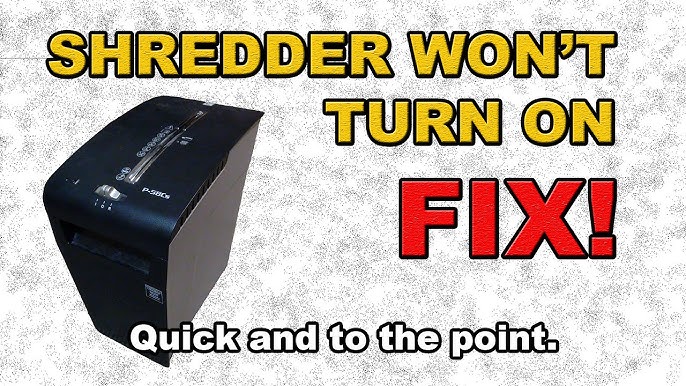
Credit: www.youtube.com

Credit: www.youtube.com
Frequently Asked Questions
Why Is My Fellowes Paper Shredder Not Turning On?
Check if the shredder is plugged in and the power switch is on. Also, ensure the safety lock is off.
How To Fix A Jammed Fellowes Paper Shredder?
Turn off and unplug the shredder. Remove stuck paper carefully using the reverse function or manually.
What Causes My Fellowes Shredder To Overheat?
Continuous use for too long causes overheating. Let the shredder cool down before using it again.
How To Reset A Fellowes Paper Shredder After A Jam?
Unplug the shredder, clear the jam, and press the reset button or switch it off and on.
Why Does My Fellowes Shredder Stop Shredding Midway?
Paper overload or a full bin can stop shredding. Empty the bin and avoid overfeeding paper.
Conclusion
Fixing a Fellowes paper shredder does not have to be hard. Check for jams or power issues first. Clean the blades carefully to avoid damage. Follow the user manual for safe steps. Small problems often have simple solutions. Regular maintenance keeps your shredder working well.
Taking quick action saves time and money. Keep your shredder ready for use anytime. Stay patient and work step-by-step. Your shredder can work like new again.