
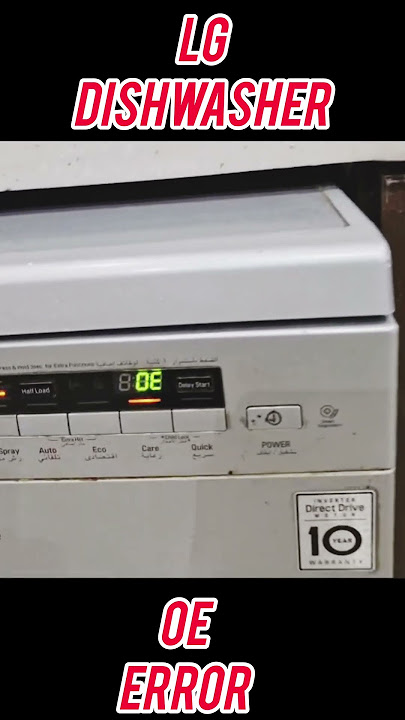
Is your LG dishwasher showing the error code OE and leaving you puzzled? You’re not alone.
This code often signals a drainage issue, which can disrupt your cleaning routine and cause frustration. But don’t worry—understanding what this error means and how to fix it can save you time and money. Keep reading to learn exactly what triggers the OE code and the simple steps you can take to get your dishwasher running smoothly again.
What Causes Oe Error Code
The LG dishwasher error code OE signals a drainage problem. It appears when water cannot drain properly. This error stops your dishwasher from finishing its cycle. Understanding the causes helps fix it quickly. Several common issues trigger this error code.
Clogged Drain Hose
The drain hose carries water out of the dishwasher. Dirt, food bits, and debris can clog the hose. This blockage stops water flow and causes the OE error. Cleaning the hose often clears the problem.
Blocked Filters
Filters catch food particles during washing. Over time, filters get blocked with grease and residue. A blocked filter prevents water from draining well. Regular cleaning keeps filters clear and avoids this error.
Faulty Drain Pump
The drain pump pushes water out through the hose. A broken or weak pump can’t drain water properly. This failure triggers the OE error code. Replacing the pump usually fixes the issue.
Kinked Or Damaged Drain Hose
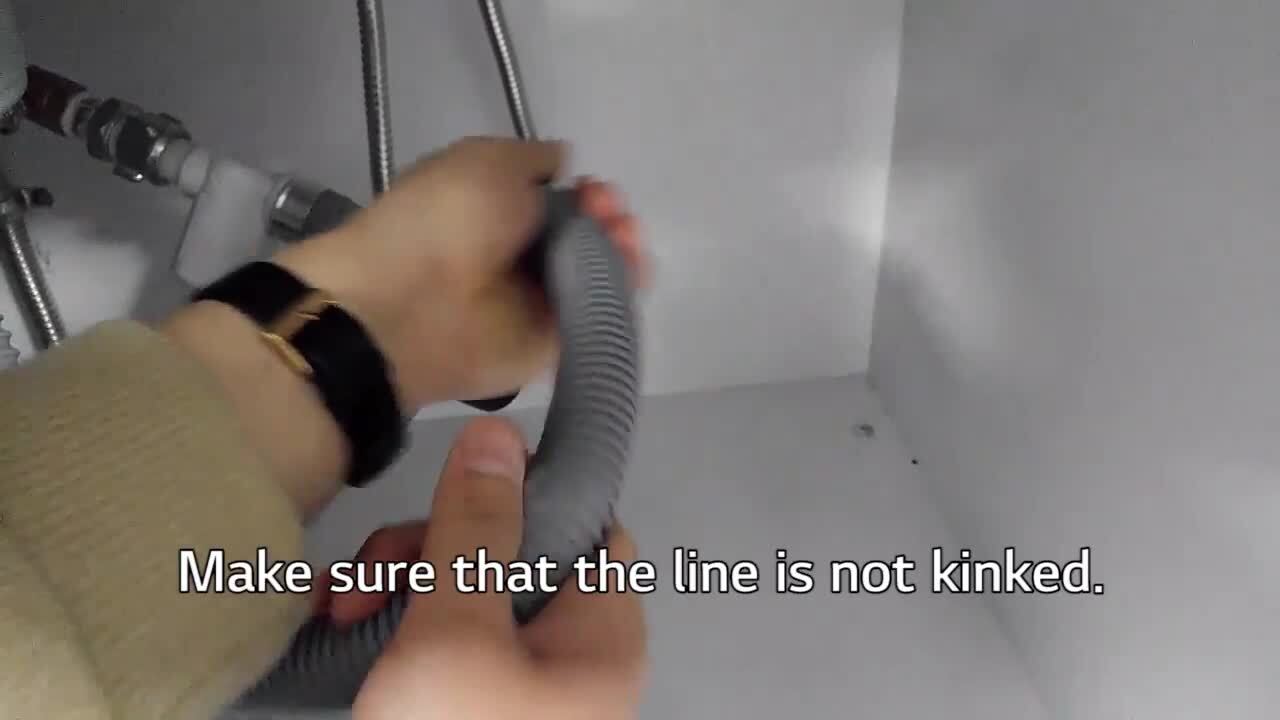
A bent or damaged hose restricts water flow. Kinks or tears stop water from draining. The dishwasher then shows the OE error. Straightening or replacing the hose solves this problem.
Credit: smartapplianceservices.com
How To Check The Drain Hose
Checking the drain hose is important when your LG dishwasher shows the error code OE. This code means water is not draining properly. The drain hose can get blocked or bent, causing water to stay inside. A quick check of the hose often fixes the problem.
Locating The Hose
First, find the drain hose. It is a flexible tube connected to the dishwasher’s bottom. The other end connects to the sink drain or garbage disposal. You may need to pull out the dishwasher carefully to see it. Make sure the dishwasher is off before you start.
Inspecting For Blockages
Look inside the hose for any dirt or food pieces. Use a flashlight to see better. If you find something blocking the hose, remove it gently. You can use a long brush or a thin wire to clear the clog. Clean the hose well to help water flow freely.
Straightening Kinks
Check the hose for any bends or twists. Kinks can stop water from draining. Smooth out any bends you find. Make sure the hose forms a gentle curve, not a sharp bend. This helps water move easily through the hose.
Cleaning The Dishwasher Filters
Cleaning the dishwasher filters is key to fixing the LG dishwasher error code OE. Filters catch food bits and stop them from clogging the drain. Dirty filters cause water to drain slowly or not at all. Regular cleaning keeps your dishwasher working well and prevents errors.
Removing Filters Safely
First, turn off the dishwasher and open the door fully. Look inside the bottom of the dishwasher for the filters. Twist the filter counterclockwise to unlock it. Pull the filter out gently. Avoid using force to stop damage.
Washing Filters Thoroughly
Rinse the filter under warm running water. Use a soft brush or sponge to scrub off stuck food. Avoid harsh cleaners or metal brushes. Clean all parts of the filter carefully. Make sure no debris stays inside.
Reinstalling Filters Correctly
Place the filter back in its slot. Turn it clockwise until it locks in place. Check if the filter fits snugly and does not move. Close the dishwasher door. Your LG dishwasher is now ready to run smoothly.
Credit: m.youtube.com
Testing The Drain Pump
Testing the drain pump is key to fixing the LG dishwasher error code OE. This error means the dishwasher cannot drain water properly. The drain pump moves water out of the dishwasher. Checking the pump helps find if it is working or broken. Follow these steps to test the drain pump carefully.
Accessing The Pump
First, unplug the dishwasher from the power source. Open the dishwasher door and remove the lower rack. Take out the bottom spray arm and filter. Find the pump cover at the bottom of the dishwasher. Unscrew the cover to see the drain pump. Be careful with sharp edges inside the dishwasher. Now the pump is ready for testing.
Listening For Pump Noise
Plug the dishwasher back in. Start a drain or rinse cycle. Listen closely near the pump area. The pump should make a humming or spinning sound. No sound means the pump may be stuck or dead. A loud noise might mean debris inside the pump. If the pump is silent or noisy, it needs more checking.
Replacing A Faulty Pump
Turn off and unplug the dishwasher again. Disconnect the wires attached to the pump. Remove the pump screws or clips holding it in place. Take out the old pump carefully. Install the new pump in the same position. Reconnect all wires and secure the pump. Put back the filter, spray arm, and rack. Test the dishwasher to confirm the fix.
Using Vinegar And Baking Soda For Cleaning
Cleaning your LG dishwasher with vinegar and baking soda is a safe and effective method. These natural ingredients help remove buildup and odors without harsh chemicals. They work well to fix the OE error code caused by drainage problems. This simple cleaning process keeps your dishwasher running smoothly.
Preparing The Cleaning Solution
Start by gathering white vinegar and baking soda. Use one cup of vinegar for the cleaning cycle. Measure half a cup of baking soda for later use. Make sure your dishwasher is empty before you begin. No dishes inside means better cleaning results.
Running A Cleaning Cycle
Pour the cup of vinegar into the bottom of the dishwasher. Run a hot water cycle without detergent. This helps break down grease and grime. After the cycle ends, sprinkle the baking soda evenly on the bottom. Run a short hot water cycle again. This step removes stains and freshens the dishwasher.
Benefits Of Natural Cleaners
Vinegar and baking soda are eco-friendly and non-toxic. They do not damage dishwasher parts or leave harmful residue. These cleaners fight odors and stop mold growth. Using natural cleaners saves money and reduces chemical use. Your dishwasher stays cleaner and lasts longer.
Resetting The Dishwasher After Fixes
After fixing the LG dishwasher error code OE, resetting the dishwasher helps clear the error. This step ensures the dishwasher returns to normal working condition. Resetting also resets the control board and refreshes the system. It helps confirm that your repairs solved the problem.
Follow these simple steps to reset your dishwasher safely and correctly. Resetting prevents the error code from showing again and prepares the dishwasher for a new cycle.
Power Cycling Steps
Start by turning off the dishwasher. Unplug it from the power source or switch off the circuit breaker. Wait for at least five minutes. This pause allows the internal computer to reset. After waiting, plug the dishwasher back in or switch the breaker on. Turn the dishwasher on and check if the error code is gone.
Running A Test Cycle
Run a short wash cycle without dishes. This test cycle checks if the dishwasher works properly. Watch for any error codes during the cycle. Listen to the pump and water flow sounds. A smooth cycle means the dishwasher is fixed. Stop the cycle if the error code appears again.
When To Seek Professional Help
Call a technician if the error code returns after resetting. Persistent errors may mean a deeper problem. Professionals can diagnose and fix complex issues safely. Avoid using the dishwasher if problems continue. A quick repair prevents costly damage later.
Preventing Future Drain Issues
Preventing future drain issues is key to keeping your LG dishwasher working well. Drain problems often cause error code OE. Taking simple steps can stop these problems before they start. Regular care and checks help your dishwasher drain water smoothly and avoid costly repairs.
Regular Maintenance Tips
Clean the dishwasher filter after each use. This stops food and dirt from blocking the drain. Run an empty cycle with dishwasher cleaner once a month. Check the spray arms for clogs and clean them if needed. Keep the dishwasher door seals clean and dry to prevent leaks.
Avoiding Large Food Particles
Scrape plates before loading them into the dishwasher. Large food bits can block the drain hose or filter. Avoid putting bones, seeds, or thick sauces in the dishwasher. Use the garbage disposal to clear leftovers before washing dishes. This reduces the chance of clogs and error code OE.
Checking Drain Hose Periodically
Look at the drain hose every few months for kinks or cracks. A bent hose can stop water from flowing out. Make sure the hose is connected tightly to the dishwasher and sink. Clean the hose with water or a soft brush if it looks dirty inside. A clear drain hose keeps water draining fast and prevents errors.
Credit: www.lg.com
Frequently Asked Questions
What Does Lg Dishwasher Error Code Oe Mean?
Error code OE means the dishwasher has a drainage problem. Water is not draining properly.
How To Fix Lg Dishwasher Error Code Oe Quickly?
Check and clean the drain hose and filter. Remove any blockages to fix the issue.
Can A Clogged Drain Cause Lg Dishwasher Error Oe?
Yes, a clogged drain hose or filter often causes error OE. Cleaning helps solve it.
Is Error Code Oe Harmful To The Dishwasher?
Error OE stops the dishwasher from working properly but does not cause damage.
When Should I Call A Technician For Lg Error Oe?
Call a technician if cleaning does not fix the OE error or water still won’t drain.
Conclusion
The LG dishwasher error code OE points to a drainage problem. Check the drain hose for clogs or kinks. Clear any blockages to help water flow freely. Clean the dishwasher filter regularly to avoid buildup. Fixing these simple issues often solves the error.
If the problem stays, a technician can help. Keeping your dishwasher clean helps it run well. Regular care prevents errors and saves time. Stay calm and follow these steps to fix the OE error. Your dishwasher will be working smoothly again soon.