
Have you ever glanced at your Midea AC and noticed an error code flashing on the display? It can be confusing and frustrating when your cooling system suddenly stops working as expected.
But don’t worry—understanding these error codes is the first step to fixing the problem quickly. You’ll discover what those mysterious codes mean and how you can troubleshoot them yourself. Keep reading, and you’ll save time, avoid costly repairs, and get your AC back to keeping you cool in no time.
Credit: www.bigcatbikes.com
Common Midea Ac Error Codes
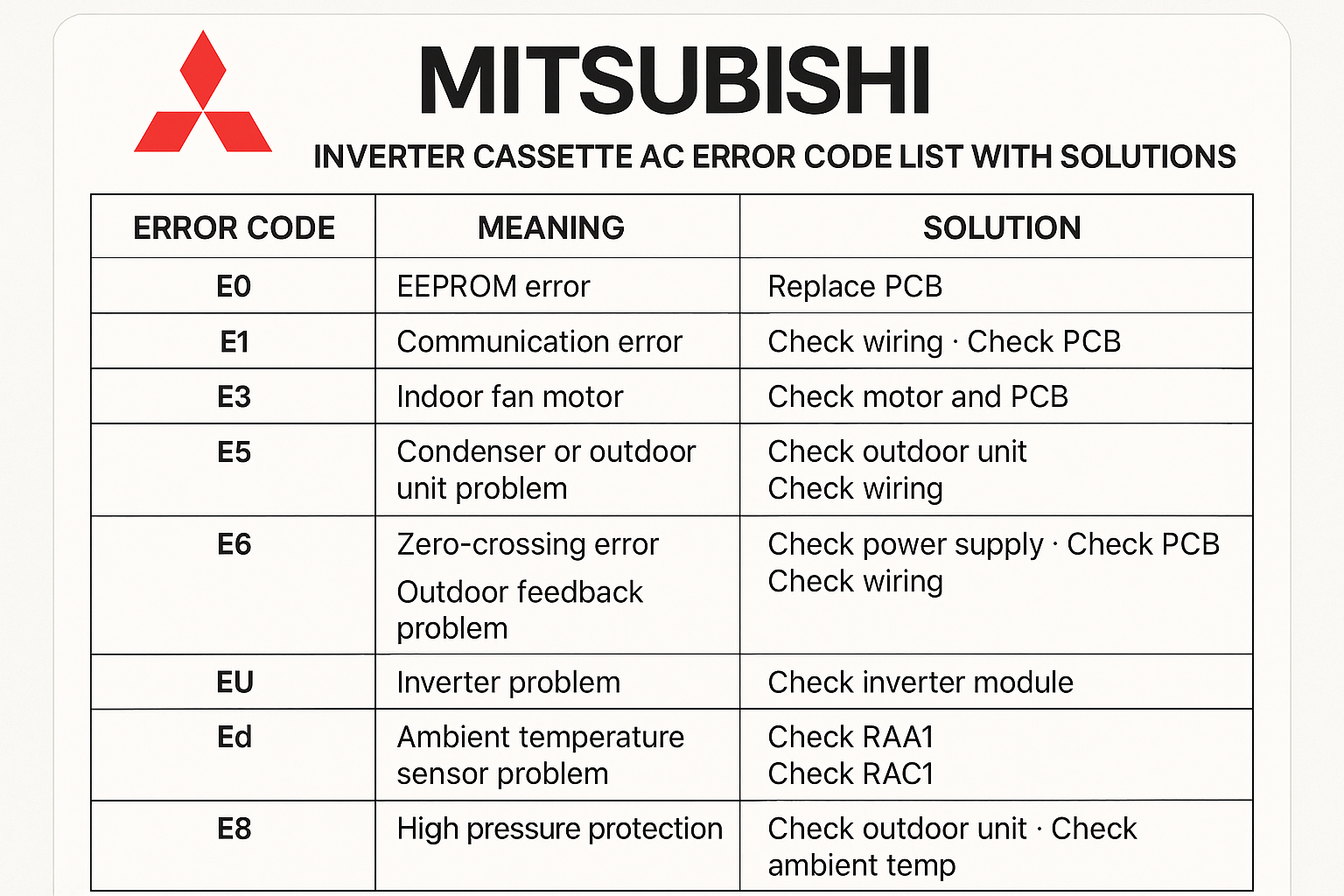
Midea air conditioners often display error codes to show specific problems. These codes help identify issues quickly. Knowing common Midea AC error codes saves time and money. It guides users on what to check or fix. Below are the most frequent Midea AC error codes and their meanings.
Error Code E1: Temperature Sensor Issue
This error means the temperature sensor inside the unit is faulty. The sensor may be broken or disconnected. The AC cannot read the room temperature properly. This causes poor cooling or heating performance. Checking or replacing the sensor usually fixes this issue.
Error Code E2: Indoor Fan Problem
Code E2 signals a problem with the indoor fan motor. The fan might not be spinning or is spinning slowly. This affects air circulation inside the room. Dust or debris can block the fan blades. Cleaning or repairing the fan motor solves this error.
Error Code E3: Outdoor Fan Malfunction
This code shows an issue with the outdoor fan motor. The fan may have stopped or runs irregularly. Poor outdoor fan function reduces the AC’s cooling ability. Checking the fan motor and cleaning the outdoor unit helps. Sometimes, motor replacement is necessary.
Error Code E4: Communication Fault
Error E4 means there is a communication problem between parts. The indoor and outdoor units cannot exchange signals. Loose wires or damaged control boards cause this error. Inspecting connections and repairing control boards are needed steps.
Error Code E5: Water Overflow Warning
This warning shows water has overflowed inside the unit. It often happens due to clogged drainage or pipe blockages. Water overflow can damage the AC and nearby areas. Clearing the drainage system or fixing leaks resolves this issue.
Error Code E6: High-pressure Protection
Code E6 indicates the refrigerant pressure is too high. High pressure can harm the compressor and other parts. Causes include dirty filters or blocked pipes. Cleaning filters and checking refrigerant levels can fix this problem.
Error Code E7: Low-pressure Protection
This error warns that refrigerant pressure is too low. Low pressure reduces cooling efficiency. Leaks or low refrigerant levels often cause this. Finding leaks and refilling refrigerant restores normal function.
Credit: www.uniqrepair.com
Quick Fixes For Sensor Errors
Sensor errors in Midea AC units often cause the system to stop working properly. These errors usually happen because of temperature sensor issues. Fixing these problems quickly can save time and money. Simple steps can solve many sensor-related errors without needing a technician.
Resetting The Temperature Sensor
Resetting the temperature sensor can clear minor faults. Turn off the AC and unplug it from the power source. Wait for about five minutes before plugging it back in. Turn on the AC and check if the error clears. This process helps the sensor recalibrate and work correctly.
Cleaning Sensor Components
Dust and dirt can cause sensor errors. Gently clean the sensor and its surroundings with a soft cloth. Avoid using water or cleaning liquids. Make sure the sensor is dry before restarting the AC. Clean sensors send accurate signals to the unit, reducing errors.
Replacing Faulty Sensors
Some sensor errors happen because the sensor is broken. If resetting and cleaning do not help, the sensor may need replacement. Contact a professional to get the correct sensor model. Installing a new sensor restores the AC’s proper function and stops error codes.
Resolving Fan-related Issues
Fan-related problems often cause Midea AC error codes. These issues affect cooling and airflow. Fixing fan problems quickly helps your AC run smoothly. Follow simple steps to check and repair fan components.
Checking Fan Motor And Blades
Start by inspecting the fan motor. Look for signs of wear or damage. Test if the motor spins freely without noise. Examine fan blades for cracks or bends. Damaged blades reduce airflow and cause noise. Replace any faulty parts before use.
Clearing Fan Obstructions
Remove any dust, dirt, or debris around the fan. Obstructions block airflow and strain the motor. Use a soft brush or cloth to clean blades and motor area. Make sure nothing blocks fan movement. Keep the space clear to improve performance.
Testing Fan Wiring Connections
Check all wiring linked to the fan motor. Loose or broken wires cause errors and stop the fan. Use a multimeter to test for electrical continuity. Secure all connectors tightly. Repair or replace damaged wires for safe operation.
Addressing Communication Faults
Communication faults in Midea AC units often cause error codes. These faults stop the indoor and outdoor units from talking properly. Fixing these faults is key to restoring smooth operation. The process is simple and can save time and money.
Inspecting Control Board Connections
Start by checking the control board connections. Loose or dirty wires cause communication errors. Turn off the power before inspecting. Look for disconnected or damaged cables. Clean any dirt or dust on the connectors. Secure all wires firmly to their ports.
Restarting The Ac Unit
Restart the AC unit to clear temporary faults. Turn off the power at the breaker. Wait for about five minutes. This pause resets the system. Turn the power back on and check if the error persists. Restarting often solves minor communication glitches.
Updating Firmware
Firmware controls the AC unit’s functions. Outdated firmware may cause communication issues. Check the Midea website or app for updates. Follow the instructions to download and install the latest firmware. Updated firmware improves stability and fixes bugs.
Handling Water Overflow And Pressure Errors
Handling water overflow and pressure errors in Midea AC units requires careful steps. These errors can cause the air conditioner to stop working properly. Fixing them quickly helps keep your AC running smoothly and prevents damage. Understanding how to manage these issues can save time and money.
Clearing Drain Pipes
Clogged drain pipes often cause water overflow in Midea ACs. Dirt and debris block the water flow. This causes water to back up inside the unit. Clear the drain pipes gently using a soft brush or a thin wire. Make sure water flows freely through the pipes. Regular cleaning prevents overflow problems.
Checking Refrigerant Levels
Low refrigerant levels can trigger pressure errors in your AC. The system needs the right amount of refrigerant to cool properly. Check the refrigerant gauge to see if levels are low. If needed, refill the refrigerant carefully. Avoid overfilling, as it can cause more damage. Proper refrigerant levels keep the pressure stable.
Inspecting Pressure Switches
Pressure switches monitor the AC’s internal pressure. Faulty switches can cause false error signals. Inspect the pressure switches for any signs of damage or wear. Test the switch with a multimeter to check for proper function. Replace broken switches to restore normal pressure readings. This step ensures the AC works safely.

Credit: device.report
Preventive Maintenance Tips
Preventive maintenance helps keep your Midea AC running smoothly. It reduces errors and extends the unit’s life. Simple steps can avoid many common problems. Regular care keeps your home comfortable and saves money on repairs.
Regular Cleaning Schedules
Clean the air filters every two weeks. Dust and dirt block airflow and cause errors. Wipe the outside and vents with a soft cloth. Keep the area around the AC free from debris. Clean coils once a year to improve cooling.
Timely Component Checks
Check the thermostat for proper settings. Inspect electrical connections for loose wires. Look for unusual noises or vibrations. Test the drain line to prevent water leaks. Replace worn-out parts before they cause failure.
Professional Servicing Benefits
Hire a certified technician yearly for a full checkup. Professionals spot hidden issues early. They clean parts deeply and refill refrigerant safely. Regular service ensures efficient performance and fewer breakdowns. It also keeps the warranty valid.
Frequently Asked Questions
What Do Common Midea Ac Error Codes Mean?
Midea AC error codes indicate specific problems like sensor faults, communication errors, or temperature issues.
How Can I Fix Midea Ac Error Code E1?
Error E1 usually means a sensor problem; check the temperature sensor connection or call a technician.
Why Does My Midea Ac Show Error Code E4?
Error E4 signals a water pump or drainage issue; clean the drain pipe or clear blockages.
Can I Reset Midea Ac Error Codes Myself?
Yes, turning off the AC for a few minutes often resets the error codes.
When Should I Call A Technician For Midea Ac Errors?
Call a technician if errors persist after resetting or if you see codes related to electrical faults.
Conclusion
Knowing Midea AC error codes helps you fix issues fast. Each code shows a specific problem to check. Understanding these signs keeps your AC running well. Simple steps often solve common errors easily. Save time and avoid extra repair costs.
Keep your home cool without stress. Always follow safety tips when handling your AC. Stay aware, act quickly, and enjoy comfort all year.