
Is your Compustar remote refusing to work right after your car battery died? You’re not alone, and it can be frustrating when your trusted remote won’t respond just when you need it most.
But don’t worry—this problem is more common than you think, and there are simple steps you can take to get your Compustar system back up and running. Keep reading, because understanding why this happens and how to fix it will save you time, stress, and money.
Let’s dive into what’s going on with your remote and how you can solve it quickly.

Credit: www.mobileedgeonline.com
Causes Of Compustar Failure
Compustar systems may stop working after a car battery dies. Several issues cause this failure. Identifying these causes helps to fix the problem faster. Here are the main reasons why Compustar might fail after a dead battery.
Battery Drain Impact
A dead battery can drain power from the Compustar system. Without enough power, the system cannot start or respond. Sometimes, the battery is too weak to send signals to the remote. This causes the system to stop working until the battery is fully charged or replaced.
Power Connection Issues
Power cables may loosen or disconnect during a battery change. Poor connections stop electricity from reaching the Compustar unit. Dirt or corrosion on terminals also blocks power flow. Checking and cleaning connections often restores function quickly.
Remote Synchronization Problems
The remote may lose sync with the Compustar after battery loss. This breaks communication between the remote and system. Re-syncing the remote to the unit is usually needed. Without syncing, the remote commands will not work properly.
Basic Troubleshooting Steps
Basic troubleshooting steps help fix Compustar problems after a dead battery. These steps are simple and quick to do. They can save time and avoid costly repairs. Follow the steps below to check common issues and bring your system back to life.
Check Battery Health
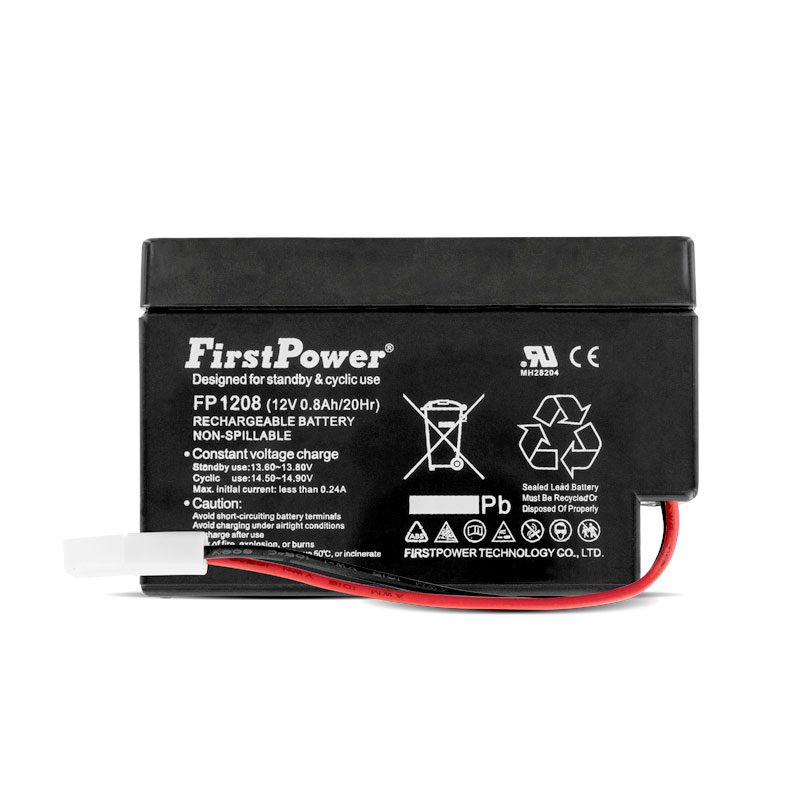
Start by checking your car battery’s health. A weak or dead battery can cause the Compustar not to work. Use a voltmeter to measure the battery voltage. A healthy battery should read around 12.6 volts when the car is off. If the voltage is below 12 volts, the battery needs charging or replacing. Also, check battery terminals for corrosion. Clean the terminals if they have buildup. Good battery health is key for Compustar to function properly.
Inspect Fuses And Wiring
Next, inspect the fuses related to the Compustar system. Look for blown or damaged fuses in the fuse box. Replace any faulty fuses with the same rating. Check wiring connections for any loose or broken wires. Pay attention to wires near the battery and ignition. Damaged wiring can stop the system from receiving power. Secure and repair any issues found. Proper electrical flow is necessary for the remote start to work.
Reset The System
Try resetting the Compustar system to clear errors. Disconnect the car battery for about 10 minutes. This step helps reset the system’s computer. After reconnecting, test the remote start again. Some models also have a manual reset button. Consult your user manual to find it. A reset can fix glitches caused by the dead battery and restore normal operation.
Remote Reprogramming Methods
Remote reprogramming methods help restore your Compustar remote after a dead battery. These steps reconnect the remote to your vehicle’s system. This process avoids the need for a new remote or professional help. Follow simple instructions to get your remote working again quickly.
Manual Sync Process
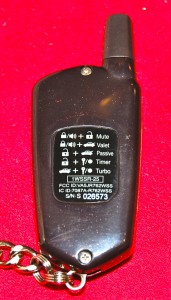
The manual sync process is a basic way to reprogram your remote. Start by turning your car’s ignition to the “On” position. Press and hold the remote’s lock and unlock buttons at the same time. Hold for about 15 seconds until the car’s locks cycle. This means the remote and the car are now synced.
Using The Valet Switch
The valet switch is a small button inside your vehicle. Press it three times quickly to enter programming mode. Then, press any button on the remote you want to reprogram. The car locks will cycle to confirm the remote is programmed. Turn off the ignition to finish the process.
Common Reprogramming Mistakes
Many users forget to keep the ignition on during syncing. Pressing the wrong buttons or timing them incorrectly can cause failure. Another mistake is using a dead or weak battery in the remote. Always check your remote’s battery before starting the reprogramming steps.
Advanced Fixes
Advanced fixes help restore your Compustar after a dead battery. These steps go beyond basic checks. They require some technical skills or tools. Follow the guide below carefully to improve your remote’s function.
Replacing The Compustar Battery
The battery inside your Compustar remote can wear out. Replace it with the exact battery type. Open the remote carefully using a small screwdriver. Remove the old battery and insert the new one. Make sure it fits snugly and closes properly. Test the remote after replacement to check if it works.
Updating Firmware
Firmware controls your Compustar’s functions. Outdated firmware can cause problems after a dead battery. Connect your remote or vehicle to a computer or smartphone app. Follow the instructions to download and install the latest firmware. This update can fix bugs and improve performance. Always keep your firmware up to date for smooth operation.
Consulting Professional Help
Some problems need expert attention. If your Compustar still does not work, visit a technician. Professionals have tools to diagnose and fix complex issues. They can also reprogram your remote if needed. Choose a certified Compustar service center for the best results. This step saves time and prevents further damage.
Preventive Tips
Preventing issues with your Compustar system after a dead battery saves time and stress. Small actions keep your system running well. Simple care avoids many common problems.
Maintaining Battery Health
Check your car battery often for weak spots. Clean battery terminals stop corrosion. Tighten loose connections to keep power steady. Replace your battery every few years to avoid failure. Cold weather can drain batteries faster. Keep an eye on battery voltage regularly.
Regular System Checks
Test your Compustar system monthly. Check remote controls for proper function. Inspect wiring for damage or wear. Update system firmware if updates are available. Early problem detection helps fix small issues. Keep your system manual handy for quick reference.
Avoiding Common Pitfalls
Do not ignore warning signs like slow start or weak remote signal. Avoid leaving lights on overnight, which drains the battery. Do not jump-start your car without proper steps. Avoid water or extreme heat near your system. Use the system as instructed to prevent errors.
Credit: www.mobileedgeonline.com
Credit: www.compustar.com
Frequently Asked Questions
Why Is My Compustar Not Working After A Dead Battery?
A dead battery can reset the Compustar system, causing it to stop working until reset or reprogrammed.
How Do I Reset My Compustar After Battery Failure?
Disconnect the car battery for a few minutes, then reconnect to reset the Compustar system.
Can A Dead Battery Damage My Compustar Remote?
Yes, a dead battery may affect the remote’s signal, requiring a battery replacement or reprogramming.
What Should I Check If Compustar Doesn’t Start Post Battery Drain?
Check the car battery, fuses, and Compustar wiring for any faults or loose connections.
How Long Does Compustar Take To Work After Battery Replacement?
Compustar usually works immediately after battery replacement but may need a few resets for full function.
Conclusion
A dead battery can cause Compustar to stop working suddenly. Checking the battery and connections is the first step. Sometimes, a simple reset fixes the problem fast. Make sure the battery is fully charged before trying again. If issues continue, a professional can help find the cause.
Keeping your battery healthy helps avoid future troubles. Don’t ignore small signs of battery wear or damage. Taking care of your car’s battery keeps your Compustar running smooth. Small efforts now save big headaches later.