
Are you frustrated because your Honeywell thermostat’s permanent hold feature isn’t working like it should? You rely on this setting to keep your home’s temperature steady without constant adjustments, but when it fails, it throws off your comfort and can even hike up your energy bills.
Don’t worry—this problem is more common than you think, and there are simple fixes you can try right now. Keep reading to discover why your Honeywell permanent hold might be acting up and how you can get it back on track quickly.
Common Causes Of Permanent Hold Failure
Many users face issues with Honeywell permanent hold not working. Understanding common causes helps fix the problem fast. This section covers main reasons why permanent hold might fail.
Power Supply Issues
Power supply problems can stop the thermostat from holding settings. Loose wires or power interruptions cause the device to reset. Check if the thermostat has steady power and all connections are tight.
Incorrect Programming
Incorrect thermostat programming often leads to permanent hold failure. Entering wrong settings or not saving changes properly breaks the hold. Verify the instructions and reprogram the thermostat carefully.
Battery Problems
Weak or dead batteries affect thermostat memory and functions. Low battery power can erase the hold settings or stop the device from working. Replace batteries with fresh ones to ensure reliable operation.
Firmware Glitches
Firmware glitches cause unexpected behavior in the thermostat. Bugs or outdated software can block permanent hold from activating. Check for firmware updates and apply them to fix such issues.

Credit: www.reddit.com
Quick Fixes To Try First
When the Honeywell Permanent Hold feature stops working, try quick fixes first. These simple steps often solve the problem fast. No tools needed, just a few minutes of your time. Start with easy checks before calling for help.
Resetting The Thermostat
Resetting the thermostat clears small errors. Press the reset button or turn off power for 30 seconds. Turn it back on and check if Permanent Hold works. This step refreshes the system and fixes minor glitches.
Replacing The Batteries
Low batteries can cause the thermostat to act up. Open the battery compartment and swap old batteries for new ones. Use fresh alkaline batteries for best results. This simple change often restores full function to the thermostat.
Reprogramming Permanent Hold
Sometimes the Permanent Hold setting needs reprogramming. Access the thermostat menu and find the hold option. Set your desired temperature and confirm the hold mode again. This resets the hold command and can fix timing errors.
Checking Power Connections
Loose or faulty power connections disrupt thermostat functions. Check wiring behind the thermostat for any loose wires. Ensure the thermostat is properly connected to the power source. Secure connections help the Permanent Hold feature work correctly.
Advanced Troubleshooting Steps
Advanced troubleshooting helps solve Honeywell Permanent Hold issues efficiently. This section guides through key steps to fix common problems. Follow these clear instructions to restore your thermostat’s performance.
Firmware Update Process
Check your thermostat’s firmware version first. Use the Honeywell app or device menu for this. Updating firmware fixes bugs and improves stability. Download the latest version from Honeywell’s official site. Connect your thermostat to Wi-Fi and start the update. Wait until the process finishes completely. Restart the device after updating. Confirm the Permanent Hold feature works properly.
Inspecting Wiring And Hvac System
Turn off power to your HVAC system before inspecting. Remove the thermostat cover carefully. Check all wiring connections for looseness or damage. Ensure wires match the correct terminals on the device. Look for signs of corrosion or wear. Examine your HVAC system components like the furnace or AC unit. Faulty wiring or hardware can disrupt Permanent Hold. Fix or replace any damaged parts found. Restore power and test the thermostat’s functions.
Factory Reset Procedures
Resetting your thermostat clears settings and resets software. This step solves persistent errors affecting Permanent Hold. Locate the reset option in the settings menu. Follow on-screen prompts to confirm the reset. The device will restart with factory defaults. Reconfigure your preferences after reset. Check if the Permanent Hold issue still exists. Use this method only if other steps fail.

Credit: www.reddit.com
Tips To Prevent Future Issues
Preventing issues with your Honeywell Permanent Hold feature saves time and stress. Following a few simple tips keeps the system working smoothly. Regular care and good habits make a big difference. Here are important steps to avoid future problems.
Regular Maintenance
Check your thermostat often. Clean the device gently to remove dust. Dust can block sensors and buttons. Replace old parts quickly to keep everything working well. Regular checks help spot small issues before they grow.
Using Compatible Batteries
Always use the right batteries for your Honeywell device. Cheap or wrong batteries may cause errors. Batteries with correct voltage keep settings stable. Change batteries before they run out. This prevents sudden power loss and feature failure.
Proper Programming Habits
Set your thermostat carefully and follow instructions. Avoid pressing buttons too fast or many times. Save your settings after each change. Don’t reset the device often without reason. Clear and steady programming helps the Permanent Hold work correctly.
When To Contact Honeywell Support
Knowing when to contact Honeywell support is important if your Permanent Hold feature stops working. Some problems need expert help. Recognizing these signs early saves time and stress.
Not all issues are simple fixes. Some require technical checks or repairs. Honeywell support can guide you through these steps. They provide advice and solutions based on your device’s condition.
Identifying Hardware Failures
Hardware problems often cause Permanent Hold to fail. Check for physical damage or unusual sounds. If buttons do not respond or the screen glitches, hardware might be the cause. Power issues or faulty wiring can also disrupt the function. Honeywell support can help confirm these issues. They may ask you to perform basic tests or send photos of the device.
Warranty And Repair Options
Honeywell products usually come with a warranty. This covers certain repairs and replacements. If your device is still under warranty, support will explain your options. They can arrange repair or replacement without extra cost. Out-of-warranty devices might have repair fees. Support will provide clear information on costs and timelines. Contacting Honeywell ensures your device gets proper care and keeps working well.
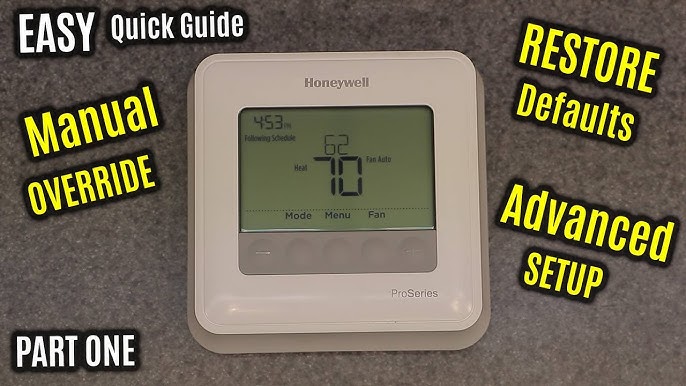
Credit: www.youtube.com
Frequently Asked Questions
Why Is Honeywell Permanent Hold Not Working Properly?
The Permanent Hold might fail due to incorrect settings or software glitches in the thermostat.
How Can I Fix The Permanent Hold Feature On Honeywell?
Try resetting the thermostat or updating its software to fix the Permanent Hold issue.
Does Battery Replacement Affect Honeywell Permanent Hold Function?
Low or dead batteries can cause the Permanent Hold to stop working correctly.
Can Wi-fi Connection Issues Cause Permanent Hold To Fail?
Yes, a weak Wi-Fi signal can disrupt the thermostat’s Permanent Hold settings.
Is Thermostat Calibration Related To Permanent Hold Problems?
Poor calibration may cause temperature errors, affecting the Permanent Hold’s performance.
Conclusion
Troubles with Honeywell Permanent Hold can be fixed with simple steps. Check your thermostat settings carefully. Reset the device if it does not respond. Clean the thermostat to remove dust or dirt. Replace the batteries when needed. Sometimes, a software update helps resolve issues.
If problems continue, contact Honeywell support for guidance. Staying patient and following these tips works best. Your thermostat can work smoothly again soon. Keep your home comfortable without stress or fuss.