
Is your GE dishwasher not starting when you need it the most? It’s frustrating, especially when you’re counting on it to save time and effort.
You might wonder why it suddenly won’t turn on or complete a cycle. The good news is, you’re not alone—and there are simple fixes you can try before calling a technician. You’ll discover easy steps to diagnose and solve the problem, so your dishwasher runs smoothly again.
Keep reading to take control and get your appliance working like new.
Common Reasons Dishwasher Won’t Start
Many users face trouble when their GE dishwasher does not start. Understanding common reasons helps fix the problem fast. This guide covers main causes and what to check first.
Power Supply Issues
Dishwashers need power to run. Check if the dishwasher is plugged in properly. Sometimes, the outlet may not work. Test the outlet with another device. A tripped circuit breaker can stop power flow. Reset the breaker if needed. Power issues are often the simplest to fix.
Door Latch Problems
The dishwasher door must close fully to start. A faulty door latch stops the dishwasher from running. Check if the latch clicks when closing the door. Dirt or debris can block the latch from locking. Clean the latch area carefully. Replace the latch if it looks broken or worn out.
Control Panel Malfunctions
The control panel manages dishwasher functions. If buttons or lights do not respond, the panel may have a problem. Moisture or damage can cause malfunctions. Try resetting the dishwasher by unplugging it for a few minutes. If it still does not work, the control board might need repair or replacement.

Credit: www.urners.com
Basic Troubleshooting Steps
When your GE dishwasher does not start, simple checks can help. Basic troubleshooting steps often solve the issue. These steps save time and avoid unnecessary repairs. Begin by examining the power source. Then, check the door latch. Finally, try resetting the control panel. These actions often restore your dishwasher’s function quickly.
Checking The Power Source
First, ensure the dishwasher is plugged in securely. Check the outlet by plugging in another device. Look for tripped circuit breakers or blown fuses in your home’s electrical panel. Sometimes power issues cause the dishwasher not to start. Confirm that power is reaching the appliance before moving on.
Inspecting The Door Latch
The dishwasher will not start if the door latch is not secure. Open the door and close it firmly until you hear a click. Examine the latch for visible damage or debris. Clean the latch gently if dirty. A properly closed door signals the dishwasher to begin its cycle.
Resetting The Control Panel
Resetting the control panel can clear minor errors. Press and hold the “Cancel” or “Reset” button for several seconds. Unplug the dishwasher for about five minutes to reset its electronics. Plug it back in and try to start the cycle again. This simple step often fixes control-related problems.
Quick Fixes For Power Problems
Power issues often cause a GE dishwasher not to start. Simple fixes can save time and money. These quick steps help find and solve common power problems fast.
Testing The Outlet
Check the outlet where the dishwasher plugs in. Use a small device or lamp to test if the outlet works. If nothing powers on, the outlet might be faulty. Try plugging the dishwasher into a different outlet to see if it starts.
Examining The Circuit Breaker
Look at your home’s circuit breaker panel. Find the breaker for the dishwasher. If it has tripped, switch it off and then back on. This reset can restore power. A breaker that keeps tripping may need professional repair.
Replacing Faulty Power Cords
Inspect the dishwasher’s power cord for damage. Cuts, frays, or burns can stop power flow. If damaged, replace the power cord with a new one. Use the correct cord type to avoid safety risks.

Credit: www.youtube.com
Resolving Door Latch Issues
One common reason a GE dishwasher does not start is a door latch problem. The dishwasher needs the door to be securely closed and latched. This safety feature stops the machine from running with the door open.
Fixing door latch issues can bring your dishwasher back to life. There are simple steps to check and fix the latch yourself. These include cleaning, realigning, or replacing the latch.
Cleaning The Latch Mechanism
Dirt and grime can block the latch from closing properly. Use a soft cloth and mild soap to clean around the latch. Make sure to remove food bits and sticky residue. Dry the latch completely before closing the door again.
Realigning The Door
The door might not line up with the latch correctly. Check if the door sits evenly on the dishwasher frame. Gently push or lift the door to see if it clicks into place. Adjust the hinges if needed to improve alignment.
Replacing The Door Latch
A broken latch will stop the dishwasher from starting. Buy a new latch that fits your GE model. Unplug the dishwasher and open the door. Remove the screws holding the old latch and install the new one. Test the door to ensure it locks tightly.
Dealing With Control Panel Errors
Control panel errors can stop your GE dishwasher from starting. These errors may show as blinking lights or an unresponsive panel. They often mean the dishwasher’s control board has a glitch or a minor electrical issue. Fixing these errors can get your dishwasher working again quickly.
Resetting The Dishwasher
Resetting the dishwasher can clear many control panel errors. First, unplug the dishwasher or turn off power at the breaker. Wait for about one minute. Plug it back in or turn on the power. This reset can refresh the control board and fix simple errors. Try to start the dishwasher after the reset.
Updating Firmware If Applicable
Some newer GE dishwashers have firmware that controls the panel. Firmware updates can fix bugs and improve performance. Check your model’s manual to see if updates are possible. Visit the GE website for instructions on downloading updates. Updating firmware can solve control panel issues that resets do not fix.
When To Call A Technician
Call a technician if errors continue after reset and updates. Persistent control panel problems may need professional repair. Avoid opening the control panel yourself. A technician has tools and knowledge to fix or replace parts safely. Early repair can prevent more damage and save money.
Preventive Tips To Avoid Startup Problems
Preventing startup problems with your GE dishwasher saves time and stress. Simple care steps keep the machine running smoothly. Small habits make a big difference in avoiding issues.
Regular Maintenance Routine
Clean the filter every few weeks. This stops clogs that block water flow. Wipe door seals with a damp cloth to remove dirt. Check spray arms for debris that may stop rotation. Run a cleaning cycle with dishwasher cleaner monthly.
Proper Loading Techniques
Place dishes so water reaches all surfaces. Avoid blocking spray arms with large items. Load plates and bowls facing the center. Keep utensils in the basket with handles down. Proper loading helps the dishwasher start and clean well.
Avoiding Overloading Detergents
Use only the detergent amount recommended on the package. Too much soap can cause excess suds and stop the cycle. Choose detergents made for dishwashers. Store detergent in a dry place to keep it fresh.
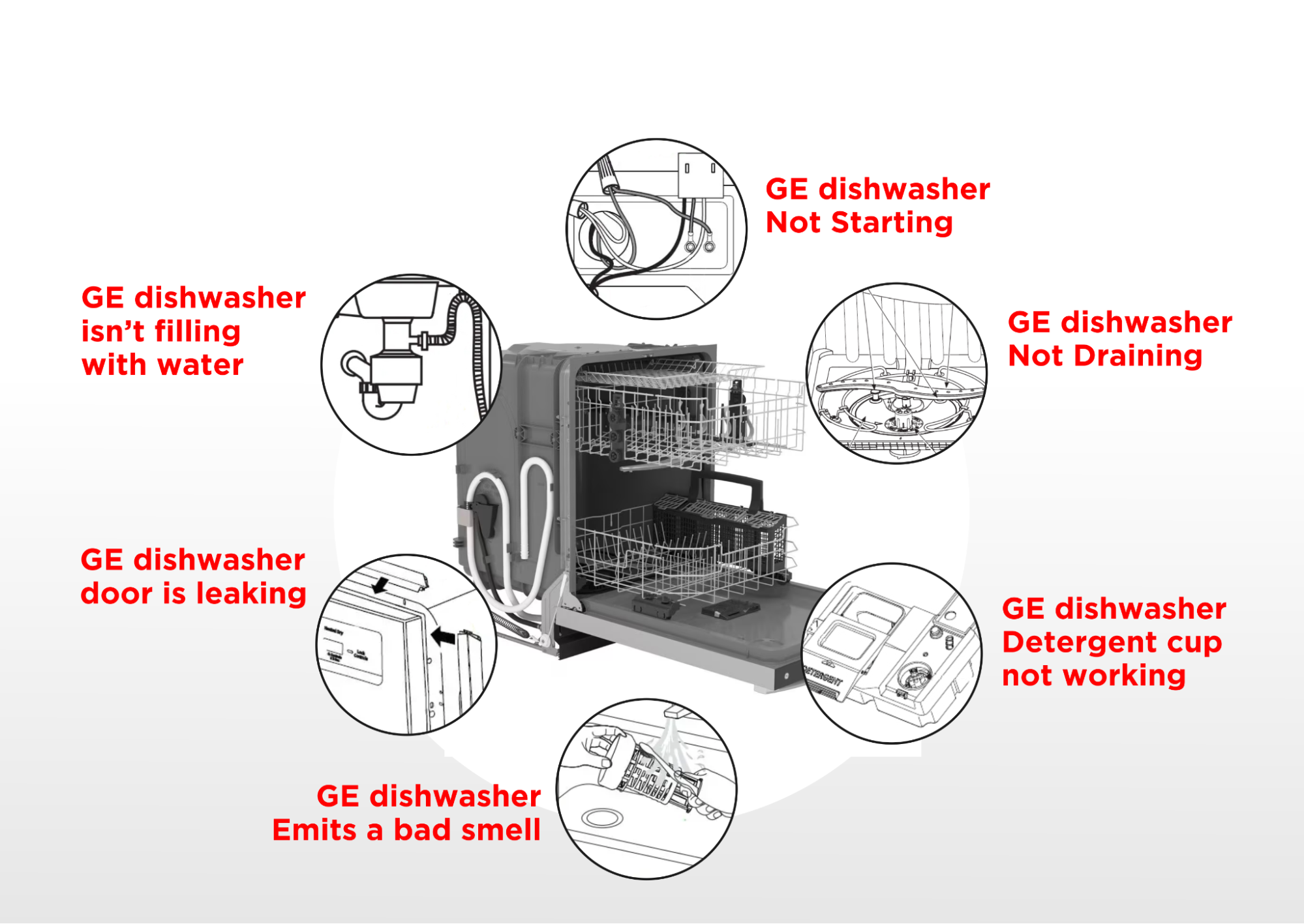
Credit: appliance-medic.com
Frequently Asked Questions
Why Is My Ge Dishwasher Not Starting At All?
Power issues, door latch problems, or faulty control boards often cause this problem.
How Can I Reset My Ge Dishwasher To Fix Start Issues?
Press and hold the Start button for 3 seconds to reset the dishwasher.
Could A Faulty Door Latch Stop My Ge Dishwasher From Starting?
Yes, the dishwasher won’t start if the door latch is broken or not secure.
What Role Does The Control Panel Play In Starting The Dishwasher?
A damaged control panel may prevent the dishwasher from receiving start signals.
Can Power Supply Problems Cause A Ge Dishwasher Not To Start?
Yes, check the outlet, circuit breaker, and power cord for proper power flow.
Conclusion
A GE dishwasher not starting can feel frustrating and confusing. Check power connections and door latch first. Sometimes, a simple reset solves the issue quickly. Keep the filters and spray arms clean for best results. Don’t ignore error codes on the display; they guide you to the problem.
Regular care helps your dishwasher work smoothly. When problems persist, call a qualified technician for help. Small steps can save time and money. Stay patient and follow these tips to get your dishwasher running again.