
Are you struggling with Kohler Oncue connection problems? It’s frustrating when your system won’t connect, leaving you unsure if your equipment is working properly.
You rely on Kohler Oncue to keep things running smoothly, and when it fails, it can disrupt your peace of mind. You’ll discover why these connection issues happen and, more importantly, how you can fix them quickly. Keep reading to regain control and get your Kohler Oncue back online without hassle.
Common Oncue Connection Issues
Many users face connection problems with the Kohler Oncue system. These issues can stop your generator from working smoothly. Understanding common connection problems helps to fix them quickly. Below are the main types of connection issues you might see.
Signal Loss And Interference
Signal loss happens when the Oncue controller cannot communicate with the generator. This can occur due to weak signals or physical obstacles. Thick walls, metal objects, and long distances reduce signal strength. Wireless interference from other devices also disrupts communication. Keep the controller and generator close. Avoid placing them near heavy electronics or metal barriers.
Power Supply Challenges
Power supply problems cause the Oncue system to lose connection. Faulty wiring or low battery power affects the controller’s function. Power surges or outages can also interrupt the connection. Regularly check the power source and battery health. Secure all wiring connections to avoid loose contacts. A stable power supply keeps the system running without issues.
Network Configuration Errors
Incorrect network settings can prevent the Oncue controller from linking properly. Wrong IP addresses or subnet masks block communication. Network firewalls might also stop the connection. Verify the network details match the generator’s requirements. Disable unnecessary firewalls or allow the Oncue system through. Correct network setup ensures reliable connection every time.
Basic Troubleshooting Steps
Basic troubleshooting helps fix common connection problems with Kohler Oncue. It saves time and avoids unnecessary service calls. Start with simple checks before trying complex fixes.
Restarting Your System
Turn off your Kohler Oncue system. Wait for 30 seconds. Turn it back on. Restarting clears temporary glitches. It often restores the connection quickly.
Checking Power And Cables
Ensure the system is plugged in properly. Check all cables for damage or loose connections. Secure any loose wires. Power issues and bad cables often cause connection failures.
Verifying Network Settings
Confirm your device is connected to the correct Wi-Fi network. Check the network password for accuracy. Restart your router if needed. Verify IP settings to match your network. Proper network setup is key for a stable connection.
Advanced Fixes For Connectivity
Advanced fixes for Kohler Oncue connection problems help solve tough issues. Basic steps may not always work. These fixes target deeper technical problems. They improve device communication with your network. Follow these clear steps to regain strong, stable connectivity.
Resetting The Oncue Module
Resetting the Oncue module clears temporary faults. This step refreshes the device’s internal system. Find the reset button on the module. Hold it down for about 10 seconds. Wait for the device to restart fully. This process often resolves hidden glitches. Check if the connection improves after reset.
Firmware Updates
Firmware updates fix bugs and boost performance. Kohler releases updates to keep devices running smoothly. Access the Oncue app or website to check for updates. Download and install the latest firmware version. Keep your device connected during this process. Updated firmware enhances security and connection stability.
Adjusting Router Settings
Router settings affect Oncue’s ability to connect. Access your router’s admin panel through a browser. Change Wi-Fi channels to avoid interference. Enable 2.4 GHz band if your device needs it. Check firewall and security settings for blockages. Restart the router after making changes. These tweaks often improve signal strength and consistency.
Credit: www.powerequipmentforum.com
Preventing Future Connection Problems
Preventing connection problems with your Kohler Oncue system saves time and stress. Good care and smart setup keep your system running smooth. Simple steps stop issues before they start. Follow these tips to keep your connection strong and steady.
Regular Maintenance Tips
Check your Kohler Oncue system often. Look for dirt, dust, or damage. Clean the equipment gently to avoid problems. Replace worn parts quickly to keep connections stable. Regular updates improve performance and fix bugs. Set a schedule to do these checks monthly.
Optimal Placement Of Equipment
Place your Kohler Oncue device where signals reach easily. Avoid walls, metal objects, or other electronics nearby. Keep it in a dry, cool spot to prevent damage. Good placement means fewer dropped connections and better response. Test different locations to find the best spot.
Monitoring System Alerts
Pay close attention to alerts from your system. They warn you about connection issues early. Act on alerts right away to fix small problems fast. Use the app or control panel to track alerts. Staying alert helps avoid bigger connection failures later.
When To Contact Support
Knowing when to contact Kohler Oncue support is important. Some issues fix quickly with simple steps. Others need expert help. Acting at the right time saves effort and avoids bigger problems.
Watch for signs that your connection problems do not go away. These signs show that professional help is needed. Early contact with support can restore your system faster.
Identifying Persistent Issues
Notice if problems happen often or last long. Frequent disconnections or errors mean trouble. Restarting the device many times without success is a red flag. Slow response or failure to connect after several tries also counts. These issues need expert attention to fix properly.
Preparing Information For Technicians
Gather details before calling support. Write down error messages exactly as they appear. Note when the problem started and how often it happens. Include any steps you tried to fix it. Share your device model and software version. Clear information helps technicians diagnose and solve issues faster.
Credit: www.kohler.com
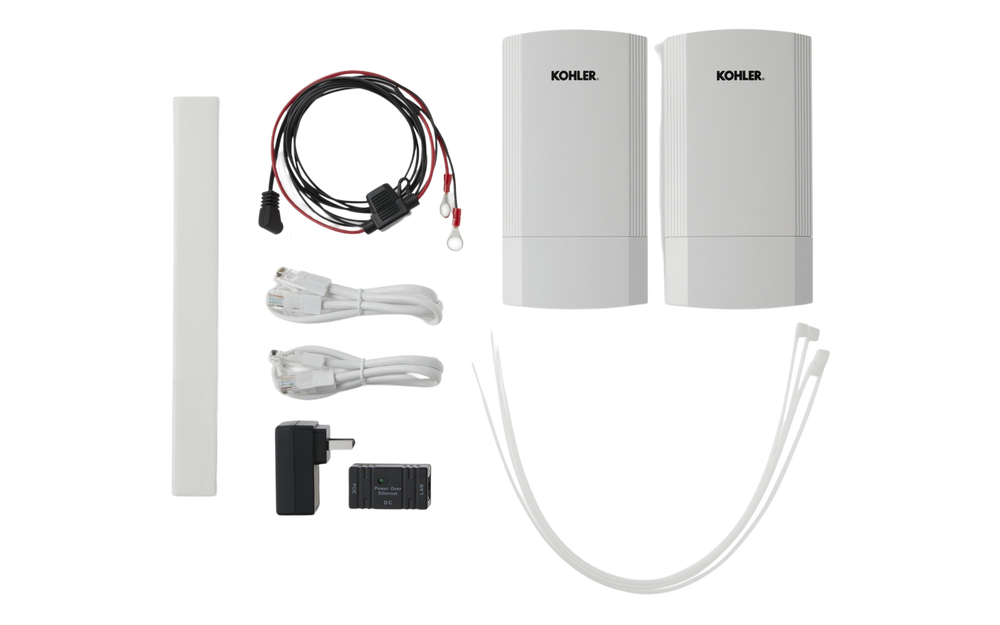
Credit: factorypure.com
Frequently Asked Questions
What Causes Kohler Oncue Connection Problems?
Connection issues often come from weak Wi-Fi, router problems, or device settings.
How Can I Fix Kohler Oncue Wi-fi Issues?
Restart your router, check Wi-Fi signals, and reset the Oncue device.
Why Does My Kohler Oncue Lose Connection Frequently?
Interference, distance from router, or outdated firmware can cause frequent disconnects.
Can A Firmware Update Solve Oncue Connection Errors?
Yes, updating firmware often fixes bugs and improves connection stability.
How Do I Check If Kohler Oncue Is Connected Properly?
Use the Oncue app or control panel to confirm the device shows online status.
Conclusion
Kohler Oncue connection problems can disrupt your experience. Troubleshooting step-by-step often solves most issues quickly. Keep your device updated to avoid common glitches. Check your internet and power sources regularly. Contact support if problems continue beyond simple fixes. Staying patient helps you handle the situation calmly.
Small efforts bring smooth, reliable connections back. Don’t let connection troubles stop your work or comfort. Simple checks and quick actions keep your system running well.