
Is your Cadillac CUE system acting up and the reset just won’t work? You’re not alone, and it can be incredibly frustrating when your car’s touchscreen doesn’t respond as it should.
You rely on your CUE system every day for navigation, music, and connectivity, so when it malfunctions, it can disrupt your entire driving experience. But don’t worry—this article will help you understand why your Cadillac CUE reset might not be working and what you can do to fix it quickly.
Keep reading to get your system back on track and enjoy a smooth ride once again.
Common Reasons Cue Reset Fails
Resetting the Cadillac CUE system can sometimes fail. Understanding why helps fix the problem faster. Common reasons include software glitches, hardware issues, and power supply problems. Each affects the reset process differently.
Software Glitches
Software bugs often cause reset failures. The system may freeze or crash. Updates might be incomplete or corrupted. These glitches stop the reset from finishing properly. Restarting the system or updating the software can help.
Hardware Issues
Faulty hardware can block the reset process. Problems with the touchscreen or control module are common. Damaged connectors or worn-out parts cause errors. Hardware faults need professional checks and repairs.
Power Supply Problems
Unstable power affects CUE reset. Low battery or loose connections disrupt the system. Power drops can interrupt the reset cycle. Ensuring steady power flow is key to success.

Credit: www.youtube.com
Basic Troubleshooting Steps
Troubles with Cadillac CUE not resetting can frustrate any driver. Basic troubleshooting steps often fix common problems quickly. These steps help identify simple issues before seeking professional help.
Start with easy checks. Clear minor glitches or update the system to improve performance. Also, inspect hardware like fuses and wiring. These actions often restore normal function without complex repairs.
Performing A Soft Reset
A soft reset clears temporary errors in the Cadillac CUE system. Press and hold the power button on the CUE screen for about 10 seconds. The screen will go dark and then restart. This reset does not erase any data or settings.
Try this first. It often fixes freezing or slow response issues. Repeat if necessary before moving to other steps.
Checking For System Updates
System updates fix bugs and improve CUE features. Check the settings menu for available updates. Connect your vehicle to Wi-Fi or use a USB drive with the update file from Cadillac’s website.
Follow prompts to install updates carefully. Updates can fix reset issues caused by outdated software. Keep your system current to avoid problems.
Inspecting Fuse And Wiring
Faulty fuses or loose wiring can stop the CUE from resetting. Locate the fuse box and check the fuse related to the infotainment system. Replace any blown fuses with the correct type.
Look for loose or damaged wiring connections behind the dashboard. Secure or repair wiring as needed. Electrical issues often prevent proper system resets.
Advanced Fixes For Cue Reset
Advanced fixes for a Cadillac CUE reset can solve stubborn problems. Basic resets may not work for some issues. These fixes involve deeper steps to restore the system. They require care but often bring better results. Follow the instructions carefully to avoid new problems.
Hard Reset Procedure
A hard reset clears all temporary data in the CUE system. Start by turning off the vehicle completely. Press and hold the volume and power buttons together. Keep holding for about 10 seconds. The screen will go black and then restart. This method resets the system without erasing user data. It often fixes minor glitches and freezes.
Resetting Through Diagnostic Tools
Diagnostic tools connect directly to your vehicle’s computer. Mechanics use these tools to find and fix errors. You can buy or rent a compatible OBD2 scanner. Plug it into the car’s port under the dashboard. Use the scanner to access CUE system settings. Choose the option to reset or clear error codes. This method can solve deeper software issues.
Reinstalling Cue Software
Reinstalling the CUE software replaces damaged files. Visit the official Cadillac website for the latest software. Download the update to a USB drive. Insert the USB into your vehicle’s port. Follow the on-screen instructions to install the update. This process can take several minutes. It often fixes problems caused by corrupted software.
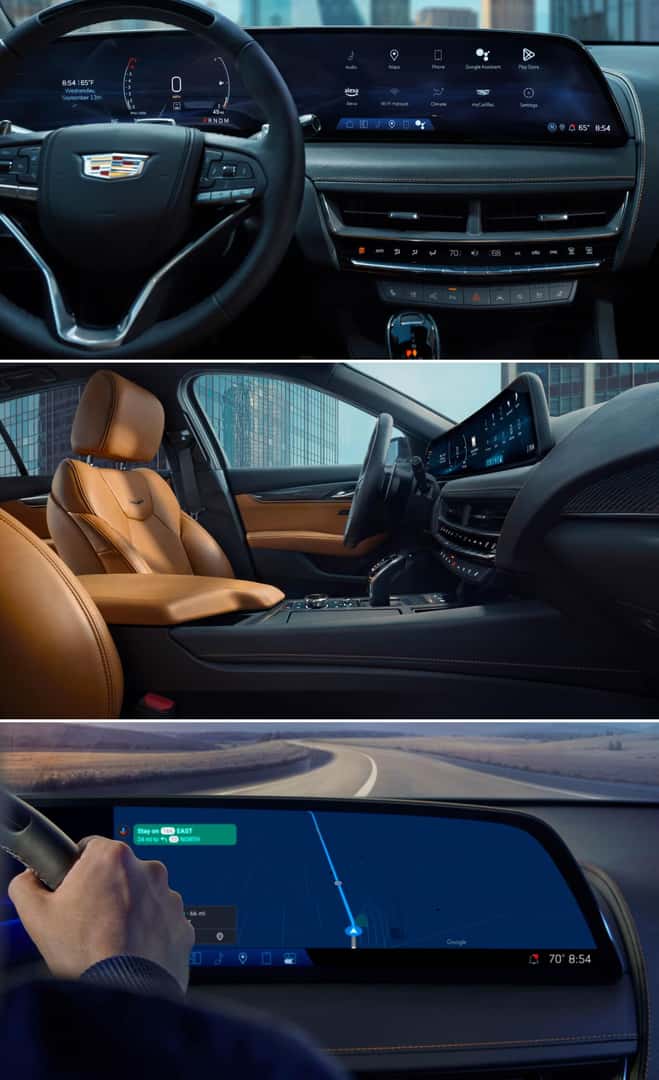
Credit: www.quantrellcadillac.com
Preventing Future Cue Issues
Preventing future issues with your Cadillac CUE system helps keep your driving experience smooth. Taking care of the system avoids frequent resets and errors. Simple steps can extend the life of your CUE and reduce frustration.
Regular System Maintenance
Check your Cadillac CUE system regularly. Clean the screen gently to avoid damage. Keep the system free from dust and dirt. Restart the system occasionally to clear minor glitches. Regular checks help spot small problems early.
Safe Software Update Practices
Update your CUE software only through official sources. Avoid interrupting the update process once it starts. Use a stable power supply to prevent shutdowns during updates. Proper updates keep your system running smoothly and fix bugs.
When To Seek Professional Help
Contact a professional if resets do not fix the problem. Persistent errors may need expert diagnosis. Certified technicians have tools to fix complex issues. Early professional help prevents bigger, costly repairs.

Credit: www.youtube.com
Frequently Asked Questions
Why Is My Cadillac Cue Reset Not Working?
The reset may fail due to software glitches or low battery power. Check the battery and try again.
How Can I Fix A Cadillac Cue System Freeze?
Try holding the volume and home buttons together for 10 seconds to reboot the system.
What Causes Cadillac Cue To Stop Responding?
Software bugs or outdated firmware often cause the system to freeze or stop working.
Can A Battery Disconnect Help With Cadillac Cue Reset?
Yes, disconnecting the battery for a few minutes can reset the system and clear errors.
When Should I Visit A Dealer For Cadillac Cue Issues?
If resets and reboots don’t work, visit a dealer to check for hardware or software problems.
Conclusion
Cadillac Cue reset issues can be frustrating to fix. Trying simple steps first saves time and stress. Checking the system updates often helps solve problems. Sometimes, a professional’s help is the best choice. Keep your software current to avoid future trouble.
Stay patient and follow the guide carefully. Your Cadillac Cue will work properly again soon. Small fixes can make a big difference. Don’t give up; solutions are usually nearby.