
Is your Samsung dishwasher not draining properly? This problem can be frustrating and messy, leaving you with standing water and dirty dishes.
You rely on your dishwasher to save time and effort, so when it stops working right, it disrupts your routine. But don’t worry—understanding why your dishwasher isn’t draining can help you fix it quickly. You’ll discover simple steps to identify the issue and get your dishwasher back to perfect working order.
Keep reading to find the easy solutions that will save you time and stress.
Common Drainage Issues
Samsung dishwashers sometimes face drainage problems. These issues stop water from leaving the machine. This causes dishes to stay wet and dirty. Understanding common drainage problems helps fix them faster.
Clogged Filters And Drains
Filters catch food and debris during washing. Over time, they get blocked by leftover particles. Blocked filters stop water from flowing out. Clean filters regularly to keep water draining well. Check the drain area for any buildup too.
Blocked Drain Hose
The drain hose carries water out of the dishwasher. It can get bent or clogged with dirt. A blocked hose slows or stops water drainage. Inspect the hose for kinks or blockages. Clear any debris to restore proper flow.
Faulty Drain Pump
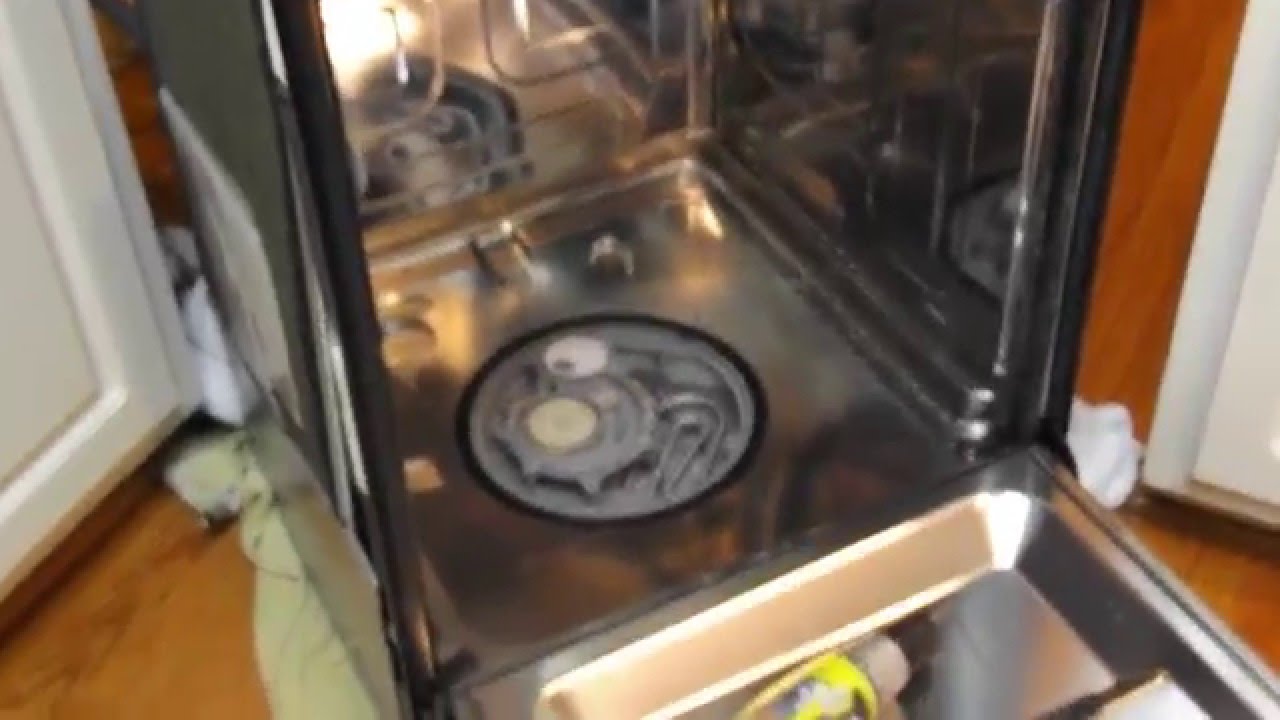
The drain pump pushes water through the hose. If the pump breaks, water can’t drain properly. Signs of a bad pump include strange noises or no drainage. Test the pump and replace it if needed to fix the issue.
Credit: www.youtube.com
Quick Troubleshooting Steps
When a Samsung dishwasher does not drain, quick checks can help solve the problem. These simple steps save time and often fix the issue without a call to a technician. Follow these easy actions to find and fix common drainage problems fast.
Check And Clean Filters
Start by opening the dishwasher door and removing the bottom rack. Locate the filter at the bottom of the tub. Remove the filter carefully and rinse it under running water. Clear away any food particles or debris stuck inside. A clogged filter stops water from draining properly. After cleaning, place the filter back securely before running the dishwasher again.
Inspect And Clear Drain Hose
Next, check the drain hose connected to the dishwasher’s back. This hose can get bent or clogged with food scraps. Disconnect it from the sink drain or garbage disposal. Use a long brush or a flexible wire to clear any blockages inside. Make sure the hose is not kinked or twisted when reattaching it. Proper water flow through this hose is key to draining well.
Test The Drain Pump
The drain pump pushes water out during the cycle. Listen closely for unusual sounds during draining. If the pump is silent or noisy, it may be faulty. To test, remove the dishwasher’s access panel and find the pump. Check for debris blocking the pump impeller. You can also use a multimeter to test electrical continuity. Replace the pump if it does not work correctly to restore drainage.
Diy Fixes For Drain Problems
Samsung dishwashers not draining can cause standing water and bad smells. Many drain problems are easy to fix. You can try some simple steps at home before calling a repair service.
These DIY fixes save time and money. They help your dishwasher drain water properly again. Follow these clear steps to fix common drain issues safely and quickly.
Unclogging The Drain Hose
The drain hose can get clogged with food or debris. First, unplug the dishwasher for safety. Locate the hose under the sink or behind the dishwasher. Disconnect it carefully and check for blockages. Use a long brush or a thin wire to clear the hose. Rinse it with water to remove any leftover debris. Reattach the hose and test the dishwasher to see if it drains.
Resetting The Dishwasher
Sometimes, the dishwasher’s electronics need a reset. Unplug the dishwasher or turn off power at the circuit breaker. Wait for about five minutes to let the system reset. Plug it back in or turn the power on. Press the start button to run a short cycle. This can clear minor errors and restore drainage functions.
Replacing The Drain Pump
A broken drain pump stops water from draining. Listen for unusual noises during the drain cycle. Unplug the dishwasher before starting. Remove the lower panel to access the pump. Disconnect the pump’s wires and hoses carefully. Install a new pump compatible with your model. Reattach all connections and secure the panel. Run a cycle to check if water drains properly now.

Credit: www.reddit.com
Preventive Maintenance Tips
Preventive maintenance helps keep your Samsung dishwasher running smoothly. Small habits can stop drainage problems before they start. Follow these easy tips to avoid clogs and ensure your dishwasher drains well.
Regular Filter Cleaning
Clean the dishwasher filter every week. The filter traps food and dirt. If it clogs, water cannot drain properly. Remove the filter and rinse it under warm water. Use a soft brush to clear stuck debris. Dry it before placing it back inside. This keeps water flowing freely and prevents bad smells.
Avoiding Food Debris Build-up
Scrape large food pieces off plates before loading. Too much food debris blocks the drain and spray arms. Avoid washing large bones, seeds, or thick sauces in the dishwasher. These items can cause clogs and damage the pump. Proper cleaning of dishes before loading helps keep the drain clear.
Proper Loading Techniques
Load dishes to allow water flow. Do not block the spray arms with large items. Place bowls and pots at an angle to let water drain easily. Avoid overloading the dishwasher. Overcrowding causes poor water circulation and drainage issues. Follow the manufacturer’s loading guide for best results.
When To Call A Professional
Knowing when to call a professional for your Samsung dishwasher not draining saves time and stress. Some problems need expert help to avoid damage or safety risks. Recognizing these signs can guide you to the right choice.
Signs Of Electrical Issues
Electrical problems are not easy to fix alone. Flickering lights or unusual sounds signal an issue. If the dishwasher does not start or stops mid-cycle, it may be electrical. Sparks or burning smells require immediate professional attention.
Persistent Drainage Failures
Sometimes, simple fixes do not clear the water. If your dishwasher still won’t drain after cleaning filters and pipes, call a technician. Persistent blockages or pump failures need special tools and skills to fix safely.
Warranty And Service Options
Check your dishwasher’s warranty before trying repairs. Many Samsung dishwashers have service plans covering parts and labor. Using a professional service keeps your warranty valid and ensures proper repairs. Always keep your purchase details handy for quick service.

Credit: www.youtube.com
Frequently Asked Questions
Why Is My Samsung Dishwasher Not Draining Water?
A clogged drain hose or filter often blocks water from draining properly.
How Can I Fix A Samsung Dishwasher That Won’t Drain?
Clean the filter and check the drain hose for clogs or kinks.
What Causes A Samsung Dishwasher To Drain Slowly?
Food debris or grease buildup in the drain hose can slow drainage.
Can A Faulty Drain Pump Stop My Samsung Dishwasher From Draining?
Yes, a broken drain pump can prevent water from leaving the dishwasher.
How Often Should I Clean My Samsung Dishwasher Drain Filter?
Clean the filter every month to keep the dishwasher draining well.
Conclusion
A Samsung dishwasher not draining can cause many problems. Check the filter and drain hose for clogs. Clean them carefully to help water flow. Sometimes, the drain pump may need attention. Simple fixes can save time and money. Regular cleaning keeps your dishwasher working well.
Don’t let drainage issues ruin your day. Stay patient and follow these easy steps. Your dishwasher will drain properly again soon.