
Are you frustrated because your Dodge Journey Bluetooth isn’t working right when you need it most? You rely on your Bluetooth to make calls, listen to music, and stay connected safely while driving.
When it stops working, it feels like your whole system is letting you down. But don’t worry—this problem is more common than you think, and there are simple steps you can take to fix it. Keep reading, and you’ll discover easy solutions to get your Bluetooth back up and running quickly.
Common Bluetooth Issues
Bluetooth problems in the Dodge Journey can be frustrating. These issues stop drivers from enjoying hands-free calls and music. Understanding common Bluetooth problems helps fix them faster. Here are the main issues Dodge Journey owners face with Bluetooth.
Connection Failures
Connection failures happen when the phone and car do not link properly. Sometimes the system cannot find the phone. Other times, the phone sees the car but cannot connect. This issue may occur due to software glitches or outdated firmware in the car or phone. Resetting devices often solves these failures.
Audio Problems
Audio problems include no sound, low volume, or poor quality during calls or music. These issues can result from wrong audio settings or interference. Bluetooth audio may cut in and out or sound distorted. Checking volume levels and ensuring the car’s audio system is set to Bluetooth can help.
Device Recognition Errors
Device recognition errors occur when the car does not recognize a previously paired device. This happens if the phone’s Bluetooth memory is full or the car’s system has too many stored devices. Clearing old devices from both the phone and car can restore recognition. Sometimes, re-pairing the device is necessary.

Credit: www.dodgejourneyforum.com
Troubleshooting Basics
Troubleshooting your Dodge Journey Bluetooth can be simple. Start with basic checks to find the problem. These steps help most users fix Bluetooth issues fast.
Restarting Your System
Turn off your car’s audio system completely. Wait for about 30 seconds. Turn it back on to reset the system. Restarting can clear temporary errors and glitches.
Also, restart your phone or device. This refreshes the Bluetooth connection. It often solves minor bugs that block pairing.
Checking Bluetooth Settings
Go to your car’s Bluetooth menu. Make sure Bluetooth is turned on. Check if your device is listed as connected.
On your phone, open Bluetooth settings. Confirm Bluetooth is active and visible. Remove old or unused connections to avoid confusion.
Verifying Device Compatibility
Check if your phone supports your car’s Bluetooth version. Some older or very new devices may not pair properly. Look in your car manual for compatible device lists.
Use only one device at a time. Multiple connections can cause interference. Confirm that your phone’s software is updated for best results.
Resetting The Bluetooth System
Resetting the Bluetooth system in your Dodge Journey can solve many connection issues. It helps clear glitches and refreshes the system. This process is simple and usually fixes common problems quickly.
Clearing Paired Devices
Start by deleting old Bluetooth devices from your car’s system. Go to the Bluetooth settings menu on your Journey. Select each paired device and remove it. This clears space and prevents conflicts with new devices. After clearing, try pairing your phone again. This step often restores normal Bluetooth function.
Factory Reset Options
If clearing devices does not work, try a factory reset of the Bluetooth system. This resets all settings to default. Find the reset option in the Bluetooth or system settings menu. Confirm the reset and wait for the system to restart. This step removes all bugs and corrupted data. After the reset, pair your phone as if it is new.
Software Updates
Software updates play a key role in fixing Bluetooth problems in your Dodge Journey. These updates improve system stability and add new features. Keeping your vehicle and phone software current helps maintain smooth Bluetooth connections. Ignoring updates can cause bugs and connection failures.
Updating Vehicle Firmware
Vehicle firmware controls your car’s Bluetooth system. Manufacturers release updates to fix bugs and improve performance. To update, check your owner’s manual for instructions. Some updates need a USB drive or dealer visit. A firmware update can fix hidden Bluetooth issues fast.
Updating Phone Software
Phone software also affects Bluetooth performance. Phone makers regularly release updates that improve Bluetooth compatibility. Connect your phone to Wi-Fi and check for software updates in settings. Install any available updates to boost your phone’s connection with your car. Updated software reduces Bluetooth dropouts and pairing troubles.
Advanced Fixes
Advanced fixes for Dodge Journey Bluetooth issues go beyond simple resets. These steps involve checking the vehicle’s internal systems and may require technical knowledge. Carefully following these methods can help restore Bluetooth functionality effectively.
Checking Wiring And Fuses
Wiring problems often cause Bluetooth failures. Loose or damaged wires can interrupt the connection. Inspect wiring near the dashboard and under the glove box. Look for signs of wear or damage. Check the fuses related to the audio system. Replace any blown fuses with the correct type. Use a fuse tester for accuracy. Proper wiring and fuse condition ensure power reaches the Bluetooth module.
Consulting Professional Help
Some Bluetooth issues need expert attention. Certified technicians have tools to diagnose complex problems. They can test the Bluetooth module and related components. Professionals can update software or replace faulty parts safely. Seeking help prevents accidental damage during repairs. A professional service saves time and ensures reliable fixes.
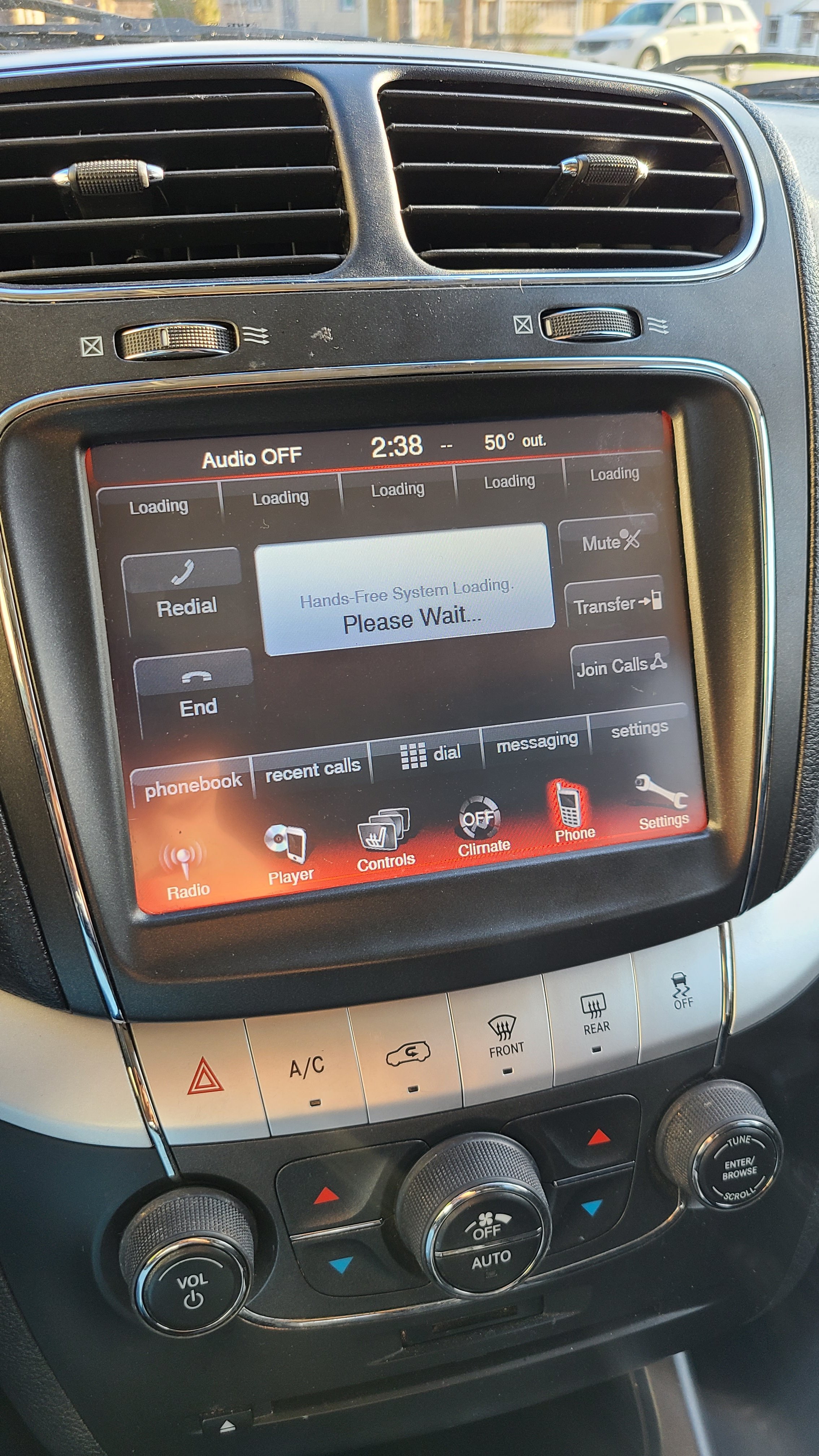
Credit: www.dodgejourneyforum.com
Preventive Measures
Preventive measures help keep your Dodge Journey Bluetooth system working well. Small steps can avoid common problems. Regular care and smart habits protect the connection and improve your driving experience.
Use these tips to maintain your Bluetooth system and prevent issues.
Regular Maintenance Tips
Check your vehicle’s software updates often. Updates fix bugs that cause Bluetooth issues. Clean the dashboard and controls gently. Dust and dirt can block signals or buttons. Restart your vehicle’s system regularly. This refreshes the Bluetooth connection. Avoid using too many devices at once. Too many connections can slow down or break the link.
Safe Device Pairing Practices
Turn off Bluetooth on other devices before pairing. This prevents connection conflicts. Follow the vehicle’s pairing instructions carefully. Use the official manual or screen prompts. Delete old or unused devices from the system. This clears space for new connections. Pair devices one at a time for best results. Confirm the PIN or code matches on both devices. This step secures the connection.

Credit: mechanics.stackexchange.com
Frequently Asked Questions
Why Is My Dodge Journey Bluetooth Not Connecting?
Bluetooth may not connect due to outdated software or interference from other devices.
How Do I Reset Dodge Journey Bluetooth System?
Turn off the car, restart it, and delete paired devices to reset Bluetooth.
What Causes Bluetooth Audio To Cut Out In Dodge Journey?
Weak signal or low battery on your phone can cause audio to cut out.
Can A Software Update Fix Dodge Journey Bluetooth Issues?
Yes, updating the car’s software can solve many Bluetooth connection problems.
How To Improve Bluetooth Range In Dodge Journey?
Keep your phone close and remove obstacles between the phone and car’s system.
Conclusion
Bluetooth troubles in your Dodge Journey can be fixed with simple steps. Restart your phone and car system first. Check for software updates and clear old Bluetooth connections. Try pairing devices again carefully. If problems stay, consult a professional for help.
Staying patient makes the process easier. Enjoy smooth, hands-free calls soon. Keep your car tech working well for safer drives.