
Have you ever settled down to relax, only to find your Sony TV turning on by itself? It’s confusing and a bit unsettling, right?
You might wonder if something’s wrong with your TV or if there’s a hidden cause behind this strange behavior. Don’t worry—you’re not alone, and there’s a simple explanation. Keep reading, and you’ll discover why this happens and how you can stop it from interrupting your peace.
Your TV should work for you, not surprise you!
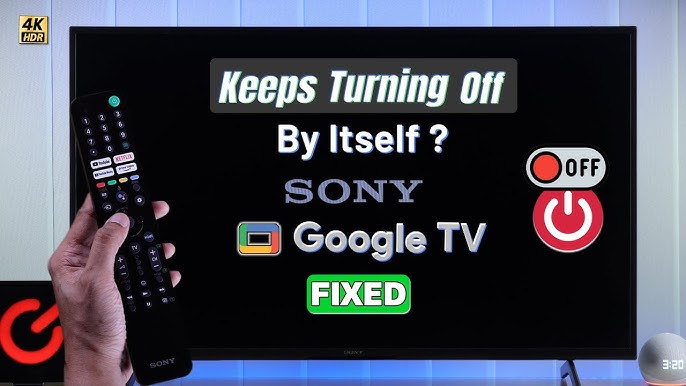
Credit: www.youtube.com
Common Causes Of Auto Power-on
Many Sony TV owners face the issue of their TV turning on by itself. This problem can be frustrating and confusing. Understanding the common causes helps in fixing the issue quickly. Below are some main reasons why this might happen.
Power Surge Issues
Power surges can trigger your Sony TV to turn on unexpectedly. Sudden changes in electricity flow affect the TV’s power supply. Using a surge protector can help prevent this problem.
Hdmi-cec Settings
HDMI-CEC lets devices control each other through HDMI cables. Sometimes, a connected device might wake your TV. Disabling HDMI-CEC in settings can stop this automatic power-on.
Remote Control Malfunctions
A stuck button or faulty remote can cause the TV to switch on by itself. Check if the remote’s buttons are jammed or sending signals incorrectly. Removing batteries or using another remote helps test this.
Scheduled Power Settings
Some Sony TVs have timers to turn on automatically. These settings might be active without your knowledge. Check the TV’s menu for scheduled power options and turn them off if needed.
Firmware Glitches
Outdated or buggy software can cause random power-ons. Keeping your TV’s firmware updated fixes many bugs. Regular updates ensure smooth and stable TV performance.
Credit: www.sony.co.uk
Troubleshooting Quick Fixes
Sometimes, a Sony TV may turn on by itself. This issue can be annoying and confusing. Quick fixes often solve the problem without needing a technician. Here are some simple steps to try first. These steps help reset the TV and check settings that might cause this behavior.
Unplug And Reset Tv
Unplug the TV from the power outlet. Wait for at least one minute. This allows the TV to reset its internal memory. Plug the TV back in and turn it on. This often clears glitches causing the TV to turn on by itself.
Disable Hdmi-cec
HDMI-CEC lets devices control each other through HDMI cables. It can turn the TV on by mistake. Open the TV settings menu. Find the HDMI-CEC option, sometimes called Bravia Sync. Turn it off. This stops other devices from waking the TV.
Check Remote Control Batteries
Old or weak batteries in the remote can send wrong signals. Remove the batteries from the remote. Replace them with fresh ones. Sometimes, stuck buttons or interference cause the TV to turn on.
Turn Off Scheduled Power
The TV may have a timer set to turn on automatically. Go to the settings menu. Look for the timer or scheduled power options. Make sure all timers are turned off. This prevents the TV from turning on at set times.
Update Tv Firmware
Firmware updates fix bugs and improve TV functions. Check for the latest software update in settings. Download and install any available update. Keeping firmware updated reduces unexpected issues like automatic power on.
Advanced Solutions
Advanced solutions help fix a Sony TV turning on by itself. These steps go beyond basic checks. They target hidden issues that cause this problem. Follow the guide carefully to avoid mistakes.
Factory Reset The Tv
Factory reset clears all settings and errors. It restores the TV to its original state. Use the TV menu to find the reset option. This step can fix software glitches causing power issues. Save your settings before resetting.
Inspect Power Supply And Cables
Check the power cable for damage or loose connections. Faulty cables can send wrong signals to the TV. Inspect the power outlet for stability. Try using a different power source to test. Replace any damaged cables immediately.
Contact Sony Support
Sony support offers expert help for tricky problems. They can guide you through advanced fixes. Use official contact methods on Sony’s website. Keep your TV model and purchase details ready. Support may offer repair or replacement options.
Preventive Tips For Future
Preventing a Sony TV from turning on by itself helps avoid frustration and saves energy. Taking simple steps can keep your TV working smoothly. These tips reduce unexpected power issues and improve your TV’s lifespan.
Use Surge Protectors
Power surges can cause your TV to turn on randomly. A surge protector stops sudden voltage spikes. It protects your TV and other electronics from damage. Plug your TV into a good quality surge protector. This small device prevents many common electrical problems.
Regular Firmware Updates
Software updates fix bugs and improve TV performance. Sometimes, old firmware causes unexpected behavior. Check for updates in your TV settings regularly. Keep your TV’s software current for smooth operation. This simple step reduces glitches and random power-ons.
Proper Remote Storage
Remote controls can send signals by mistake if buttons are pressed. Store your remote in a safe place, away from the TV. Avoid placing heavy objects on it. This prevents accidental button presses that turn the TV on. Safe remote storage helps stop random TV power issues.

Credit: www.reddit.com
Frequently Asked Questions
Why Does My Sony Tv Turn On By Itself?
This often happens due to software glitches, HDMI devices, or power settings causing automatic startup.
Can A Remote Control Cause Sony Tv To Turn On?
Yes, signals from a remote or smartphone app can accidentally turn on the TV.
How Do Hdmi Devices Affect Sony Tv Power Behavior?
HDMI-CEC settings let connected devices control your TV, sometimes turning it on automatically.
Does Scheduled Power On Cause Sony Tv To Start Alone?
Yes, timers or sleep settings may be set to power on your TV at certain times.
How Can I Stop My Sony Tv From Turning On Randomly?
Try disabling HDMI-CEC, checking timers, updating firmware, or unplugging external devices to fix it.
Conclusion
Sony TV turning on by itself can be frustrating and confusing. Check the remote and unplug the TV for a while. Look for settings like “Wake on LAN” or timer features. Software updates might fix the problem. Sometimes, electrical issues cause this behavior too.
Try these simple steps to stop unwanted power-ons. Stay patient and test each fix carefully. Your TV should work normally soon. Keep your device safe and enjoy your viewing time.