
Are your Chevy Traverse speakers suddenly not working? It’s frustrating when your favorite music or podcasts go silent during a drive.
You rely on your vehicle’s sound system to keep you entertained and connected, so when it stops working, it feels like your whole ride is missing something. But don’t worry—you’re not alone, and this problem can be fixed. You’ll discover simple steps to identify why your Chevy Traverse speakers aren’t working and how to get your sound back on track quickly.
Keep reading, and you’ll be back to enjoying every mile with clear, crisp audio.
Credit: www.traverseforum.com
Common Causes Of Speaker Issues
Chevy Traverse speakers may stop working for several reasons. Understanding common causes helps fix the problem fast. These issues often relate to electrical parts, fuses, speaker condition, or wiring. Each can affect sound quality or stop it completely.
Electrical Problems
Electrical issues often cause speaker failure. Faulty power supply or bad ground connection can cut sound. Problems with the car’s audio system control unit also affect speakers. Checking electrical parts with a multimeter can find these faults quickly.
Blown Fuses
Fuses protect electrical circuits from damage. A blown fuse stops power from reaching speakers. It is a common cause of no sound in Chevy Traverse. Inspect the fuse box and replace any blown fuses to restore audio.
Speaker Damage
Speakers wear out or get damaged over time. Physical damage like tears or holes in speaker cones reduces sound quality. Water or heat can also harm speakers inside the car doors. Replacing damaged speakers brings sound back to normal.
Wiring And Connection Issues
Loose or broken wires cause speakers to stop working. Connections can become loose from vibration or repair work. Corroded terminals also block sound signals. Check all speaker wires and connectors for tightness and clean contacts for better sound.
Basic Troubleshooting Steps
When Chevy Traverse speakers stop working, start with basic checks. These simple steps help identify common issues fast. Follow each one carefully to find the problem and fix it.
Check Volume And Mute Settings
Make sure the volume is turned up on your audio system. Sometimes, the speakers seem silent because the sound is muted. Look for a mute button on the dashboard or steering wheel. Press it to unmute if needed. Also, check the volume level on connected devices like phones or MP3 players.
Inspect Audio Source
Check the audio source playing music or sound. Try switching between radio, Bluetooth, or USB input. Sometimes, the source device may have a problem. Play sound from different sources to see if speakers work with any of them. This helps find out if the issue is with the speakers or the source device.
Restart The Infotainment System
Turn off the Chevy Traverse’s infotainment system completely. Wait for about 30 seconds before turning it back on. Restarting clears minor system glitches that block sound. This step often restores speaker function without needing further fixes.
Fixing Electrical And Fuse Problems
Fixing electrical and fuse problems is a key step to restore your Chevy Traverse speakers. Electrical faults often stop the sound system from working. Checking fuses can help find the issue fast. This guide shows simple steps to locate and replace fuses safely. No special tools needed. Just some care and attention.
Locate And Test Fuses
Start by finding the fuse box in your Chevy Traverse. It is usually under the dashboard or in the engine bay. Use the owner’s manual to find the exact location. Look for the fuse labeled “audio” or “radio.”
Remove the fuse carefully with a fuse puller or tweezers. Check the metal wire inside the fuse. If the wire is broken or burnt, the fuse is blown. Test the fuse with a multimeter for better accuracy. A good fuse will show continuity.
Replace Blown Fuses Safely
Choose a replacement fuse with the same amperage rating. Using the wrong fuse can damage your vehicle’s electrical system. Insert the new fuse firmly into the slot. Do not force it. If the fuse blows again soon, there might be a bigger electrical problem.
Always switch off the vehicle before changing fuses. This prevents shocks and further damage. After replacing, test the speakers to see if sound returns. If the problem continues, seek professional help.

Credit: www.youtube.com
Inspecting And Repairing Speaker Connections
Inspecting and repairing speaker connections is a key step in fixing Chevy Traverse speakers not working. Faulty connections often cause sound problems. Checking these connections can restore clear audio and save repair costs. The process involves careful access and inspection of speaker wiring. Follow simple steps to ensure all wires connect properly.
Accessing Speaker Panels
Start by locating the speaker panels inside your Chevy Traverse. These panels are usually on doors or the rear cargo area. Use a flat tool to gently pry off the panel. Take care not to damage clips or the panel itself. Removing panels gives you direct access to speaker wiring and connections.
Checking Wire Connections
Look closely at the wires attached to each speaker. Check for any signs of wear, fraying, or breaks. Ensure that wires are fully plugged into their connectors. Loose or damaged wires often cause sound to cut out or stop completely. Use a flashlight to see clearly inside the panel.
Reconnecting Loose Wires
Identify any loose or disconnected wires from the speaker terminals. Push these wires firmly back into place. For wires with clips, make sure they snap securely. If needed, twist wire ends to improve contact. Reconnect all wires before testing the speaker sound again.
Addressing Speaker Damage
Speakers in your Chevy Traverse create sound for music and calls. When they stop working, the experience changes. Addressing speaker damage is key to restoring clear sound. Understanding the problem helps you decide the next steps. Checking signs of failure and knowing when to replace speakers saves time and money.
Signs Of Speaker Failure
Sound becomes distorted or crackles often. Some speakers may stop working completely. Volume may drop even at high settings. Buzzing or rattling noises can appear. These are clear signs that speakers face damage. Ignoring these signs can worsen the problem. Early detection helps maintain good sound quality.
When To Replace Speakers
Replace speakers if sound issues continue after troubleshooting. Physical damage like tears or holes means replacement is needed. If repair costs are high, replacement is better. Old speakers with weak sound should be replaced. New speakers improve sound clarity and volume. Timely replacement keeps your Chevy Traverse’s audio system healthy.
Software And System Updates
Software and system updates play a key role in the performance of your Chevy Traverse speakers. These updates fix bugs and improve audio functions. Keeping your vehicle’s software current can resolve many sound issues quickly.
Sometimes, outdated infotainment firmware causes speaker problems. Updating the system helps restore clear audio and smooth operation. It also ensures compatibility with new apps and devices.
Updating Infotainment Firmware
Start by checking your Traverse’s infotainment system version. You can find this in the settings menu under “System Information.” Visit the official Chevrolet website for the latest firmware updates. Download the update to a USB drive. Insert the USB into your vehicle’s port and follow on-screen instructions. The update process may take several minutes. Avoid turning off the vehicle during this time. After updating, test your speakers for sound improvements.
Resetting Audio Settings
Resetting audio settings can fix distorted or no sound issues. Go to the audio or sound settings in the infotainment system. Look for an option labeled “Reset” or “Restore Defaults.” Select this to clear any custom settings. This step returns all sound settings to factory defaults. Check if the speakers work properly after the reset. This simple action often restores normal speaker function without complex repairs.
When To Seek Professional Help
Knowing when to seek professional help for Chevy Traverse speakers not working saves time and frustration. Some problems need expert skills and tools. Trying to fix these issues alone might cause more damage. Professionals can find hidden problems fast and fix them safely.
Complex Electrical Repairs
Speaker problems often come from the vehicle’s electrical system. Complex wiring issues need careful handling. Professionals know how to work with car electronics. They avoid short circuits and other risks. Fixing these problems requires special knowledge and experience.
Advanced Diagnostic Tools
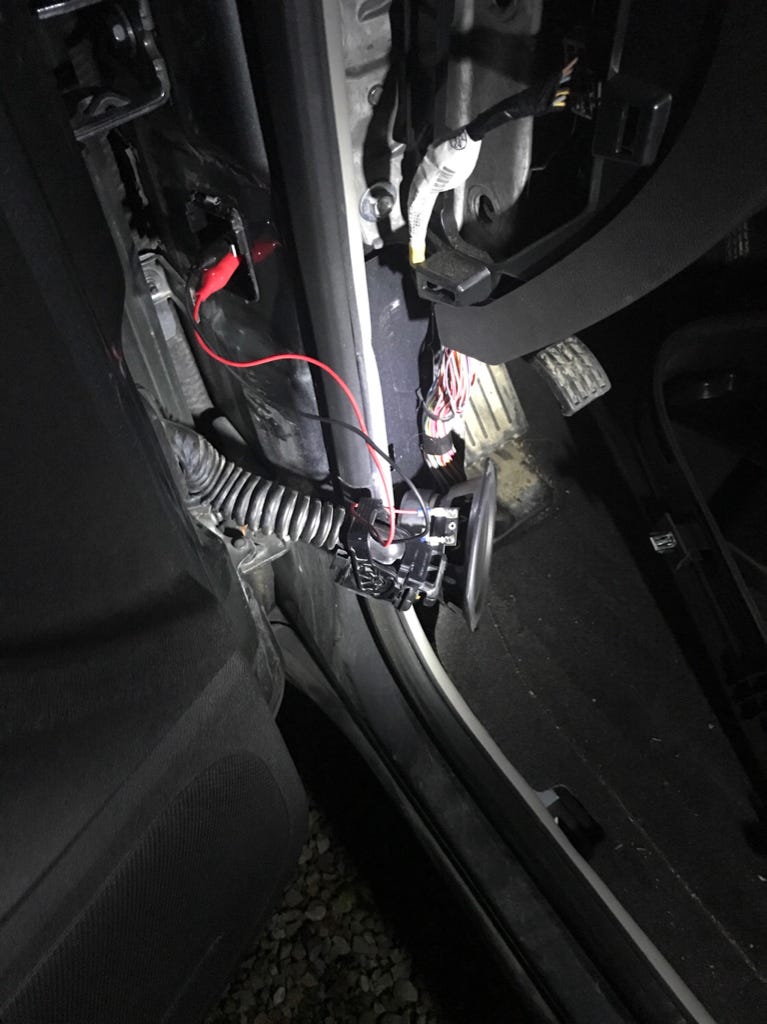
Professionals use advanced tools to check speaker problems. These tools find faults that are invisible to the eye. They test wiring, connections, and sound systems thoroughly. Using proper diagnostic tools ensures accurate repairs. This saves money by fixing the right issue the first time.
Credit: www.traverseforum.com
Preventive Tips For Speaker Maintenance
Keeping your Chevy Traverse speakers in good shape helps avoid sudden sound problems. Regular care stops damage and keeps the audio clear. Simple steps can protect your investment and improve driving enjoyment.
Avoiding Overloading Speakers
Playing music too loud can harm speaker parts. High volume causes speaker cones to move too much. This leads to tears or distortion in sound. Keep volume at a moderate level for longer speaker life. Avoid sudden spikes in sound that stress the system.
Regular System Checks
Check your speaker system often for any issues. Look for loose wires or connections that may cause silence. Test the sound from each speaker to catch problems early. Clean speaker grills to stop dust buildup. Early fixes prevent bigger, costly repairs later.
Frequently Asked Questions
Why Are My Chevy Traverse Speakers Suddenly Not Working?
A blown fuse or loose wire often causes sudden speaker failure in Chevy Traverse.
How Can I Reset The Chevy Traverse Audio System?
Disconnect the car battery for 10 minutes to reset the audio system.
What Common Issues Cause Chevy Traverse Speaker Problems?
Common issues include blown fuses, faulty wiring, or damaged speaker components.
Can A Software Update Fix Chevy Traverse Speaker Issues?
Sometimes, updating the infotainment system software can resolve speaker problems.
Should I Check The Amplifier If Chevy Traverse Speakers Fail?
Yes, a faulty amplifier can cause the speakers to stop working properly.
Conclusion
Troubleshooting Chevy Traverse speakers takes patience and care. Check connections, fuses, and settings first. Small issues often cause big problems. Replacing parts might help if needed. Sound quality matters for a better drive. Fixing speakers keeps your music clear and loud.
Don’t ignore signs of speaker trouble. Taking action saves time and money later. Keep your vehicle’s audio system working well. Enjoy every trip with great sound again.