
Are you frustrated with your Sanyo TV acting up when you just want to relax and enjoy your favorite shows? You’re not alone.
Many Sanyo TV owners face common problems that disrupt their viewing experience. But don’t worry—understanding these issues can help you fix them quickly and get back to what matters most: great entertainment. You’ll discover the most frequent Sanyo TV problems and simple solutions you can try right now.
Keep reading to take control of your TV and enjoy flawless viewing again.
Credit: www.consumerreports.org
Power Issues
Power issues are a common problem with Sanyo TVs. These issues affect how the TV turns on, stays on, or shows power signals. Troubles with power can stop you from enjoying your favorite shows. Understanding the types of power problems helps in fixing them faster.
No Power Or Won’t Turn On
The TV may show no signs of power at all. It might not respond when you press the power button. This problem often comes from a faulty power cord or a bad outlet. Sometimes, the internal power supply inside the TV can fail. Testing the power source and cables is the first step.
Tv Turns Off Randomly
The TV might turn off by itself without warning. This can happen during a show or movie. Overheating is a common cause of this issue. Dust inside the TV blocks ventilation. Another reason could be a software glitch or power board problem. Checking for updates and cleaning vents can help.
Power Indicator Problems
The power indicator light may not work properly. It could stay off even when the TV is on. Or it might blink without reason. This light helps show the TV’s status. Problems here may point to a faulty LED or main board issue. Watching how the light behaves can guide the repair process.
Picture Problems
Picture problems are common issues with Sanyo TVs. These problems affect your viewing experience. The screen may go black, flicker, or show wrong colors. Understanding these issues can help you fix them or know when to call a technician.
No Picture Or Black Screen
The screen stays black even when the TV is on. Sometimes, the power light is on, but no image appears. This can happen due to loose cables or a faulty backlight. Check the connections first. If the problem continues, the TV might need repair.
Distorted Or Flickering Image
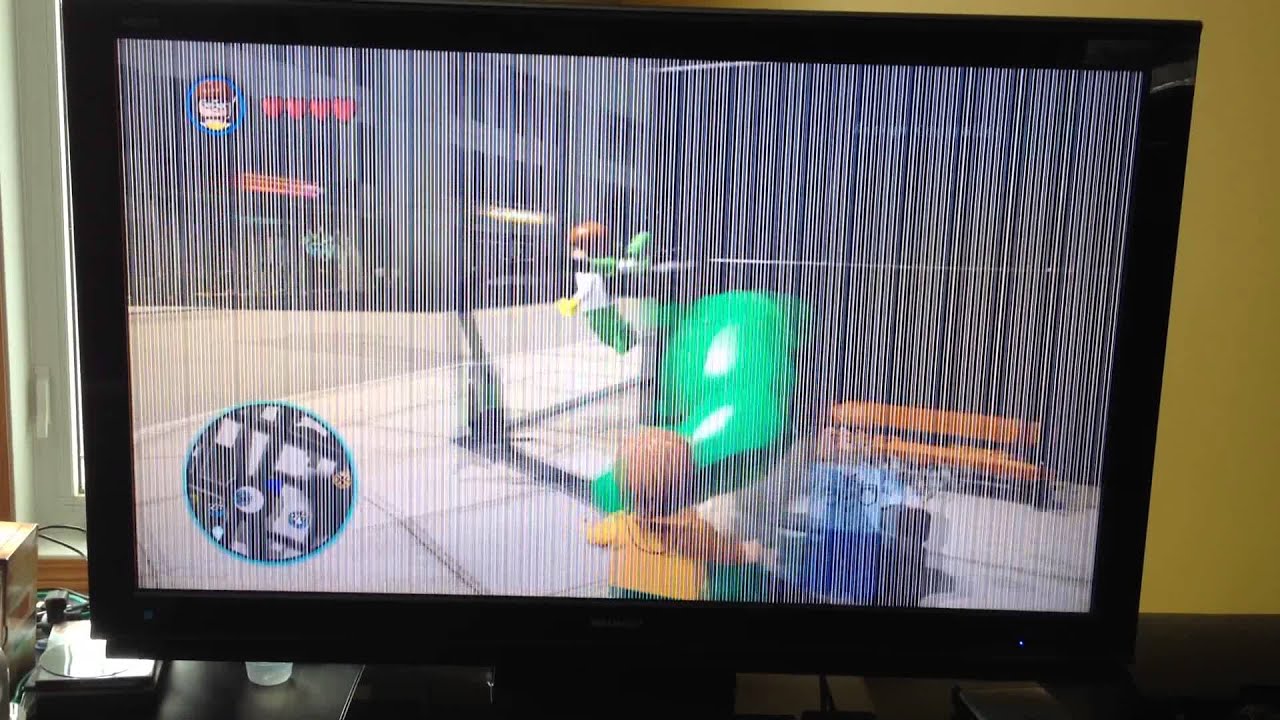
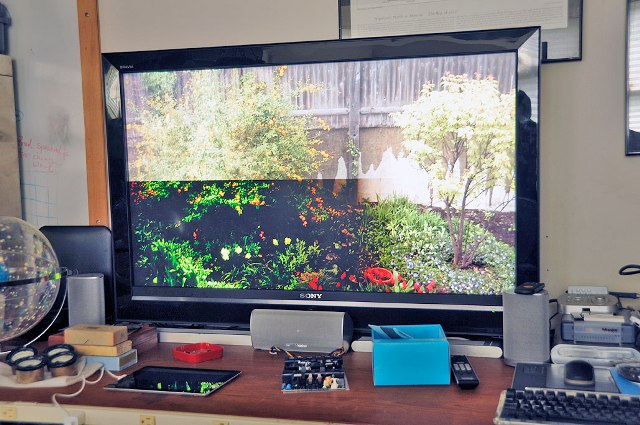
The picture may shake, flicker, or look unclear. This issue can come from signal problems or a bad display panel. Sometimes, interference from other devices causes flickering. Try changing the input source or moving other electronics away. Persistent flickering might require professional help.
Color Issues And Discoloration
Colors may look faded, too bright, or wrong. This can happen because of wrong settings or hardware faults. Adjust the TV’s color settings to see if it improves. If colors stay off, the TV’s internal parts might be damaged. Color problems can spoil your viewing experience.
Sound Problems
Sound problems can ruin your experience with a Sanyo TV. These issues often stop you from enjoying movies, shows, or games. Many users face common sound troubles. Understanding these problems helps fix them quickly.
No Sound Or Low Volume
Sometimes, the TV has no sound or very low volume. Check if the mute button is on. Also, make sure the volume is turned up enough. Loose or damaged cables can cause sound loss. Try using headphones to see if sound works there. This helps find if the problem is with the TV or speakers.
Audio Distortion
Audio distortion means the sound is unclear or crackling. It can happen from poor signal or damaged speakers. Reduce the volume to see if distortion stops. Adjust TV sound settings to lower bass or treble. Clean the speaker areas to remove dust. These steps often improve sound quality.
Remote Control Audio Settings
The remote control can change audio settings by mistake. Check if the audio output is set to the TV speakers. Sometimes, the sound output switches to external devices. Reset audio settings using the remote to default. This can fix many sound problems quickly and easily.
Credit: www.sanyoservicecenter.com
Remote Control Issues
Remote control issues are common with Sanyo TVs. These problems can stop you from enjoying your favorite shows. Troubles with the remote can be annoying and hard to fix. Understanding the common problems helps you solve them quickly. Here are some typical remote control issues and easy ways to handle them.
Unresponsive Remote
The remote may not work at all. This happens when batteries are dead or low. Check the battery power first and replace old ones. Dirt or dust on the sensor can block signals. Clean the remote sensor and TV sensor gently. Sometimes, the remote needs to be reset. Remove the batteries for a minute, then put them back.
Remote Not Pairing
New remotes or after a reset, pairing can fail. The remote and TV need to connect to work together. Try turning off the TV and unplugging it for 30 seconds. Press any button on the remote to start pairing. Make sure you are close to the TV during pairing. Avoid obstacles between the remote and the TV sensor.
Button Malfunctions
Buttons may stick or not respond properly. Dust, dirt, or spills cause this problem. Clean the remote carefully with a soft cloth. Avoid pressing buttons too hard or fast. Sometimes, the remote needs replacement if buttons fail often. Test each button to find which one is faulty.
Connectivity Problems
Connectivity problems are common issues faced by Sanyo TV users. These problems can stop your TV from showing content properly. Fixing connection troubles helps enjoy TV without interruptions. Several parts cause these issues, including ports, Wi-Fi, and input detection.
Hdmi And Av Port Issues
HDMI and AV ports often cause connection troubles. Loose or damaged cables stop signals from reaching the TV. Dirt or dust inside ports may block connections. Try unplugging and plugging cables again. Check cables for visible damage. Clean ports gently with a soft brush or cloth. Using the right cable for your device is important. Faulty ports might need professional repair or replacement.
Wi-fi And Network Connection
Many Sanyo TVs face problems connecting to Wi-Fi. Weak signals or wrong passwords can cause connection failure. Restart your router and TV to refresh connections. Move the router closer to the TV for better signal. Check if other devices connect to the same Wi-Fi. Update the TV software to fix bugs affecting Wi-Fi. Using a wired Ethernet connection can improve stability.
Input Source Detection
Sanyo TVs sometimes fail to detect input sources. The TV might show “No Signal” even when devices are connected. Ensure the correct input source is selected on the TV menu. Disconnect and reconnect the device’s cable. Restart the TV and connected device to reset connections. Updating the TV firmware may improve input detection. Persistent issues could mean hardware faults needing expert help.
Credit: www.sanyoservicecenter.com
Software And Firmware
Software and firmware play a key role in how your Sanyo TV works. They control the TV’s features and fix bugs. Sometimes, problems arise due to outdated or faulty software. These issues affect performance and user experience. Understanding common software and firmware problems helps you keep your TV running smoothly.
Update Failures
Software updates improve TV functions and security. Failed updates can cause the TV to freeze or restart. A weak internet connection often causes update failures. Power interruptions during updates also lead to errors. Check your Wi-Fi signal and power supply before updating. Restart the TV and try updating again if it fails.
App Crashes
Apps on Sanyo TVs sometimes stop working suddenly. Crashes happen due to bugs or outdated software versions. Clearing the app cache can fix many crash issues. Reinstalling the app often helps restore its function. Keep your TV firmware updated to reduce app crashes. Close unused apps to improve TV speed and stability.
Factory Reset Tips
A factory reset can fix many software problems. It returns the TV to its original settings. Backup important data before resetting the TV. Use the TV menu to find the reset option. After resetting, update the firmware to the latest version. Resetting solves problems but erases saved settings and apps.
Maintenance Tips
Proper maintenance can extend the life of your Sanyo TV. Simple daily care helps avoid many common problems. Follow these tips to keep your TV working well.
Cleaning And Care
Dust and dirt can harm your TV screen and parts. Use a soft, dry cloth to clean the screen gently. Avoid using harsh chemicals or sprays. Clean the vents and ports to prevent dust buildup. This keeps the picture clear and the TV cool.
Preventing Overheating
Overheating can cause your TV to stop working. Place the TV in a well-ventilated area. Keep it away from direct sunlight and heat sources. Do not block the air vents on the back or sides. Turn off the TV when not in use to let it cool down.
Avoiding Common Damage
Handle the TV with care to avoid cracks or scratches. Keep liquids away from the TV to prevent electrical damage. Use a sturdy stand or mount to stop falls. Avoid pressing hard on the screen or buttons. Protect your TV from power surges with a surge protector.
Frequently Asked Questions
Why Is My Sanyo Tv Screen Flickering?
Screen flickering on Sanyo TVs often results from loose cables or outdated firmware. Check connections and update software.
How To Fix No Sound On Sanyo Tv?
No sound can be due to muted volume or wrong audio settings. Verify volume and audio output options.
What Causes Sanyo Tv To Not Turn On?
Power issues, faulty remote, or internal hardware problems can stop Sanyo TVs from turning on. Try power cycling first.
Why Is My Sanyo Tv Picture Blurry Or Fuzzy?
Blurry pictures are usually from poor signal quality or incorrect display settings. Adjust resolution and check the source.
How To Reset A Sanyo Tv To Factory Settings?
Reset by navigating to the settings menu and selecting “Factory Reset” or “Restore Default. ” This clears all custom settings.
Conclusion
Sanyo TV problems can be fixed with basic steps and care. Check connections and settings first for quick solutions. Regular cleaning helps avoid screen and sound issues. Some problems might need professional help, so don’t wait too long. Understanding common issues makes troubleshooting easier.
Keep your TV updated to improve performance. Small efforts can extend your TV’s life. Stay patient and try simple fixes before replacing parts. Your Sanyo TV can work well again with proper care and attention.