
Is your Samsung dishwasher not filling with water? This problem can stop your dishwasher from working properly and leave your dishes dirty.
You might feel frustrated and unsure about what to do next. Don’t worry—this issue is common and often fixable. You’ll learn the simple steps to find out why your dishwasher isn’t filling and how to fix it quickly. Keep reading to get your dishwasher back to perfect working order without any hassle.
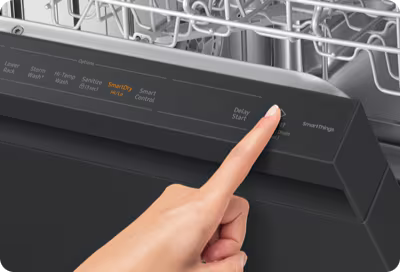
Credit: www.samsung.com
Common Causes
When a Samsung dishwasher does not fill with water, several common causes might be responsible. Identifying these issues helps fix the problem quickly. Understanding each cause gives you a clear idea of what to check first.
Water Supply Issues
The dishwasher needs a steady water supply to work properly. A closed or partially closed water valve can stop water flow. Kinks or bends in the supply hose can also block water. Check the water source and hose for any blockages or damage.
Faulty Inlet Valve
The inlet valve controls water entering the dishwasher. If it breaks or clogs, water cannot flow inside. A faulty valve may cause no water or very little water in the machine. Testing the valve helps confirm if it needs replacement.
Clogged Filters
Filters stop debris from entering the dishwasher’s internal parts. Over time, filters can get clogged with dirt or food particles. This blockage reduces water flow and stops filling. Cleaning or replacing filters ensures smooth water flow.
Door Latch Problems
The dishwasher door must close tightly for the machine to fill with water. A broken or loose door latch can prevent the dishwasher from starting the water cycle. Fixing or adjusting the latch can restore proper operation.
Basic Checks
Basic checks can help find why your Samsung dishwasher is not filling with water. These simple steps save time and avoid costly repairs. Start with easy tasks before calling a technician. Follow these checks carefully to spot common issues.
Verify Water Connection
Check if the water supply valve is fully open. A closed valve stops water from entering the dishwasher. Look for kinks or damage in the water hose. Replace the hose if it looks worn out. Make sure the hose is connected tightly to both the dishwasher and the water source.
Inspect Door Seal
Examine the door seal for cracks or dirt buildup. A faulty seal can stop the dishwasher from filling. Clean the seal gently using a soft cloth and mild soap. Replace the seal if it is damaged or dry. The door must close firmly to allow water flow.
Reset Dishwasher
Turn off the dishwasher and unplug it from power. Wait for about five minutes. Plug it back in and turn the machine on. This reset can clear minor electronic glitches. It may restore normal water filling functions.
Fixing Water Supply Problems
Fixing water supply problems is key to making your Samsung dishwasher work again. Without water, the dishwasher cannot clean dishes properly. Problems in the water supply can cause the dishwasher to stop filling. These issues are often easy to fix at home.
Check the water connection and hoses. Look for any blockages or damage. This step saves time and money before calling a technician.
Turn On Water Valve
The water valve controls water flow to the dishwasher. It must be fully open for water to enter. Find the valve near the dishwasher or under the sink.
Turn the valve counterclockwise to open it. Sometimes, the valve is only partially open. This can reduce water flow and stop filling.
Make sure to check the valve regularly. A closed valve is a common cause of no water filling.
Clear Kinks In Hose
The water hose carries water to the dishwasher. Kinks or bends can block water flow. Inspect the hose for any sharp bends or twists.
Straighten any kinks you find. A smooth hose allows water to flow freely. Avoid placing heavy objects on the hose that cause bending.
Keeping the hose clear helps the dishwasher fill with water properly. It also prevents long-term damage to the hose.
Replace Damaged Hoses
A damaged hose can leak or block water. Look for cracks, holes, or wear on the hose surface. These signs mean the hose needs replacing.
Buy a new hose that fits your dishwasher model. Turn off the water supply before removing the old hose. Attach the new hose securely to prevent leaks.
Replacing a damaged hose restores proper water flow. It improves dishwasher performance and avoids water damage in your home.
Repairing Or Replacing The Inlet Valve
The inlet valve controls water flow into your Samsung dishwasher. If the dishwasher does not fill with water, the valve might be faulty or clogged. Repairing or replacing this part often solves the issue. This section guides you through testing, cleaning, and installing a new inlet valve.
Test Valve Functionality
Start by unplugging the dishwasher and turning off the water supply. Locate the inlet valve, usually at the bottom back of the appliance. Use a multimeter to check for electrical continuity. A working valve shows a reading on the meter. No reading means the valve is defective and needs replacement.
Clean Valve Screens
Turn off the water and disconnect the inlet valve. Remove any screens or filters attached to the valve. Rinse these screens under running water to clear dirt and debris. Dirty screens block water flow and cause filling problems. After cleaning, reattach the screens and valve securely.
Install New Inlet Valve
Buy the correct replacement valve for your Samsung model. Turn off power and water supply before starting. Remove the old valve carefully by disconnecting the wires and hoses. Attach the new valve by reconnecting wires and hoses tightly. Turn on water and power. Run a test cycle to ensure the dishwasher fills properly.
Cleaning Filters And Screens
Cleaning the filters and screens is an important step to fix a Samsung dishwasher not filling with water. Dirt and food particles can block water flow. This stops the dishwasher from working properly. Regular cleaning keeps the water moving and your dishwasher running smoothly.
Locate Filters
First, find the filters inside the dishwasher. They are usually at the bottom of the tub. Look for a round or rectangular piece that can be removed. Check your dishwasher manual if you cannot find them easily.
Remove Debris
Take out the filters carefully. Use running water to rinse off loose dirt. Use a soft brush to scrub stuck-on food and grease. Clear any debris from the mesh screens as well. Clean filters help water flow into the dishwasher.
Reinstall Filters Properly
After cleaning, place the filters back in their spots. Make sure they fit tightly and lock in place. A loose filter can cause leaks or block water flow. Double-check before closing the dishwasher door.

Credit: www.youtube.com
Addressing Door Latch Issues
The door latch plays a key role in your Samsung dishwasher filling with water. If the latch does not work right, the dishwasher may not start the water flow. Checking and fixing latch issues can often solve the problem quickly. Understanding how to handle these issues helps keep your dishwasher running smoothly.
Check Latch Alignment
Start by inspecting the door latch alignment. A misaligned latch may prevent the door from closing fully. Look closely to see if the latch lines up with the catch on the dishwasher frame. Adjust the latch gently to improve alignment. Proper alignment helps the dishwasher recognize the door as closed.
Replace Broken Latch
A broken latch can stop the dishwasher from filling with water. Check for cracks or damage on the latch. If the latch looks worn or broken, replace it with a new one. Using a matching part ensures the door closes securely. A firm latch allows the dishwasher to fill and run normally.
Ensure Proper Door Closure
Make sure the dishwasher door closes fully every time. Press the door firmly until you hear a click. Avoid forcing it hard, as this can damage the latch or door. A properly closed door signals the dishwasher to start filling with water. Double-check before starting a cycle to avoid issues.
When To Call A Professional
Knowing when to call a professional for a Samsung dishwasher not filling with water is important. Some problems need expert help to avoid damage or injury. Recognizing these signs can save time and money.
Complex Electrical Problems
Electrical issues can be hard to find and fix. Problems with wiring or control boards require special tools. A professional has the right knowledge to handle these safely. Avoid trying to fix electrical faults yourself.
Persistent Water Filling Issues
If the dishwasher still does not fill after basic checks, call a technician. Persistent problems could mean a faulty water inlet valve or sensor. Experts can test and replace these parts correctly. This ensures your dishwasher works properly again.
Warranty Considerations
Opening or repairing the dishwasher yourself might void the warranty. Professionals know how to fix the issue without affecting your coverage. Using an authorized service helps keep your warranty valid. This protects you from extra repair costs.

Credit: oakvalleyappliance.com
Frequently Asked Questions
Why Is My Samsung Dishwasher Not Filling With Water?
The water supply might be off, or the inlet valve could be blocked or faulty.
How Can I Check The Water Inlet Valve On My Dishwasher?
Turn off water, remove the valve, and test it with a multimeter for continuity.
Could A Clogged Filter Cause No Water In My Dishwasher?
Yes, a clogged filter can stop water flow and should be cleaned regularly.
What Role Does The Float Switch Play In Water Filling?
The float switch stops water when the dishwasher is full; if stuck, it may block water.
When Should I Call A Technician For Water Filling Issues?
Call a pro if basic checks fail or if you find damaged parts inside the dishwasher.
Conclusion
A Samsung dishwasher not filling with water can stop your routine. Check the water supply and valve first. Clean the filter to remove any blockages. Look at the float switch for stuck parts. Sometimes, a simple reset fixes the issue.
Small steps can save you time and money. Knowing these tips helps you stay prepared. Keep your dishwasher working well with regular care. Don’t ignore signs of trouble early on. Quick action often prevents bigger problems later. You can handle this with patience and care.