
Is your dehumidifier fan not working? You rely on your dehumidifier to keep your home comfortable and mold-free.
When the fan stops, it can throw off everything, leaving your space damp and frustrating you. But don’t worry—you’re not stuck with a broken appliance. You’ll discover simple ways to understand why your fan isn’t running and easy steps to fix it.
Keep reading to get your dehumidifier back to working perfectly and protect your home from excess moisture.

Credit: www.reddit.com
Common Causes Of Fan Failure
Dehumidifier fans stop working for several common reasons. Knowing these helps fix problems fast. Fans are key to moving air and reducing moisture. Without a working fan, your dehumidifier cannot do its job.
Power Supply Issues
Power problems often cause fan failure. Check the power cord and plug for damage. Make sure the outlet works by testing another device. A blown fuse or tripped breaker can cut power. Sometimes, the internal wiring inside the unit is loose.
Motor Malfunction
The fan motor can wear out or burn out. Dust and dirt build-up may block motor parts. A bad motor produces strange sounds or no sound at all. Motors can also fail due to overheating. Replacing the motor usually fixes this problem.
Clogged Air Filters
Dirty filters block airflow and strain the fan. When filters are clogged, the fan slows or stops. Filters need regular cleaning or replacement. Clean filters help the fan run smoothly and keep air fresh. Neglecting filters leads to bigger fan issues.
Obstructed Fan Blades
Fan blades can get stuck by debris or dust. Objects inside the unit may block blade movement. Bent or broken blades reduce fan efficiency. Carefully inspect the blades for damage or dirt. Cleaning or fixing blades restores proper airflow.

Credit: www.reddit.com
Basic Troubleshooting Steps
When a dehumidifier fan stops working, basic troubleshooting helps find the issue fast. These simple steps often fix common problems. Follow them carefully to avoid damage.
Checking The Power Source
First, check if the dehumidifier is plugged in properly. Look for loose connections or damaged cords. Try another outlet to rule out power problems. Confirm the power switch is on and the fuse or breaker is not tripped.
Inspecting The Fan Blades
Turn off and unplug the unit. Open the dehumidifier’s cover. Check if fan blades are stuck or blocked. Remove dust or debris gently. Spin the blades by hand to see if they move freely. Bent blades may need replacement.
Cleaning Or Replacing Filters
Dirty filters reduce airflow and stop the fan. Remove the filter from the unit. Wash it with mild soap and water, then dry fully. Replace filters that are torn or very dirty. Clean filters improve fan performance and air quality.
Resetting The Dehumidifier
Unplug the unit and wait for about 5 minutes. Plug it back in and turn on the power. Resetting can clear minor electrical faults. Check if the fan starts running after the reset. Repeat if necessary.
Advanced Fixes For Fan Problems
Advanced fixes for dehumidifier fan problems require careful steps. These solutions help restore fan function beyond basic checks. They involve testing key parts and making small repairs. Follow each step with care and safety in mind.
Testing And Replacing The Fan Motor
First, unplug the dehumidifier. Remove the cover to access the fan motor. Use a multimeter to test motor resistance. No reading means a broken motor. If the motor does not spin freely, it may be stuck. Replace the fan motor with a matching model. Secure it firmly and reconnect all wires.
Examining The Fan Capacitor
The fan capacitor helps start the motor. A bad capacitor stops the fan from running. Look for bulges or leaks on the capacitor. Test it with a multimeter set to capacitance. If it reads low or zero, replace the capacitor. Ensure the new capacitor matches the original specs.
Repairing Electrical Connections
Loose or broken wires can stop the fan. Inspect all wiring near the fan motor and capacitor. Tighten any loose connections. Replace damaged wires or connectors. Use electrical tape or wire nuts for safety. Check for corrosion and clean contacts if needed. Proper connections ensure steady power to the fan.
Preventive Maintenance Tips
Keeping your dehumidifier fan in good shape saves time and money. Simple preventive maintenance stops many common problems. Regular care helps the unit work well and last longer. Follow these easy tips to avoid fan troubles and keep your air dry and fresh.
Regular Cleaning Schedule
Dust and dirt block the fan blades and vents. Clean the dehumidifier every two weeks. Use a soft cloth to wipe the outside. Remove the filter and rinse it with water. Let it dry fully before putting it back. This keeps air flowing and the fan spinning smoothly.
Proper Placement For Airflow
Place the dehumidifier in an open area. Avoid corners or tight spaces. Keep it away from walls and furniture. This allows fresh air to reach the fan easily. Good airflow helps the fan cool the motor and work better. It also stops overheating and fan failure.
Avoiding Moisture Damage
Water can harm the fan motor and wiring. Check the water tank regularly and empty it. Make sure no water leaks inside the unit. Use the dehumidifier on a flat surface to prevent spills. Keep the fan dry to avoid rust and electrical problems. This protects the fan and ensures safe use.
When To Call A Professional
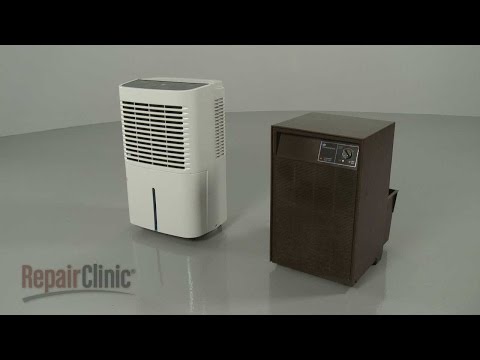
Knowing when to call a professional for a dehumidifier fan not working saves time and prevents damage. Some issues need expert care beyond simple fixes. Acting early can keep your device safe and effective.
Signs Of Serious Electrical Issues
Watch for burning smells or smoke near the unit. Flickering lights or sparks are clear danger signals. The fan may not spin at all or may stop suddenly. Buzzing noises or a warm plug can mean wiring problems. Avoid using the dehumidifier until a professional checks it.
Warranty And Repair Services
Check your warranty before trying repairs. Many brands offer free service for covered issues. Using an authorized service center keeps your warranty valid. Professionals can fix parts without causing more damage. Calling for repair can save money long term.
Credit: www.youtube.com
Frequently Asked Questions
Why Is My Dehumidifier Fan Not Spinning?
The fan may be stuck, dirty, or the motor might be faulty, blocking its movement.
How Can I Fix A Dehumidifier Fan Not Working?
Check power, clean the fan, and inspect the motor for damage or loose parts.
Can A Clogged Filter Stop The Dehumidifier Fan?
Yes, a dirty filter can block airflow and cause the fan to stop working.
Does A Faulty Capacitor Affect The Fan In A Dehumidifier?
Yes, the capacitor helps start the fan motor; if bad, the fan won’t run.
When Should I Call A Technician For Fan Issues?
Call a technician if cleaning and basic checks don’t fix the fan problem.
Conclusion
A dehumidifier fan not working can cause many problems. Check the power supply and clean the fan blades first. Sometimes, a small fix can make a big difference. Regular maintenance helps the machine run smoothly. Don’t ignore unusual noises or smells from the unit.
Keep your space dry and comfortable by fixing issues early. Taking simple steps saves money and stress later. Stay patient and follow clear instructions for repairs. Your dehumidifier will work well again with some care.