
Are you frustrated because your Amana dishwasher buttons are not working? You rely on your dishwasher every day, and when the buttons stop responding, it can throw your whole routine off.
Don’t worry—this problem is more common than you think, and there are simple steps you can take to fix it. Keep reading to discover why your dishwasher buttons might be malfunctioning and how you can get them working again quickly.
Your clean dishes—and peace of mind—are just a few fixes away.

Credit: www.youtube.com
Common Causes Of Button Failure
Amana dishwasher buttons stop working for several common reasons. Knowing these causes helps you fix the problem faster. Problems may come from electrical faults, dirt buildup, or simple wear and tear. Each issue affects the buttons differently and needs a specific approach.
Electrical Issues
Electrical problems often cause button failure. A loose wire or damaged circuit board can stop buttons from working. Power surges may burn parts inside the control panel. Faulty wiring can block signals from reaching the buttons. Testing the electrical system is key to finding the fault.
Moisture And Dirt
Moisture can get inside the control panel and cause buttons to fail. Water drips or steam may corrode contacts under the buttons. Dirt and food particles also block button signals. Cleaning the panel and drying it thoroughly can restore button function. Keep the area clean to prevent future issues.
Wear And Tear
Buttons wear out over time with frequent use. The plastic or rubber parts may crack or lose sensitivity. Repeated pressing can damage the internal contacts. Older dishwashers often show signs of button wear. Replacing worn buttons or the whole panel may be necessary for smooth operation.
Basic Troubleshooting Steps
Basic troubleshooting helps fix many dishwasher button problems. It saves time and avoids costly repairs. Start with simple checks before calling for help. Follow these easy steps to find the issue.
Power Cycle The Dishwasher
Turn off the dishwasher completely. Unplug it from the power source or switch off the circuit breaker. Wait for 5 minutes to reset the system. Plug it back in and turn it on. This can clear minor electronic glitches affecting the buttons.
Check The Control Lock
Some Amana dishwashers have a control lock feature. This stops buttons from working to prevent accidental presses. Look for a lock symbol or light on the panel. Press and hold the control lock button for 3 seconds to unlock. Test the buttons again after unlocking.
Inspect The Button Panel
Check for dirt, grease, or moisture on the buttons. Clean the panel gently with a soft, damp cloth. Avoid using harsh cleaners or too much water. Press each button several times to see if they respond. Damaged or worn buttons may need professional repair or replacement.
Quick Fixes To Try At Home
Amana dishwasher buttons not working can stop your appliance from running. Small issues often cause this problem. You can try quick fixes at home before calling a technician. These easy steps might solve the problem fast and save money.
Clean The Button Area
Dirt and grime can block the buttons from working. Use a soft cloth dampened with mild soap and water. Gently wipe around each button to remove buildup. Avoid using too much water to prevent damage. Dry the area well before testing the buttons again.
Reset The Control Board
Resetting the control board can clear minor glitches. Unplug the dishwasher from the power outlet. Wait for about 5 minutes to let the system reset. Plug it back in and check if the buttons respond. This simple reset often fixes unresponsive buttons.
Test With A Different Cycle
Try selecting another wash cycle to check button function. Sometimes, certain cycles may not activate due to errors. Changing the cycle helps find if the problem affects all buttons or just one. This test can guide you on what to do next.

Credit: www.parkersappliancetv.com
When To Call A Professional
Knowing when to call a professional for your Amana dishwasher button issues can save time and prevent more damage. Some problems need expert tools and skills. Trying to fix complex issues alone may cause more harm. Professionals can quickly diagnose and repair problems safely. Here are signs it is time to seek help.
Persistent Button Issues
If buttons stop working after cleaning or resetting, the problem may be deeper. Constant unresponsive buttons show internal damage or circuit faults. Simple fixes like wiping the panel won’t help here. A technician can check the control board and wiring carefully. Avoid forcing buttons to prevent further damage.
Electrical Component Problems
Electrical faults inside the dishwasher require professional attention. Issues with the control board, wiring, or power supply can cause buttons to fail. These parts are delicate and need proper handling. A licensed repair expert has the right tools to test and fix electrical parts safely. Do not open electrical components unless trained.
Warranty Considerations
Checking your dishwasher’s warranty before repairs is wise. Unauthorized repairs might void the warranty. Professional service centers or authorized technicians keep your warranty valid. They use original parts and follow proper repair procedures. This protects your investment and ensures reliable fixes.
Preventive Tips To Keep Buttons Responsive
Keeping the buttons on your Amana dishwasher working well helps avoid frustration. Simple habits can stop buttons from becoming unresponsive. Follow these easy tips to keep your dishwasher controls in good shape. This way, your dishwasher will last longer and work smoothly.
Regular Cleaning Routine
Clean the buttons and control panel often. Use a soft cloth with mild soap and water. Avoid harsh chemicals that can damage buttons. Dirt and grease can block button sensors. Wipe gently to keep buttons clear and responsive. Regular cleaning stops buildup and helps buttons work well.
Avoiding Excess Moisture
Keep moisture away from the control panel. Water can seep into buttons and cause problems. After using the dishwasher, dry the buttons with a soft cloth. Do not spray water directly on the control panel. Excess moisture can lead to button failure or short circuits.
Proper Usage Practices
Press buttons gently, not hard or fast. Avoid using sharp objects to press buttons. Follow the user manual for correct button use. Do not force buttons if they do not respond. Proper use prevents damage and keeps buttons working longer.
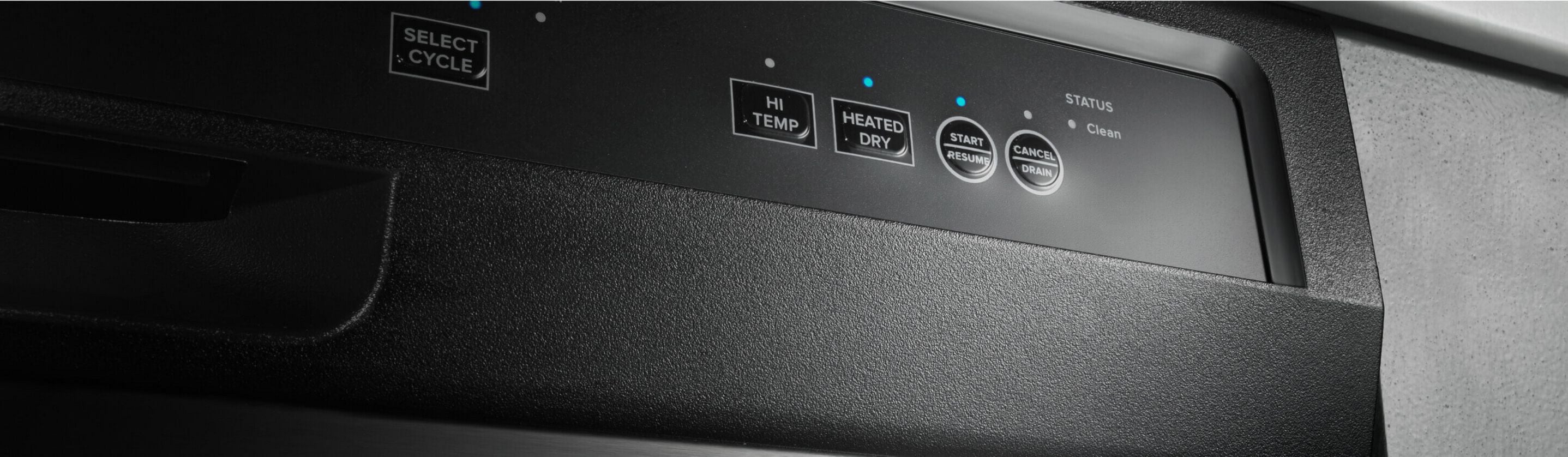
Credit: www.amana.com
Frequently Asked Questions
Why Are Amana Dishwasher Buttons Not Responding?
Buttons may be dirty, stuck, or the control panel may have a fault causing no response.
How To Fix Unresponsive Amana Dishwasher Control Buttons?
Clean buttons gently and check for electrical issues or loose connections inside the panel.
Can A Power Reset Restore Amana Dishwasher Button Function?
Yes, unplugging the dishwasher for a few minutes can reset the control board and fix button issues.
Does Moisture Cause Amana Dishwasher Buttons To Stop Working?
Moisture can cause short circuits or corrosion, leading to buttons not working properly.
When Should I Call A Technician For Amana Dishwasher Buttons?
Call a technician if cleaning and resetting do not restore button function or if buttons stay stuck.
Conclusion
Amana dishwasher buttons not working can cause big troubles. Try basic fixes like checking power and cleaning buttons first. Sometimes, a simple reset solves the issue quickly. If problems stay, call a technician to avoid damage. Regular care helps keep your dishwasher running well.
Don’t ignore small signs of trouble; act early. This way, you save time and money on repairs. Keep your kitchen stress-free with a working dishwasher every day.