
Is your Sanyo TV refusing to turn on, leaving you frustrated and stuck without your favorite shows? You’re not alone, and the good news is that this common problem often has simple solutions.
Before you reach for a costly repair or consider buying a new TV, take a moment to understand what might be causing the issue. You’ll discover easy steps to diagnose and fix your Sanyo TV, so you can get back to enjoying your screen in no time.
Keep reading—your perfect picture is closer than you think.
Credit: www.ifixit.com
Common Reasons Sanyo Tv Won’t Turn On
Sanyo TV not turning on can be frustrating. Several common reasons cause this issue. Understanding these reasons helps fix the problem quickly.
This section explains the main causes why your Sanyo TV won’t power on. The focus is on power supply, remote control, and internal hardware faults.
Power Supply Issues
The TV might not get enough power. Check if the power cord is plugged in tightly. Sometimes, the outlet may not work. Try plugging the TV into a different socket. A blown fuse or tripped breaker can stop power flow. Power surges can also damage the TV’s internal power board.
Remote Control Problems
The remote control might be the cause. Dead batteries stop the remote from working. Replace batteries with new ones. The remote sensor on the TV must be clear. Dirt or objects blocking the sensor can cause issues. Sometimes, the remote button may be stuck or broken.
Internal Hardware Faults
Internal parts can fail over time. The mainboard or power board may be damaged. Faulty capacitors or loose connections cause the TV to not start. Screen problems also stop the TV from turning on. Professional help may be needed to diagnose these faults.
Quick Checks Before Troubleshooting
Before diving into complex fixes for your Sanyo TV not turning on, start with simple checks. These quick steps save time and often solve the problem. They ensure the issue is not due to easy-to-fix causes.
Inspect Power Cables And Connections
Look at the power cable for any damage or loose plugs. Make sure it is firmly connected to both the TV and the wall socket. A loose or broken cable can stop your TV from powering up.
Test The Power Outlet
Plug another device into the same outlet to see if it works. This test confirms if the outlet supplies electricity. If the outlet is faulty, try a different one for your TV.
Check The Remote Batteries
Old or dead batteries in the remote can prevent the TV from turning on. Remove the batteries and replace them with new ones. Test the remote to ensure it sends signals properly.
Simple Fixes To Try First
When your Sanyo TV does not turn on, try simple fixes first. These easy steps often solve the problem fast. No need for tools or expert help.
Perform A Power Reset
Unplug the TV from the power outlet. Wait for about one minute. Plug it back in and try to turn it on. This resets the TV’s internal system and clears minor glitches.
Use The Tv’s Power Button
Press the power button directly on the TV instead of the remote. Sometimes the remote signal does not reach the TV. The physical button gives a direct command to power on.
Replace Remote Batteries
Old or weak batteries can stop the remote from working. Remove the batteries and put in new ones. This ensures the remote sends a strong signal to the TV.

Credit: www.ebay.com
Advanced Troubleshooting Steps
Advanced troubleshooting steps help find deeper problems with your Sanyo TV. These steps need a careful look inside the TV’s hardware. They can spot issues not fixed by basic checks.
Use these methods to see if parts inside the TV cause it not to turn on. Always unplug the TV before opening it. Safety first.
Examine The Power Board
The power board controls electricity inside the TV. Look for burnt marks or bulging parts on the board. These signs mean the board may be damaged. A damaged power board stops the TV from turning on.
Use a multimeter to test voltage output. Low or no voltage means the board needs repair or replacement.
Look For Indicator Lights
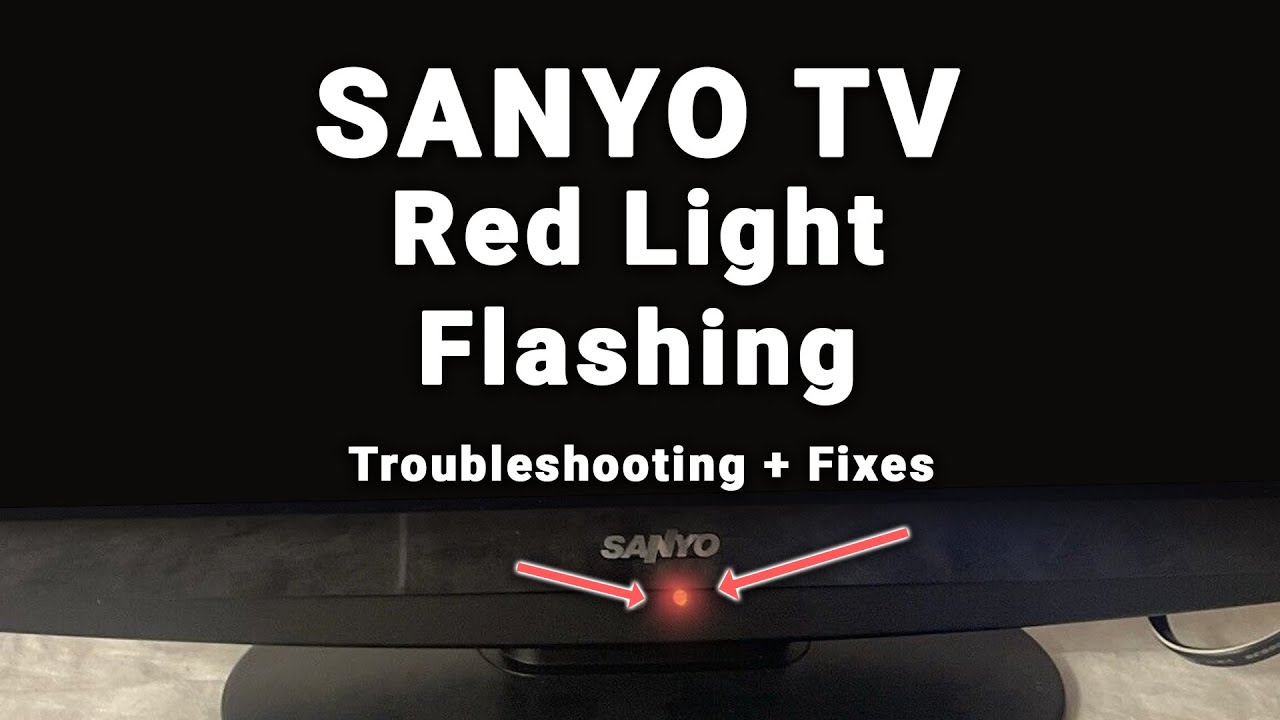
Indicator lights give clues about the TV’s condition. Check if the standby light is on or blinking. Different blinking patterns show specific problems. No light at all can mean power issues.
Note the light’s color and behavior. This info helps decide the next step in fixing the TV.
Check For Loose Internal Components
Loose parts inside the TV can break connections. Open the back panel and gently press connectors and wires. Make sure all cables fit tightly in their sockets.
Look for screws that may have come loose. Tighten them carefully to avoid damage. A solid connection can solve power problems.
When To Call A Professional
Knowing when to call a professional for a Sanyo TV not turning on saves time and avoids extra damage. Some problems need expert help beyond simple fixes. Acting quickly can prevent costly repairs later.
Read on to learn signs of serious hardware damage and understand your warranty and repair options.
Signs Of Serious Hardware Damage
The TV shows no power at all, even with a new power cable. Strange burning smells or visible smoke come from the TV. The screen stays black but sound works. The TV turns on then shuts off immediately. Buttons or remote control do not respond at all. These are signs that a professional must check the TV.
Warranty And Repair Options
Check if your Sanyo TV is still under warranty. Warranty covers some repairs at no cost. Contact Sanyo customer support for guidance. Authorized service centers use original parts for repairs. Repair costs outside warranty can be high. A professional can give a clear estimate before starting work.
Preventive Tips To Avoid Future Issues
Preventing your Sanyo TV from not turning on starts with simple care steps. Small habits can save you from big problems later. These tips keep your TV safe and working well for years.
Use Surge Protectors
Power surges can damage your TV’s internal parts. A surge protector stops sudden voltage spikes. It acts as a shield between your TV and electricity. Always plug your TV into a surge protector. This step helps prevent electrical damage and keeps your TV safe.
Regular Maintenance And Cleaning
Dust and dirt can cause your TV to overheat or malfunction. Clean the screen and vents regularly with a soft cloth. Avoid using wet or harsh cleaners. Keep the area around your TV free from dust. Regular cleaning helps your TV work smoothly and last longer.
Avoid Overheating
Overheating can cause your Sanyo TV to stop working. Place your TV in a well-ventilated area. Do not cover the vents or block airflow. Turn off the TV when not in use for long periods. Proper cooling prevents damage and improves TV performance.
Credit: www.youtube.com
Frequently Asked Questions
Why Is My Sanyo Tv Not Turning On?
Check if the power cable is plugged in and the outlet works. Try the remote or power button.
How To Fix A Sanyo Tv That Won’t Power Up?
Unplug the TV for 1 minute, then plug it back in. Test the power button again.
Could A Faulty Remote Stop My Sanyo Tv From Turning On?
Yes, dead batteries or a broken remote can stop the TV from responding. Use the TV’s power button.
Is A Blown Fuse Causing My Sanyo Tv To Not Turn On?
A blown fuse inside the TV can stop power flow. It needs professional repair or replacement.
Can Power Surges Damage My Sanyo Tv’s Ability To Turn On?
Power surges can harm the TV’s internal parts. Use a surge protector to avoid this issue.
Conclusion
Sanyo TV not turning on can feel frustrating and confusing. Check the power source first. Make sure all cables are connected well. Try resetting the TV by unplugging it for a minute. Sometimes, a simple fix works best. If problems continue, contact a professional for help.
Don’t ignore small signs of trouble. Early action can save you time and money. Keep your TV clean and away from moisture. Regular care helps avoid issues in the future. Stay patient and follow these easy steps. Your TV can work well again soon.