
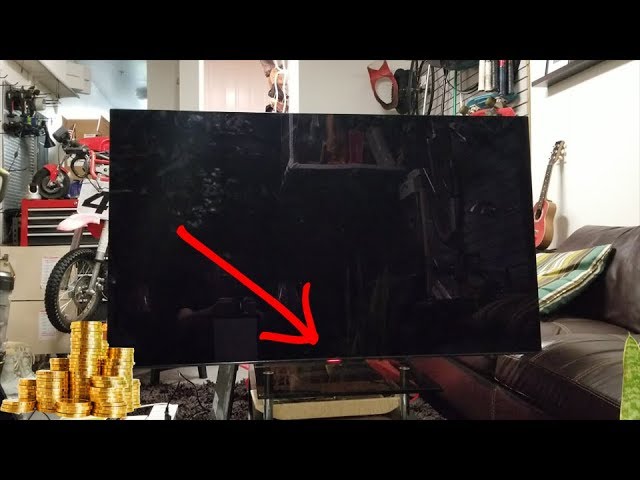
Is your Sony TV flashing a red light and leaving you puzzled? You’re not alone.
That blinking red light can feel like a warning sign, making you wonder if your TV is broken or if there’s a quick fix. The good news is, you don’t have to panic or rush to replace your set just yet.
You’ll discover what the flashing red light means and simple steps you can take to solve the problem yourself. Keep reading, and you’ll get your Sony TV back to working smoothly in no time.
Causes Of Red Light Flashing
The flashing red light on a Sony TV signals a problem. It helps users know the TV needs attention. This light flashes in patterns that point to different issues inside the TV. Understanding these causes helps fix the problem faster.
Power Supply Issues
Power supply problems often cause the red light to flash. Loose cables or faulty plugs can stop the TV from getting stable power. Electrical surges or outages may also harm the power board. Checking the power source is the first step to solve this issue.
Firmware Glitches
Firmware controls how the TV works. Bugs or errors in the firmware can cause the red light to blink. Sometimes, updates fail or get corrupted. Restarting or updating the firmware can clear these glitches and stop the flashing.
Hardware Malfunctions
Internal hardware parts can fail over time. Issues with the main board or the backlight system may trigger the red light. Faulty components need repair or replacement. Identifying the exact faulty part is key to fixing the TV.
Overheating Problems
Overheating is a common cause of the red light flash. Poor ventilation or dust inside blocks airflow. The TV shuts down or signals a warning to avoid damage. Cleaning vents and keeping the TV cool prevents overheating issues.
Quick Checks Before Fixing
Before trying any repairs on your Sony TV with a flashing red light, do some quick checks. These basic steps help find simple problems fast. They save time and avoid unnecessary fixes. Check these areas carefully to spot easy solutions.
Inspect Power Connections
Start by checking the power cord and plug. Make sure the cord is fully plugged into the TV and the wall outlet. Look for any damage on the cord. Try a different outlet if possible. Loose or faulty connections often cause the red light to flash.
Check Remote Control
Look at the remote control batteries. Replace old batteries with new ones. Point the remote at the TV and press power. Sometimes, the remote sends signals that confuse the TV. Removing the batteries stops this and can reset the TV’s signal.
Verify Tv Standby Mode
Notice if the TV is in standby mode. The red light often flashes when the TV is off but still plugged in. Press the power button on the TV itself. This can wake the TV from standby. If the light stops flashing, the TV is in normal standby mode.
Basic Troubleshooting Steps
Seeing a red light flashing on your Sony TV can be worrying. It often means the TV has detected a problem. Basic troubleshooting steps can help you fix common issues quickly. These steps are simple and do not need special tools or skills.
Start with easy fixes before calling for help. These checks save time and may solve the problem.
Power Cycle The Tv
Turn off the TV using the remote or power button. Unplug the TV from the wall outlet. Wait for about 60 seconds. Plug the TV back in and turn it on. This process resets the TV’s hardware and can clear minor errors.
Reset To Factory Settings
Press the Home button on your remote. Navigate to the Settings menu. Find the option for “Storage & Reset” or “System Settings.” Select “Factory Data Reset” to erase all settings. Confirm the reset to start it. This step clears software glitches and restores default settings.
Update Tv Firmware
Connect your TV to the internet. Go to the Settings menu and select “About” or “System Update.” Choose “Check for Updates.” If an update is available, download and install it. Updating firmware fixes bugs and improves TV performance.
Credit: www.reddit.com
Advanced Fixes
Advanced fixes for a Sony TV flashing red light require deeper troubleshooting steps. These steps go beyond basic resets and power cycles. They involve checking inside the TV and replacing parts that might be damaged. Proceed carefully to avoid further damage.
Inspect Internal Components
Open the back cover of the TV carefully. Look for burnt or swollen capacitors on the circuit board. Check for loose cables or connectors that may cause errors. Use a flashlight to see small details clearly. Any damaged components may cause the red light to flash.
Replace Faulty Parts
Identify parts that show visible damage or wear. Common faulty parts include power supply boards and main boards. Order exact replacements for your Sony TV model. Use a screwdriver and anti-static tools to swap parts safely. Test the TV after replacing parts to ensure the issue is fixed.
Seek Professional Repair
Contact a certified Sony repair center for complex problems. Professionals have the right tools and knowledge. They can diagnose hidden issues quickly and fix them correctly. Avoid risky repairs that can void your warranty or cause more harm. Professional help ensures your TV works safely and efficiently.
Preventive Tips
Preventing the Sony TV flashing red light issue starts with simple steps. These help keep your TV running smoothly. Follow these tips to avoid common problems and extend your TV’s life.
Regular Software Updates
Keep your TV’s software up to date. Updates fix bugs and improve performance. Check for updates in the TV settings menu. Install them as soon as they become available. This reduces errors that cause the red light to flash.
Proper Ventilation
Place your TV in a well-ventilated area. Avoid tight spaces that trap heat. Heat can damage internal parts and cause flashing lights. Leave enough space around the TV for air to flow freely. Clean dust from vents regularly to prevent overheating.
Use Surge Protectors
Protect your TV from power surges. Sudden voltage spikes can harm the TV’s electronics. Plug the TV into a quality surge protector. This helps prevent damage and flashing red light problems. Replace old or worn surge protectors for best results.
Credit: www.youtube.com

Credit: www.wikihow.com
Frequently Asked Questions
Why Is My Sony Tv Flashing A Red Light?
A red light on Sony TV usually signals a power or hardware issue.
How Can I Fix Sony Tv Red Light Blinking?
Try unplugging the TV for 5 minutes, then plug it back in.
Does Flashing Red Light Mean Sony Tv Is Broken?
Not always. It may indicate a temporary error or need for reset.
What Causes Sony Tv To Blink Red Repeatedly?
Common causes include power supply problems, faulty hardware, or software glitches.
Can I Use Sony Tv With A Flashing Red Light?
It’s best to fix the issue first; the TV might not work properly.
Conclusion
A Sony TV flashing red light shows an error or issue. Check the power and cables first. Restart the TV to see if it helps. Look for blinking patterns to identify the problem. Sometimes, a simple reset fixes the issue.
If the light keeps flashing, contact Sony support. Avoid using the TV until the problem is solved. Taking quick action can save your TV. Stay calm and follow these steps carefully. Your TV can work fine again soon.