
Is your Samsung fridge light on but the inside feels warm? This can be frustrating and confusing.
You expect your fridge to keep your food fresh, but when it stops cooling, it throws your daily routine off balance. You might wonder why the light works but the cooling doesn’t. Don’t worry—you’re not alone, and there are simple reasons behind this issue.
Keep reading, and you’ll discover easy steps to fix your fridge and prevent food spoilage. Your peace of mind is just a few minutes away.
Common Causes Of Cooling Issues
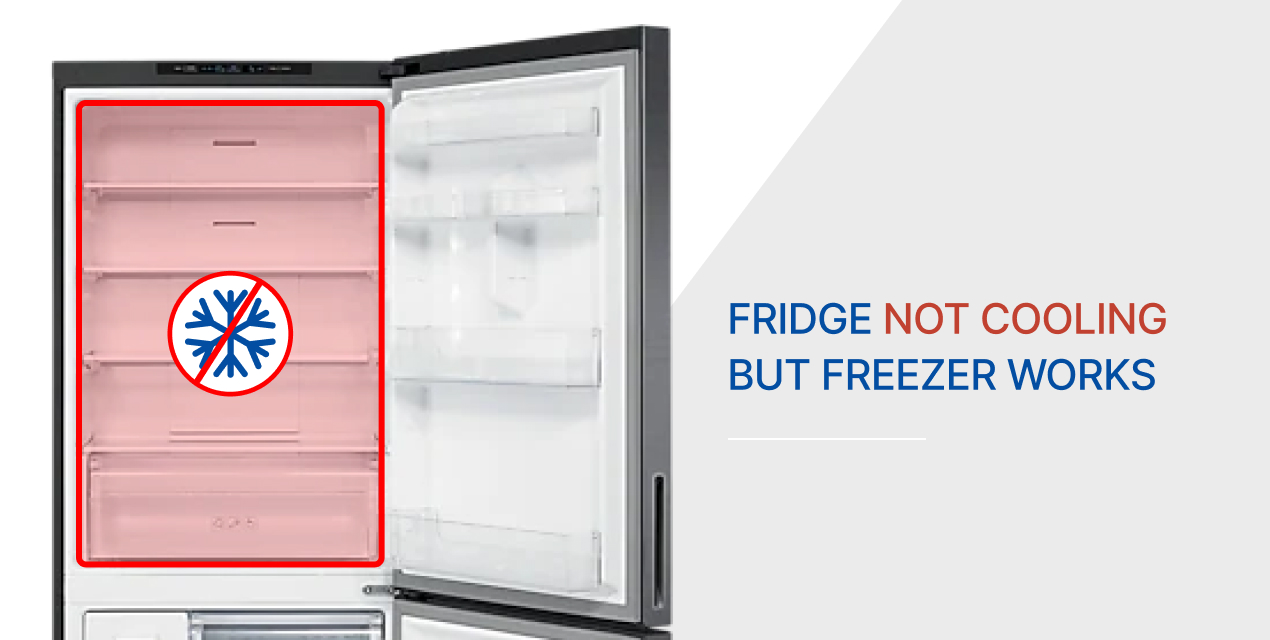
Samsung fridge not cooling but light is on? Several common causes may explain this issue. Understanding these causes helps in quick troubleshooting and possible fixes.
Cooling problems often arise from simple issues. Checking these first can save time and money.
Power And Temperature Settings
Incorrect power supply or unplugged fridge can stop cooling. Check if the fridge is properly plugged in and receiving power. Temperature settings might be too high. Set the fridge to the recommended cool level for proper operation.
Dirty Condenser Coils
Condenser coils remove heat from inside the fridge. Dust and dirt can cover these coils. This buildup reduces cooling efficiency. Clean the coils gently with a brush or vacuum to improve cooling.
Faulty Evaporator Fan
The evaporator fan moves cold air inside the fridge. A broken fan stops air circulation. This causes uneven cooling or no cooling at all. Listen for the fan noise or check if it spins freely.
Blocked Air Vents
Air vents allow cold air to flow between fridge sections. Blocked vents stop air movement. Overfilled shelves or large items can block vents. Keep vents clear for proper air circulation.
Malfunctioning Thermostat
The thermostat controls the fridge temperature. A faulty thermostat may give wrong signals. This causes the fridge to stop cooling or overcool. Testing or replacing the thermostat fixes this issue.
Credit: appliancerepairexpert.ca
Simple Diy Fixes
When a Samsung fridge light is on but it is not cooling, simple fixes might help. These easy steps can save time and money. Most fixes do not need special tools or skills. Try these first before calling a technician.
Adjusting Temperature Controls
Check the temperature settings inside the fridge. Sometimes the controls change by mistake. Set the fridge to the recommended cooling level. Usually, this is between 37°F and 40°F (3°C to 5°C). Wait a few hours after adjusting. This allows the fridge to reach the new temperature. If the fridge stays warm, try other fixes.
Cleaning The Condenser Coils
Dirty coils reduce cooling power. Find the coils at the back or bottom of the fridge. Use a brush or vacuum to remove dust and dirt. Clean coils help the fridge run better and cooler. Clean coils every six months for best results. This simple step improves fridge performance a lot.
Checking And Clearing Air Vents
Air vents move cold air inside the fridge. Blocked vents stop proper cooling. Remove items blocking the vents inside the fridge. Check for ice buildup near vents and remove it carefully. Clear vents help cold air flow evenly. This keeps all parts of the fridge cool.
When To Check The Fans
When your Samsung fridge light is on but it does not cool, checking the fans is a key step. Fans help move cold air inside the fridge. If fans stop working, cold air cannot flow properly. This can cause your fridge to warm up. Fans may also get dirty or blocked. This makes them less effective.
Check the fans soon. This can save you from bigger problems. Knowing how to inspect the evaporator and condenser fans helps find the issue fast.
Evaporator Fan Inspection
The evaporator fan moves cold air from the freezer to the fridge. If this fan stops, your fridge won’t cool well. Open the freezer door and listen for fan noise. No sound means the fan might be broken.
Look at the fan blades for dirt or ice. Clean the blades gently with a soft cloth. Ice buildup can block the fan. Defrost the freezer if needed. Use a flashlight to see clearly inside. Check if the fan spins freely by hand. If it feels stuck, the fan motor may need replacement.
Condenser Fan Troubleshooting
The condenser fan cools the compressor and condenser coils. This fan helps keep the fridge cold. Find the fan near the bottom or back of the fridge. Turn off the fridge and unplug it first.
Check for dust, dirt, or debris on the fan blades. Clean the fan carefully with a brush or cloth. Make sure the fan blades turn smoothly. If the fan does not spin, the motor could be faulty. Test the motor or call a technician for help.

Credit: www.ifixit.com
Resetting Your Samsung Fridge
Resetting your Samsung fridge can fix cooling problems quickly. Sometimes, the fridge light stays on but the cooling stops working. A reset can refresh the system and solve small errors. It clears the fridge’s memory and restarts its functions.
Two common ways to reset your Samsung fridge are the power cycle method and the control panel reset. Both are simple and safe to try at home. Follow the steps carefully to avoid any issues.
Power Cycle Method
Unplug the fridge from the power outlet. Wait for about five minutes to let it reset completely. Plug the fridge back in and check if it starts cooling. This method helps clear minor electrical glitches. It’s a quick way to restart the fridge’s system without any tools.
Using The Control Panel Reset
Locate the control panel on your fridge door. Press and hold the reset button or the power freeze button for 10 seconds. The display will blink or change, showing the reset is done. This method resets the fridge’s internal settings. It can fix issues related to temperature control and sensors.
When To Call A Professional
Knowing when to call a professional for a Samsung fridge not cooling but light is on saves time and money. Some problems need expert tools and skills. Trying to fix complex parts can cause more damage or risk your safety. Watch for signs that the issue is beyond simple fixes.
Compressor Problems
The compressor is the fridge’s heart. It pumps refrigerant to keep your fridge cold. If the compressor fails, the fridge stops cooling even if the light is on. A loud noise or no noise at all can mean compressor trouble. A professional can test and replace the compressor safely.
Refrigerant Leaks
Refrigerant is the cooling fluid inside your fridge. Leaks lower the cooling power quickly. You cannot fix refrigerant leaks yourself. Only certified technicians can find and repair leaks safely. Low refrigerant levels need to be refilled correctly by a pro.
Electrical Component Issues
Electrical parts control the fridge’s cooling cycle. Faulty sensors, relays, or wiring can cause cooling failure. These problems are tricky to find without proper tools. A professional can diagnose and fix electrical faults to restore fridge cooling.

Credit: www.youtube.com
Tips To Prevent Future Cooling Problems
Keeping your Samsung fridge cool is important for food safety and energy use. Preventing future cooling problems saves you time and money. Follow simple tips to keep your fridge running well.
These easy steps help avoid common issues. They keep your fridge fresh and cold all year.
Regular Maintenance Schedule
Check your fridge’s coils and clean them every few months. Dust and dirt block airflow, making the fridge work harder. Replace or clean the water filter as needed. Test the door seals for tight closure. A weak seal lets cold air escape. Set reminders for maintenance tasks. Small efforts stop big problems.
Proper Food Storage Practices
Store food in sealed containers to keep moisture and odors in check. Avoid placing hot food inside; let it cool first. Organize items by type and expiration date. This helps air flow freely and keeps food fresh. Do not block air vents inside the fridge. Proper storage keeps the temperature even.
Avoid Overloading The Fridge
Do not pack the fridge too full. Overcrowding blocks air circulation and reduces cooling. Leave space between items for air to move. Overloading forces the fridge to work harder and may cause breakdowns. Keep only necessary items inside for best cooling.
Frequently Asked Questions
Why Is My Samsung Fridge Light On But Not Cooling?
The fridge light shows power, but cooling may fail due to compressor or fan issues.
Can A Dirty Condenser Cause No Cooling In Samsung Fridge?
Yes, dirt blocks heat release, making the fridge unable to cool properly.
How To Fix Samsung Fridge Not Cooling But Light Works?
Check and clean fans, condenser coils, and ensure the door seals are tight.
Does A Faulty Thermostat Stop Samsung Fridge Cooling?
A broken thermostat can prevent the fridge from maintaining cold temperatures.
When Should I Call A Technician For Samsung Fridge Cooling Issues?
Call a technician if cleaning and simple checks don’t restore cooling.
Conclusion
A Samsung fridge not cooling but with light on can be frustrating. Often, simple issues cause this problem. Check the vents, door seals, and temperature settings first. Clean the condenser coils regularly to help cooling. Sometimes, a small repair or reset fixes the issue.
Always unplug the fridge before trying any fixes. If problems continue, call a professional for help. Keeping your fridge in good condition saves food and money. Stay patient and follow these easy steps to get your fridge working well again.