
Are you seeing error codes D80, D90, or D95 on your LG dryer? These codes can be frustrating and confusing, especially when you rely on your dryer every day.
But don’t worry—understanding what these errors mean and how to fix them can save you time and money. You’ll discover simple explanations and easy steps to get your dryer running smoothly again. Keep reading to take control of your appliance and avoid unnecessary repairs.

Credit: www.youtube.com
Common Causes Of D80, D90, And D95 Errors
LG dryer error codes D80, D90, and D95 indicate specific problems. These errors stop the dryer from working properly. Understanding the common causes helps fix these issues faster. Below are the main reasons these errors appear.
Sensor Malfunctions
Dryers use sensors to check temperature and moisture. If a sensor breaks or gets dirty, it sends wrong signals. This can trigger D80, D90, or D95 errors. Faulty sensors may cause the dryer to stop mid-cycle or not heat at all.
Ventilation Blockages
Blocked vents stop hot air from leaving the dryer. Lint, dust, or debris can clog the vent pipe. This causes overheating and triggers error codes. Clean vents regularly to avoid these issues and keep the dryer working well.
Electrical Issues
Problems with wiring or power supply cause errors too. Loose connections or damaged wires can disrupt the dryer’s function. Faulty electrical parts may lead to D80, D90, or D95 error codes. Check wiring and power to ensure proper operation.

Credit: smartapplianceservices.com
Diagnosing The Error Codes
Diagnosing error codes on your LG dryer helps you understand the issue quickly. It saves time and prevents unnecessary repairs. Knowing how to check and read these codes can guide you to the right solution. Here are simple steps to diagnose the D80, D90, and D95 error codes.
Checking The Dryer’s Display
The dryer’s display shows error codes clearly. When an error occurs, the code appears on the screen. Write down the code exactly as it shows. This helps in identifying the problem accurately. Make sure the dryer is plugged in and turned on. Look carefully for any flashing lights or symbols too.
Using Diagnostic Mode
LG dryers have a built-in diagnostic mode. It helps test different parts of the dryer. Enter the mode by pressing specific buttons together. This varies by model, so check your user manual. Once in diagnostic mode, the dryer runs tests automatically. It shows error codes related to sensors or motors. This mode gives a deeper insight into the problem.
Interpreting Error Patterns
Error codes often appear in patterns. For example, D80, D90, and D95 relate to sensor or communication issues. D80 means a problem with the moisture sensor. D90 shows a communication error between parts. D95 signals a heating issue. Recognizing these patterns helps pinpoint the exact fault. Use the code to find parts or repairs needed.
Immediate Troubleshooting Steps
LG dryer error codes D80, D90, and D95 signal issues with drying cycles. Quick action can prevent bigger problems. Start with simple checks before calling for help. These immediate steps often fix the problem fast. Follow each carefully for best results.
Power Reset
Unplug the dryer from the power outlet. Wait 5 minutes to clear the memory. Plug it back in and turn on the dryer. This reset can clear minor electronic errors. Watch if the error code disappears after restart.
Cleaning The Lint Filter And Vent
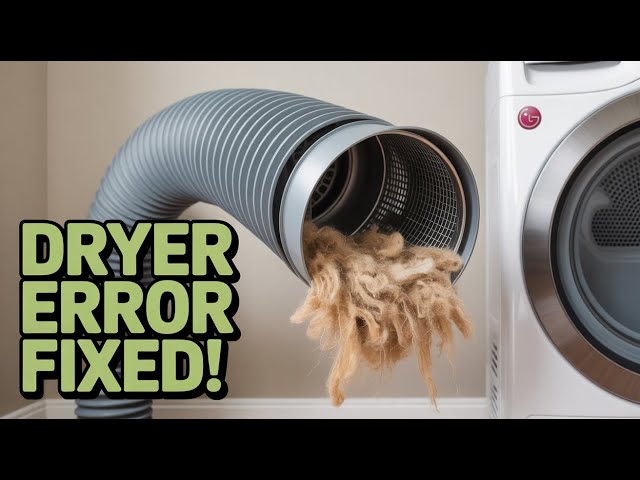
Remove the lint filter and clean all lint and debris. Check the vent hose for blockages or kinks. Clean the vent opening outside your home. Good airflow helps the dryer work properly. Blocked vents cause overheating and error codes.
Inspecting The Moisture Sensor
Locate the moisture sensor inside the dryer drum. Wipe it gently with a soft cloth and mild soap. Dirt or residue can stop the sensor from working right. Dry the sensor well before using the dryer again. A clean sensor helps the dryer detect dryness correctly.
Fixing Sensor And Wiring Problems
Sensor and wiring problems often cause LG dryer error codes D80, D90, and D95. These codes point to issues with temperature sensors or wiring faults. Fixing these problems requires checking sensors and wiring carefully. This helps the dryer work properly and safely.
Testing Sensor Continuity
First, disconnect the dryer from power. Find the temperature sensor inside the dryer. Use a multimeter to test the sensor’s continuity. Set the multimeter to ohms. Place probes on the sensor terminals. A reading shows if the sensor works or not. No reading means the sensor is faulty and needs replacing.
Replacing Faulty Sensors
Turn off the dryer and unplug it. Remove the dryer panel to access the sensor. Take out the old sensor carefully. Install the new sensor in the same place. Secure it tightly to avoid loose contact. Reattach the panel and plug the dryer back in. This usually clears error codes related to sensors.
Repairing Loose Connections
Loose wires can cause sensor errors too. Inspect all wiring near the sensor and control board. Look for damaged or disconnected wires. Tighten any loose wire connectors. Replace any wires that are broken or worn out. Secure all connections to prevent future errors. This step ensures stable communication between parts.
Maintaining Dryer Performance
Maintaining your LG dryer’s performance helps avoid error codes like D80, D90, and D95. These codes often signal airflow or heating problems. Proper care keeps your dryer running smoothly and dries clothes efficiently. Small steps in maintenance save time and money on repairs.
Regular Vent Cleaning
Clean the dryer vent regularly to prevent lint buildup. Lint blocks airflow and causes overheating. This leads to error codes and longer drying times. Use a vent brush or vacuum to clear the vent. Check outside vent openings for debris or nests. Clean vents twice a year or more if needed.
Avoiding Overloading
Do not overload your dryer with too many clothes. Overloading restricts air circulation inside the drum. Poor airflow causes errors and uneven drying. Load clothes loosely and in small batches. Follow the dryer’s capacity guidelines for best results.
Scheduling Professional Service
Plan regular checkups with a professional technician. Experts can inspect electrical parts and heating elements. They detect hidden problems before errors appear. Professional service ensures safe and efficient operation. Schedule service at least once a year for best care.
Credit: www.youtube.com
When To Call A Technician
Knowing when to call a technician for your LG dryer can save you time and prevent further damage. Some issues need professional help to fix. It is important to recognize the signs that indicate a problem beyond simple troubleshooting. Acting quickly keeps your dryer safe and working well.
Persistent Error Codes
Error codes D80, D90, or D95 may appear on your dryer’s screen. If these codes show up repeatedly after you try to reset the machine, it signals a deeper issue. Persistent error codes mean the problem is not resolving by itself. A technician can diagnose and repair the root cause.
Unusual Noises Or Smells
Strange sounds like grinding or rattling should not be ignored. Odd smells, such as burning or electrical odors, are also warning signs. These symptoms often indicate mechanical or electrical faults. A trained technician can safely inspect and fix these problems.
Safety Considerations
Dryer issues can sometimes create fire hazards or electrical risks. If you notice sparks, smoke, or your dryer overheats, stop using it immediately. Avoid trying to fix electrical parts yourself. Calling a technician ensures your safety and prevents accidents.
Frequently Asked Questions
What Do Lg Dryer Error Codes D80, D90, And D95 Mean?
These codes show problems with the dryer’s door switch or door lock system.
How Can I Fix Lg Dryer Error Code D80 Quickly?
Check if the door closes properly and clean the door lock area.
Why Does My Lg Dryer Show Error D90 Or D95?
These errors indicate the door lock is stuck or not working correctly.
Can I Use My Lg Dryer With Error Code D95?
It’s unsafe; the dryer won’t start until the door lock issue is fixed.
When Should I Call A Technician For Lg Dryer Errors D80-d95?
Call a technician if cleaning or resetting the door lock doesn’t fix the error.
Conclusion
LG dryer error codes D80, D90, and D95 show common issues. These errors often point to sensor or motor problems. Fixing them early saves time and money. Checking the manual helps understand each code clearly. Simple steps like cleaning or resetting may solve the issue.
Persistent errors need a professional technician. Regular dryer care prevents future problems. Keep your dryer running smoothly and avoid big repairs. Stay informed to handle errors with confidence.